FAQ Templates: 5 Free HTML Templates Plus Copy Examples and How to Build Your Own (2026)
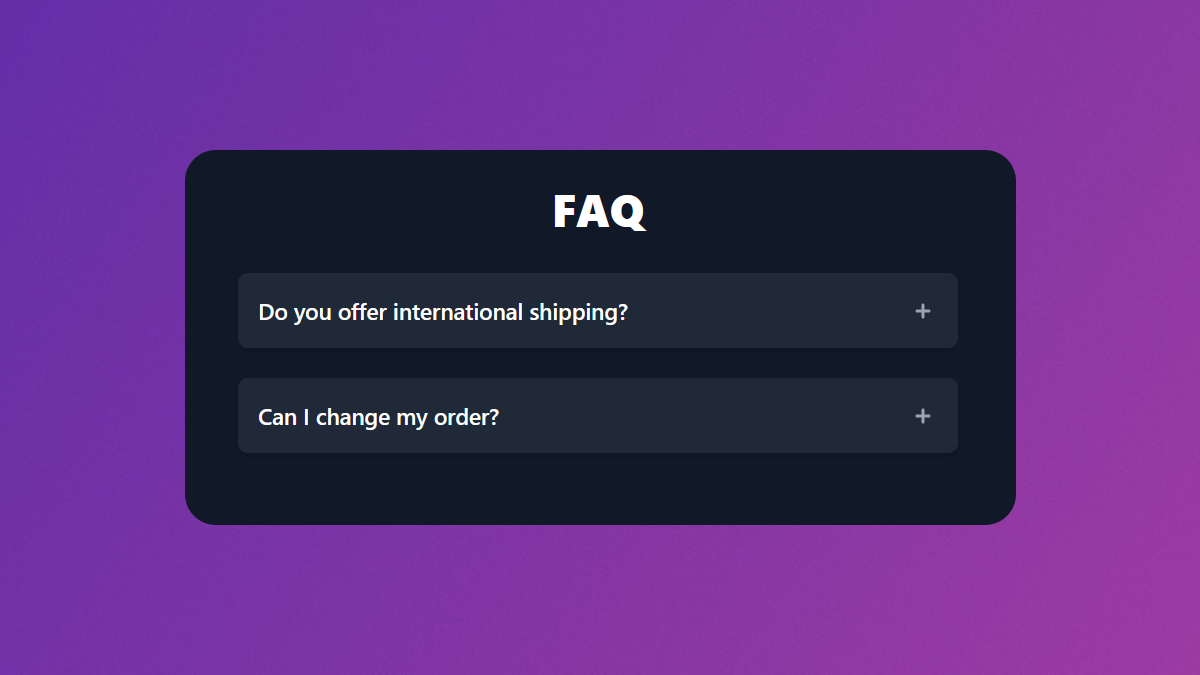
A good FAQ section answers your customers' most common questions before they even think of opening a support ticket — and it does it right on the page where the question comes up. Whether you need a copy-paste HTML snippet, a content template you can fill in, or a full FAQ page layout, this guide gives you all three.
In short: an FAQ template is a reusable structure for presenting frequently asked questions and answers. The fastest options are:
- free HTML/Tailwind code templates you drop straight into your site — we open-sourced five of them below;
- content templates that give you the questions and answer copy to fill in; and
- in-product FAQ widgets built into help-center tools that handle search, analytics, and updates for you.
Below you'll find all five code templates (with screenshots and a public GitHub repo), ready-to-copy FAQ questions and answers, and a short framework for picking the right approach.
What is an FAQ template?
An FAQ template (short for "frequently asked questions template") is a reusable structure for collecting and displaying the questions your customers ask most, alongside clear answers. Instead of designing the layout and writing the markup from scratch every time, you start from a template and fill in your content.
Templates come in a few forms. A code template is ready-made HTML and CSS — you copy it into your site and swap in your questions. A content template is the opposite: it gives you the questions and answer copy (and the order to present them in) without prescribing the design. A page-layout template defines where the FAQ sits in relation to the rest of a landing or support page. And an in-product FAQ widget is a template built into a help-center platform, where adding a question is as simple as typing it into an editor.
The right one depends on what you're optimizing for: speed to ship, design control, content quality, or long-term maintenance. We cover how to choose in the "How to choose" section in this blog post.
The 4 types of FAQ templates explained
1. HTML / code templates. Best when you control your own front end and want pixel-level design control. You get accordion, two-column, or grid layouts as copy-paste markup. The five templates we open-sourced (next section) are this type, built with Tailwind CSS.
2. Content / copy templates. Best when the design is already handled and you just need the words. These give you the actual questions and answer patterns — see our FAQ content examples for a fill-in-the-blank set.
3. FAQ page templates. Best for a standalone /faq page rather than an inline section. These define the full page: search bar at the top, grouped categories, and a contact fallback at the bottom.
4. In-product FAQ widgets. Best when you don't want to maintain code at all. A help-center tool renders the FAQ for you, adds search, tracks which questions get the most views, and lets non-technical teammates edit answers. This is what HelpCenter.io does — more on when that's the right call in how to choose.
5 free FAQ HTML templates (copy-paste, open source)
Template 1: Simple FAQ section
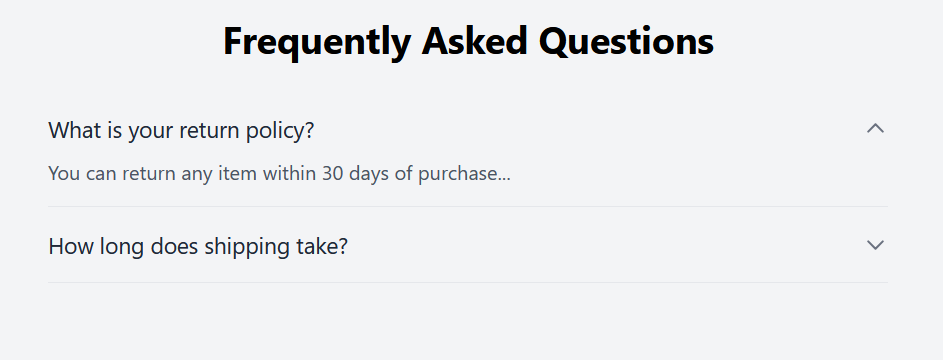
Starting with the simplest one, this template features a toggle-able FAQ items where the content is displayed on and off under the question as you click on each of the FAQs. The toggle arrow-down icon is rotated 180 degrees as you expand or collapse each of the questions.
Template: https://github.com/helpcenterio/faq-templates/blob/main/templates/html/basic.html
Template 2: Simple animated FAQ section
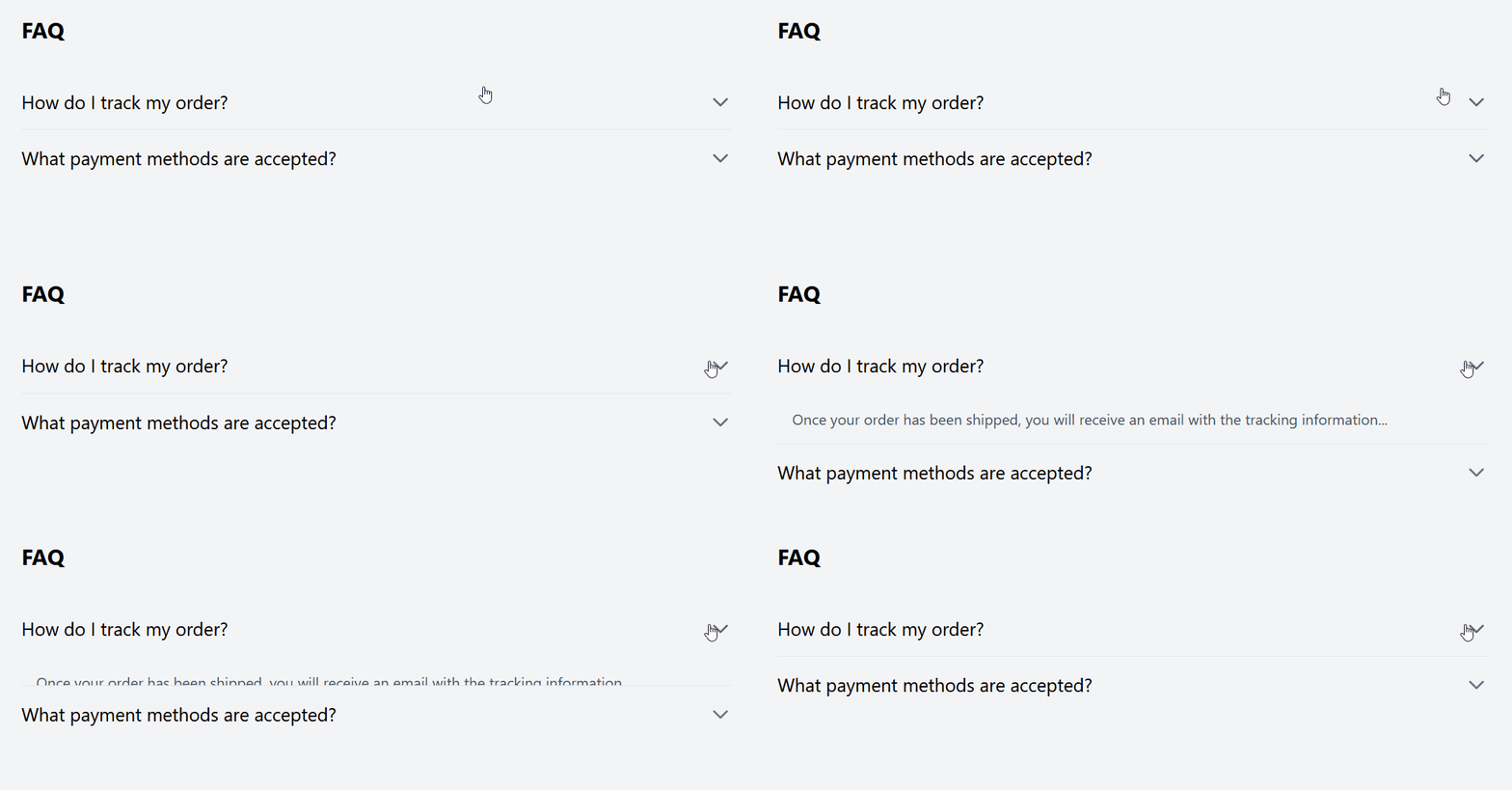
FAQs template number 2 features a similar looks to the first one. It is a clean accordion-style FAQ section again. This time, however, clicking on a question smoothly reveals the corresponding answer with a slide down animation to enhance the user experience.
Template: https://github.com/helpcenterio/faq-templates/blob/main/templates/html/basic_animated.html
Template 3: Light color-scheme FAQs
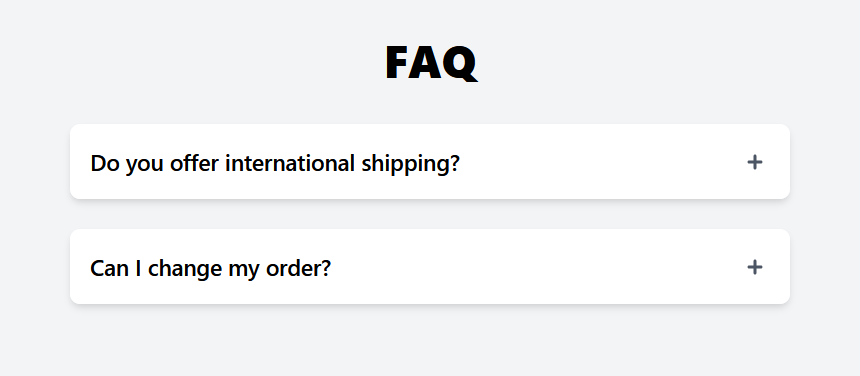
In this FAQs template, each question is displayed as a block item with a background in a light color scheme. The toggle icon is a the plus sign this time, switching to a minus sign when an FAQ is expanded.
Template: https://github.com/helpcenterio/faq-templates/blob/main/templates/html/block_light.html
Template 4: Dark color-scheme FAQs
This template is similar to the previous one but features a dark color scheme with smooth animations when expanding or collapsing FAQ items. Ideal for websites with a dark mode or a sleek design aesthetic.
Template: https://github.com/helpcenterio/faq-templates/blob/main/templates/html/block_dark.html

Template 5: Two-column FAQ section
This template offers a two-column layout with a white background. Each FAQ item features a light gray background and uses a plus icon for expansion, switching to minus when open. Answers are revealed with a nice slide down animation.
Template: https://github.com/helpcenterio/faq-templates/blob/main/templates/html/two_columns.html
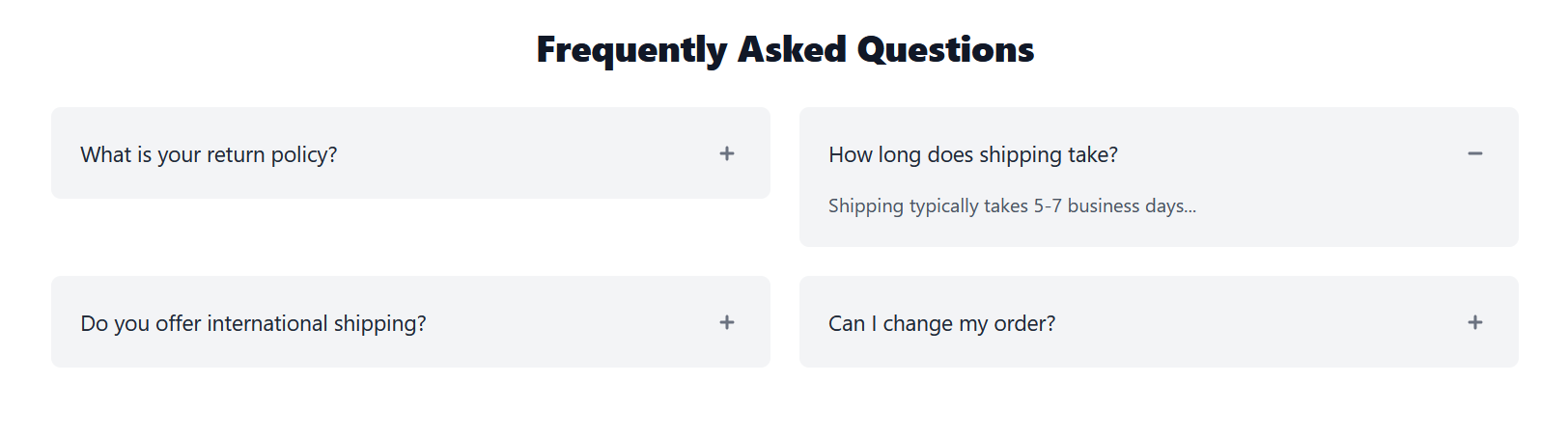
These templates are designed to be easily integrated and customized to fit your website's branding and design. By utilizing Tailwind CSS and JavaScript, you can create interactive and responsive FAQ sections that enhance user experience and engagement. You can also mix and match different parts from several templates to create your own unique FAQs.
You can find all of the FAQs templates on GitHub.
How to use?
The templates are offered as a simple HTML.
In case you are a developer, or you do have a developer at hand, you can turn any of the above templates into a re-usable Vue or React component and integrate it into your project.
If the terms "Vue" and "React" speak nothing to you, however, you can just copy and paste the content between <body> and </body> into your own project where you would like the FAQ section to appear and adjust the content as needed.
Each single FAQ item begins with a comment like <!– Question 1 --> and ends with a new line before the next question so this is the part you should copy as many times as needed to create a separate element for each of your Frequently Asked Questions.
The question of each item is within a button tag, followed by a span tag.
And the answer is displayed in a div with an ID that look like answer- or content- or faq-content-, followed by a p tag.
Customization Tips
- Adjust Colors: Tailwind CSS makes it easy to adjust colors to match your brand.
- Modify Typography: Change font sizes and weights using Tailwind's typography utilities.
- Enhance Accessibility: Use ARIA attributes and ensure keyboard navigation is supported.
You can find the documentation of Tailwind CSS here.
Other Tailwind CSS FAQs resources
Tailwind CSS offer their own set of reusable components which include various FAQ section templates. If none of the above works well for you, you may want to check those.
Curious how this fits in the broader category? Our roundup of the best knowledge base software with AI search compares the top 12 platforms on smart FAQ surfacing and AI-driven help.
FAQ content examples: questions and answers you can copy
If you have the layout but need the words, start from these. Swap in your specifics — they cover the categories most SaaS and e-commerce FAQs need.
Getting started
- How do I create an account? — Click "Sign up" in the top right, enter your email, and you'll be guided through setup in under two minutes.
- Is there a free trial? — Yes. You can try every feature free for 14 days, no credit card required.
Billing
- What payment methods do you accept? — All major credit cards. Annual plans can also be invoiced.
- Can I change my plan later? — Yes, upgrade or downgrade anytime from your account settings; changes are prorated.
Product / usage
- Can I use this on multiple devices? — Yes, your account syncs across every device you sign in on.
- Do you offer integrations? — Yes — see our integrations page for the current list and setup guides.
Support
- How do I contact support? — Use the chat widget in-app, or email support@yourdomain.com; we reply within one business day.
- Where can I find documentation? — Your help center has step-by-step guides and is searchable from any page.
Keep answers short (one to three sentences), lead with the answer, and write the question the way a customer would actually phrase it — that phrasing is also what AI assistants match against when they cite your FAQ.
For real-world versions of these questions, see our FAQ page examples: 14 live FAQs from Figma, Stripe, Basecamp and others, measured, with a screenshot of each.
How to choose the right FAQ template
Use this quick decision guide:
- You control your front end and want full design control → use one of the free HTML templates above.
- The design is done; you need the content → use the copy examples in Section 5.
- You want a standalone, searchable FAQ page you don't have to code → use an FAQ page builder or a help-center platform.
- You expect the FAQ to grow and change, and want non-technical teammates to edit it →use an in-product FAQ/help-center tool so updates don't require a deploy.
- You need an FAQ section live today and would rather not write the markup → use a free FAQ builder like FAQs.me and paste the exported snippet in.
A static HTML FAQ is perfect to start. Once you pass a few dozen questions, or you want search, view analytics, and answers your support team can edit without touching code, a dedicated help-center tool pays for itself. If you'd rather not maintain FAQ markup at all, HelpCenter.io gives you a hosted, searchable, AI-ready help center — see the best knowledge base software for 2026 for how the options compare. If your shortlist is FAQ-specific rather than a full knowledge base, we also compare ten FAQ tools on price and how each one bills AI answers.
Frequently asked questions
What is an FAQ template? An FAQ template is a reusable structure for presenting frequently asked questions and their answers. It can be ready-made HTML code, a content template with the questions and answers to fill in, or an in-product widget built into a help-center tool.
Are these FAQ templates free? Yes. All five HTML templates are free and open source on GitHub. You can copy, customize, and use them in personal or commercial projects.
What is the best format for an FAQ section? For most websites an accordion (collapsible) layout works best because it keeps the section compact while letting visitors expand only the questions they care about. Use a single-column list when you have just a few high-priority questions.
How many questions should an FAQ have? Start with the 5 to 10 questions your customers ask most. Add more only when you have real, recurring questions — a focused FAQ is more useful than an exhaustive one.
How do I add an FAQ section to my website? Copy one of the free HTML templates into your page and replace the placeholder questions with your own, or use a help-center tool that renders a searchable FAQ for you without any code.
Should I use FAQ schema markup? Yes, if you have a genuine, visible question-and-answer section. It no longer earns a Google rich result (Google retired those on 7 May 2026), but FAQPage structured data still labels your FAQ for search engines and AI assistants. The answer text in your schema must match the visible text on the page.
What's the difference between an FAQ template and an FAQ page builder? A template is a starting structure you implement yourself. An FAQ page builder or help-center tool hosts and renders the FAQ for you, usually adding search, analytics, and no-code editing. Builders split into two kinds. Some host the FAQ for you and serve it to your visitors. Others just generate the code and hand it over. FAQs.me, our free FAQ builder, is the second kind: pick a template, set your colors, and copy out one self-contained snippet with FAQPage schema already in it.
When should I move from a static FAQ to a help-center tool? When your FAQ grows past a few dozen questions, when you want built-in search and view analytics, or when non-technical teammates need to update answers without a code deploy.
Conclusion
Whatever you need — code, copy, or a hosted help center — you now have a template to start from. Grab the free HTML templates from our GitHub repo, copy the content examples for the words, and add FAQPage schema once your section is live. And if you'd rather skip maintaining FAQ markup entirely, start a free HelpCenter.io trial and have a searchable help center live in minutes with support for dynamic FAQ section you can place anywhere.