Customer Self-Service: The 2026 Guide to Doing It Right (Plus Examples, Tools, and a 7-Step Build Plan)
Customer self-service in 2026: the 5 channels, examples by industry, a 7-step build plan, the best software, AI/RAG done right, and the metrics that matter.
61% of customers would rather solve simple problems themselves than wait for a service rep. That number — from Salesforce's State of Service 2024 — is the single most important fact about customer support in 2026. It reframes self-service from a cost-cutting tactic into something customers are actively asking for. Built well, customer self-service resolves an estimated 54% of issues without ever touching an agent.
The hard part isn't whether to invest. It's what to build, in what order, and how to keep it from becoming the kind of help center that everyone in customer support has seen and hated — buried search, dead-end chatbots, articles last updated in 2019. This guide is for support and product leaders who want a real plan: definitions that disambiguate the cluster of related terms, a channel taxonomy that maps to actual customer behavior, examples by industry, a seven-step build sequence, the role of AI without the hype, and a measurement framework that doesn't reward vanity metrics.
Here's the full tour:
- What is customer self-service?
- Why customer self-service matters in 2026
- The 5 channels of customer self-service
- Customer self-service examples (by industry)
- How to build a customer self-service program in 7 steps
- Best customer self-service software in 2026
- The role of AI: RAG, grounding, and escalation
- How to measure customer self-service success
- Best practices
- Common pitfalls to avoid
- FAQ
If you already have the basics in place and just want the build plan, skip to Section 5. If you're evaluating tools, Section 6 connects to our best knowledge base software for 2026 deep comparison. Everywhere else, the goal is plain English with as little marketing fluff as we can manage.
What is customer self-service?
Customer self-service is the practice of giving customers tools — a help center, a portal, a chatbot, a community forum — that let them find answers and resolve issues on their own, 24/7, without contacting a support agent. The defining feature isn't the technology. It's that the customer completes the entire interaction without a human on your end being involved.
Most people first encountered customer self-service in the early 2000s as IVR phone trees and static FAQ pages. The modern version is multi-channel: a typical mid-market SaaS customer now touches five or more self-service surfaces — the public help center, in-product help bubbles, a logged-in account portal, a chatbot or AI search box, and the mobile app — often in a single session. That's a different problem from "build us an FAQ page."
Customer self-service vs. self-service customer support vs. customer service automation
These three phrases get used interchangeably online, but they aren't the same thing.
Customer self-service is the strategy: giving customers the means to resolve their own issues. Self-service customer support is the operational layer underneath — the help center, search, chat, articles, and analytics that make it possible. Customer service automation is broader still: it includes self-service plus anything else that removes manual effort from your support team (ticket routing, macros, AI summaries for agents, workflow rules). All customer self-service is automation; not all customer service automation is customer-facing self-service.
If you remember nothing else from this section: self-service is about the customer doing it themselves. Automation is about removing manual work — whether the customer ever sees it or not.
Why customer self-service matters in 2026
The case for investing in customer self-service used to be primarily cost. It still is, partly. But the demand-side data has shifted: customers now actively prefer it for routine issues. Per Salesforce's annual State of Service report, 61% of customers prefer self-service for simple issues, and well-instrumented self-service programs resolve an estimated 54% of customer issues without an agent ever touching the ticket.
Three concrete business reasons make this real:
Reduce cost per ticket. Industry benchmarks put the fully-loaded cost of a human-handled support ticket between $5 and $50, depending on complexity and seniority required. A self-served resolution costs roughly the marginal energy of one search query plus content storage. The math compounds quickly with volume.
Scale support without scaling headcount. Self-service grows linearly with content quality, not with ticket volume. A help center that resolves 40% of incoming issues effectively gives you a 1.7× force multiplier on every agent you keep — you're directing them to the 60% of issues that actually need human judgment.
Improve customer experience. Counterintuitively, the same customers who say they want "great support" also say they prefer not to call. Phone-queue waits routinely stretch to several minutes or more, while a search-first help center returns a relevant article in under two seconds.
One more shift worth naming: AI-powered self-service is now mainstream. Salesforce reports 73% of service organizations now provide AI assistance to customers in some form. That changes both what's possible (natural-language answers, not just keyword search) and what customers expect.
If self-service is the strategy, channels are the tactics.
The 5 channels of customer self-service
There's no single "self-service product." There's a stack of channels, each suited to different customer intents. Mature programs run several in parallel. Here are the five that matter most for SaaS, e-commerce, and product-led businesses in 2026.
Self-service knowledge base / help center
A self-service knowledge base — sometimes called a help center, customer support knowledge base, or simply a docs site — is the foundation. It's a searchable library of articles answering customer questions: how-tos, troubleshooting steps, feature explanations, billing FAQs. The best ones are search-first (search box above the fold, autocomplete, type-ahead results), structured (categories, tags, internal linking), and instrumented (you know what people search for, including the searches that return zero results).
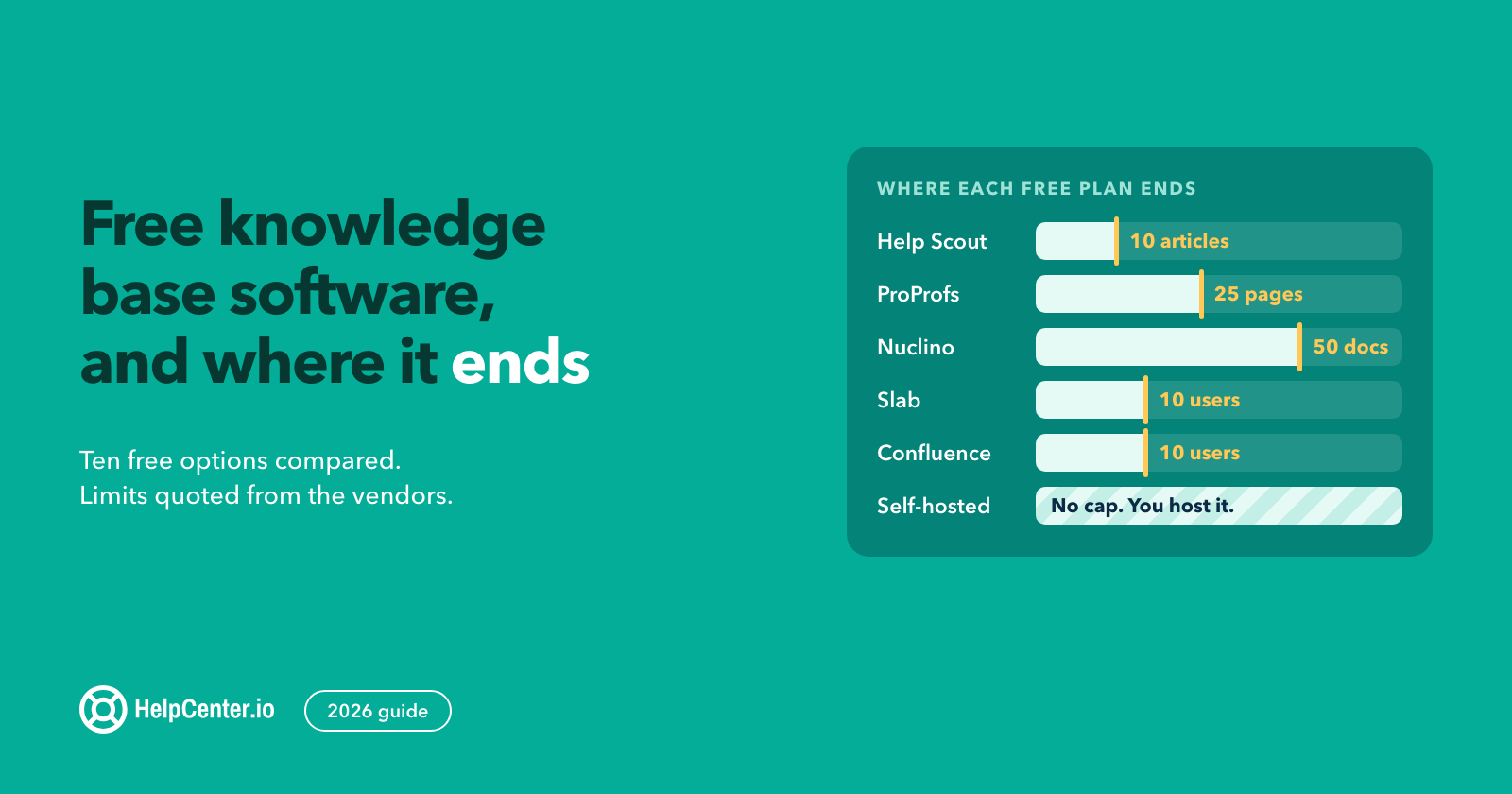
A help center is where most customer self-service journeys actually start. If you're picking just one channel to build first, this is it. If you're evaluating software, our deep comparison of the best knowledge base software for 2026 walks through twelve tools with pricing and trade-offs. HelpCenter.io plans for hosting a branded help center start at $29/mo billed annually — see /pricing.
Customer self-service portal
A customer self-service portal is a logged-in, personalized version of a help center. The customer signs in and sees content scoped to their account — their open tickets, their order history, their subscription, their account-specific docs. Help centers are public; portals are personal.
Portals matter most when your customers need account-specific actions: viewing invoices, downloading documents, opening or updating support tickets, managing subscriptions, returning orders. E-commerce and SaaS both lean on them. (Note: searching "customer self service portal" surfaces a lot of US municipal-government portals — Tyler Tech, Citizenserve, EnerGov. Those are a different product category entirely. We're talking about the SaaS / e-commerce flavor here.)
AI chatbots and virtual agents
AI chatbots and virtual agents — the conversational layer — sit on top of a knowledge base and convert natural-language questions into grounded answers. The good ones cite the source article in the response and escalate cleanly to a human when they don't know. The bad ones hallucinate or dead-end the customer. We'll get into the architecture in Section 7.
Choosing between a bot and a person for your chat channel? Our chatbot vs live chat comparison prices both at 2026 rates and lays out a human-first order that suits small teams.
Community forums and peer-to-peer support
Community forums let customers help each other. Notion, Stripe, Shopify, and Atlassian have well-known examples. They scale well once you have critical mass, surface use cases the support team would never write up, and feed your content ops with the questions worth writing articles about. They take real effort to seed and moderate; they aren't right for every business — typically not until you have several thousand active customers and at least one full-time community manager.
In-product self-service (tooltips, in-app help, embedded search)
The channel most teams underinvest in: help that lives inside the product itself. Tooltips on first-use, contextual sidebars, an embedded search bar that searches the help center without leaving the app, "What's this?" links next to confusing fields. The closer help is to the moment of confusion, the fewer tickets you receive. This is also where the lowest-volume, highest-frustration questions ("what does this checkbox actually do?") get resolved.
A sixth channel — IVR / voice self-service — still matters for phone-heavy industries (telecom, healthcare, banking). It's outside the focus of this guide, but worth flagging if your customer base skews phone-first.
Customer self-service examples (by industry)
The shape of customer self-service depends on what customers are trying to do. Here are five patterns we see repeated across industries.
SaaS (the structured help center pattern)
Notion's help center is the canonical example. Strong top-level categories (Getting Started, AI, Account & Billing, Reference), aggressive use of search with autocomplete, articles structured around tasks rather than features, and an in-app help bubble that surfaces relevant articles based on what page you're on. The pattern: structure for browsing, search for finding, in-app for context.
E-commerce (the order portal pattern)
Shopify's help center pairs with each merchant's customer-facing order portal: track an order, initiate a return, view shipping status. The split is intentional — the public help center handles general "how do I…" questions, and the per-merchant portal handles per-order actions. E-commerce customer self-service lives or dies by self-serve returns and order tracking.
Fintech (the two-tier docs pattern)
Stripe-style developer docs are aimed at integrators; the consumer-facing help is aimed at end users with billing or charge questions. Both reach high quality by being plain-spoken and example-heavy. The lesson: when your audience is genuinely two distinct populations (devs and end users, technical and non-technical), give each a separate doorway rather than mashing them together.
Telecom (the guided troubleshooter pattern)
ISPs and mobile carriers lean on guided diagnostic flows — pick your symptom, follow the decision tree, and the system runs diagnostics or escalates to support. The pattern works when troubleshooting is genuinely linear (signal strength, line tests, account status) and the customer doesn't have the vocabulary to search effectively.
Healthcare (the auth-gated, privacy-aware portal)
Patient portals are authentication-gated and privacy-aware by necessity (HIPAA in the US, equivalent regulations elsewhere). The self-service surface is narrower — appointment scheduling, prescription refills, lab results — but heavily used. The takeaway for non-healthcare businesses: when sensitive data is involved, auth-gated self-service is the default, and clarity about what's behind the login matters more than depth.
The common thread across all five: search is the front door, escalation is always one click away, and AI — where present — is grounded in real docs.
How to build a customer self-service program in 7 steps
A practical sequence that works for most teams. Don't skip steps to get to AI faster — Step 5 only pays off if Steps 1–4 are done.
Step 1: Audit your top support tickets
Pull the last 60–90 days of tickets from your help desk. Group them by question type. The top 20–50 recurring questions will typically cover 60–80% of all incoming volume. That list — not your internal idea of what's important — is your initial content backlog.
Step 2: Choose the right channels for your audience
Map each ticket type to a channel. Account questions ("where's my invoice?") often go to a portal. Procedural questions ("how do I export my data?") go to the knowledge base. Confused-in-context questions ("what does this field mean?") need in-product help. Don't try to build all five channels at once — most teams ship the knowledge base first, then the in-product layer, then the portal.
Step 3: Pick your self-service software stack
Evaluate based on speed-to-launch, hosting model (hosted vs. self-hosted), search quality, AI support, branding flexibility, content authoring experience, and integrations with your existing help desk. For a structured comparison, see our deep dive on the best knowledge base software for 2026. HelpCenter.io plans start at $29/mo billed annually for a hosted branded help center. If you are replacing an existing help center rather than starting from scratch, plan the move before you pick the tool: here is how to handle migrating off Zendesk without losing your search rankings.
Step 4: Write and structure your knowledge base content
Cover the top 20–50 questions from Step 1 first. Use the customer's vocabulary, not your internal product names. Title each article as a question or task ("How to export your data") rather than a feature name. Internal-link aggressively — related-article links at the bottom, contextual inline links inside the body. The structure you build here is the structure your AI search will index in Step 5.
Step 5: Layer AI for natural-language search
Once you have 40–80 solid articles, AI search starts paying off. It converts loose, conversational queries into grounded answers, citing the source article. HelpCenter.io includes AI search on Catalyst ($179/mo billed annually) and sells it as a paid add-on on Bootstrap and Growth; if you'd rather assemble it yourself, the architecture is covered in Section 7 below.
If your support team already runs Intercom's Fin, it can answer from the same help center your customers read: our Intercom integration syncs your published HelpCenter.io articles to Fin automatically, with each translation as its own entry.
Step 6: Wire escalation paths to human agents
The biggest single anti-pattern in customer self-service is the dead-end chatbot. Every channel — help center, portal, chatbot, in-product help — needs a one-click path to a human agent. If the customer can't find an answer, the next click should be "Contact support" or "Talk to a human," not a loop back to the same search box. Self-service is not a wall; it's a triage layer.
If you don't have a human channel to escalate to yet, live chat is the quickest one to add. We make HelpCenter.chat, which gives you a free messenger and shared inbox for two team seats and 100 new conversations a month, with an optional connection to your published HelpCenter.io knowledge. A HelpCenter.io subscription is not required for the human chat.
Step 7: Measure, iterate, and expand
Set baselines for the metrics in Section 8: self-service resolution rate, ticket deflection, CSAT, first contact resolution. Review the data quarterly. The biggest content gaps usually show up in two places: searches that return zero results, and the queries your AI chatbot escalates to humans most often. Both are your next content backlog.
Best customer self-service software in 2026
Picking the right tool is Step 3 in the build plan above. Here's the short list, organized by the use case where each one is the strongest fit.
| Tool | Best for | Starts at (USD/mo) | AI search included |
|---|---|---|---|
| HelpCenter.io | Hosted branded help center + customer self-service portal, fast time-to-launch, AI search included on Catalyst | $29 (annual) | Catalyst ($179); add-on below |
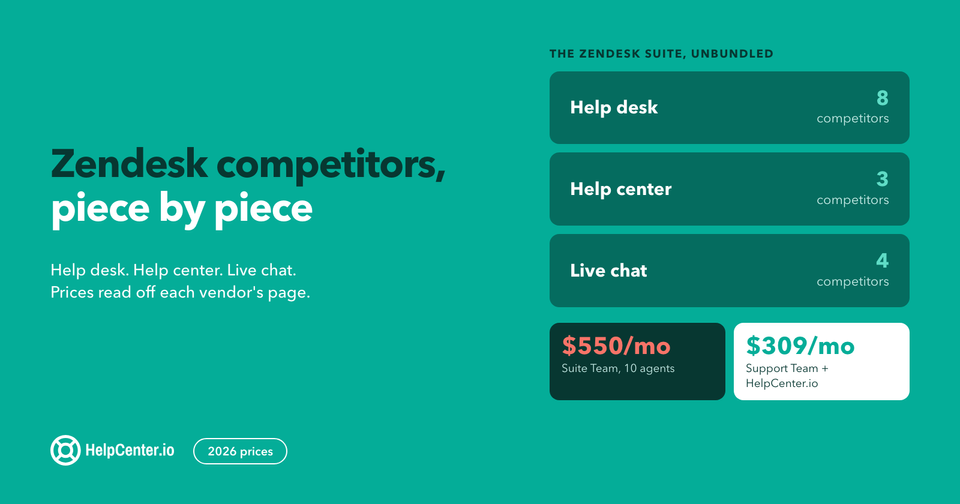
| Zendesk Guide | Teams already on the Zendesk Suite ticketing stack | ~$55+ per agent | Higher tiers |
| Salesforce Service Cloud | Enterprises already running Salesforce CRM | Enterprise pricing | Higher tiers |
| Document360 | Pure knowledge-base-centric workflows for product docs | Quote-only | Yes, higher tiers |
Most self-service projects start by replacing something. If you are weighing HelpCenter.io against the tool you already run, there is a side-by-side for it: Zendesk, Intercom, Front, Help Scout, Document360, Helpjuice, HelpDocs, Notion, Confluence, Slite and Wix Answers. Each page is written for the migration decision rather than the feature checklist.
For a deeper comparison of twelve knowledge base and help center tools — including Slite, Notion, Helpjuice, Confluence, KnowledgeOwl, Bloomfire, HelpDocs, Tettra, and Nuclino — see the 12 best knowledge base software of 2026.
Honest framing on where each tool wins: HelpCenter.io is built for speed-to-launch and lean teams that want a hosted, branded help center, with AI search included on Catalyst or bought as a flat add-on lower down, and no integration tax either way. Salesforce wins when you're already on Service Cloud and the value comes from CRM integration. Zendesk wins when you need a deep ticketing system and the help center is one piece of a bigger support platform. Document360 wins when your primary content is technical product documentation rather than customer-facing help.
The role of AI in customer self-service: RAG, grounding, and escalation
Modern customer self-service AI is built on Retrieval-Augmented Generation (RAG). Skip the buzzword — the architecture is straightforward.
When a customer asks a question, the system first retrieves relevant articles from your help center (using semantic search, not just keyword matching). It then passes those articles to a large language model with an instruction along the lines of "answer the customer's question using only this content; if the answer isn't here, say so." The LLM generates a natural-language response grounded in the retrieved content, and ideally cites the source article in the answer.
Grounding is the part most teams underestimate. Without it, the LLM falls back on its training data and confidently invents answers — your refund policy as it imagines refund policies generally work, not as your refund policy actually works. Glean's RAG explainer puts it cleanly: grounding "ensures that the AI's responses are based on the organization's actual knowledge rather than the AI's general training data." That's the difference between an assistant and a liability.
The seam between AI and human is where bad self-service breaks. When the AI doesn't have a confident, grounded answer, the next interaction has to be a human — not a generic "I'm not sure, try rephrasing" loop. Good escalation patterns: a visible "Talk to a human" button on every AI response, automatic handoff when the AI's confidence score drops below a threshold, full conversation context handed to the agent so the customer doesn't repeat themselves.
What to look for when evaluating an AI customer self-service tool: which knowledge sources it can index (help center, internal docs, product info), whether responses cite the source article inline, what escalation hooks exist, and whether you can see analytics on which questions the AI escalated or said "I don't know" to. That last one — the unresolved-query log — is the single most valuable data source for your content roadmap. See HelpCenter.io's AI search and integrations for one implementation. We also compared nine tools on what each AI is actually allowed to answer from — source scope, citation policy and no-answer behaviour, read from vendor documentation.
How to measure customer self-service success
Five metrics that actually matter, each with a formula and a benchmark range. Don't measure all of them quarterly — pick two as your scorecard and the rest as diagnostics.
Self-Service Resolution Rate = (Issues resolved via self-service) / (Total issues raised) × 100. Per Salesforce 2024, the cross-industry average sits around 54%. Benchmark: 30–60% is typical for established programs; >60% is excellent.
Ticket Deflection Rate = (Tickets avoided due to self-service) / (Pre-self-service ticket volume) × 100. The cleanest way to measure this is the year-over-year delta in your ticket volume per active customer, controlling for product growth. In our experience, well-instrumented self-service programs reach 20–40% deflection within 6 months of launch.
CSAT on Self-Service = post-resolution survey score on a 1–5 scale, captured at the end of the article or AI conversation ("Did this answer your question?"). Benchmark: ≥4.0/5.0. Lower than that, and you have a content-quality problem masquerading as a tool problem.
First Contact Resolution (FCR) = (Issues resolved on the first interaction, including self-service) / (Total issues) × 100. Self-service compresses this metric upward when it's working. Benchmark: ≥70% across all channels.
Time to Resolution: Self-Service vs. Agent. Should be 5–20× faster via self-service. If self-service resolution time is creeping up, that's usually a search-quality problem (relevant articles exist but aren't being surfaced) rather than a content gap.
One closing note on what NOT to measure as your primary KPI: raw page views on help center articles, raw chatbot conversation counts, total search queries. All three are vanity metrics. A help center can have ten times the page views and still be worse for customers if the resolution rate is dropping.
Customer self-service best practices
Eight practices that distinguish self-service programs that compound from ones that stagnate. One or two sentences each — no padding.
- Make search the front door. A prominent search box above the fold, with autocomplete and type-ahead, outperforms a category-nav layout every time.
- Write for the customer's vocabulary, not your internal jargon. "Cancel subscription" beats "manage billing cadence." Match your titles to what customers actually search.
- Tag and structure content for both human and AI consumption. Clean headings, internal links, schema markup — all of these help both human readers and the AI retrieval layer.
- Ship visible content first, then layer AI on top — not the reverse. AI search on a thin help center surfaces thin answers. Build the content base before you build the AI.
- Provide one-click escalation from every dead end. Every search-with-zero-results page, every failed AI answer, every confused customer should be one click from a human.
- Update content based on what's NOT being found. Your search-log is the most underused content-ops asset in the building. Run it weekly.
- Measure deflection, not just satisfaction. Customers can be satisfied with self-service and still file a ticket. Track the actual ticket-volume delta.
- Treat self-service like a product, not a project. Staff it, version it, road-map it, retire articles that haven't been opened in six months. Without an owner, every help center decays.
Common pitfalls to avoid
Five anti-patterns we see repeatedly. Each one is worth a paragraph of its own:
Dead-end chatbots. Bots that can't escalate to a human are worse than no chatbot at all. They train customers to distrust the channel, and the bad sessions show up later in your CSAT data. If your chatbot can't hand off cleanly with conversation context, fix the escalation path before doing anything else.
Search nobody uses. A help center with a hidden search box, no autocomplete, no result ranking, and no logging is just a directory of articles. Customers won't browse — they'll search. If your search isn't instrumented (so you know what people are looking for, including the zero-result queries), you're flying blind on what to write next.
AI without grounding. Plugging a raw large language model into your help center without RAG and source citations produces confident, plausible answers that are sometimes wrong. The damage from one hallucinated refund policy outweighs the gains from a hundred correct answers. Grounding is non-negotiable.
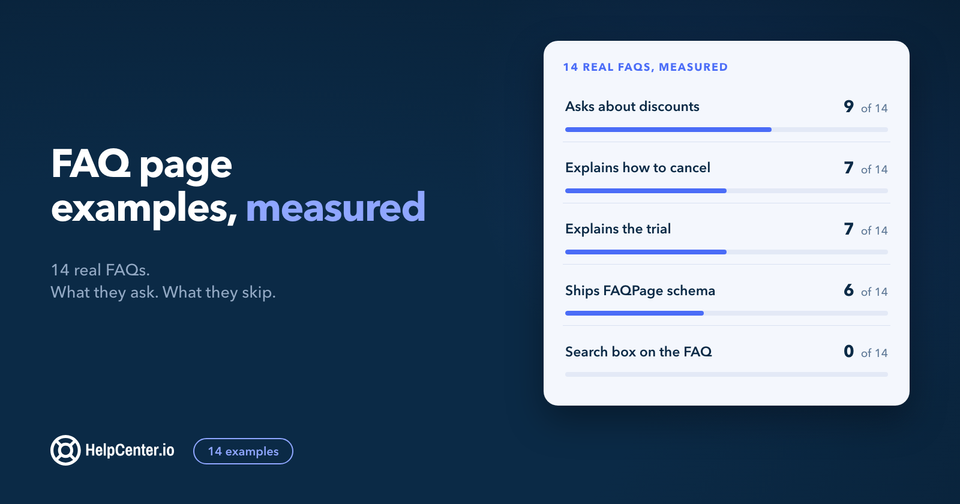
The "FAQ wall." Flat content with no structure, no internal linking, no search, and no signposting. The customer scrolls a 60-question FAQ page looking for theirs, doesn't find it, files a ticket. FAQs are useful as a content format inside an article — they're a failure as the entire self-service strategy.
When a short FAQ block really is the right format, say on a pricing or product page, give it structure and schema. We make FAQs.me, a free FAQ builder whose templates export one self-contained snippet with SEO structured data built in.
Building a portal nobody logs into. Self-service portals are powerful when the customer needs account-specific actions. They're dead weight when they duplicate what's already in the public help center. Before building a portal, list the five most common reasons a logged-in customer should see something different from a logged-out one. If you can't name five, you don't need a portal yet.
FAQ
What is customer self-service? Customer self-service is the practice of giving customers tools — a help center, a portal, a chatbot, a community forum — to find answers and resolve issues on their own, without contacting a support agent.
What's the difference between a customer self-service portal and a help center? A help center is public and serves the same content to everyone. A customer self-service portal is logged-in and personalized — the customer sees their own account, their open tickets, their order history. Most mature programs run both in parallel.
What are the benefits of customer self-service? Lower cost per ticket, the ability to scale support without scaling headcount, faster resolution for routine questions (typically 5–20× faster than waiting for an agent), 24/7 availability, and an improved customer experience for the 61% of customers who prefer self-service for simple issues.
What's the best customer self-service software? It depends on your stack and team size. For a hosted, branded help center with a short time-to-launch, HelpCenter.io plans start at $29/mo billed annually, with AI search included on Catalyst. For deep CRM integration, Salesforce Service Cloud. For an end-to-end ticketing platform with a help center attached, Zendesk Guide. See our 2026 comparison of twelve knowledge base tools for a fuller picture.
How much does customer self-service software cost? Entry-level hosted help center plans start around $29/mo billed annually (HelpCenter.io Bootstrap). Mid-market plans with AI search and customer portals run $100–$300/mo. Enterprise customer service platforms (Salesforce Service Cloud, Zendesk Suite) typically start at $1,000+/mo once you factor in per-agent pricing.
Do you need AI for customer self-service? No. A well-structured, well-searched help center with 40–80 quality articles resolves a lot of customer issues on its own. AI accelerates the value by handling natural-language queries and surfacing answers from across multiple articles, but it amplifies whatever content quality you have — for better or worse. Build the content first.
How do you measure customer self-service success? Pick two metrics as your scorecard. The most useful pair for most teams: Self-Service Resolution Rate (what percentage of issues are resolved without an agent) and Ticket Deflection Rate (year-over-year change in tickets per active customer). See Section 8 above for formulas and benchmark ranges.
What are common customer self-service pitfalls? Dead-end chatbots without escalation, search nobody uses, AI without grounding (which hallucinates), flat "FAQ wall" pages with no structure, and self-service portals that duplicate the public help center. See Section 10 for details.
Closing
Customer self-service in 2026 is no longer optional — it's a customer expectation. Built well, it's a search-first help center plus a logged-in portal where it matters, with grounded AI on top and one-click escalation everywhere. Built badly, it's a chatbot that can't escalate, a search box nobody uses, and a content library that hasn't been updated since 2022.
HelpCenter.io ships the foundation out of the box: a hosted, branded help center with structured authoring, and AI search included on the Catalyst plan — with plans starting at $29/mo billed annually. If you're moving from Zendesk, Document360, or Helpjuice, we'll handle the migration for you at /free-migration. If you'd rather walk through the product first, launch a branded help center takes about ten minutes.
Sources verified 2026-06-06: Salesforce State of Service 2024 (61%, 54%, 73% statistics); Glean's RAG explainer (grounding quote). Competitor pricing and feature claims were verified on their respective pricing pages as of the publish date. HelpCenter.io's own plan prices and tier gating were re-checked against the live plan catalog on 18 August 2026.