Internal Knowledge Base: What It Is, Why It Matters, and How to Build One in 2026
An internal knowledge base is the single home for your team's runbooks, policies, and how-tos. See real examples and 7 steps to build yours.
An internal knowledge base is a single, searchable home for the information your team needs to do its job (runbooks, policies, decisions, onboarding, FAQs), built for employees rather than customers. It's the company-internal equivalent of an external help center: same idea, different audience.
If your team is small enough to fit around a table, an internal knowledge base sounds like overkill. By the time you're 15 people, it isn't. By 50, the absence of one shows up as the same question being answered in Slack five times a week, new hires staring at a blank screen on day three, and an unsettling realization every time someone resigns that 30% of what they knew lived only in their head.
This guide covers what an internal knowledge base is (and what it isn't), how it differs from a wiki or intranet, five real shapes it takes by team type, a 7-step build plan you can start this quarter, the criteria for picking software, and the practices that make the difference between a wiki that gets used and one that goes stale within six months. If you want the side-by-side software comparison, see our 2026 round-up of the best knowledge base software.
What is an internal knowledge base?
An internal knowledge base is a centralized, structured collection of the documentation a team uses internally, distinct from an external help center, which is built for customers. The two often live on the same software stack but serve different audiences with different language, depth, and access controls. A company knowledge base can be either, or both.
What's typically inside
The contents skew toward operational reference material rather than long-form thought leadership. A typical internal knowledgebase includes:
- Runbooks: step-by-step procedures for routine and incident work (deploys, on-call response, incident escalations).
- Onboarding: org chart, first-week checklists, tool access requests, how-we-work pages.
- Policies: PTO, expenses, security, code of conduct, remote-work norms.
- How-tos: "how do I get a laptop replaced," "how do I open a contract," "how do I request a campaign asset."
- Decisions: lightweight architecture decision records, pricing decisions, deal exceptions: the why behind the what.
- Glossaries: internal vocabulary, acronyms, product naming, customer segments.
- FAQs: the questions that keep coming back in Slack and email.
The article types vary by team, but the principle is consistent: anything that gets explained more than twice should live somewhere a search box can find.
Who uses it
Different teams reach into the same knowledge base for very different reasons. Engineering uses it for runbooks and architecture context. Customer support uses it to look up edge-case resolutions and pricing rules. Sales uses it for battle cards and discount approvals. HR uses it for policy and onboarding. Leadership uses it to make sure the institutional record doesn't disappear with each hire. A good internal company knowledge base accommodates all of them without forcing one team's shape onto another.
Internal knowledge base vs. wiki, intranet, KMS, and external help center
The terminology overlaps enough that "internal knowledge base," "wiki," and "intranet" often get used interchangeably. They aren't the same thing. Here's how to keep them straight.
| Audience | Primary purpose | Format | Example tools | |
|---|---|---|---|---|
| Internal knowledge base | Employees | Reference: answer a question, follow a procedure | Structured articles, FAQs, runbooks | Helpjuice, Tettra, Notion (private spaces), HelpCenter.io |
| Company wiki | Employees | Open-ended documentation, often loosely structured | Editable pages with hyperlinks | Confluence, Notion, MediaWiki |
| Intranet | Employees | Communication and culture (announcements, social, links) | News feed + page hierarchy | SharePoint, Simpplr, Workvivo |
| Knowledge management system (KMS) | Employees + the org's process around them | Capture, organize, retrieve, retire knowledge as a workflow | Process + supporting software | Bloomfire, Guru + governance practices |
| External help center / customer KB | Customers | Self-serve product help and documentation | Articles, FAQs, search, branded portal | Zendesk Guide, HelpCenter.io, Document360 |
A few practical distinctions worth holding onto. A wiki is the broadest category: an internal knowledge base is, in effect, a structured, opinionated subset of a wiki. An intranet is communication-first: it tells you the company picnic is Friday and the new VP starts Monday. An internal knowledge base is reference-first: it tells you how to claim parking expenses or roll back a deployment. Internal knowledge management is the discipline; the KB is the artifact that discipline produces. And an external customer help center speaks in a different register (customer-friendly, brand-controlled, public) than internal documentation that can assume the reader works there.
If you have customers, you probably already need both: an external help center for customer self-service, and an internal knowledge base for the team. Some software supports both with permissions and private spaces; some doesn't.
Why an internal knowledge base matters in 2026
Three reasons make the case in 2026 that didn't always carry weight before.
First, it cuts the cost of finding things. McKinsey's Social Economy research estimated that the average interaction worker spends about a fifth of the workweek hunting for internal information, and that a searchable record of knowledge can cut that time by as much as 35%. (McKinsey Global Institute, "The social economy: Unlocking value and productivity through social technologies.") The number is from 2012, but the underlying behaviour hasn't changed; if anything, the proliferation of Slack, Notion, Google Drive, and email has made the time-spent-looking number worse, not better.
Second, it cuts the cost of losing people. A 2018 Panopto survey of 1,000+ US workers found that 42% of institutional knowledge is unique to the individual employee, so when someone leaves, their coworkers literally can't do 42% of that job. (Panopto, "Inefficient Knowledge Sharing Costs Large Businesses $47 Million Per Year.") Onboarding fills part of the gap and tribal memory fills the rest, badly. A maintained internal knowledge base is the only durable answer.
Third, and this is the 2026-specific reason, an internal knowledge base is now the substrate AI assistants need. Slack AI, Microsoft Copilot, custom GPTs, Glean, and an emerging crop of internal-question bots all work the same way: they retrieve documents you've written and generate answers grounded in them. Without an internal knowledge base, your AI assistants have nothing to ground in. They hallucinate, they shrug, or they reach for whatever public-internet content happens to be nearby. The KB has gone from "nice operational hygiene" to "the input layer for every internal AI tool you're about to deploy."
Five real-shape internal knowledge base examples
The shape of an internal knowledge base varies dramatically by team. The five sections below describe what a working internal KB actually looks like for each, with the article titles you'd expect to find inside.
Most internal knowledge bases are private, but a few companies publish theirs. The GitLab, PostHog and 37signals handbooks are in our roundup of 20 knowledge base examples, with what to copy from each.
Engineering — runbooks, on-call, and architecture decisions
For engineering teams, the KB is roughly half operational ("what to do when this paged at 3am") and half historical ("why does the auth service look like this"). Example article titles: "On-call runbook: payment-service alerts," "Deploy checklist: Tuesday window," "ADR-014: choosing Postgres over DynamoDB," "Local dev setup for new joiners." Most engineering orgs end up with documentation fragmented across Confluence, Notion, READMEs in the monorepo, and a static-site generator nobody updates. The symptom is that the same question gets answered in Slack twice a week and the runbook that would have answered it has been stale for nine months. What makes the engineering KB work: a tight definition of "evergreen vs. one-off," strict ownership per service, and a culture that updates the doc when the runbook lies.
Customer support — macros, escalation paths, product changelog
Support's KB is the reference manual for resolving tickets. Example titles: "Macro: how to handle a refund request," "Escalation matrix: when to ping the on-call engineer," "Product changelog: v4.12 → v4.13 customer-visible changes," "How to handle a GDPR data-deletion request." What makes the support KB work: it's plugged into the help-desk tool (so agents can search it without leaving the ticket) and it's structured around the questions agents actually get, not the org chart of the product team.
HR / people operations — onboarding, benefits, policies, leave
The HR KB is the canonical version of the policies that get asked about constantly. Example titles: "PTO policy and how to request leave," "Benefits enrollment: dental, vision, 401k," "Onboarding week 1: what to expect," "Performance review timeline 2026," "Equipment and remote-work stipend." What makes the HR KB work: short, plain-language articles (HR jargon is the enemy of self-service), clear ownership by a named HR business partner, and a routine refresh after every policy change.
Sales — battle cards, pricing rules, objection handling
Sales' KB is the cheat-sheet that wins (or loses) deals. Example titles: "Battle card: vs. Competitor X," "Pricing rules: when can you discount, and by how much," "Objection: 'we already use [legacy tool]'," "Reference customers by vertical." What makes the sales KB work: it's short and answerable mid-call, it's owned by sales enablement (not marketing), and the battle cards are refreshed when competitors actually ship something new, not on a quarterly cadence regardless.
Marketing — brand guidelines, campaign archives, asset library
Marketing's KB is half style guide, half archive. Example titles: "Brand voice and tone guide," "Logo lockups and approved usage," "Campaign archive: 2025 Q4 launch retrospective," "Asset library: case studies, screenshots, OG images." What makes the marketing KB work: a single asset library that designers and PMMs can both link from, version control on the brand guidelines so the old hex code doesn't keep showing up, and named ownership per asset class.
Five teams, five very different shapes. A good company knowledge base accommodates all five without forcing them into the same template, and an internal IT knowledge base (a subset of the engineering or HR shape, depending on org size) is often the first one to get built because IT requests are the most repetitive.
How to create an internal knowledge base in 7 steps
A practical build plan. Each step is one decision and one action. The total time is roughly two weeks of focused effort for a 50-person team: longer for larger orgs, shorter if you're starting fresh.
Step 1: Audit what knowledge already exists (and where it's hiding). Open every Google Drive folder, Notion workspace, and shared Dropbox you can find. List every README, runbook, policy doc, and "how to do X" page. The point isn't to migrate it all; it's to see the mess before you fix it. Most teams discover three or four near-duplicate onboarding docs and at least one critical runbook that exists only in one engineer's personal Notion.
Step 2: Pick the right tool for your team size and AI roadmap. Under 20 people, a structured Notion workspace works fine. Twenty to a few hundred, you want dedicated KB software with permissions, search, and analytics. If AI grounding is on your roadmap, prioritize tools that expose a clean API or markdown export so retrieval-augmented systems can index your content. For a side-by-side software comparison, see our 2026 round-up of the best knowledge base software.
Step 3: Define a categorisation scheme that scales. Pick a small number of top-level categories (8-12 is a good upper bound) and a consistent article-type taxonomy underneath. A workable internal knowledge base template looks like this: top-level categories by function (Engineering, Support, HR, Sales, Marketing, Operations, Security, Company); article types within each (Runbook, How-to, Policy, Decision, Onboarding, FAQ); a status tag (Living, Stable, Archived). Save that taxonomy at the start; it's much harder to retrofit.
Step 4: Establish ownership (every article has a named maintainer). No owner means no updates. Each article should name a single person (not "the engineering team") and a review cadence (typically 90 or 180 days). Orphaned articles are the single biggest reason knowledge bases rot.
Step 5: Migrate existing content selectively. Don't dump everything you found in Step 1 into the new KB. Migrate the articles that are actually used, rewrite the ones that are clearly stale, and archive the rest. If your KB software offers a free migration service, use it for the bulk import; spend your human time on the editorial pass.
Step 6: Make it searchable for both humans and AI. Tag aggressively (synonyms, common misspellings, internal acronyms). Test search with the exact phrasing a new hire would use, not the phrasing you'd use after a year. If you're connecting an internal AI assistant, confirm the KB exposes content in a format the retrieval layer can index; markdown is the safest common denominator.
Step 7: Maintain it: review cadence and content health metrics. Pick three metrics and watch them: percentage of articles past their review date, percentage of searches that return zero useful results, and percentage of articles with at least one view in the last 30 days. Run a 30-minute review every two weeks; archive what no one reads, rewrite what gets searched but doesn't satisfy.
How to structure an internal knowledge base, in one line: categories by function, article types by purpose, ownership by name, status by lifecycle stage.
Internal knowledge base software — what to look for
When you're evaluating internal knowledge base software (or evaluating whether the wiki you already have can be repurposed), the criteria below distinguish the tools worth shortlisting from the ones that look fine in a demo and fall over in month three.
The 5 non-negotiable features
- Strong search: tagging, synonyms, partial-match, and fast indexing on new articles. Search is the product; the rest is presentation.
- Granular permissions: role-based access, private spaces, and ideally SSO. Engineering shouldn't see comp ranges; HR shouldn't see customer escalation runbooks.
- Versioning and rollback: every article needs an edit history. Policies get rolled back; you need to know what they said before.
- Integrations with the tools your team already uses: Slack search, help-desk lookups, code-host links. A KB no one looks at is worse than no KB at all.
- AI grounding-ready: clean API or markdown export so retrieval-augmented AI assistants can index your content cleanly. This was a nice-to-have in 2024; it's a default in 2026.
The 3 nice-to-haves
- Content health analytics: which articles are stale, which get searched and not clicked, which have no owner.
- Multi-language support: matters once you're past a single market.
- Branded portal: more important for external help centers than internal ones, but useful for cross-team trust.
Free vs. paid
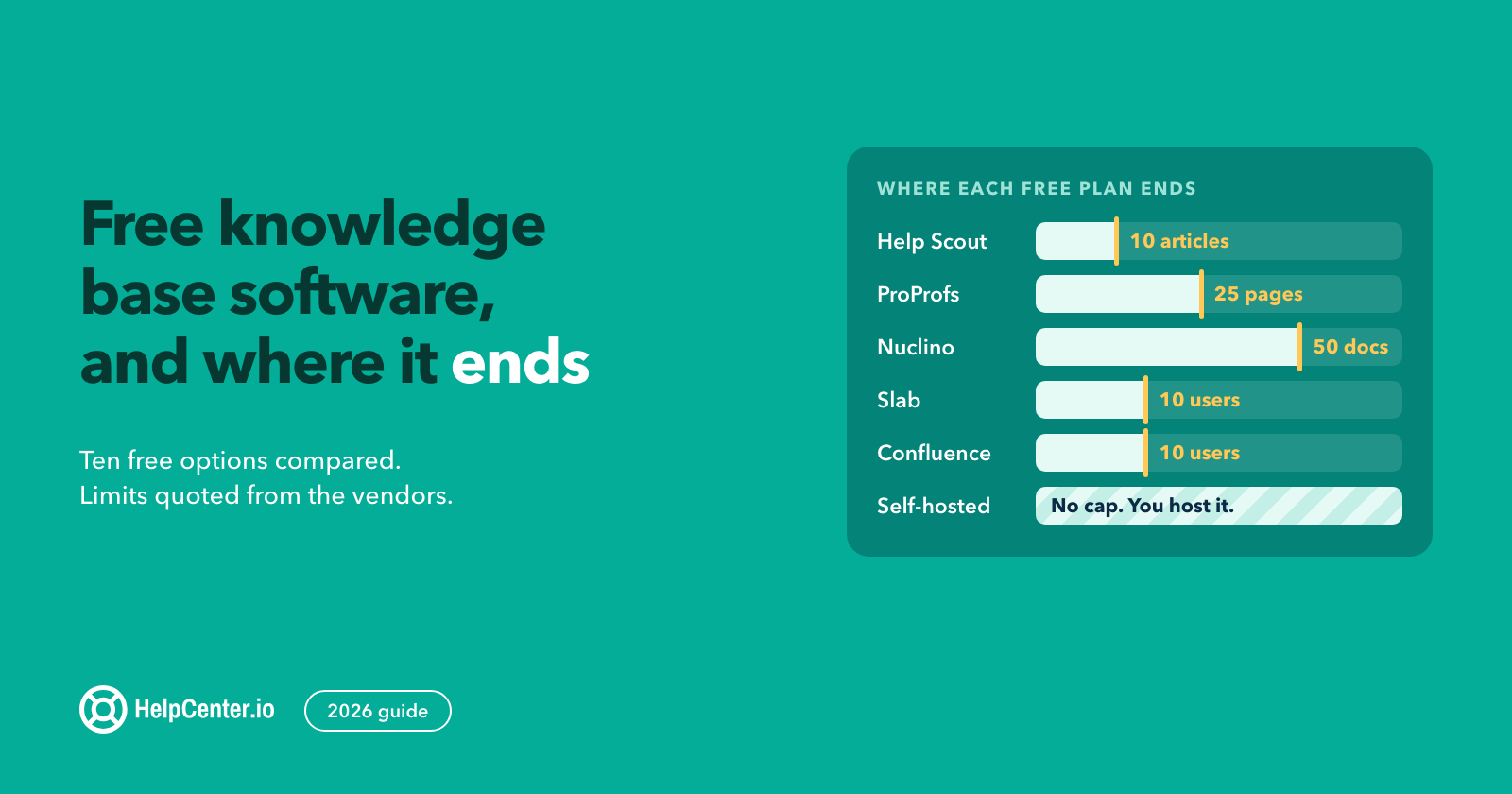
There's a real free-internal-knowledge-base-software market: Notion's free tier, Outline's open-source release, the self-hosted wikis. They work well at small scale and get expensive (in time, not money) when the team grows past about thirty. The best internal knowledge base software for a 50-person team usually isn't free, but it shouldn't be enterprise-priced either. Internal knowledge base tools that get the search and permissions right at a Growth-plan price tier (under $200/month) are the sweet spot for most teams.
HelpCenter.io can host either an external customer-facing help center or an internal team knowledge base, with permissions and SSO as the controls. For the full side-by-side comparison with 11 alternatives, see our 2026 best-knowledge-base-software guide.
The AI-ready internal knowledge base
The single biggest shift in the knowledge-base category since 2023 is that the KB is now written for machines as well as humans: it's the source data for the AI assistants your team is about to start asking questions to. That makes how you structure the KB more consequential than it used to be.
Why AI assistants need structured content
Retrieval-augmented generation (RAG) is the architecture pattern that most internal AI assistants now use. As Glean puts it, RAG "separates knowledge retrieval from the generation process via an external discovery system, allowing LLMs and their responses to be grounded on real, external enterprise knowledge." Without an internal knowledge base, your AI assistants have nothing to ground in. They hallucinate, they refuse, or they reach for whatever was in their public training data, which is probably not your company's PTO policy.
What does an AI-ready internal knowledge base chatbot need to retrieve well? A few things matter more than they used to. Markdown headings give the retrieval layer a clean unit of meaning to chunk on; long, undifferentiated walls of text get sliced badly. Discrete FAQ blocks read as Q-and-A pairs, exactly the shape a question-answering system is looking for. An llms.txt file at the root of any public surface is becoming the standard pattern for declaring what AI crawlers should read. And consistent metadata (author, last-updated, owning team) lets the AI cite a source instead of paraphrasing it into a confident-but-wrong sentence.
How HelpCenter.io handles AI access
HelpCenter.io exposes content as clean markdown via its API and supports the structured Q-and-A formatting that retrieval layers index well. The same KB can serve external customer questions through an AI-assisted search experience and internal team questions via an internally-deployed assistant. The underlying content is the same; only the access controls differ. For the broader product comparison, see our 2026 best-knowledge-base-software guide.
8 internal knowledge base best practices
The patterns that separate a KB the team uses from a KB that becomes a graveyard of half-finished pages.
- One source of truth. No parallel Google Docs library, no "the real document is on my desktop." If it isn't in the KB, it doesn't exist.
- Search beats navigation. People search; they don't browse. Invest in tagging, synonyms, and search analytics ahead of taxonomy aesthetics.
- Every article has an owner and a review date. Orphaned articles rot. A name and a date are the cheapest insurance you can buy.
- Templates for the most common article types. Runbook, decision, post-mortem, onboarding, policy: give writers a starting structure so the activation energy of "I should document this" stays low.
- Tier by stability. Living docs (high churn, current state) and archived snapshots (point-in-time, immutable) need different treatment. A living doc that gets archived is fine; an archived doc that pretends to be current is dangerous.
- Predictable URL structure. /engineering/runbooks/payment-service, not /pages/asdf1234. Predictable URLs make sharing in Slack frictionless and make AI retrieval more reliable.
- Onboard new hires by getting them to write the first article. New hires see the gaps a tenured employee can't. The first PR a new engineer ships should be a doc.
- Measure article health. Last-updated, views, helpful votes, percent past review date. Three metrics, weekly review, archive aggressively.
Get started
The hardest part of building an internal knowledge base is not choosing the software. It's the editorial discipline to keep it useful after week three. Pick a tool that does the basics well, name owners for every article, schedule a 30-minute review every two weeks, and let the rest follow.
If you want to host both your customer-facing help center and your team's internal knowledge base on the same platform with the right permissions in place, HelpCenter.io supports both. If you're migrating from another tool, we'll do the migration for free. And if you'd rather see how a dozen alternatives compare side-by-side first, our 2026 best-knowledge-base-software guide covers HelpCenter.io alongside Slite, Notion, Document360, Confluence, Zendesk Guide, Helpjuice, KnowledgeOwl, HelpDocs, Tettra, Bloomfire, and Nuclino.
FAQ
1. What is an internal knowledge base?
An internal knowledge base is a centralized, searchable home for the documentation a team uses internally: runbooks, policies, onboarding, FAQs, and decision records. It's built for employees rather than customers, and it usually lives behind authentication so the content stays private to the company.
2. What's the difference between an internal knowledge base and a wiki?
A wiki is the broader category: any structured, hyperlinked, employee-editable documentation space. An internal knowledge base is a more opinionated subset: it's reference-first (answer a question, follow a procedure), it usually enforces ownership and review cadence on articles, and it tends to be organized around predictable categories rather than open-ended hyperlinking.
3. How is an internal knowledge base different from an external help center?
The audience and tone differ. An external help center is built for customers, lives in a public-facing branded portal, and uses customer-friendly language. An internal knowledge base is built for employees, sits behind authentication or SSO, and can assume the reader works at the company. Some platforms host both with permissions controlling access.
4. What should be in an internal knowledge base?
Runbooks, onboarding content, policies (PTO, expenses, security, code of conduct), how-to articles, decision records, glossaries, and FAQs. The article shape varies by team: engineering leans on runbooks and architecture decisions, HR on policies and onboarding, sales on battle cards and pricing rules.
5. How do you create an internal knowledge base from scratch?
Audit what knowledge already exists, pick a tool that fits your team size and AI roadmap, define a categorisation scheme, name an owner for every article, migrate selectively (don't dump everything), make it searchable for both humans and AI, and run a regular review cadence to retire what no one reads. Our 7-step build plan above covers each step in more detail.
6. What's the best internal knowledge base software in 2026?
It depends on team size, AI roadmap, and whether you also need an external customer-facing help center. For a side-by-side comparison covering twelve tools (HelpCenter.io, Slite, Notion, Document360, Confluence, Zendesk Guide, Helpjuice, KnowledgeOwl, HelpDocs, Tettra, Bloomfire, and Nuclino), see our 2026 best-knowledge-base-software guide.
7. Can I use ChatGPT or Claude with my internal knowledge base?
Yes, with retrieval-augmented generation. RAG lets an LLM look up your KB at query time and generate answers grounded in your documents rather than its public training data. The KB needs to expose content in a format the retrieval layer can index: markdown headings, structured FAQs, and clean metadata work best. The AI assistant itself can be ChatGPT, Claude, an internal Glean deployment, or a custom build.
8. How much does an internal knowledge base cost?
There's a real free tier: Notion's free workspace, Outline's open-source release, self-hosted wikis. They work for small teams and get expensive in maintenance time as the team grows. Paid internal knowledge base tools that get search, permissions, and integrations right typically run $30-$200/month for teams of 10-50, and scale from there. Plans that include AI search, advanced permissioning, and analytics tend to start around the $100-$150/month tier.