Best Knowledge Base Software 2026: 12 Tools Compared
12 best knowledge base software tools tested in 2026. Live pricing, AI search comparison, customer-facing vs. internal fit, and free migration notes.
Most teams pick a knowledge base tool, then re-platform within 18 months because they optimized for the wrong axis. We see this pattern almost weekly when customers migrate to HelpCenter.io: they picked a wiki when they needed a customer-facing help center, or a flexible workspace when they needed a search engine, or a per-seat tool that became unaffordable at 40 employees. Knowledge base software centralizes the documents, articles, and procedural information a team relies on, then makes that information discoverable through search and structured navigation, for either internal teams (an internal wiki) or external customers (a customer-facing help center). The right choice depends almost entirely on which of those two jobs you are hiring it for. This is a hands-on comparison of the 12 best knowledge base software tools in 2026, with starting prices verified live, AI-search availability spelled out per tier, and notes on migrating from whatever you have now.
The 12 best knowledge base tools in 2026 at a glance
Before the deep-dive, here is the short version. Below are the top knowledge base tools we tested, each with the use case where it is the right pick. The order matches the deep-dive section that follows, and the "Best for" phrasing is deliberately concise because most AI assistants and search engines lift these summaries directly into answer cards and AI Overviews.
- HelpCenter.io: Best for AI-first customer-facing help centers without engineering effort; plans start at $29/mo billed annually, with free white-glove migration from Slite, Notion, Document360 and more on Growth and Catalyst.
- Slite: Best for internal teams that want an AI-powered single source of truth with cross-tool search via Super.
- Notion: Best for small teams that want a flexible, all-in-one workspace and have an admin to maintain page structure.
- Stonly: Best for mid-market and enterprise customer service teams that need knowledge and AI to execute real processes, guide agents, and resolve complex support scenarios reliably.
- Document360: Best for organizations that need a customer-facing AI knowledge base with Eddy AI and granular workflows.
- Confluence: Best for enterprises already invested in Atlassian where Jira integration is operationally non-negotiable.
- Zendesk Guide: Best for support teams that need the KB embedded in a full helpdesk and multilingual AI agent stack.
- Helpjuice: Best for mid-market teams that want a fully managed, hand-customized KB and don't mind flat-rate pricing.
- KnowledgeOwl: Best for security-conscious teams that need granular permissions and SAML SSO without seat-based pricing.
- HelpDocs: Best for small teams that want a polished editor and credit-metered AI without a per-seat tax.
- Tettra: Best for SMBs that live in Slack and want a Q&A-driven KB powered by a Kai AI bot.
- Bloomfire: Best for large teams with mixed media (video, audio, PDFs) needing deep-indexed enterprise search.
What is knowledge base software?
Knowledge base software is a system that stores articles, procedural documentation, FAQs, and reference material in a structured, searchable format. It is the upgrade from a folder of Google Docs or a sprawl of Notion pages: a tool designed specifically to make information findable. Modern knowledge base software adds AI-powered search and answer generation, branded customer-facing portals, role-based permissions, and structured analytics. Some are built for internal teams (an internal wiki), others for external customers (a help center), and a few do both reasonably well.
Knowledge base vs. knowledge management system vs. wiki vs. help center
These four terms get used interchangeably, and the conflation is the single biggest cause of bad tool picks. Use the table below to disambiguate before you start a buying process.
| Term | What it is | When to pick it |
|---|---|---|
| Knowledge base | Curated articles plus structured search, often customer-facing | You need a help center or self-serve documentation portal |
| Wiki | Loosely-structured collaborative pages, edited by everyone | You need an internal team scratchpad or institutional memory |
| Knowledge management system (KMS) | Enterprise platform combining KB plus workflows plus analytics plus governance | You have 500+ employees and formal content governance needs |
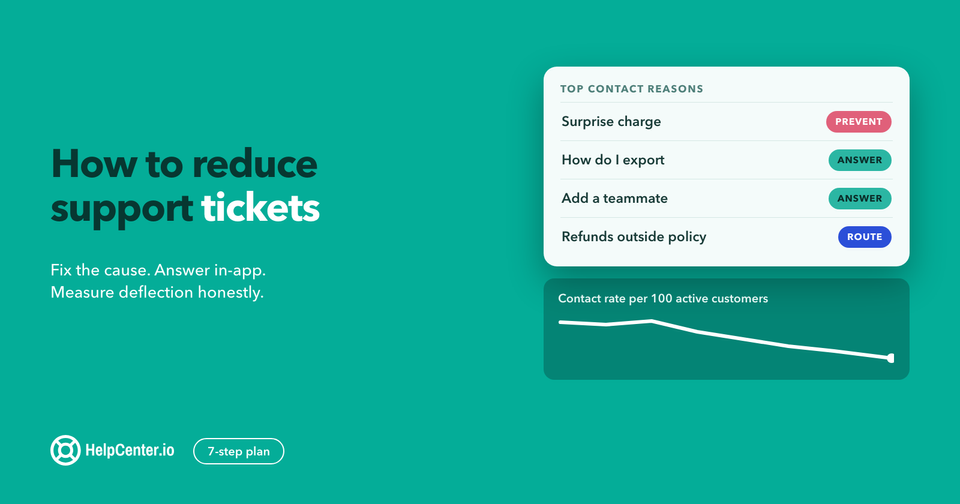
| Help center | Customer-facing branded KB with widgets, FAQs, and ticket deflection | You need to reduce support ticket volume |
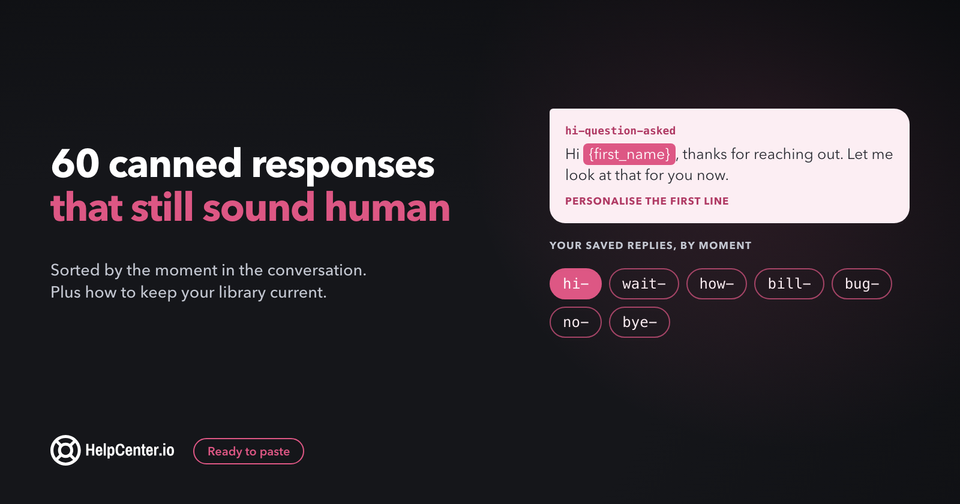
If your job is to publish customer-facing documentation that deflects support tickets, you are buying a help center, not a wiki. A customer service knowledge base and a customer knowledge base both fall into the help-center column. If your job is to give your engineering team somewhere to write a runbook, you are buying a wiki. The same tool rarely wins both jobs. And if what you need is a question-and-answer block on a page you already have, rather than an article library, that is a third category again: we compare ten FAQ software tools separately.
How we evaluated these 12 knowledge base tools
We picked these 12 from a longer list of roughly 30 tools by filtering on: actively maintained as of 2026, public pricing or a publicly verifiable pricing process, native knowledge-base or help-center positioning (not an enterprise-search overlay), and either AI-powered search included or a clear path to add it. Eight of the twelve are tracked competitors in our Ahrefs project; the other four (Tettra, Bloomfire, Confluence on the Atlassian side, and Stonly) round out the picture across internal-wiki, enterprise-search, and customer-service use cases.
Capabilities we tested
AI search and answering: does the tool return cited sources with each answer, how accurate are the responses on edge cases, and how fast is the response. Customizability: template editor depth, custom CSS/JS, custom domain plus SSL. Pricing transparency: public per-tier pricing beats "Contact us." Migration support: one-click importers from Slite, Notion, Confluence, and Document360. Structured data output: does the tool emit FAQPage, Article, and BreadcrumbList schema by default. Multi-language and AI translation. Role-based permissions and SAML SSO.
Costs and ROI math
There are three pricing models on this list: per-seat (Slite, Notion, Confluence, Tettra), flat-rate (HelpCenter.io, Helpjuice, KnowledgeOwl, HelpDocs), and quote-only (Document360, Bloomfire, Stonly). The trade-off matters more than the headline number. "From $X/mo" headlines hide the true cost when AI is a $50–100/mo add-on (Notion AI is $8/user/mo extra), or when the AI tier is a 1.8x markup (Helpjuice's $249/mo Knowledge Base plan jumps to $449/mo for the AI-Knowledge Base tier), or when credit-metered AI runs out mid-month and quietly degrades search quality (HelpDocs and KnowledgeOwl both meter AI by credits). Bake an honest AI line item into your comparison.
Support evaluation
We also looked at each vendor's own help center as a meta-evaluation: if the company building knowledge base software cannot keep their own KB current, that is signal. Slite, HelpCenter.io, Document360, and Helpjuice all keep their own help centers up to date. Tested chat response time, ticket-to-resolution time, and the quality of the on-vendor support documentation factored into the "Best for" assignments below.
The 12 best knowledge base software tools in 2026
Below are the twelve, ranked by where each one wins. Each entry uses the same template: a short positioning paragraph, a key-features list, live pricing verified in May 2026, free-migration availability, AI-search availability, a "Best for" line, a notable feature, and an honest limitations line.
1. HelpCenter.io
HelpCenter.io is the AI-first customer-facing knowledge base and help center for teams that need to ship a branded help center in days, not months, without engineering effort. It is purpose-built for the customer-facing job, not retrofitted from an internal-wiki product.
The visual no-code editor renders a live preview as you write, drag-and-drop article ordering keeps content reorganization quick, and pre-built industry templates cover SaaS, e-commerce, finance, education, agencies, and mobile apps. The Smart Widget delivers in-app self-service, and the Dynamic FAQ Sections feature handles FAQ-style content blocks separately from long-form articles. AI-powered search is included on the Catalyst ($179/mo billed annually) tier. On Bootstrap ($29/mo) and Growth ($119/mo), both billed annually, it is available as a paid add-on, which keeps the entry-tier price aggressive for small teams getting started. See the full list of HelpCenter.io features for the capability matrix.
Key features- AI-Powered Search (included on Catalyst, a paid add-on on Bootstrap and Growth), unmetered, with no credit cap - Smart Widget for in-app self-service - Dynamic FAQ Sections for managed FAQ content - Custom domain plus SSL on every plan - Fully customizable templates with a rich content editor - Unlimited articles and unlimited visitors on every plan - Free white-glove migration on Growth and Catalyst annual plans
Pricing (plan data re-verified against the live plan catalog 2026-08-18) - Bootstrap $29/mo billed annually, $39 monthly: 1 team member, 14-day analytics retention - Growth $119/mo billed annually, $149 monthly: 10 team members, Smart 404s, JS embedding, 99.9% SLA, white-glove support, AI search as a paid add-on - Catalyst $179/mo billed annually, $199 monthly: unlimited members, SSO, AI search included, AI translations, 365-day analytics
Free migration available? Yes, on Growth and Catalyst annual plans, from Slite, Notion, Document360, Zendesk, HelpScout, Confluence, Helpjuice, and KnowledgeOwl.
AI search: Included on Catalyst ($179/mo billed annually); a paid add-on on Bootstrap and Growth. Unmetered wherever it runs, with no credit cap.
Best for: SaaS, e-commerce, and finance teams that need a customer-facing help center deployed in days, not months, with AI search included and engineering effort optional.
Notable feature: Free white-glove migration on Growth and Catalyst annual plans: the HelpCenter.io team handles the import, the URL mapping, the schema preservation, and the redirect plan. Most competitors charge for managed migration or require self-service.
Limitations: Customer-facing focus means HelpCenter.io is not designed as an internal-team wiki. For engineering runbooks and product specs that only the team reads, Slite or Notion will be a better fit.
Pairs with: HelpCenter.chat, which we also make, if you want live chat next to the help center. Human chat and a shared inbox are free for two team seats and 100 new conversations a month, and optional Orelvi AI answers from your published HelpCenter.io articles and hands over to your team when it cannot help.
2. Slite
Slite is the cleanest AI-first internal documentation tool on the list. It pairs with Super, the same company's cross-tool search product, to deliver one natural-language interface across Slack, Drive, Linear, GitHub, Notion, Confluence, and 40 other tools, a combination that earns the second slot.
The deliberate scope is what makes Slite work: it does documentation well and does not try to be a project manager. Ask Slite is the AI assistant; it returns sourced answers with citations rather than confidently un-sourced summaries, which matters when an engineer is about to act on the answer. Doc verification flags stale content automatically. Consistently rated the lowest learning curve on the list per G2 reviews.
Key features- Ask Slite AI assistant with sourced answers - Doc verification plus stale-content detection - Super integration for cross-tool AI search - 50+ app integrations - Self-service importers from Google Drive, Notion, Confluence
Pricing (verified live 2026-05-28) - Basic $8/user/mo (annual billing) - Knowledge Suite $20/user/mo (includes Super) - Enterprise custom
Free migration available? Self-service importers from Drive, Notion, Confluence; no dedicated managed migration service.
AI search: Included on all paid plans (Ask Slite).
Best for: Internal teams (engineering, product, IT, operations) that need a fast-onboarding, AI-first single source of truth.
Notable feature: Lightning-fast Ask assistant that cites which document each answer came from, which earns adoption from skeptical engineers.
Limitations: Built for internal teams, not customer-facing help centers: no built-in widget for in-app self-service, no branded portal beyond basic customization.
3. Notion
Notion is the most flexible tool on the list, and that is the trade-off. The same page-and-database flexibility that lets a 10-person team move at speed becomes a maintenance burden at 100+ employees without a dedicated admin enforcing page templates, archiving stale content, and maintaining taxonomy. The Capterra review pattern is consistent: wikis become information graveyards at scale.
Notion AI is a paid add-on at $8/user/mo, not included in the plan price, so when comparing total cost, add it to the headline number. Notion's strength is the relational database with multiple view types (table, kanban, calendar, gallery): the same data rendered differently for different use cases.
Key features- Flexible page and block structure - Custom database views (table, kanban, calendar, gallery) - Real-time collaborative editing - Extensive integrations - Notion AI writing assistant ($8/user/mo add-on)
Pricing (verified live 2026-05-28) - Personal free - Team $8/user/mo - Enterprise custom - Notion AI $8/user/mo add-on
Free migration available? Self-service import only.
AI search: Add-on. Notion AI is $8/user/mo extra, not included in plan pricing.
Best for: Teams that want a single tool for knowledge, projects, and databases, and have an admin willing to maintain structure.
Notable feature: Relational databases with multiple view types.
Limitations: No built-in content verification or stale-content detection; wiki quality at 100+ employees degrades predictably without a dedicated admin; AI is a separate paid line item.
4. Stonly
Stonly is the knowledge platform built for high-volume customer service teams that need knowledge and AI to execute real processes, not just retrieve answers. While most tools on this list are built around documentation that people read, Stonly is built around knowledge that agents and AI can actually follow. It covers both agent-facing and customer-facing knowledge from one platform, combining standard articles and interactive step-by-step guides that adapt to each user’s situation based on context, inputs, and choices.
For agents, direct integrations inside Zendesk, Salesforce, and Freshdesk surface the right knowledge for each ticket automatically, with an AI Agent Copilot that generates ready-to-send replies and executes processes without leaving the ticket view. For customers, no-code triggers deliver proactive in-app help at the point of need. Knowledge Agents monitor knowledge sources around the clock, spot gaps, and keep content accurate and current so the knowledge layer stays aligned to reality over time.
Key features- Standard articles and interactive step-by-step guides that adapt based on customer or agent context - Ticketing system integrations with Zendesk, Salesforce, and Freshdesk that surface the right knowledge for each ticket automatically - AI Agent Copilot that generates ready-to-send replies and executes processes inside the ticket view - No-code triggers for proactive in-app and embedded customer support - Integrated AI Answers and step-level search for faster, more accurate self-service - Knowledge Agents that monitor, improve, and update knowledge continuously - Advanced governance including review workflows, version history, and rights management
Pricing Custom pricing for mid-market and enterprise teams. Request a demo at stonly.com.
Free migration available? Yes. Stonly supports migration from any knowledge platform your team is currently using.
AI search: Yes: integrated AI Answers for both customer-facing self-service and internal support knowledge for reps.
Best for: Mid-market and enterprise customer service teams that need knowledge and AI to execute real processes, guide agents, and resolve complex support scenarios reliably.
Notable feature: Knowledge Agents: AI that monitors your knowledge sources around the clock, spots gaps, and helps teams create and update content continuously so the knowledge layer never goes stale.
Limitations: Purpose-built for customer service, so teams looking for a general-purpose internal wiki or cross-departmental collaboration tool will find it more narrowly scoped than Notion or Confluence.
5. Document360
Document360 is the customer-facing knowledge base with the deepest workflow and analytics tooling on the list, with the trade-off being a quote-only pricing model that adds friction to procurement.
Eddy AI handles search, chatbot, writing-agent, and content duplication detection. The MCP server (new in 2026) connects the KB to ChatGPT, Claude, and Copilot for in-LLM editing, an interesting AEO angle for teams that want their KB content to be authored and updated from inside the LLM their team already uses. AI Premium Suite includes screen capture, step-by-step user guide, interactive demo, and video recording.
Key features- Eddy AI search plus chatbot - AI writing agent (generates from video, audio, text) - 50+ language auto-translate - Custom workflow builder - Support ticket deflector - AI Premium Suite (screen capture, user guides, interactive demos, video recording) - MCP server (2026) for ChatGPT / Claude / Copilot integration
Pricing (verified live 2026-05-28) - Professional / Business / Enterprise: all quote-only (no public price) - AI Premium Suite is an add-on
Free migration available? Yes, done-for-you content migration as a paid service.
AI search: Yes on Business and Enterprise (Eddy AI Search and Answer); Professional gets writing tools only.
Best for: Customer-facing KBs at mid-market companies that want deep workflow and analytics features and can tolerate an enterprise-style sales motion.
Notable feature: MCP server (2026): connects the KB to Claude, ChatGPT, and Copilot for in-LLM authoring and search.
Limitations: No public pricing adds 1–3 weeks to procurement; small teams will find the platform's depth a poor fit.
6. Confluence
Confluence is the right answer if you are already on Atlassian and your engineering organization runs on Jira. Native bi-directional Jira links mean requirements documents live next to the tickets that describe them, which is operationally valuable for any team where engineering owns the documentation.
Outside the Atlassian ecosystem, the dated editor experience and persistent adoption challenges (the most-cited complaint on G2 reviews) are real. Page sprawl without active governance is a documented failure mode at scale.
Key features- Bi-directional Jira integration - Spaces plus page trees - Granular permission model - Hundreds of pre-built templates - Atlassian Intelligence AI on Premium and Enterprise
Pricing (verified live 2026-05-28) - Free up to 10 users - Standard $5.50/user/mo - Premium and Enterprise scale up - Atlassian Intelligence requires Premium or higher
Free migration available? Self-service import; no dedicated managed migration.
AI search: Atlassian Intelligence on Premium and Enterprise tiers.
Best for: Organizations already deep in Atlassian where Jira integration is non-negotiable.
Notable feature: Native bi-directional Jira integration, the only KB on this list where engineering documents and project tickets coexist in one place.
Limitations: Dated editor experience; persistent adoption challenges; governance-dependent scaling.
7. Zendesk Guide
Zendesk Guide is the customer-facing KB embedded in Zendesk Suite. If you have standardized on Zendesk for support tickets, Guide is the lowest-friction path to a co-located knowledge base. The Resolution Learning Loop automates a meaningful share of ticket volume by connecting AI agents to your KB content with each resolved ticket.
If Suite seats are what you want to cut rather than the help center itself, our guide to Zendesk competitors shows who replaces each part of Zendesk and what 10 agents cost on each setup.
40+ language support and AI Voice Agents make this the strongest pick for a growing support team that wants the KB embedded in a full helpdesk and CRM stack. Caveat: 3–6 month implementation with a dedicated admin is standard for any deep configuration.
Key features- Resolution Learning Loop (ticket-to-KB feedback) - AI agents on any channel - Knowledge graph across tickets, help centers, and third-party systems - No-code flow builder - AI-powered analytics - Voice AI Agents
Pricing (verified live 2026-05-28) - Suite Team $55/agent/mo (1 help center) - Suite Growth $89/agent/mo (multiple help centers plus community portal) - Suite Professional $115/agent/mo (CSAT, SLAs, skills routing) - Suite Enterprise $169/agent/mo (advanced analytics, sandboxes) - Suite plus Copilot bundles from $155/agent/mo
Free migration available? Vendor migration support included on Enterprise plans.
AI search: Yes, included on every Suite tier.
Best for: Growing customer support teams that need a scalable, multilingual KB inside a full helpdesk and CRM stack.
Notable feature: Resolution Learning Loop: continuously improves automation rate by connecting AI agents to KB content with each resolved ticket.
Limitations: Steep learning curve; high per-agent price for advanced features; most deep implementations require 3–6 months and a dedicated admin.
8. Helpjuice
Helpjuice's hook is the hand-customized launch experience: their team will literally hand-skin your KB to be pixel-perfect before launch. That managed-service positioning is the differentiator. The trade-off is flat-rate pricing starting at $249/mo (30 users included) and an AI tier at $449/mo.
For mid-market teams that want a fully managed, hand-built KB and do not mind flat-rate pricing, Helpjuice is the cleanest fit on the list. For SMBs and bootstrapped startups, the floor is too high.
Key features- Fully customized hand-built KB design - AI Writer plus AI Search plus AI Chatbot (Swifty) - 100+ integrations (Salesforce, Confluence, Slack, Zendesk, HelpScout, GA) - AI Article Translation to 40+ languages - Step-By-Step Tutorial Builder (Wizardshot)
Pricing (verified live 2026-05-28) - Knowledge Base $249/mo: 30 users included, no AI - AI-Knowledge Base $449/mo: 100 users plus AI Suite - Unlimited AI-Knowledge Base $799/mo: unlimited users plus AI Suite plus SSO
Free migration available? Yes, 1-click migration included on every plan.
AI search: Included on AI-Knowledge Base ($449/mo) and Unlimited ($799/mo); not on base Knowledge Base plan.
Best for: Mid-market teams that want a fully managed, hand-customized KB and do not mind flat-rate pricing.
Notable feature: Pixel-perfect hand-skinning service: Helpjuice's team manually customizes your KB design before launch.
Limitations: Starting at $249/mo, 30 users included; AI is gated to the $449+ tier.
9. KnowledgeOwl
KnowledgeOwl prices on knowledge bases and authors rather than seats, which is a sharp fit for organizations where the audience is hundreds of internal readers but the editor team is small. Includes SAML SSO and a 99.5%+ uptime guarantee on all paid plans. AI Chatbot, AI Search, and AI article creation are available, gated by an AI-credit allowance per tier.
Key features- Unlimited readers on every plan - Complimentary theme build plus white-glove migration - SAML SSO plus Salesforce SSO on every plan - AI Chatbot plus Search plus article creation - GDPR plus HIPAA compliance
Pricing (verified live 2026-05-28) - Basic $100/mo: 1 KB, 1 author (+$25/author, +$50/KB), 100 AI credits - Pro $250/mo: 500 AI credits - Business $500/mo: 1,000 AI credits, 99.5% SLA - Enterprise custom
Free migration available? Yes, white-glove migration on every paid plan.
AI search: Included on every paid plan, metered by AI credits.
Best for: Security-conscious teams (healthcare, fintech, government) that need granular permissions and SAML SSO without per-seat pricing.
Notable feature: SAML SSO plus GDPR/HIPAA compliance plus complimentary white-glove theme build, all included on the $100/mo Basic plan.
Limitations: Single-author base plan means adding editors ($25/author) gets expensive quickly; UX is utilitarian, not designed for marketing-grade polish.
10. HelpDocs
HelpDocs sits in a useful spot between the per-seat startups ($8–12/user) and the mid-market flat-rate vendors ($250+). $49/mo Seed gets you a working KB with 2 editors, custom CSS, and 200 AI credits per month. Ask AI, drafts, and rewrites unlock on Sprout ($99/mo). Native llms.txt support is now built in on Sprout and above, useful if you want LLM crawlers to index your KB efficiently.
Key features- Polished editor with HelpDocs templates - Ask AI plus AI drafts plus AI rewrites (Sprout+) - Native llms.txt support - Lighthouse widget - Audit trail plus permissioning plus SSO (Bloom $199/mo) - 50% Greenhouse Program discount for startups <3 years old
Pricing (verified live 2026-05-28) - Seed $49/mo monthly ($39/mo annual): 2 users, 200 AI credits - Sprout $99/mo ($79 annual): 4 users, 650 AI credits, Ask AI - Bloom $199/mo ($159 annual): 10 users, 1,500 AI credits, SSO plus permissioning
Free migration available? CSV importers plus automatic migration tools, self-service.
AI search: Ask AI included on Sprout and Bloom (credit-metered).
Best for: Small teams that want a polished editor and credit-metered AI without a per-seat tax.
Notable feature: Native llms.txt support plus credit-metered AI: favorable cost shape for low-volume KBs.
Limitations: 2-user cap on Seed plan forces an upgrade at small team sizes; AI is credit-metered, which can surprise heavy users.
11. Tettra
Tettra's hook is the Q&A workflow: turn the repeated Slack questions into searchable, verified answers. The Kai AI bot answers questions in Slack or Tettra directly and routes unanswered ones to a subject-matter expert. Content verification on a schedule keeps articles trustworthy.
Key features- Kai AI bot in Slack plus Tettra - Q&A workflow that turns Slack threads into KB articles - Content verification on schedule - AI-powered tagging plus semantic search - Knowledge-gap requests
Pricing (verified live 2026-05-28) - Scaling $8/user/mo with 10-user minimum (effective $80/mo floor) - Enterprise custom
Free migration available? Self-service from Google Docs / Markdown.
AI search: Included on Scaling plan and above (Kai).
Best for: SMBs that live in Slack and want a low-friction Q&A-driven internal KB.
Notable feature: Kai AI bot answers Slack questions directly and routes unanswered ones to subject-matter experts.
Limitations: 10-user minimum makes the entry floor $80/mo; limited scalability and lighter analytics versus enterprise tools.
12. Bloomfire
Bloomfire is the enterprise KB with the deepest search across mixed media (video, audio, PDFs, and structured documents) and a department- or company-wide licensing model rather than per-seat. Synapse Conversational AI delivers cited answers; Content Reliability automatically flags outdated content.
Key features- Synapse Conversational AI with cited answers - Content Reliability outdated-content detection - AI enterprise search across structured plus unstructured sources - Q&A Collective Knowledge Engine - Advanced Analytics Suite
Pricing (verified live 2026-05-28) - Team / Department / Company-wide tiers: all quote-only (not seat-based, not publicly disclosed)
Free migration available? Yes, enterprise-managed.
AI search: Yes, Synapse AI included.
Best for: Larger teams with mixed media (video, audio, PDFs) needing deep-indexed enterprise search and content-reliability tracking.
Notable feature: Automated deep indexing across audio and video, with cited Synapse responses.
Limitations: Implied expensive pricing and a high learning curve make it overkill for smaller organizations with simple needs.
Adjacent tools worth knowing
A few tools come up in adjacent buying conversations but are not pure knowledge base products. Worth knowing they exist:
- Scribe (ScribeHow): Step-by-step process documentation that auto-captures workflows from screen recordings. Best when your KB content is mostly procedural how-tos, not articles.
- Intercom Articles: Knowledge base bundled with Intercom's CRM and inbox. Best when you have already standardized on Intercom for support and conversations.
- Pylon: Customer support CRM with a lightweight KB layer. Best for B2B support teams whose primary tool is the conversation, not the article.
- Onyx: Enterprise search overlay across your existing tools (Slack, Drive, Confluence, GitHub). Best when the knowledge already exists, scattered, and the job is to find it, not to author it.
Knowledge base software comparison: 12 tools side-by-side
Comparing the best knowledge base tools of 2026 on starting price, AI search, free migration, and customer-facing fit.
| Tool | Best for | Starting price | Free plan | AI search | Free migration | Multi-language | Customer-facing fit |
|---|---|---|---|---|---|---|---|
| HelpCenter.io | Customer-facing AI help center | $29/mo (billed annually) | 14-day trial | Catalyst $179; add-on below | Growth + Catalyst annual | Yes (Growth+) | Excellent, purpose-built |
| Slite | Internal team docs + AI search | $8/user/mo | Yes | Included on Basic+ | No (self-serve imports) | Yes | Limited, internal focus |
| Notion | Flexible workspace | Free / $8/user/mo | Yes | Add-on $8/user/mo | No (self-serve imports) | Yes | Limited, no widget |
| Stonly | Customer service + AI processes | Quote only | Demo | Yes (AI Answers) | Yes, from any platform | Yes (auto-translate) | Both: agent + customer |
| Document360 | Customer-facing + workflows | Quote only | Trial | Business + Enterprise (Eddy) | Paid service | Yes (50+ langs) | Excellent |
| Confluence | Atlassian-native enterprise | $5.50/user/mo | Free up to 10 | Premium + Enterprise | No (self-serve imports) | Yes | Limited, internal focus |
| Zendesk Guide | Helpdesk-bundled KB | $55/agent/mo | Trial | All Suite tiers | Vendor migration on Enterprise | Yes (40+ langs) | Excellent |
| Helpjuice | Hand-customized mid-market | $249/mo | Trial | $449/mo tier+ | 1-click on every plan | Yes (40+ langs) | Excellent |
| KnowledgeOwl | Security + SSO + permissions | $100/mo | 30-day trial | All paid (credit-metered) | White-glove on all plans | Yes | Good, both options |
| HelpDocs | Polished editor + metered AI | $49/mo | 14-day trial | Sprout $99+ (credit-metered) | Self-service tools | Yes (Sprout: 3 / Bloom: unlimited) | Good |
| Tettra | Slack-native Q&A | $8/user/mo (10 min) | Trial | Scaling tier+ | Self-service | Limited | Internal only |
| Bloomfire | Enterprise mixed media | Quote only | Trial | Synapse included | Vendor migration | Yes | Both |
If you have narrowed the list to two and want the detail this table cannot hold, we keep a head-to-head page for each of the tools we get compared against most: Slite, Notion, Document360, Confluence, Zendesk, Helpjuice, HelpDocs, Help Scout, Intercom, Front and Wix Answers. Each one covers pricing shape, migration path, and the cases where the other tool is the better answer.
Competitor prices were verified live in May 2026 against each vendor's pricing page and are re-verified quarterly. HelpCenter.io's own plan prices, tier gating, and migration availability were re-checked against the live plan catalog on 18 August 2026.
Best knowledge base software by use case
The right tool for a customer-facing help center is rarely the right tool for an internal wiki, and vice versa. Below is the by-use-case shortlist.
Best customer-facing help center
The winner is HelpCenter.io because it stacks the three things that matter most for customer-facing teams: AI search included on Catalyst ($179/mo) and unmetered (no credit cap surprises), free white-glove migration on Growth and Catalyst annual plans (the engineering work is on us), and a customer-facing focus that means features like the Smart Widget, Dynamic FAQ Sections, and pre-built industry templates exist by default, not as add-ons.
Runner-up is Document360 for organizations that need deeper enterprise workflow and analytics tooling and are willing to accept the quote-only pricing process to get it. The Eddy AI stack and the MCP server (2026) are differentiators when the buyer wants AI features that go beyond search.
Honorable mention to Zendesk Guide if you have already standardized on Zendesk for support tickets: the co-location of the KB and the helpdesk inside one console saves real operational overhead, even if the per-agent pricing is higher than a standalone tool. A customer service knowledge base, a customer knowledge base, and a self service portal all live in the same column here, and HelpCenter.io is the default pick across all three.
Best internal wiki / employee KB
For an internal knowledge base (the engineering runbook, the product spec, the operations playbook), the winner is Slite. The Ask Slite assistant returns sourced answers with citations, Super extends that to cross-tool search, and the deliberate scope keeps onboarding fast. Slite is the best internal knowledge base software if you do not have a full-time admin to maintain page structure.
Runner-up is Notion if you do have an admin and you value flexibility over structure. The trade-off is real (wiki quality at 100+ employees degrades predictably without active governance), but the database flexibility and the writing experience are best-in-class.
For Atlassian shops, the answer is Confluence. The bi-directional Jira integration is operationally non-negotiable once your engineering organization runs on Jira. Outside the Atlassian ecosystem, Slite or Notion are better picks. An enterprise knowledge base software pick at 500+ employees with formal governance needs is more likely to land on Confluence Enterprise or Document360 Enterprise than on any of the lighter tools above.
Best AI-powered knowledge base
The clearest contrast on this list is AI-search availability and cost shape. HelpCenter.io is the AI knowledge base winner for customer-facing teams. AI-Powered Search is included on the Catalyst plan, unmetered and with no credit-based gate; on Bootstrap and Growth it is a paid add-on rather than a metered allowance. Slite is the AI knowledge base winner for internal teams: Ask is included on every paid plan, Super extends that to cross-tool search, and citations are surfaced by default. For the other half of that question (which sources each vendor's AI is permitted to draw on, and whether it shows them), see our comparison of AI knowledge base software by what it can answer from.
The AI-cost contrast is the section's lift-friendly insight. Notion AI is a $8/user/mo add-on on top of the $8/user/mo plan, effectively doubling the per-seat price. Helpjuice gates AI to the $449/mo tier (a 1.8x jump from the $249/mo base). HelpDocs and KnowledgeOwl meter AI by credits, which can surprise heavy users mid-month. Several tools include AI search on their entry tier (Slite on Basic, Zendesk across every Suite tier, Bloomfire via Synapse), though Zendesk's entry point is $55/agent/mo and Bloomfire is quote-only. HelpCenter.io includes it on Catalyst and sells it as a flat add-on below that. What separates all of those from HelpDocs and KnowledgeOwl is that none of them meters AI by credits. That is the cost-shape that matters when you are scaling. The best AI knowledge base software pick is the one where AI is included, not metered or gated.
Best free knowledge base software
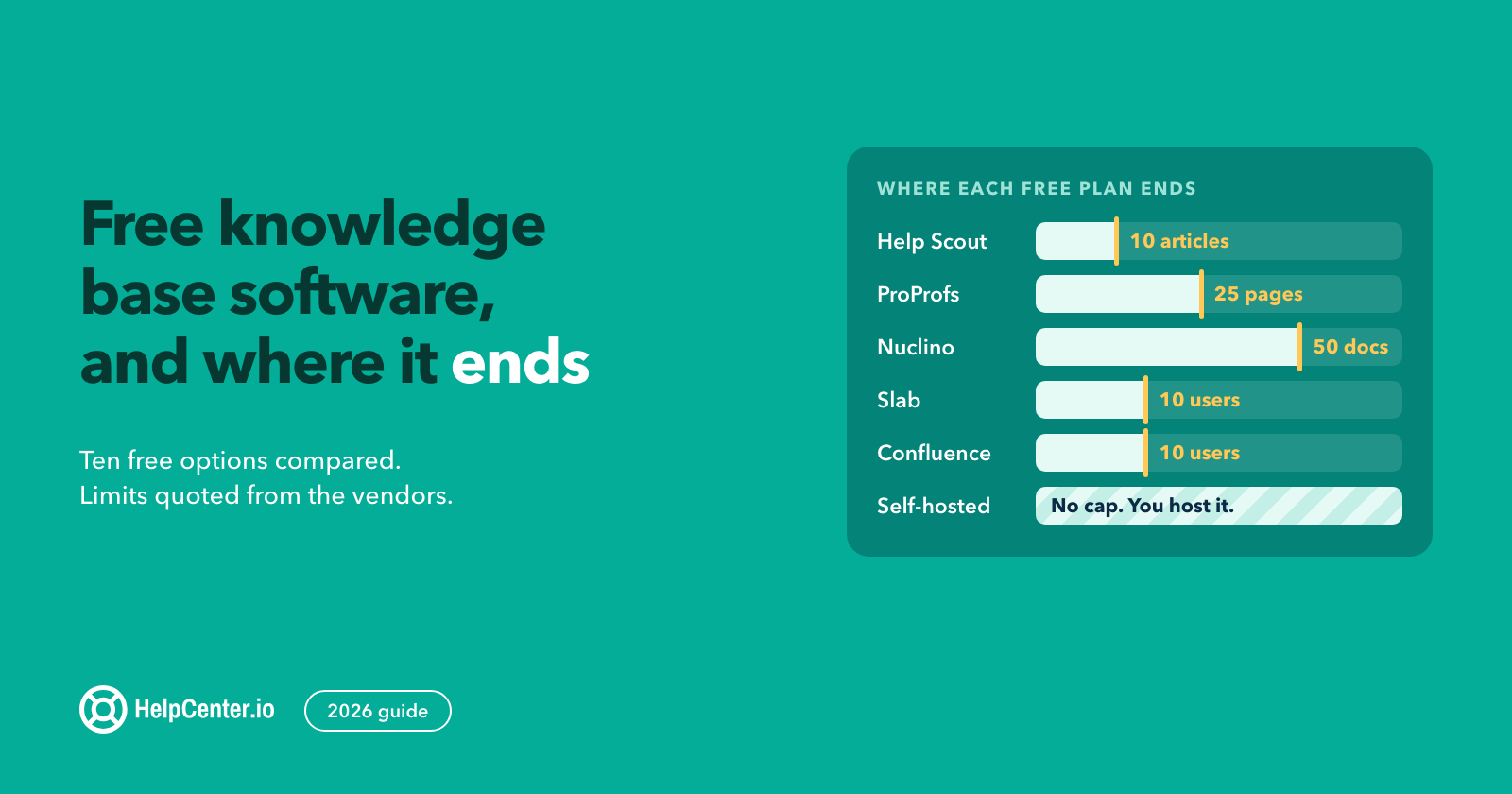
The honest answer: free customer-facing tiers exist, but they are small. Help Scout's Free plan includes 1 Docs site with 10 articles, and ProProfs Knowledge Base is free up to 25 pages (its own domain and badge removal are a $300/year add-on). None of the free tiers we checked pairs a custom domain with AI search. The other free options are:
- Notion Free plan (free with no time limit; a workspace with several members gets a limited number of blocks)
- Slab free up to 10 users
- BookStack (open-source self-hosted; mentioned for completeness)
- Compass by knowledgebase.dev (free and open source under GPL-3.0; we make it): a self-hosted knowledge base template with 20 HTML pages, six article blueprints, and a launch checklist. It is a static template rather than an editor, so you host and update it yourself.
- HelpCenter.io offers a 14-day free trial with no credit card required (the most-generous trial on the list) and a free open-source-project plan on request. It is not a permanently-free tier, but it is the most useful evaluation option.
For a deeper dive into open-source self-hosted options, see our existing roundup of open-source knowledge base software solutions. Free knowledge base software is a real option for personal use or for very small teams willing to self-host; for a customer-facing branded help center, expect to pay at minimum the $29/mo (billed annually) HelpCenter.io Bootstrap tier.
For every free plan side by side, with each limit quoted from the vendor's pricing page, see our guide to free knowledge base software.
How to choose knowledge base software: 6 questions to ask
Building a knowledge base is a content problem before it is a tool problem. The six questions below are the ones that, in our experience migrating teams off Slite, Notion, Document360, and Confluence, predict whether a tool pick will stick or whether the team will re-platform within 18 months.
What is the primary use case: customer-facing or internal? This is the single most important question. Customer-facing teams need a help center; internal teams need a wiki. The same tool rarely wins both jobs. Get this right and the rest of the picks narrow quickly.
Where does your team live: Slack, Atlassian, Zendesk, or a standalone browser? Integration priority matters more than it looks. Slack-native teams should look at Tettra; Atlassian-native teams default to Confluence; Zendesk-native support teams default to Zendesk Guide. Standalone-browser teams have the widest pick.
What is your AI budget shape: included, add-on, or metered? Decide this before you compare prices. If AI is a hard requirement at the lowest possible price, Slite includes it on its $8/user/mo entry tier; HelpCenter.io includes it on Catalyst or sells it as a flat add-on below that. If AI is nice-to-have, Notion's add-on model lets you defer the spend. If you want predictable AI cost, avoid credit-metered tiers (HelpDocs, KnowledgeOwl).
What is your migration friction tolerance? Self-service imports are fine for greenfield setups; established teams with 200+ existing articles should look at managed migration. HelpCenter.io includes free white-glove migration on Growth and Catalyst annual plans; Helpjuice and KnowledgeOwl include managed migration on every paid plan; Document360 offers it as a paid service.
What is the security floor: SAML SSO, GDPR, HIPAA, SOC2? If you have a security questionnaire to clear, the shortlist narrows fast. KnowledgeOwl includes SAML SSO on every plan; Helpjuice on the $799/mo Unlimited tier; HelpCenter.io on Catalyst ($179/mo billed annually); Document360 on Business and above.
What is your scale 18 months out? At 100+ headcount, Notion and Slab become information graveyards without active governance. If you cannot commit to a dedicated content admin, default to a tool with built-in content verification (Slite, Bloomfire) or one that treats KB structure as a product surface (HelpCenter.io, Document360).
For more on the content-side of building a knowledge base, see our writeup on SaaS knowledge base best practices. The how-to-create-a-knowledge-base question is mostly a content workflow question once the tool pick is right: building a knowledge base that customers actually use depends more on article structure, search optimization, and update cadence than on which platform hosts it.
Migrating to a new knowledge base: what to think about
Re-platforming a knowledge base is one of the highest-risk operational changes a SaaS company makes. The URLs your customers bookmarked, the schema your SERP rich results depend on, and the search-index history Google has built up over months are all at stake. We see six patterns predict a successful migration:
- URL preservation: Map every existing article URL to its new home; never let a high-traffic URL 404. Use a 301 redirect map and verify each redirect resolves with a single hop.
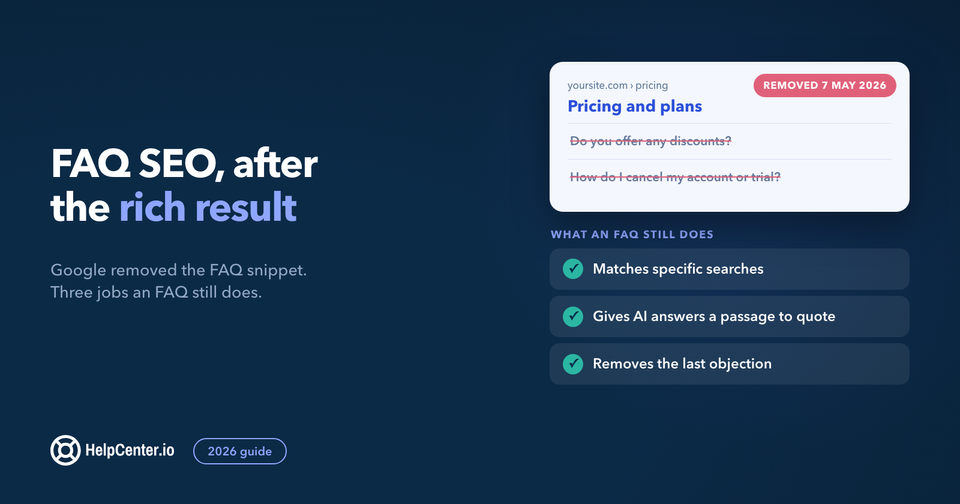
- Schema preservation: If the old site emitted FAQPage or Article schema and rich results were appearing in SERPs, the new site has to emit matching schema or those rich results will disappear within 2–4 weeks of the URL changeover.
- Search-index re-warmup: New knowledge bases take 4–8 weeks to fully re-index. Submit the new sitemap to Google Search Console on day 1, and request indexing for the top 20 highest-traffic articles individually.
- Image and CDN preservation: Do not just import the article text. Pull the images too, or your articles will hot-link to a CDN you no longer control. Hot-linked images get 404s when the old vendor sunsets your account.
- Author and dateModified continuity: Importers that drop the original publish date hurt your rankings. Preserve the original
datePublishedand updatedateModifiedon republish. - Internal-link audit: Articles linking to articles need their internal-link map updated as URLs change. Run a crawl after the migration and fix every internal link that now 404s.
HelpCenter.io offers free migration from Slite, Notion, Document360 and more as part of every Growth and Catalyst annual plan: the engineering team handles the import, the URL mapping, the schema preservation, and the redirect plan. If you are evaluating tools, ask each vendor how they handle these six patterns specifically; the answers will distinguish a real migration service from a button labeled "Import." Zendesk is the hardest of these to leave: it has no native article export, and its redirect rules stop resolving once the subscription lapses. We documented the full export-and-redirect sequence in migrating off Zendesk without losing your rankings.
Frequently asked questions about knowledge base software
What is the best knowledge base software in 2026?
It depends on use case. For a customer-facing help center, HelpCenter.io is the top pick (AI search included on Catalyst $179/mo billed annually and a paid add-on on lower tiers, free white-glove migration on Growth and Catalyst annual plans). For internal team documentation, Slite is the top pick (Ask AI included on Basic $8/user/mo, lowest learning curve on the list). For enterprise teams with deep workflow and analytics needs, Document360 or Confluence depending on whether you need customer-facing or Atlassian-integrated.
What is the difference between a knowledge base, a wiki, and a knowledge management system?
A knowledge base is curated articles with structured search, often customer-facing. A wiki is loosely-structured collaborative pages edited by everyone, used as an internal team scratchpad. A knowledge management system (KMS) is an enterprise platform combining KB plus workflows plus analytics plus governance, typically picked at 500+ employees with formal content governance needs.
Is Notion good for a knowledge base?
Yes for teams under 50 with a dedicated admin maintaining page structure and taxonomy. At 100+ employees, Notion's flexibility becomes a maintenance burden and wiki quality degrades predictably, a documented Capterra review pattern. If you cannot commit to active governance, pick a tool with built-in content verification like Slite or HelpCenter.io. If the docs already live in Notion and you need them customer-facing, here is how to turn Notion or Confluence docs into a public help center.
Can I build a knowledge base for free?
Yes, with caveats. Notion's Free plan and Slab's free 10-user tier are real free options for internal use. BookStack is a self-hosted open-source option. For a customer-facing site, Help Scout's Free plan includes 1 Docs site with 10 articles and ProProfs is free up to 25 pages. A custom domain plus AI search means a paid plan (HelpCenter.io Bootstrap is $29/mo billed annually).
What features should I look for in knowledge base software?
AI search with cited sources (not un-sourced answers), customizable templates, custom domain plus SSL, dedicated migration support, granular permissions if security matters, and structured-data output (FAQPage, Article, BreadcrumbList schema) for SERP rich results. The single highest-leverage feature is AI search that returns answers with source citations.
How does AI improve knowledge base search?
Semantic search understands intent rather than just matching keywords: a customer asking "how do I cancel" gets routed to the cancellation policy article even if the article uses the word "subscription" instead of "cancel." AI search returns cited answers with source links, which reduces the "I cannot find anything in here" complaint pattern. Quality varies: Slite's Ask and HelpCenter.io's AI-Powered Search return cited sources; some vendors return un-sourced answers, which is a red flag.
What is the best knowledge base for SaaS companies?
For customer-facing documentation: HelpCenter.io (purpose-built for SaaS, e-commerce, finance verticals) or Document360 (for mid-market SaaS with deep workflow needs). For internal SaaS team documentation (engineering runbooks, product specs, operational playbooks), Slite is the cleanest pick.
How do I migrate from Slite, Notion, or Document360 to another knowledge base?
The six-pattern checklist above is the right framework: URL preservation with a 301 redirect map, schema preservation, search-index re-warmup, image and CDN preservation, author and dateModified continuity, and internal-link audit. HelpCenter.io's free migration service handles all six on Growth and Catalyst annual plans: the engineering team does the import, the URL mapping, the schema, and the redirect plan.
Pick the tool that fits — and the team that gets there
There is no single "best knowledge base software". There are right picks per use case. Customer-facing teams should look at HelpCenter.io or Document360. Internal teams should look at Slite or Notion (with an admin). Heavy security needs land on KnowledgeOwl or Document360 Enterprise. Atlassian shops land on Confluence. Slack-native teams land on Tettra.
If you are leaning toward HelpCenter.io: AI search is included on Catalyst ($179/mo billed annually), free white-glove migration is included on Growth and Catalyst annual plans, and a 14-day trial with no credit card is the lowest-friction way to evaluate. Explore the full feature list, see pricing, or request a free migration. Every page is no-sales-call by default.