The Knowledge Base SEO Guide: How to Optimize Your Help Center for Search (2026 Edition)

In 2026, your knowledge base is a growth engine as well as a support tool. 🚀 For SaaS startups and e-commerce brands, a well-optimized help center can quietly climb the search rankings and bring in a steady stream of organic traffic (yes, even without active promotion). Some companies have seen their support articles rank for thousands of high-value keywords. Wild, right?
This guide will show you how to make that happen on purpose. We’ll dive into SEO strategies made for help centers and FAQ pages: smart keyword planning, snippet-friendly formatting, schema markup, and simple technical tips that go a long way. We’ll also look at how to prep your content for AI-powered search tools (like ChatGPT, Bing Chat, and Perplexity) and voice assistants that pull straight from web content. And of course, we’ll touch on how a structured knowledge base can supercharge your AI chatbot and support automation.
The goal? Combine solid SEO with clear, human-friendly content, so search engines and your users both get what they came for.
Still evaluating which platform to build on? Our breakdown of the best knowledge base software in 2026 walks through the 12 tools we tested for AI search, customer-facing fit, and migration friction.
Pro Tip: Ensure cross-team collaboration on knowledge base SEO. Marketing, product, and support teams should work together so that help center content not only solves customer problems but also brings in new visitors looking for solutions.
Keyword Research for Knowledge Base Content
Effective SEO starts with knowing what your users are actually searching for. 🔍 Instead of chasing broad, flashy keywords, focus on real-world questions, product-specific terms, and those “I-need-help-now” moments. Think: are people more likely to type “how to reset password” or just “forgot password”? That nuance matters, and it’s what helps your content show up when users need it most.
Dig into keyword research with tools like Google Keyword Planner or your favorite SEO platform, and don’t sleep on your own support tickets or community threads: they’re goldmines for how your audience talks. Look for long-tail keywords with decent search volume and manageable competition. That’s your sweet spot for writing help articles that rank and resonate.
Once you’ve got your keywords, it’s time to put them to work, naturally. 🛠️ Make sure your target phrase shows up in the article title, headers, and body in a way that feels organic. A title like “How to Reset Your Password in [Your App]”is both clear and search-friendly. Win-win.
Skip the keyword stuffing (Google sees right through it). Instead, sprinkle in related terms and synonyms to help your content match more search variations. If you’re tempted to answer five questions in one article, consider breaking them up. One question per article usually performs better in search and is easier for users to scan and digest.
So here are the key points:
- Match User Language: Use the same terms customers use. If many users search “invite team member”, prefer that phrasing over “add user account” in your content.
- Optimize Title & H1: Ensure the article’s title (and H1) is specific and includes the main keyword or question (e.g. “How to Change Your Billing Address”). This makes it immediately clear and clickable.
- Leverage Medium-Tail Keywords: Target niche queries with medium search volume. These often convert well and face less competition.
- Avoid Duplication: Each help article should target a distinct question or issue. Consolidate overlapping content to prevent competing pages.
Structuring Articles for Featured Snippets and Quick Answers
Structuring your knowledge base articles in a snippet-friendly format is key to capturing prime real estate on Google (and satisfying impatient readers). Aim to answer the core question immediately and clearly in the first 1-2 paragraphs of the article – this increases your chance of appearing as a featured snippet or a quick answer box. For example, if the article is “How to integrate our app with Slack,” start with a concise summary of the integration steps or outcome before diving into details. Use clear subheadings (often phrased as questions) and organize content logically. A Q&A style format – where the question is a header and the answer follows – can help search engines understand your content structure. In fact, Google can now identify question/answer pairs on its own and use them to answer queries, even if you don’t explicitly mark them up with FAQ schema.
For “How-to” topics, break down the solution into step-by-step lists. Ordered or bulleted lists not only improve readability but also signal to Google that you’re enumerating steps or tips – which is exactly what often gets pulled into snippet boxes. A search for “how to ___” will frequently show a list snippet with 3-5 steps from a help article. By structuring your content with numbered steps or bullet points, you increase the chances of grabbing those snippet spotsxponent21.com. Make sure each step is described clearly and succinctly (1-2 sentences if possible). Similarly, use tables or comparison charts for things like plan features or settings – these can sometimes surface in rich results or at least make it easy for users/AI to extract info.
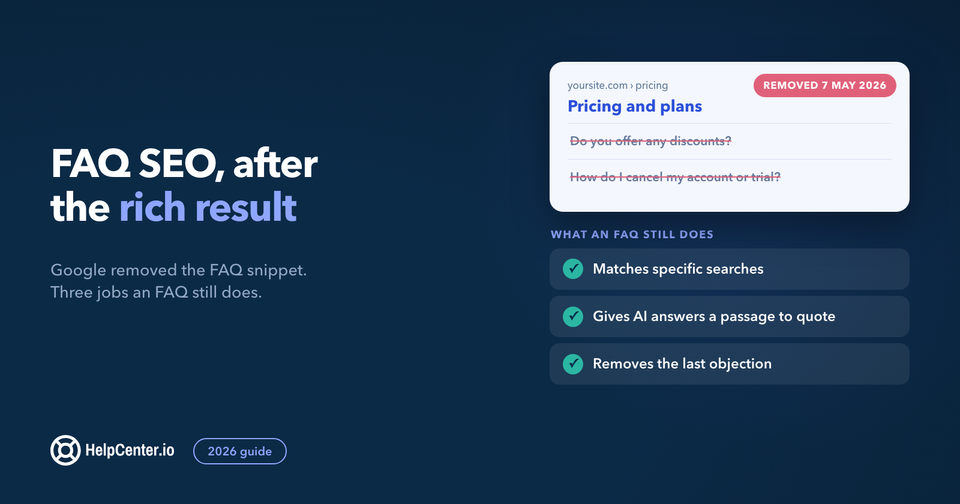
Another snippet magnet is a “FAQ” section within your article. If appropriate, include a short FAQ at the bottom of an article addressing closely related questions. Each question can be a bold subtitle with a brief answer. This not only helps users who scroll (and can reduce support tickets), but also gives search engines more Q&A content to potentially feature. Although Google stopped showing the expandable FAQ rich result in May 2026, the underlying Q&A content is still valuable. Google’s generative search and other AI engines will continue to use well-structured Q&A content to directly answer user queries.
- Use Headings Wisely: Format common questions as H2/H3 headings. E.g. “How do I cancel my subscription?” followed by the answer. This clarity can land you in People Also Ask boxes or AI answer highlights.
- Answer First, Then Elaborate: Provide a direct answer in the opening lines of an answer section (so it stands alone if clipped), then add detail or context. This caters to both skimmers and search snippets.
- Leverage Lists and Tables: Where possible, use lists for steps, features, or tips. Google often grabs bullet or number lists for “How do I…” queries, displaying them as instant answers.
- Keep it Scannable: Break up long paragraphs. Use bold for key terms or actions. A well-structured article (with whitespace, lists, subheads) is easier for users and also for AI to parse when generating answers.
Internal Linking and Navigation
Your knowledge base works best when it’s a connected ecosystem rather than a bunch of standalone articles. That’s where internal linking comes in. Whenever you mention a feature or concept that has its own article, link to it! For example, if you reference “clearing cache” in a troubleshooting guide, go ahead and link those words to your detailed how-to on clearing cache.
These internal links do double duty: they help users explore related topics without backtracking or searching, and they give search engines a clearer picture of your content’s structure. Bonus: this helps distribute link equity across your help center, giving more of your articles a shot at ranking.
Another smart move? Add a “Related Articles” section or sidebar to every help article. Most help center platforms (including HelpCenter.io 😉) make it easy to auto-show links to articles in the same category or with shared tags. This gives readers an easy next step if their question isn’t fully answered, and it keeps them engaged longer.
From an SEO angle, it’s a win too: these cross-links show search engines how your content is thematically connected, and they can help reduce bounce rates by keeping visitors browsing. Just make sure the links actually add value, like pointing from a “Setting up DNS” guide to a “Troubleshooting DNS Issues” article.
And don’t forget the basics: keep your top navigation and category structure clear and crawlable. If your platform supports breadcrumb navigation (like Home > Account > Password Reset), turn it on. It helps users and Google make sense of your content hierarchy.
Let’s not overlook external linking: it’s another way to boost both visibility and value. If you’ve got user forums, developer docs, or a company blog, connect the dots! Link out to relevant help articles when they offer deeper guidance, and link back to those sources when it makes sense. For example, if your blog shares a troubleshooting overview, point readers to the full step-by-step in your knowledge base.
Also, when your help content gets backlinks from outside sites, like community Q&As or industry blogs, it signals authority to search engines. Want more of those links? Make your articles genuinely helpful and specific. People are way more likely to share detailed, actionable content than vague overviews, and that’s where your help center shines.
Key Points:
- Cross-Link Related Topics: Within article text, link key terms to other help articles (e.g. link “update billing info” to the billing info guide). This makes info discovery seamless.
- Provide Next Steps: Use “Related Articles” suggestions at the end of each article so users have somewhere to go next instead of leaving.
- Use Breadcrumbs: Breadcrumb navigation at the top of pages (e.g. Help Center > Category > Article) not only aids navigation but also adds extra internal links for SEO.
- Encourage Backlinks: If customers or partners have blogs/forums, they might link to your well-written FAQ. Promote standout help articles as authoritative answers on relevant external communities (Quora, Reddit, Stack Overflow, etc.) for potential backlinks.
On-Page SEO: Titles, Meta Descriptions & URLs
It’s not just what’s in your article that matters: how it shows up in search results makes a big difference too. That’s where meta titles and meta descriptions come in. Your meta title is the clickable headline users see in Google, so make it clear and compelling. Include the problem you're solving and, if you’ve got room, your product name, like: “Resetting Your Password in [Product Name] | Help Center”. Aim for under 60 characters to avoid getting cut off.
Next up: the meta description. This short snippet appears just below the title in search and acts like a mini ad for your article. Use 1–2 sentences to quickly explain what the user will learn or solve, and weave your main keyword in early. A well-written description helps reassure searchers that they’ve found the right page, which can seriously boost your click-through rate.
The good news? If you’re using a platform like HelpCenter.io, managing these SEO details is a breeze. 🙌 You’ll find dedicated fields in each article’s settings for adding a custom meta title and meta description, so don’t leave them blank or let auto-generated text do the job. Take a minute to write something clear and keyword-friendly for each one.
Also, double-check your indexing settings. Some teams keep their help center private during setup (totally fine!), but when you're ready to go public and start bringing in traffic, make sure your knowledge base is set to be indexed by search engines. A few clicks can make all the difference in how visible and valuable your content becomes.
One last SEO detail that’s easy to overlook: your article URLs. Make sure they’re clean, readable, and reflect the content. A URL like .../knowledgebase/reset-password is way more user- and SEO-friendly than something like .../kb/article?id=12345.
Most help desk platforms (including HelpCenter.io!) let you customize the URL slug, usually based on the article title. Keep it short and include relevant keywords. It helps search engines understand the page and gives users more confidence before they even click.
If you host your help center yourself as static files, the same basics apply. Compass by knowledgebase.dev, a free knowledge base template we make, ships semantic HTML and generates a sitemap and canonical URLs once you add your domain in the source.
And if you ever reorganize things, don’t forget to set up 301 redirects from the old URLs to the new ones. That way, you keep all that hard-earned SEO juice flowing in the right direction.
Finally, don’t forget HTML elements like image alt tags. If your help article includes screenshots or diagrams (which is great for usability), make sure each image has an alt attribute describing it (e.g. alt="Screenshot of password reset page"). This helps search engines understand the images and can bring in a bit of image search traffic, while also being good for accessibility.
Here are the key SEO takeaways:
- Craft Clear Meta Titles: Front-load the problem/solution in the title (e.g. “How to Change Shipping Address | StoreName Help”). Keep it <= 60 characters.
- Write Persuasive Meta Descriptions: In ~155 characters, summarize the answer or benefit of the article. Include the target keyword and a call to action tone (e.g. “Learn how to…, Step-by-step instructions inside.”).
- Use SEO-Friendly URLs: Ensure your article URLs are clean. For instance, /help/password-reset is ideal, rather than gibberish IDs. This helps search engines and users understand the page topic at a glance.
- Utilize Platform SEO Features: Take advantage of tools in your KB software like HelpCenter.io to easily set meta tags, custom slugs, and indexing preferences for all articles from one dashboard Consistency here can significantly improve your search visibility.
Leverage Schema Markup (FAQ, How-To, etc.)
Want to give your help articles an extra SEO boost? Schema markup is your friend. 🎯 By adding structured data to your pages, you help search engines better understand what your content is about, and can make it eligible for rich results in search.
For knowledge bases, two schema types fit naturally: FAQPage and HowTo. If your article includes a list of questions and answers, FAQPage schema labels each question and its answer. For step-by-step guides (which many help articles are), HowTo schema lets you outline each step in a structured way. While Google no longer shows FAQ or How-To rich results (How-To since September 2023, FAQ since May 2026), the markup is still cheap to add and harmless to keep, as long as it matches the visible text.
For FAQ sections specifically, our FAQ SEO guide covers what an FAQ still does for search after the rich result, with Google's own wording and 14 measured FAQ sections.
Even if you don’t always see rich snippets, schema remains a smart move. It’s about giving search engines (and emerging platforms) the clearest possible picture of your content.
Alongside FAQ and HowTo, you might also want to look into QAPage schema, especially if you have a community Q&A or your article is a simple one-question, one-answer setup. While QAPage is mainly meant for forums with multiple answers, it can still help AI-driven platforms surface quick, relevant responses from your content. Even though Google’s pretty good at spotting Q&A formats on its own these days, the extra structure might give you an edge, especially with search engines like Bing.
A few other schema types worth calling out:
- BreadcrumbList: Adds breadcrumb trails in search results to show users where your article sits in the site structure.
- Organization / Knowledge Graph: Useful for your main help center homepage to give search engines context about your brand.
- VideoObject or LearningResource: If you embed tutorial videos in your articles, this schema can help those videos show up in search, sometimes with previews right in the results. 🎥
Bottom line: schema helps your help center speak the language of search engines and AI tools alike. It’s not flashy, but it’s powerful.
While Google has pulled back some of the flashier rich results lately (hello, AI answers 👋), featured snippets are still alive and well, and they depend on well-structured content. That’s where schema continues to shine.
Formats like FAQPage or HowTo naturally encourage clear, concise answers: exactly what featured snippets are looking for. So even if adding schema doesn’t guarantee rich results, it sets your content up for success. Think of it as speaking the search engine’s native language.
And it’s not just about Google: voice assistants and AI tools (like chatbots) also lean on schema to identify trustworthy, answer-ready content. For example, a voice assistant might favor a page marked as FAQ because it’s clearly structured as a definitive Q&A. Schema might not be magic, but it’s still one of the smartest SEO moves you can make.
Setting up schema can be technical, but many knowledge base platforms and CMSs support plugins or have built-in features for it. Focus on pages that address very common questions or how-tos for adding schema, as those have the highest payoff.
- Add FAQ Schema to Q&A Sections: If your FAQ page or help article has multiple questions answered, implement FAQPage schema. While Google no longer shows FAQ rich results, the markup still labels your questions and answers for any parser that reads it.
- Use HowTo Schema for Guides: For tutorial/guide articles, markup the steps with HowTo schema if you like. Google stopped showing How-To rich results on mobile and desktop in 2023, so this is optional: the markup only spells out the step structure for parsers that read it.
- Breadcrumb and Site Links: Ensure your help center has breadcrumb schema and an XML sitemap. A sitemap submitted via Search Console helps search engines index all your KB URLs (especially if your KB is on a separate subdomain).
- Keep Schema Updated: If you update an answer or step, update the schema too. Wrong or stale structured data (like an outdated step count or incorrect question text) could confuse crawlers. Always test your structured data with Google’s Rich Results Test tool.
Core Web Vitals and User Experience
Don’t forget: page experience matters, even for your help center. Google’s algorithm continues to prioritize Core Web Vitals (CWV), a set of performance metrics that track how fast, smooth, and stable your pages feel to users.
These include things like:
- Largest Contentful Paint (LCP) – how quickly your main content loads
- Cumulative Layout Shift (CLS) – how much things move around as the page loads
- Interaction to Next Paint (INP) – how responsive the page feels when users interact
As of 2024, Google confirmed CWV are still part of its ranking factors, with a shift toward rewarding fast, user-friendly pages rather than just punishing slow ones. That means if your help articles load faster and feel smoother than a competitor’s, you could earn the edge in search.
Beyond rankings, a fast, polished experience keeps users happy. No one wants to wait around or deal with jumpy layouts, especially when they’re looking for help. Prioritizing performance keeps people on your page and reduces pogo-sticking (when users bounce right back to Google).
Keep Your Help Center Fast, Mobile-Friendly, and Smooth
Page speed matters, for SEO and for your users’ sanity. Help articles often include lots of images (like tutorial screenshots), which can slow things down if you’re not careful. Here’s how to stay speedy:
- Compress images and use modern formats like WebP
- Turn on lazy loading for images that appear below the fold
- Use a CDN if available
- Test with tools like Google PageSpeed Insights or Lighthouse
Pay close attention to Largest Contentful Paint (LCP): it’s often a big screenshot or embedded video that needs optimizing. Also, keep third-party scripts (like analytics or chat widgets) to a minimum to avoid dragging down performance.
The good news? Platforms like HelpCenter.io are built for speed, with lightweight themes and clean code. You’re already starting ahead. 🛠️
Don’t Skimp on Mobile Experience
With mobile-first indexing, Google treats your mobile version as the main one. That means your help center must work beautifully on phones. Check for:
- Responsive layouts (especially for code blocks, tables, or big images)
- Tappable buttons and links, not tiny targets!
- A search bar that’s easy to find and use
- Readable text without pinch-and-zoom
If you're using HelpCenter.io, choose a mobile-friendly theme, then test it yourself. Open a few top articles on your phone. Is it smooth? Easy to read? That’s what your users want, and Google does too.
Prioritize a Stable, Snappy Experience ⚡
No one likes janky pages that shift around while loading. Avoid layout shifts (which hurt CLS, a Core Web Vitals metric) by handling images and dynamic elements like expandable menus or sidebars gracefully.
If your help center includes interactive elements (like accordion FAQs or embedded code), make sure they respond quickly. Metrics like First Input Delay (FID) and Interaction to Next Paint (INP) are now part of the ranking mix, so every click counts.
The goal? A help center that feels smooth, stable, and quick on every device.
In the end, great SEO is about technical metrics and also about delivering a smooth, satisfying experience. That means your help center should be:
- Easy to navigate
- Clear and scannable
- Equipped with a solid site search feature
When users find what they need quickly and don’t bounce back to Google, it’s a strong sign that your content hit the mark. That “one and done” behavior (someone searches, lands on your article, and stays) is exactly what search engines want to see.
So beyond optimizing for algorithms, focus on optimizing for people. The better your help center feels to use, the more likely it is to rank, and the more likely users are to trust it.
Key Takeaways:
- Optimize for Speed: Compress images, leverage browser caching, and minimize scripts. Aim for an LCP under ~2.5s and a low CLS on your help pages. A fast help center keeps users from bouncing due to slow load.
- Be Mobile-First: Design with mobile in mind. Use responsive layouts and test articles on a smartphone. Google indexes mobile content predominantly, so mobile usability is non-negotiable.
- Use a Performance-Friendly Platform: If you’re on a hosted solution like HelpCenter.io, take advantage of their performance optimizations (fast global hosting, efficient code). Ensure any customizations you add (CSS/JS) don’t slow things down.
- Monitor Core Web Vitals: Keep an eye on your Core Web Vitals in Google Search Console’s Page Experience report. If any help pages fall into “Needs Improvement” or “Poor,” prioritize fixes – passing all three CWV metrics can give you a ranking edge.
Get Ready for AI-Driven Search
The search game in 2026 isn’t just about ten blue links anymore. Google’s own AI Overviews and AI Mode now answer a large share of queries on the results page itself, and assistants like ChatGPT Search, Perplexity and Claude are reshaping how people find answers, often pulling content directly from web pages.
That means your help center articles might get read or quoted by an AI model before someone even clicks your link. Wild, right?
To stay visible in this new landscape, your content needs to be AI-friendly and voice-search ready. That means:
- Clear, direct answers high up on the page
- Clean formatting (think: headers, bullets, step-by-steps)
- Schema markup that helps AI understand your structure
The future of SEO is about being the answer, not just hosting it.
Good news: it’s probably a lot like the content you’re already aiming to write. AI search tools love clear, structured, no-fluff answers, and that’s exactly what your help center should deliver.
These AI bots scan top-ranking content and synthesize responses. They lean toward pages that are:
- Factual and concise
- Well-formatted (headings, bullets, steps)
- Straight to the point
Overly long or flowery explanations tend to get skipped. Instead, AI tools often quote FAQ pages or simple how-to guides, because the writing is direct and easy to interpret.
So when you’re writing, think of it like this: you're answering someone’s question as clearly and helpfully as possible. That tone, friendly and informative, is exactly what AI-driven platforms are looking to surface.
Here are some guidelines to optimize for AI and voice engines:
- Front-load the Answer: Always put the direct answer or resolution in the first sentence or two of your article or answer block. For voice searches, answers around ~30 words are ideal for the assistant to read aloud. For example, if the question is “Can I change my plan mid-month?”, start the answer with “Yes – you can upgrade or downgrade your plan in the middle of a billing cycle. To do so, ...”. The AI might quote just that “Yes – you can…” sentence, so make sure it’s comprehensive when isolated. Avoid burying the answer deep in the text.
- Use Natural Language: People using voice search or conversational search engines often phrase queries like they’d ask a person (“How do I…”, “What’s the best way to…”). Reflect that language in your content. Even if your title is slightly more formal, ensure somewhere in the text you have the question rephrased in a natural way. This increases the chance the AI pairs the user’s question with your content. It also helps to restate the question in the answer, which provides context. For instance, a user asks “Do I need the original box to return a product?” – your answer should be, “You do not need the original shipping box to return a product; you can use your own packaging...” rather than just “No, you don’t”. The full-sentence answer is clearer to an AI and to the user.
- Adopt a Conversational Tone: Write as if you’re speaking to the user. It’s okay to use second person (“you”) and a friendly, straightforward tone. This not only makes your content more engaging to humans but also aligns with the style of answers AI assistants try to deliver. However, remain professional and correct – don’t sacrifice accuracy.
- Structured Data for AI: As mentioned, structured data like FAQ schema can help AI identify question-answer pairs. Also, ensure your HTML structure is clean – proper heading tags for questions,
<ol>or<ul>for steps, etc. AI models crawling pages “read” the HTML; well-structured HTML with clear hierarchy makes their job easier. - Keep Content Up-to-Date: AI tools are likely to favor up-to-date information. Some AI search engines note the date of content or prefer content that has recent context (especially for tech topics). Regularly update your articles (and indicate last updated dates if possible) for freshness. For voice search specifically, if a query has multiple possible answers, often the most authoritative and updated source wins.
AI-driven search traffic is still growing, but it’s already starting to show up in analytics, especially from tools like Perplexity and Bing Chat. Even when users don’t click through, your content might still be powering the answer they see.
To make the most of that visibility, consider adding light branded mentions in your help articles. For example:
“In ProductName, you can reset your password by…”
This way, if an AI quotes your content, your brand gets mentioned, and curious users might still look you up, even if they never clicked the link. It’s a simple way to earn credit and stay top of mind as search keeps changing.
Voice assistants (Siri, Alexa, Google Assistant) similarly often draw on featured snippet content. Optimizing for them goes hand-in-hand with snippet optimization: clear Q&A content, simple sentence structure, and schema where applicable. Imagine reading your answer out loud – does it sound like a helpful, coherent response to the question? If yes, you’re on the right track. If not, you should probably simplify it.
- Be Direct and Complete: Aim to answer the query fully in the first 1-2 sentences of your response. This increases the chance an AI snippet will use your text verbatim to answer users.
- Avoid Jargon & Ambiguity: Write for a broad audience unless your product is highly technical. AI might misinterpret niche jargon. Use clear, unambiguous language (e.g. say “work hours” instead of “availability” if that’s clearer in context).
- Monitor AI References: Occasionally use tools or search your brand/product in AI search engines to see what answers come up. If the AI is pulling from your content but maybe getting something wrong, that’s a cue to clarify that content. For example, if you see an AI answer truncating your text awkwardly, consider rephrasing that text on your site to be more standalone.
- Embrace Conversational SEO: Think of potential follow-up questions a user might ask. AI chats allow follow-ups, so in your content you can cover related sub-questions. For instance, an article on “API rate limits” might also quickly answer “why do we have rate limits?” or “how to request an increase?” – making your content more likely to be used in a multi-turn AI conversation.
The Machine-Readable Layer: llms.txt, ai.txt and Agent-Readable Help Centers
Everything above this point is about the words on the page. Underneath them a second layer has appeared over the last two years: files and response headers that exist only for machines, that no visitor will ever see, and that most help centers still don’t serve. We shipped the full set on HelpCenter.io this year. Then we tested nine competing platforms to see who else had. Most hadn’t, and the results are further down this page.
llms.txt, and an honest read on whether it does anything
llms.txt is a Markdown file at the root of your domain that hands a model a curated index of your best pages, each with a one-line description, instead of making it crawl your navigation to work out what matters. It was proposed in late 2024 and it is the closest thing the AI-crawling world currently has to a convention. Ours lives at helpcenter.io/llms.txt if you want to see the shape of one.
Now the honest part: no major AI provider has publicly committed to reading it in production. Not OpenAI, not Google, not Anthropic. Crawler logs across the web don’t show them requesting it in meaningful volume either. If someone sells you llms.txt as a ranking factor, they are describing a mechanism nobody has demonstrated. Treat any confident claim about it (including a confident claim that it definitely works) as a red flag.
What is true is narrower, and more interesting. The file has real traction in agent and developer tooling, where a model is pointed at your docs deliberately rather than stumbling on them through search. The companies shipping the most-used developer documentation on the web all publish one, and the larger ones pair a short index with a full-text dump at llms-full.txt:
- Anthropic: a 60 KB index, plus an
llms-full.txtthat runs to roughly 33 MB of documentation. - Stripe: about 90 KB, served as
text/markdown. - Vercel: roughly 215 KB.
- Cloudflare: a compact 16 KB index for its developer platform.
So: worth an afternoon, not worth a line in your forecast. And it has a side effect that justifies it regardless of whether a model ever reads the file. Writing a one-sentence description of every page you consider important is the fastest audit of your help center you will ever run. If you can’t describe a page in a sentence, that is usually a page problem, not a description problem.
ai.txt and Content Signals: the permission layer
Different job entirely. llms.txt says here is what is worth reading. ai.txt and Content Signals say here is what you are allowed to do with it. Content Signals is the more elegant of the two because it is a one-line extension to a file you already have, robots.txt, with three verbs:
User-agent: *
Content-Signal: search=yes, ai-input=yes, ai-train=no
Disallow:search: may this page appear in a search index?ai-input: may it be used to compose an AI answer? This is the one that decides whether you can be cited.ai-train: may it be used as model training data?
The distinction between the last two is where most teams get it wrong. Blocking ai-input to protect your content from AI does not protect anything: your help center is public either way. It just removes you from the answers your buyers are actually reading. ai-train is the one where a real policy decision lives.
For what it’s worth, our own marketing domain runs search=yes, ai-input=yes, ai-train=yes, because being quoted is the entire point of it. Customer help centers we host default to ai-train=no, because that content belongs to the customer and the decision to donate it isn’t ours to make.
Serving Markdown to agents
When an AI agent fetches one of your help articles, it gets exactly what a browser gets: navigation, a cookie banner, a chat widget, three analytics scripts and a footer. It then spends a meaningful share of its context window discarding all of that to find four paragraphs of answer.
Accept-header negotiation fixes this without you maintaining a second site. The agent asks for Markdown, the same URL returns Markdown:
curl -H "Accept: text/markdown" https://your-help-center.com/article-slugSame URL, same content, same permissions: an unpublished article stays unpublished on this path, which is the part worth checking if you build it yourself. This is the piece we think matters most, and it is the one the fewest platforms have. It is also the easiest to test, which is how we built the comparison below.
RFC 9727 api-catalog: the discovery header
The last piece is the least known. An agent that arrives on a random article deep in your help center has no idea what else exists. Link response headers hand it the map on the first response, before it has parsed a single byte of body:
Link: <https://your-help-center.com/.well-known/api-catalog>; rel="api-catalog"
Link: <https://your-help-center.com/sitemap.xml>; rel="describedby"; type="application/xml"
The api-catalog relation comes from RFC 9727 and points at a linkset, a small JSON document enumerating the machine-readable entry points for that specific help center. It is a genuine published standard rather than a convention, which is a point in its favour over llms.txt, and as the table below shows, almost nobody in this category has implemented it.
Which knowledge base platforms actually support llms.txt?
We could not find anyone who had checked, so we did. On 21 August 2026 we tested ten knowledge base and help center platforms on three things: whether a help center hosted on them serves llms.txt, whether it will return Markdown to an agent that asks, and whether its robots.txt carries a Content Signal.
Method, so you can check our work. We tested each vendor’s own help center running its own product: Zendesk’s help center runs on Zendesk, Document360’s on Document360, and so on. That is the fairest public test available, because a vendor’s marketing site tells you nothing about what your help center would serve. Several vendors publish an llms.txt on their marketing domain while their hosted help centers serve none. Every cell below is a live HTTP response, and the commands to reproduce them are in the next section. A soft 404 (a 200 status returning an HTML page) is scored as a no.
| Platform | Serves llms.txt | Markdown for agents | Content Signals | RFC 9727 api-catalog |
|---|---|---|---|---|
| HelpCenter.io | Marketing domain only | Yes | Yes | Yes |
| Document360 | Yes (165 KB) | Yes | Yes | No |
| GitBook | Yes (118 KB) | Yes | Yes | No |
| Intercom | Yes (1.35 MB) | No | No | No |
| HelpDocs | Yes (69 KB) | No | No | No |
| KnowledgeOwl | Yes (7 KB) | No | No | No |
| Helpjuice | No | No | No | No |
| Help Scout | No | No | No | No |
| Slite | No | No | No | No |
| Zendesk | No | No | No | No |
Six of ten serve an llms.txt; three will return Markdown to an agent; one implements api-catalog. The gap between column one and column two is the interesting part. Publishing a static index file is a small piece of work that a marketing team can do alone. Negotiating Markdown on every article means touching the rendering path of the product itself, which is why the same three names keep appearing.
Two results worth calling out. Intercom’s 1.35 MB llms.txt is the largest we found by an order of magnitude, closer to a full-text dump than an index, which arguably defeats the purpose of a file whose job is to be small enough to read first. And Slite returns a 200 for every path we tried, including /llms.txt and /.well-known/api-catalog, each time serving the same 268 KB of HTML. A crawler reading status codes alone would conclude Slite supports everything. It supports none of it. If you run a single-page app in front of your help center, this is worth checking today. See our Slite alternative comparison for the wider trade-offs there.
Our own row is deliberately not a tick. We run a hand-maintained llms.txt for our marketing domain, but we do not yet generate one per hosted help center, and we would rather say so here than claim a capability we haven’t shipped. What customer help centers do get today is the other three columns: Markdown negotiation on every article, a Content Signal in robots.txt that respects the customer’s own crawl settings, and api-catalog headers on every public page. Per-help-center llms.txt generation is on the list. You can see the full picture of what our AI layer does on the HelpCenter.io AI page.
If you are weighing platforms on this specific axis, the comparisons that go into the most detail are HelpCenter.io vs Zendesk, vs Document360, vs Helpjuice, vs Help Scout and vs HelpDocs. If your docs currently live in a wiki rather than a help center platform, vs Notion and vs Confluence cover that move, and both illustrate the marketing-site trap directly. Notion serves an llms.txt on notion.com, but a published Notion site returns HTML for that path, and Atlassian’s support site serves none of the four. Check the domain your readers actually land on.
Test your own help center in about a minute
Four commands. Run them against your own help center domain, not your marketing site. That distinction is the entire reason the table above looks the way it does.
# 1. Do you serve an llms.txt at all?
curl -sI https://your-help-center.com/llms.txt

# 2. Will you return Markdown to an agent that asks for it?
curl -sI -H "Accept: text/markdown" https://your-help-center.com/some-article

# 3. Does your robots.txt carry a Content Signal?
curl -s https://your-help-center.com/robots.txt | grep -i content-signal

# 4. Do you advertise an api-catalog to agents?
curl -sI https://your-help-center.com/ | grep -i "^link:"
Read the headers, not just the status code. Command 1 should return 200 with content-type: text/plain or text/markdown; if you get text/html, you have a soft 404 and the file does not exist. Command 2 should return content-type: text/markdown; text/html means no negotiation, whatever the status says.
None of this replaces the work in the rest of this guide. A help center with perfect machine-readable plumbing and vague, buried answers will be ignored by models for the same reason it is ignored by people. But if your content is already good, this layer takes an afternoon and almost nobody in your category has done it yet.
llms.txt FAQ
What is llms.txt?
llms.txt is a Markdown file served at the root of a domain (/llms.txt) that gives large language models a curated index of a site's most useful pages, each with a one-line description. It was proposed in late 2024 as a way for a model to find the pages that matter without crawling an entire site's navigation. It is a community convention, not a ratified standard.
Do AI search engines actually use llms.txt?
There is no public evidence that they do. As of August 2026, no major AI provider (OpenAI, Google, Anthropic, Meta or Mistral) has publicly committed to reading llms.txt in production, and their crawlers are not observed requesting it in meaningful volume. Adoption is real but concentrated in agent and developer-tooling workflows, where models are pointed at documentation deliberately. Treat llms.txt as cheap insurance, not a ranking factor.
Which knowledge base platforms support llms.txt?
In a test of ten platforms on 21 August 2026, six served an llms.txt on a help center hosted with them: Document360, GitBook, Intercom, HelpDocs and KnowledgeOwl, plus HelpCenter.io on its marketing domain. Helpjuice, Help Scout, Slite and Zendesk served none. Only three (Document360, GitBook and HelpCenter.io) also return Markdown to an agent that requests it.
What is the difference between llms.txt, ai.txt and robots.txt?
They answer three different questions. robots.txt says which paths a crawler may fetch. ai.txt and the Content-Signal extension to robots.txt say what may be done with the content once fetched: indexed for search, used to compose an AI answer, or used as training data. llms.txt says which pages are worth reading in the first place. You can and generally should serve all three.
How do I check whether my help center serves llms.txt?
Run curl -sI https://your-help-center.com/llms.txt and read the headers. A 200 with content-type: text/plain or text/markdown means the file exists. A 200 with content-type: text/html is a soft 404: the file does not exist and your server is returning a page instead of an error. Test the help center domain, not the marketing site: many platforms serve one and not the other.
Smart Self-Service Starts with Smarter Content 💡
At HelpCenter.io, we believe your knowledge base is more than a passive library: it’s the foundation of AI-assisted self-service support. When your content is well-structured, accurate, and easy to interpret, it becomes a powerful tool for resolving customer issues before they ever need to contact your team.
Modern AI systems can proactively surface answers from your KB in real time, whether embedded in an on-site support widget or used behind the scenes in your app or dashboard. But to make that possible and effective, your content needs to be ready for machine understanding.
Structure and Clarity Power Better Self-Service
If you're aiming to support users automatically and intelligently, your articles need to be:
- Focused: Stick to one question or issue per article when possible. It makes the content easier to match to a user’s specific need.
- Well-formatted: Use clear headings, bullet points, and sections so AI systems can parse and pinpoint relevant answers quickly.
- Self-contained: Write answers with enough context so they make sense when shown out of context. For example, not just “Click the button” but “Click the Submit button at the bottom of the form.”
Don’t Skip the Content Audit 🛠️
Before layering AI tools on top of your help center, take time to review your existing content:
- Remove or rewrite outdated articles
- Update for recent product changes
- Fill in any gaps (especially common or edge-case scenarios)
If certain questions are being misinterpreted or consistently lead to incorrect results, the issue may not be the AI. It may be the content itself. Fixing that article improves every future self-service interaction tied to it.
Real-World Example: Getting the Most from AI-Powered Support
Companies using HelpCenter.io’s AI support widget have seen improved deflection rates simply by refining their knowledge base. When content is written clearly and categorized logically, the AI can instantly surface the right snippet to answer a user’s question, without needing a live agent or even a chatbot interface.
Organizing your KB with user-friendly categories (like Billing, Troubleshooting, or Getting Started) and applying semantic tags also helps AI systems filter and deliver more accurate results.
Bonus Tip: Schema Makes a Difference
Structured data like FAQ schema can further improve how AI systems interpret and pull content from your articles. While not every platform uses it, structured content is a win for both discoverability and accuracy, especially as more AI tools index and extract content from knowledge bases directly.
In essence, investing in clear, well-structured help content pays dividends twice – first in SEO, and second in AI-driven support automation. Your knowledge base becomes not just a static repository, but a dynamic engine powering customer self-service through multiple channels.
Here are the takeaways to turn your knowledge base into the stepping stone of your future-proof AI self-service:
- Audit and Update Regularly: Keep your KB as the single source of truth. Chatbots will echo whatever is in your articles, so ensure those articles are accurate and current to avoid misinformation.
- Simplify Language for Bots: Write answers in full sentences and avoid assuming the user has seen previous paragraphs. If the bot plucks one sentence, it should still make sense.
- Take Advantage of AI Widgets: Platforms like HelpCenter.io have built-in AI widgets – deploy these to let users query the KB directly. A structured KB means the AI can quickly retrieve exact answers, enhancing customer satisfaction.
- Monitor Bot Feedback: Use widget/bot analytics if available. If certain queries fail, that’s a clue to create a new help article. If users give a thumbs-down to an answer, review that article’s wording. In this way, your AI bot can highlight content gaps and guide your KB improvements.
Examples of Successful Knowledge Base SEO
To see these strategies in action, let’s look at a few examples of companies turning their help centers into SEO assets:
- B2B SaaS Example – “Support Content as SEO Gold”: An anonymized case study by an SEO agency found a SaaS company’s support subdomain was ranking for over 50,000 organic keywords, many of which were high-intent queries related to the product. The company capitalized on this by optimizing those pages (improving titles, adding calls-to-action in the articles) and saw an uptick in lead generation. This illustrates the sheer volume of search traffic a knowledge base can capture when it covers the topics people are searching for.
- Asana (SaaS Project Management): Asana’s Help Center is a standout example of smart, scalable self-service support. Branded as the “Asana Guide,” it puts users in control from the very first click, starting with a large, friendly search bar and clean layout that makes finding answers feel effortless. The experience is thoughtfully segmented for different user types, with dedicated sections like “New to Asana?” for onboarding, bite-sized video tutorials, and clearly labeled topic cards covering essentials like Automation, Billing, and Integrations. Articles are only part of it: users can also jump to community forums, sign up for live training, or get direct support if needed. Everything is visually consistent, easy to navigate, and designed to reduce friction. It’s no surprise Asana ranks well for search terms like “how to use Asana timeline” or “Asana recurring tasks”: their content is structured, optimized, and backed by strong domain authority. If you're building a help center that scales with your product, Asana's approach is packed with inspiration.
- Shopify (E-commerce Platform): Shopify’s help center articles frequently appear in Google results for e-commerce store owners’ questions. For instance, search “Shopify how to add a product” or “Shopify SEO tips” – you’ll often find a Shopify Help Center page in the top results. They achieve this by aligning article titles exactly with common search queries and providing stepwise solutions. Additionally, Shopify’s help articles use HowTo schema (for setup guides) and FAQ schema on FAQ pages, maximizing their chance to get rich results. Their pages load fast and are mobile-friendly, which is crucial given many users are referencing help docs while on the go managing their store.
- IKEA (E-commerce): A slightly different angle – IKEA’s support pages (FAQs about returns, assembly instructions, etc.) rank highly for queries like “IKEA return policy” or “how to assemble [Product Name]”. By hosting assembly guides online with proper titles and even PDF manuals, IKEA not only helps existing customers but attracts searchers who might have bought second-hand or are researching products. The takeaway is that even post-purchase content can draw new visitors. E-commerce companies can capture search traffic for things like “[Brand] warranty information” or “[Brand] shipping times” by having those answers on an indexed FAQ page.
- HelpCenter.io (Platform Example): Many small businesses use HelpCenter.io to power their knowledge bases, benefiting from its built-in SEO capabilities. For example, a SaaS startup that moved their help center to HelpCenter.io saw immediate improvements: the clean URLs (theirhelp.domain.com/knowledge-base/feature-name) and easy meta tag editing led to better search snippet display, and the responsive design improved mobile usability (which was reflected in lower bounce rates in Analytics). The company also made use of the multi-lingual feature with hreflang tags (automatically handled by the platform) to rank their help content in multiple languages, extending their reach globally. This kind of platform support allows even a small team to implement the best practices we’ve discussed without heavy dev resources.
Each of these examples underscores a common theme: meeting users where they are searching and providing the answers they need. When your help center content is optimized for search, it becomes a two-way door – customers find answers (reducing support load), and prospects discover your product through those answers. It’s a win-win.
Conclusion
In 2026, optimizing your knowledge base for search is no longer optional – it’s an essential part of a holistic SEO and customer experience strategy. By applying the best practices outlined in this guide, you can transform your help center from a hidden support resource into a traffic-generating, customer-converting machine. Start with solid keyword research to align content with real user queries, then structure that content for maximum clarity, snippet potential, and AI-readiness. Make sure the technical underpinnings – from meta tags to mobile performance – are all supporting your content’s visibility. And remember that SEO is not a one-time task: continuously update and improve articles based on analytics and feedback (even feedback from your AI-powered toolset).
As you implement these steps, leverage tools that lighten the load. Platforms like HelpCenter.io enable you to easily apply SEO settings, add schema, and integrate an AI support widget – giving you a head start in creating a search-optimized, user-friendly knowledge hub. The result is happier customers who find answers quickly, stronger organic visibility for your brand on every channel (Google, voice assistants, AI searches), and a support team freed up to tackle the tough questions while routine queries handle themselves.
By optimizing your help center for both people and search engines, you're building a self-service experience that does double duty, improving customer satisfaction while driving long-term, organic growth. So don’t wait. Start small: write that missing FAQ, add a few smart internal links, compress those images. Every tweak gets you closer to a help center that not only supports users, but also fuels your 2026 SEO strategy. 🌟