60 Canned Responses for Customer Service That Still Sound Human
60 ready-to-paste canned responses for chat and email, when not to use one, and how a small team keeps its saved-reply library accurate.
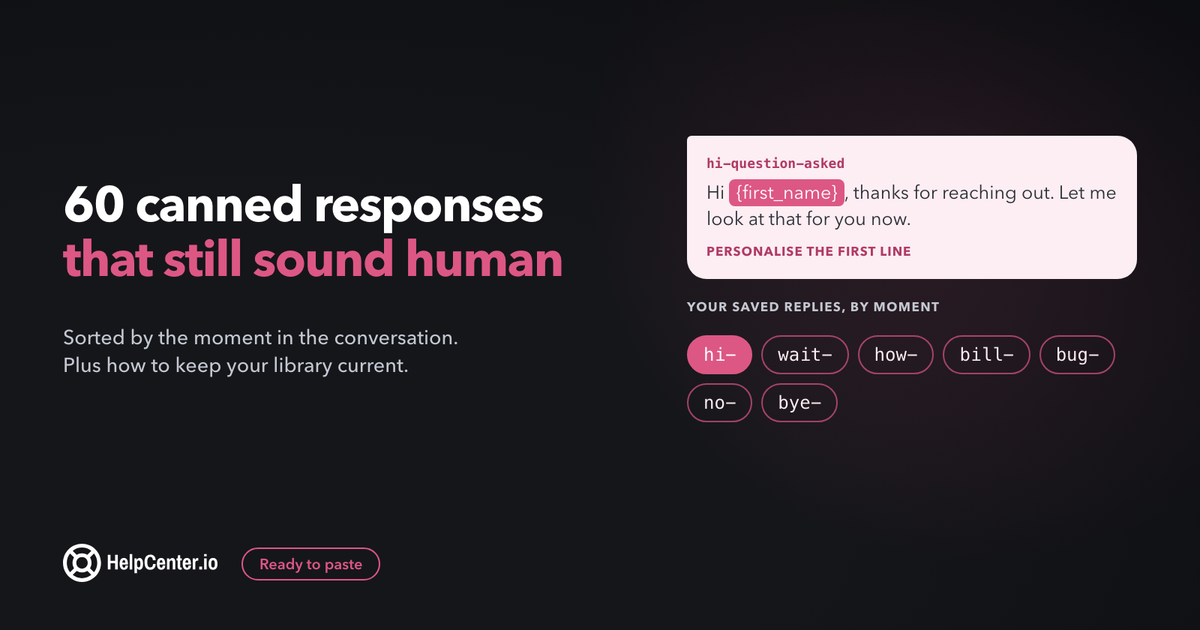
With a good set of canned responses, a small team can answer the same twenty questions in seconds and still sound like people who care. This guide gives you 60 replies ready to paste, sorted by the moment in the conversation, plus the habits that keep a library useful a year from now.
The short answer: a canned response is a pre-written reply your team saves and reuses for questions that come up again and again. It works best for greetings, how-to answers, billing basics and closings. One rule makes the difference: rewrite the first and last line for the person in front of you, so the reply reads as yours.
Every example below was written for this guide and works in any chat or email tool. One of the tools covered near the end is ours: we make HelpCenter.chat, a free live chat with saved replies. It gets its own short section, with its limits.
What makes a canned response sound human?
Most canned replies that annoy customers fail in the same place: they answer a question the customer did not quite ask, in a voice nobody on the team actually uses. A reply that works has five parts, and only the middle one is truly reusable.
| Part | What it does | Reuse it? |
|---|---|---|
| 1. Greeting | Uses their name and, ideally, one detail from their message | Template the name, write the detail fresh |
| 2. The answer | The steps, the policy, or the fact they need | Yes, this is the part worth saving |
| 3. The next step | What happens now, and who does it | Mostly, with a slot for dates or names |
| 4. A check-in | Invites them to say if it did not work | Yes |
| 5. Sign-off | Your name, so they know a person is there | Template it, then read it once before sending |
Chat and email need different lengths. In chat, people read on a small window while doing something else, so keep each message to two or three short sentences and send the steps as a second message if needed. In email, the same answer can carry all five parts in one go. If your tool lets you store a chat version and an email version of the same reply, do it; Help Scout, for example, keeps a separate chat field on each saved reply.
About the curly brackets. The examples mark the parts you fill in, such as {first_name}, {article_link} or {agent_name}. Your tool's own variable names will differ, and some tools fill in only the customer's name automatically. Anything your tool cannot fill in is a reminder to type it yourself.
Greetings and first replies
The first reply sets the tone for the whole conversation. Keep it short and get to their question fast.
1. Chat greeting, question already asked
Hi {first_name}, thanks for reaching out. Let me look at that for you now.
2. Chat greeting, no question yet
Hi {first_name}, I'm {agent_name} from the {company} team. What can I help you with today?
3. Returning customer
Hi {first_name}, good to hear from you again. I can see your last conversation with us, so you won't need to repeat anything. What's come up?
4. Email first reply
Hi {first_name}, thanks for writing in about {topic}. I've read through your message and here is what I found.
5. Unclear question, asking for detail
Happy to help with this, {first_name}. So I can give you the right answer the first time, could you tell me which page you were on and what you expected to happen?
6. Asking for a screenshot
A screenshot would help me spot this much faster. If you can, take one of the screen where it happens and drop it right here in the chat.
When you need more time, or need to hand off
Silence is what makes customers leave a chat. These replies tell them what is happening and how long it will take. Only promise a time you can keep.
7. Checking something
Let me check your account details. It will take me about {minutes} minutes, and I'll stay right here.
8. Taking longer than expected
Thanks for your patience, {first_name}. This is taking a bit longer than I hoped because {reason}. I'm still on it and will update you by {time}.
9. Transferring to a colleague
{colleague_name} knows this part of the product best, so I'm bringing them in. I've passed on everything you told me, so you won't need to explain it again.
10. Escalating to engineering
I've confirmed this needs our engineering team, and I've sent them the details along with your account. I'll email you at {email} as soon as I hear back, and no later than {day} with an update either way.
11. Moving from chat to email
This one needs a closer look than a chat allows. I've opened a ticket and will reply by email to {email} within {timeframe}, so you're free to close this window.
12. Out of hours
Thanks for your message. Our team is offline right now and back at {opening_time} {timezone}. Leave your question and email address here and we'll reply first thing. Many answers are also in our help center: {help_center_link}
13. Busy queue
Thanks for waiting, {first_name}. We're helping a lot of people at once right now. I'll be with you as soon as I can, usually within {wait_time}.
How-to answers that point to your help center
This is where canned replies save the most time. The trick is to answer in the reply itself and add the article as backup, so the customer does not have to click away to get unstuck. If you do not have an article for a question you answer every week, that is your next article to write; this guide on writing knowledge base articles that help customers faster walks through it.
14. Short answer plus article
You can do that from {menu_path}. Here's the step-by-step guide with screenshots in case you'd like it: {article_link}
15. Steps in the reply
Here's how: 1) open {screen}, 2) click {button}, 3) choose {option} and save. That's it. If anything looks different on your screen, tell me what you see.
16. Password or login reset
No problem. Use the "Forgot password" link on the login page and we'll email a reset link to {email}. It can take a couple of minutes, so check your spam folder if it hasn't arrived.
17. Inviting teammates
You can invite your team from {settings_path}. Each person gets an email invite. Here's the guide, including how to set their permissions: {article_link}
18. Integration set-up
Good news, we connect with {integration}. The set-up takes about {minutes} minutes and this guide covers every step: {article_link}. If you get stuck on a step, send me the step number and I'll take it from there.
19. When the article did not help
Sorry, that guide clearly didn't cover your case. Let's do it together. Which step did it stop matching what you see?
Billing, refunds and cancellations
Money questions need the most care, because the customer is often already worried. Be specific, never blame, and quote your policy exactly as it is written on your pricing or terms page.
20. Explaining a charge
I've looked at your account. The charge of {amount} on {date} is for {plan} for {period}. Here's a copy of the invoice: {invoice_link}. Does that match what you expected?
21. Unexpected charge, checking
I understand an unexpected charge is stressful. I'm checking your billing history now and will tell you exactly what it was for in a few minutes.
22. Refund approved
I've processed a refund of {amount} to the card ending {last_four}. Banks usually take {refund_days} business days to show it. You'll get an email confirmation from us shortly.
23. Refund outside the policy
I've checked, and this charge falls outside our refund window of {refund_window}, so I can't refund it. What I can do is {alternative}, so you're not paying for something you don't use.
24. Cancellation request
I can help with that. Your plan stays active until {end_date}, and you won't be charged again. Before I go ahead, is there anything that didn't work for you? Your answer goes straight to our team.
25. Changing plans
You can switch plans any time from {billing_path}. The new price applies from {when}. If you tell me what you need, I'll suggest the plan that fits without paying for more than you use.
26. Failed payment
Your last payment didn't go through, which usually means the card expired or the bank blocked it. You can update your card at {billing_link}. Your account stays active until {grace_end_date} while you sort it out.
Bugs, outages and "it's not working"
Acknowledge first, give a workaround if one exists, and only promise a follow-up you will actually send. Assign someone to own each follow-up so it does not fall through the gaps.
27. Reproducing a bug
Thanks for flagging this, {first_name}. I'm trying to reproduce it now. Which browser and device are you using?
28. Bug confirmed
I can see the same problem on my side, so it's not something you did. I've logged it with our developers. In the meantime, {workaround} gets you the same result.
29. Known outage
We're aware that {feature} is down for some customers right now and the team is working on it. You can follow live updates here: {status_page}. I'll message you when it's fixed.
30. Fix shipped
Good news, {first_name}: the problem you reported with {feature} is fixed. Could you try again and tell me if it works for you now? Thanks for helping us find it.
31. Data looks wrong
I understand how worrying that is. I'm checking now why it's displaying this way. I'll come back to you within {timeframe}.
32. Not a bug, works as designed
I checked, and this is how {feature} currently works: {explanation}. I can see why it was confusing. Here's how to get the result you were after: {steps_or_link}
Upset or angry customers: can the opener and closer only
An upset customer can tell when the middle of a reply is pasted. Save the opening and closing lines below, then write the part in between from scratch, in your own words, about their actual problem.
33. Opener, frustration
I'm sorry this has been so frustrating, {first_name}. I've read your messages and I'm going to stay with this until it's sorted.
34. Opener, after a long wait
I'm sorry you had to wait so long for a reply. That's not the experience we want you to have, and I'm on it now.
35. Opener, our mistake
You're right, and this one is on us. Here's what happened, and what I've done to fix it.
36. Opener, a repeat problem
I can see you've contacted us {times_contacted} times about this, and I'm sorry. I'm taking ownership of it personally.
37. Closer, with a direct line
If anything else goes wrong with this, reply to this message and it will come straight to me.
38. Closer, after making it right
Thank you for sticking with us while we fixed this. I've added a note to your account so anyone on the team will know the full story.
Feature requests and saying no
A good "no" gives a reason and an alternative. Never promise a feature or a date your product team has not committed to.
39. Request logged
That's a great suggestion, {first_name}. I've added it to our feature request list with your use case, which is the part our product team reads most closely.
40. Already planned
You're not the only one asking, and it's on our list. I can't promise a date, but I've noted your account so we can let you know when it ships.
41. Not planned
I'll be honest: this isn't something we're planning to build, because {reason}. Many customers get the same result with {alternative}, and here's how: {article_link}
42. Workaround exists
There isn't a built-in way to do that yet, but here's a workaround that gets you close: {workaround}.
43. Request outside your product's job
That's outside what {product} does, so I don't want to point you towards a half-solution. For that job, tools like {suggestion} are a better fit.
44. Asking for more detail
Could you tell me a bit more about what you're trying to achieve? Sometimes there's an existing way to get there, and if not, the detail helps our team prioritise.
Pre-sales and trial questions
Chat is often where buyers decide. Answer the question first and invite the next step without pushing.
45. Pricing question
Our plans start at {starting_price}, and you can see what's included in each here: {pricing_link}. If you tell me about your team size, I'll point you to the plan that fits.
46. "Does it do X?"
Yes, {product} can {capability}. Here's a short guide showing how it works: {article_link}. Is that the set-up you had in mind?
47. "It doesn't do X" (honest answer)
Not today, no. If {capability} is a must-have for you, I'd rather tell you now than have you find out after signing up. What we do well is {strength}.
48. Trial check-in
Hi {first_name}, you're a few days into your trial. Is there anything you haven't managed to set up yet? I'm happy to walk you through it.
49. Comparing you with a competitor
Fair question. The main differences from {competitor} are {difference_one} and {difference_two}. They're stronger on {their_strength}, so it depends on which matters more to you.
50. Booking a demo or call
A quick call might be the fastest way to answer all of this. You can pick a time that works for you here: {booking_link}
Closing the conversation and asking for feedback
51. Confirming it's solved
Did that sort it out for you, {first_name}? If so, I'll close this conversation, and you can reply any time to reopen it.
52. Warm close
Glad we got that working. Have a great rest of your day, and you know where to find us.
53. Close with a resource
Glad that helped. If you'd like to go further with {topic}, this guide is a good next step: {article_link}
54. Feedback request
One quick favour: how did I do today? You can rate this conversation below, and honest answers are the useful ones.
55. Review request, only after a clear win
I'm really glad this worked out. If you have a minute, a short review on {review_site} helps other teams find us. No pressure at all.
56. Thanks for feedback
Thanks for telling us, {first_name}. I've shared your feedback with the team, word for word.
Follow-ups when the customer goes quiet
57. No reply in chat
Are you still there, {first_name}? No rush. If you've stepped away, I'll close this chat in a few minutes and you can reply any time to pick it up again.
58. Email follow-up after a few days
Hi {first_name}, I wanted to check whether the steps I sent on {date} worked for you. If you still need help, just reply to this email.
59. Closing a quiet ticket
I haven't heard back, so I'm assuming things are working now and I'll close this ticket. If not, reply here and it reopens with all the history.
60. Waiting on information from them
Just a reminder that I'm waiting on {missing_info} to continue. As soon as you send it, I'll pick this up again.
When is a canned response the wrong tool?
Canned replies get a bad reputation because teams use them where a person needs a person. Write fresh, from scratch, in these cases:
- Grief, illness or personal hardship. If a customer mentions a death, illness or job loss, a template will read as cold whatever it says.
- Legal threats, chargebacks or security reports. Every word may be read later. Follow your internal process and involve the right person.
- The third contact about the same issue. If they have already had two template replies, a third one tells them nobody is listening. Example 36 is an opener only.
- Renewal-risk or high-value accounts. A customer weighing whether to stay deserves a reply that shows someone looked at their account.
- The template answers a different question. If you have to bend the customer's question to fit a reply you already have, write a new one.
- The customer has said they hate scripted replies. Believe them, and write the next one fresh.
A useful test before sending any canned reply: does every sentence answer something this customer actually wrote? If not, rewrite it.
How to build and maintain a canned response library
A library of 20 to 40 well-kept replies beats 200 that nobody trusts. Here is a process a team of one to five people can run in an afternoon, then in 30 minutes a month.
1. Start from your real conversations
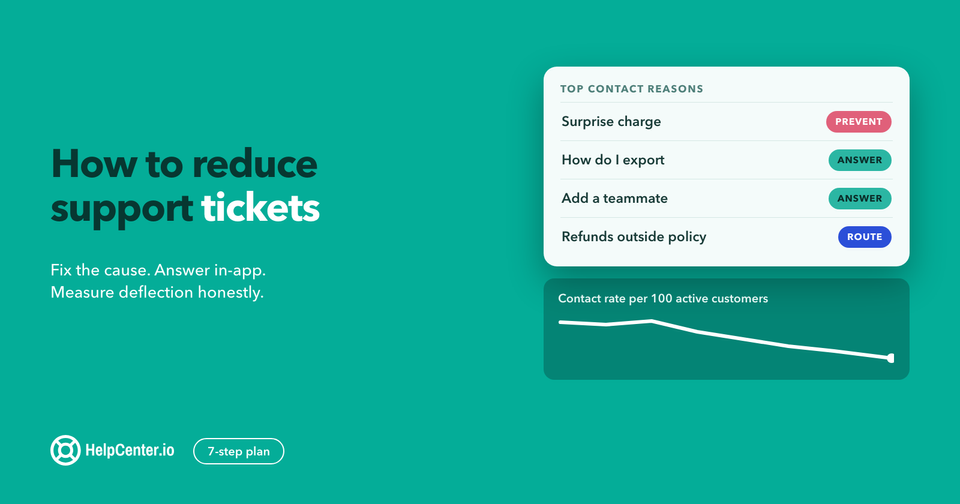
Export or scroll through your last 100 conversations and tally why people wrote in. In most small teams, a handful of reasons cover a large share of the volume. Write replies for those first, in the words your best teammate already uses. If you have not looked at why customers contact you before, our guide on reducing support tickets shows how to sort contact reasons quickly.
2. Name replies so anyone can find them in two keystrokes
Use a short prefix for the conversation moment, then the topic. Most tools search by name, so a consistent scheme means a new teammate finds the right reply on day one.
| Prefix | Moment | Example name |
|---|---|---|
hi- | Greetings | hi-question-asked |
wait- | Holding and handoffs | wait-escalate-engineering |
how- | How-to answers | how-invite-teammates |
bill- | Billing | bill-refund-approved |
bug- | Bugs and outages | bug-known-outage |
no- | Requests and saying no | no-not-planned |
bye- | Closing and follow-ups | bye-feedback-request |
3. Give each reply an owner and a source
Every reply that states a policy, a price or a step should point to where that fact lives: the pricing page, the terms, or a help center article. When the source changes, the owner updates the reply. Billing replies belong to whoever owns billing; how-to replies belong to whoever maintains the help center.
4. Keep a short list of your variables
Write down which slots your tool fills in automatically (usually the customer's name, sometimes the agent's name) and which ones the agent must type. In your own library, put the manual ones in capitals, such as {REFUND_DAYS}, so nobody sends a bracket to a customer by accident. (The examples above keep them lowercase for readability.)
5. Review once a month, and retire without guilt
Once a month, spend 30 minutes on three questions:
- Which replies were never used? Delete them or merge them.
- Which replies did agents edit heavily every time? Rewrite them to match what agents actually send.
- Which replies link to an article, price or screen that has changed? Fix them first, because a wrong canned reply is sent many times before anyone notices.
If your tool reports how often each reply is used, start there. If it does not, ask the team which five replies they use most and which ones they avoid.
6. Use the library to onboard new teammates
A clean library doubles as training. Ask a new teammate to read every reply in their first week, then answer real conversations using them, with a colleague reviewing the first day's replies. They learn your policies, your tone and your product at the same time.
How to set up saved replies in five common tools
Every major support tool has this feature under a different name. Here is where to find it, checked against each vendor's own help pages on 23 October 2026.
HelpCenter.chat (ours)
Saved replies are part of the shared inbox, including on the free plan. The inbox page describes it as dropping "in a saved reply for the questions you answer all day, with variables that fill in the customer's name", and you can insert a help center article into a reply in a click. Keyboard shortcuts cover reply, assign, resolve and note. The free plan includes 2 team seats and 100 new conversations per monthly usage period. See the HelpCenter.chat inbox.
Gmail templates
Gmail calls them templates, and they must be switched on first: in Settings, open the Advanced tab and enable Templates. To save one, write the text in a new message and choose More options, then Templates, then "Save draft as template". To use one, open the same menu and pick it under "Insert template". Google notes that you "can only turn on and use message templates from Gmail on your computer", so they are not available in the mobile apps. Gmail can also send a template automatically through a filter. Source: Gmail Help.
Zendesk macros
Zendesk defines a macro as "a prepared response or action that an agent can manually apply when they are creating or updating tickets". Macros can also set ticket fields, such as status or assignee, at the same time. Agents apply them from the Apply macro menu or with a keyboard shortcut in the ticket comment. Source: Zendesk help.
Help Scout saved replies
In Help Scout, type the reply in the conversation editor, open the shortcut menu by typing a slash (/) or clicking Insert, and choose Saved Reply, then "Save this reply". To use one, open the same menu, choose Saved Reply, and select it from the list. Saved replies can include variables, and chat saved replies are handled a little differently from email ones. Source: Help Scout docs.
Intercom macros
Intercom calls them macros. In the reply composer, "click the macros icon, type \ , or type # followed by any word from the macro name". The text lands in the composer so you can personalise it before sending. If a macro does not appear, check its "Available when" setting, because replies, notes and new conversations each have their own list. Source: Intercom help.
Canned responses: common questions
What is an example of a canned response?
A typical one is a greeting such as "Hi {first_name}, thanks for reaching out. Let me look at that for you now." The name fills in automatically, and the agent adds a line about the customer's actual question before sending.
Are canned responses bad for customer service?
No, as long as they are used for repeat questions and personalised before sending. They cause harm when they are used for upset customers, sensitive situations or questions they do not quite answer. Keep those for replies written fresh.
How many canned responses should a small team have?
Start with replies for your most common contact reasons, often 20 to 40, and add more only when a question keeps coming back. A small library that is reviewed monthly stays accurate; a large one that nobody owns goes out of date.
What is the difference between a canned response and a macro?
A canned response is the saved text. A macro, in tools like Zendesk and Intercom, can insert that text and also take actions such as tagging, assigning or closing the conversation at the same time.
Where HelpCenter.chat fits
We make HelpCenter.chat, so weigh this section accordingly. It is live chat with a shared inbox for small teams, and human chat is free: 2 team seats and 100 new conversations per monthly usage period, with contacts, saved replies, automations and reports included. When a free workspace reaches its conversation allowance, new conversations pause until the period resets, and existing threads stay available. An optional AI assistant is paid, from $29 a month per workspace.
It works well if you want saved replies that point customers to help center articles: you can insert an article in a click, and it is built by the team behind HelpCenter.io. It is a lighter tool than Zendesk or Intercom, so teams that need complex ticket workflows across many channels may be better served there. You can compare plans on the HelpCenter.chat pricing page, or read how live chat and chatbots split the work in our guide to chatbot vs live chat.