How to Reduce Support Tickets: A 7-Step Plan for Small Teams
A seven-step plan to reduce support tickets on a small team: baseline your contact rate, fix the causes, put answers where questions happen, and measure deflection honestly.
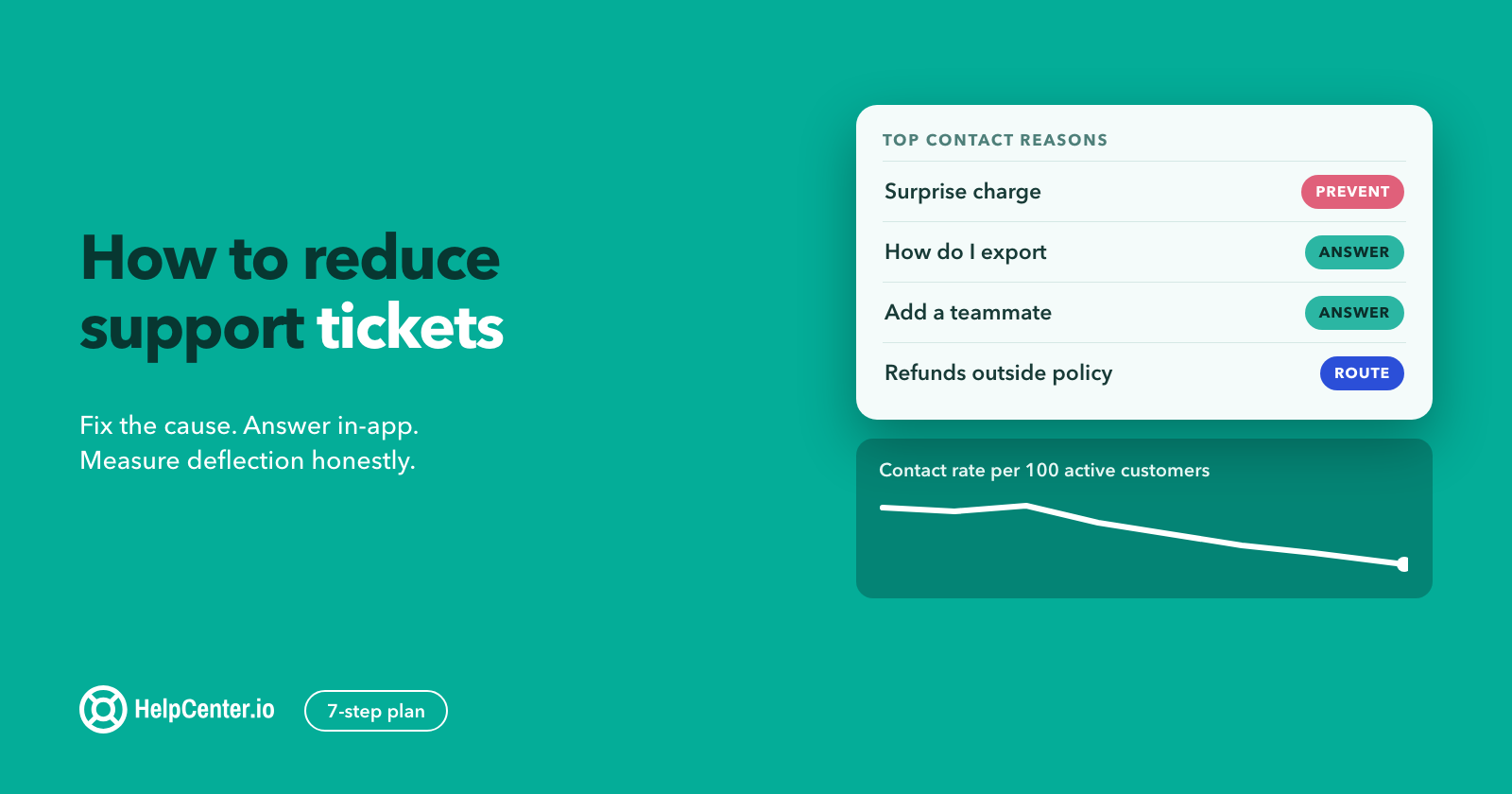
You can cut your support ticket volume this quarter without hiring, without hiding your contact button, and without making a single customer work harder for an answer. This guide is the plan we would run on a small SaaS support team: seven steps, a way to measure the result that would survive a skeptical founder, and a 30-day schedule you can start on Monday.
The short answer
To reduce support tickets, measure your contact rate first, tag a week of tickets by reason, and fix the product causes behind the biggest reasons. Then write one clear article for each remaining top reason, show it where the question happens (in your app and on the contact form), keep a person one click away, and review missed searches every week.
The order matters. Most advice starts at "build a knowledge base". That is step four. Teams that start there write articles for questions nobody asks and miss the tickets their own product creates.
Why tickets keep coming even when you have a help center
Self-service fails more often than help center dashboards suggest. In a Gartner survey of 5,728 customers conducted in December 2023, "Only 14% of customer service and support issues are fully resolved in self-service". Even for issues that customers describe as "very simple", only 36% resolve fully in self-service. (Gartner, August 2024)
The same release names the two reasons, and both are fixable by a small team:
- "Forty-five percent of customers who started in self-service said the company didn't understand what they were trying to do."
- "the most common reason for self-service failure was that in 43% of cases, customers couldn't find content relevant to their issue."
Read those two lines again, because they set up the whole plan. Customers are not avoiding your help center. They are trying it, not finding their issue, and then writing to you. Every step below closes one of those two gaps: know what customers are actually trying to do, and put the right answer in front of them.
It is also worth doing for the money. Gartner's 2019 leader poll found that "live channels such as phone, live chat and email cost an average of $8.01 per contact, while self-service channels such as company-run websites and mobile apps cost about $0.10 per contact." (Gartner, September 2019) Your numbers will differ, but the gap is the point: an answer that works is cheaper for you and faster for the customer.
Step 1: Measure your contact rate before you change anything
Raw ticket volume is the wrong number to watch. If your customer base grows 20% and tickets grow 10%, you are winning, even though the inbox is busier. If you lose customers, tickets fall and nothing got better.
Track contact rate instead: tickets per 100 active customers per week. Pick one definition of "active" (paying accounts, or users who logged in that week) and never change it mid-project.
- Export the last eight weeks of tickets with their created date. Count only new conversations, not replies.
- Get active customers for the same weeks from your billing or product data.
- Divide, multiply by 100, and chart it. That line is your baseline.
- Write down three more numbers for the same weeks: median first response time, how many tickets were reopened, and your satisfaction score if you collect one. These tell you later whether the drop came from better answers or from customers giving up.
Use four to eight weeks, not one. Weekly volume swings with releases, billing runs and holidays, and a one-week baseline will make any change look like a win or a disaster. The KCS methodology from the Consortium for Service Innovation says it plainly about self-service measures: "it is the trends that are most important, not the absolute value" (KCS v6 Practices Guide).
Step 2: Tag a week of tickets by contact reason
You cannot reduce what you have not named. Take one ordinary week of tickets (not a launch week) and give every ticket exactly one reason tag. A spreadsheet works. So do tags in your help desk.
Keep the tag list short, around 10 to 15 reasons, written in the customer's words rather than your team's. "Can't log in" beats "Auth". Then add a second column with the fix type, because the fix decides who owns the work:
| Fix type | What it means | Typical reasons | Who fixes it |
|---|---|---|---|
| Prevent | The product, an email or a policy caused the question | Confusing error message, surprise charge, missing receipt, setting nobody can find | Product, billing or marketing |
| Answer | A clear answer exists or could exist, and the customer can act on it alone | How do I export, change my plan, add a teammate, connect an integration | Support, through the help center |
| Route | Only a person can resolve it | Refunds outside policy, account access with identity checks, real bugs, sales questions | Support or another team, faster |
At the end of the week, sort reasons by count. In most teams a handful of reasons covers most of the volume. KCS sees the same shape in knowledge reuse: "80% of the issues are solved by 20% of the knowledge base." (KCS v6) Your top five reasons are the project. Everything else waits.
Two tips from doing this by hand:
- Tag the first message, not the resolution. "Where is my invoice" stays "Where is my invoice" even if the answer turned out to be a billing bug. You are measuring what customers ask.
- Keep a "searched first" column. If the customer says "I looked in your docs" or pasted a help center link, mark it. Those tickets are proof of a findability gap, not a content gap, and they are the cheapest to fix.
Step 3: Prevent the tickets your product causes
The best ticket is the one the customer never needed to write. Before anyone drafts an article, take every "Prevent" reason from your top five to the team that owns it. These are the fixes we see pay off most often:
- Error messages that say what to do. "Something went wrong" generates a ticket. "Your card was declined. Update it in Billing" generates a fix. If an error needs more than a sentence, link the message to the article that explains it.
- Billing emails that answer the question before it is asked. Send the receipt with the charge, name the plan and the period, and say when the next charge happens. Surprise charges are one of the most emotional ticket types, and the cheapest to prevent.
- Settings where people look for them. If five customers a week ask where to change a setting, the setting is in the wrong place. Move it, or add a search shortcut to it.
- A status page for incidents. During an outage every customer writes the same message. A public status page, linked from your help center and your app, turns hundreds of tickets into one update.
- Onboarding that covers the first week. If your top reasons cluster in a customer's first seven days, fix the onboarding emails and empty states, not the help center.
Not every prevention fix will get prioritised this quarter. That is fine. Write the article as a stopgap (step 4), and keep the reason on the product team's list with its weekly ticket count next to it. A number turns "support keeps complaining" into a decision someone can make.
Step 4: Write the answers for your top reasons
Now write, but only for the "Answer" reasons in your top list. One reason, one article, titled the way the customer asked it. If customers write "How do I add someone to my account", that is the title, not "User management overview".
For each article:
- Open with the answer. The first two lines should solve the problem for someone who reads nothing else.
- Use the customer's words. Copy phrases from the tickets you tagged. They are the words people will type into search.
- Show the exact path. Name the menu, the button and the field as they appear on screen, with one screenshot of the moment people get stuck.
- Say the limit. If something only works on one plan, or cannot be undone, say so in the article. A surprise limit creates a ticket of its own.
- End with the next step. Link the one article people usually need next, and a way to reach you if this one did not solve it.
Our guides to writing knowledge base articles and our free knowledge base article templates go deeper on structure if you are starting from zero.
Let the people who answer tickets write. Gartner's first recommendation in the 2024 release is "expanding content creation responsibilities to reps", so knowledge gets written as part of solving the issue rather than as a separate project. A simple rule works on small teams: if you answer the same question twice in a week, the second answer becomes an article draft.
Step 5: Put the answer where the question happens
An article that nobody finds does not reduce a single ticket. Remember the 43%: the most common failure is customers not finding content relevant to their issue. Most teams fix this by writing more. The faster fix is to move the answers closer to the question.
- Inside your product. Put help on the screen where people get stuck, with a help button, a Help menu entry, or a small "?" next to a confusing setting. The customer stays in context and does not have to describe their problem to a search box.
- On the contact form. Before someone sends a message, show the articles that match what they are typing. This is the moment of highest intent: they have already decided to ask.
- In error messages and emails. Link the specific article, not your help center home page.
- In search results that work. Make sure your help center search handles the words customers use, including typos and synonyms. Our post on knowledge base search covers how to check it.
- In your saved replies. When you do answer a ticket, link the article. Customers learn where answers live, and the next question goes there first.
We make HelpCenter.io, so here is how this looks with our product, stated plainly. The HelpCenter.io AI Widget puts your help center inside your app, so "Your customers get answers on the screen they're stuck on, without opening another tab." "The widget is on every plan. AI answers are included on Catalyst, or a $29/mo add-on on Bootstrap and Growth." (AI Widget) Search and articles work without the AI. Many teams start there and add AI answers later if the data says it would help.
Step 6: Keep a person one click away
Reducing tickets is not the same as blocking them. If customers cannot reach you, they do not stop having the problem. They stop telling you about it, and some of them stop paying.
KCS, the methodology most support teams borrow their knowledge practices from, is direct about this: "While a side benefit of self-service is cost reduction for the organization, it is not a deflection or avoidance strategy." (KCS v6) The goal is customers who succeed. Fewer tickets are what that looks like from your side.
In practice:
- Show the contact option on every article and in the widget, not three clicks deep. "I can't find what I'm looking for" with "Send a message to our team" is a good pattern.
- If you use a chatbot, let customers reach a person at any point, and pass the conversation along so they do not repeat themselves. We wrote about what goes wrong when bots become gatekeepers in the chatbot trap, and compared the two options in chatbot vs live chat.
- Answer escalations fast. A customer who tried self-service and then wrote to you has already spent effort. Treat that ticket as a priority, and ask which article they read, because it probably needs fixing.
If you need a place for those conversations, we also make HelpCenter.chat, a live chat messenger and shared inbox. The free plan includes "2 team seats per workspace" and "100 new conversations per monthly usage period", and "Human chat does not expire." (HelpCenter.chat pricing) Its optional AI, Orelvi, is a paid plan: "Orelvi answers from published, public help-center articles, includes references, and hands over to your team when it cannot help." (HelpCenter.chat AI) Any live chat tool with a clean handoff will do the job described here.
Step 7: Close the loop every week
The first month removes your biggest reasons. The weekly loop keeps new ones from piling up as your product changes. Block 30 minutes on the same day every week and look at four things:
- Searches with no results. These are questions you have not answered yet, in the customer's own words. KCS puts it well: "The words and phrases we use to search are potential content to improve an existing article or to create a new article, if one doesn't already exist." (KCS v6)
- Your most-viewed articles with the worst ratings. A popular article that people rate badly is generating tickets right now.
- New reasons in this week's tickets. Anything that appeared three or more times gets a tag and a fix type.
- What shipped. Every release that changes a screen probably makes an article wrong. Update screenshots and steps the same week.
Gartner's release lands on the same habit: "allowing both customers and reps to flag ineffective content" and fixing it continuously. On HelpCenter.io, "Every thumb and every zero-result search lands in analytics" on every plan (HelpCenter.io AI). On Growth and Catalyst you can also connect an AI agent through our MCP server and ask it "What did our customers search for last month and not find?" It drafts the missing articles for you to review (how the MCP server works).
How to measure ticket deflection honestly
Ticket deflection is a question that would have become a ticket but was resolved by self-service instead. It is the right idea, and it is easy to measure badly.
The common formula counts people, not resolutions. Zendesk's guide defines it as "Ticket deflection rate = Total users of your help center(s) ÷ Total users in tickets" (Zendesk). That ratio rises when more people visit your help center, whether or not they found anything. Compare it with Gartner's finding that only 14% of issues fully resolve in self-service, and you can see how a team can report a deflection rate of 4 while most issues still are not fully resolved in self-service.
A stricter definition counts a visit only when the visitor did something useful and then did not contact you. Our customer ChargeNode, an EV charging operator on HelpCenter.io's Catalyst plan, reports a "73% self-service resolution rate", defined as "the share of help center visits in which the visitor searched or read an article and did not go on to contact support." (ChargeNode case study) Even that is an upper bound: some visitors leave without contacting you and without an answer. Treat any single number as a signal, not proof.
So report four numbers together, every week, against your Step 1 baseline:
| Metric | What good looks like | What a bad drop looks like |
|---|---|---|
| Contact rate (tickets per 100 active customers) | Falls steadily over weeks | Falls overnight after you hid the contact link |
| Top-reason mix | The reasons you worked on shrink; others stay flat | Every reason shrinks equally (people stopped writing, not stopped needing help) |
| Self-service resolution (visits with a search or article read and no contact) | Rises as articles improve | Rises while no-result searches also rise |
| Satisfaction and reopen rate on remaining tickets | Flat or better | Worse, because the easy tickets are gone and the hard ones wait longer |
If contact rate falls and the other three hold, you reduced tickets. If only contact rate falls, you probably made support harder to reach. Either way you will know, and so will your founder.
Mistakes that lower ticket volume for the wrong reasons
- Hiding the contact option. Ticket volume drops, churn quietly rises, and you lose the signal that tells you what to fix.
- Long contact forms. Every required field filters out some customers who had a real problem. Ask only what you need to route the ticket.
- Bot loops. A bot that answers "Did this help?" three times before offering a person counts every abandoned chat as a success.
- Counting article views as deflections. A view is a visit. Without "and did not contact support", it measures traffic, not resolution.
- Writing the long tail first. Fifty articles about rare edge cases feel productive and move nothing. Stay on your top five reasons until they shrink.
- Letting articles go stale. An article that shows last year's screens creates the ticket it was meant to prevent. The weekly loop in step 7 is what stops this.
A 30-day plan
| Week | Do this | Done when |
|---|---|---|
| 1 | Pull eight weeks of tickets and active customers. Chart contact rate. Tag one ordinary week by reason and fix type. | You have a baseline chart and a ranked list of reasons |
| 2 | Take the top "Prevent" reasons to their owners with weekly counts. Write or rewrite articles for the top "Answer" reasons. | Each top reason has an owner or a published article |
| 3 | Put the answers in front of the question: in-app help on the screens behind your top reasons, article suggestions on the contact form, links in error messages and saved replies. | A customer can reach each top answer without opening your help center home page |
| 4 | Run the first weekly loop: no-result searches, low-rated popular articles, new reasons, what shipped. Report the four metrics against the baseline. | The loop is on the calendar and you have a first honest read |
Expect the contact rate to keep moving for a few weeks after day 30. Articles need time to be found, and product fixes ship on their own schedule. Keep the weekly loop going and compare month over month.
Frequently asked questions
What is ticket deflection?
Ticket deflection is when a customer resolves a question through self-service, such as a help center article, in-app help or an AI answer from your documentation, instead of contacting support. Measure it as resolved visits with no follow-up contact, not as help center visitors.
What is a good ticket deflection rate?
There is no reliable universal benchmark, because teams define deflection differently. Compare yourself with your own baseline. For context, Gartner found that only 14% of customer service issues are fully resolved in self-service, so when a deflection number looks much higher, check what it counts: visits, or resolved issues.
Can AI reduce support tickets?
Yes, when it answers from your own published articles, shows its sources, and hands customers to a person when it cannot help. AI answers are only as good as the content behind them, so fix your top articles first. An AI that guesses creates new tickets.
How long does it take to reduce support tickets?
You can have a baseline, a ranked list of contact reasons and articles for the top reasons within about two weeks. A trend you can trust takes four to eight weeks of weekly measurement, because ticket volume swings with releases and billing cycles.
Where HelpCenter.io fits
Every step in this guide works with any help center and any help desk. If you want the self-service side in one place, HelpCenter.io gives you a branded help center, in-app help on every plan, and zero-result search and rating analytics for the weekly loop. Plans start at $39/mo, or $29/mo billed annually (pricing), with a 14-day free trial and no credit card required. For the bigger picture of running self-service as a program, read our customer self-service guide.
If you run this plan, we would like to hear which reason shrank first. Reply to any of our emails or send us a message from our help center.