Free Knowledge Base Software: 10 Options Compared (2026)
Ten free knowledge base tools compared on the limits each vendor states: Help Scout, ProProfs, GitBook, Compass by knowledgebase.dev (ours), Slab, Confluence, Notion, Nuclino, BookStack and Wiki.js. Includes what paying costs, how many articles to launch with, self-hosting upkeep and an exit plan.
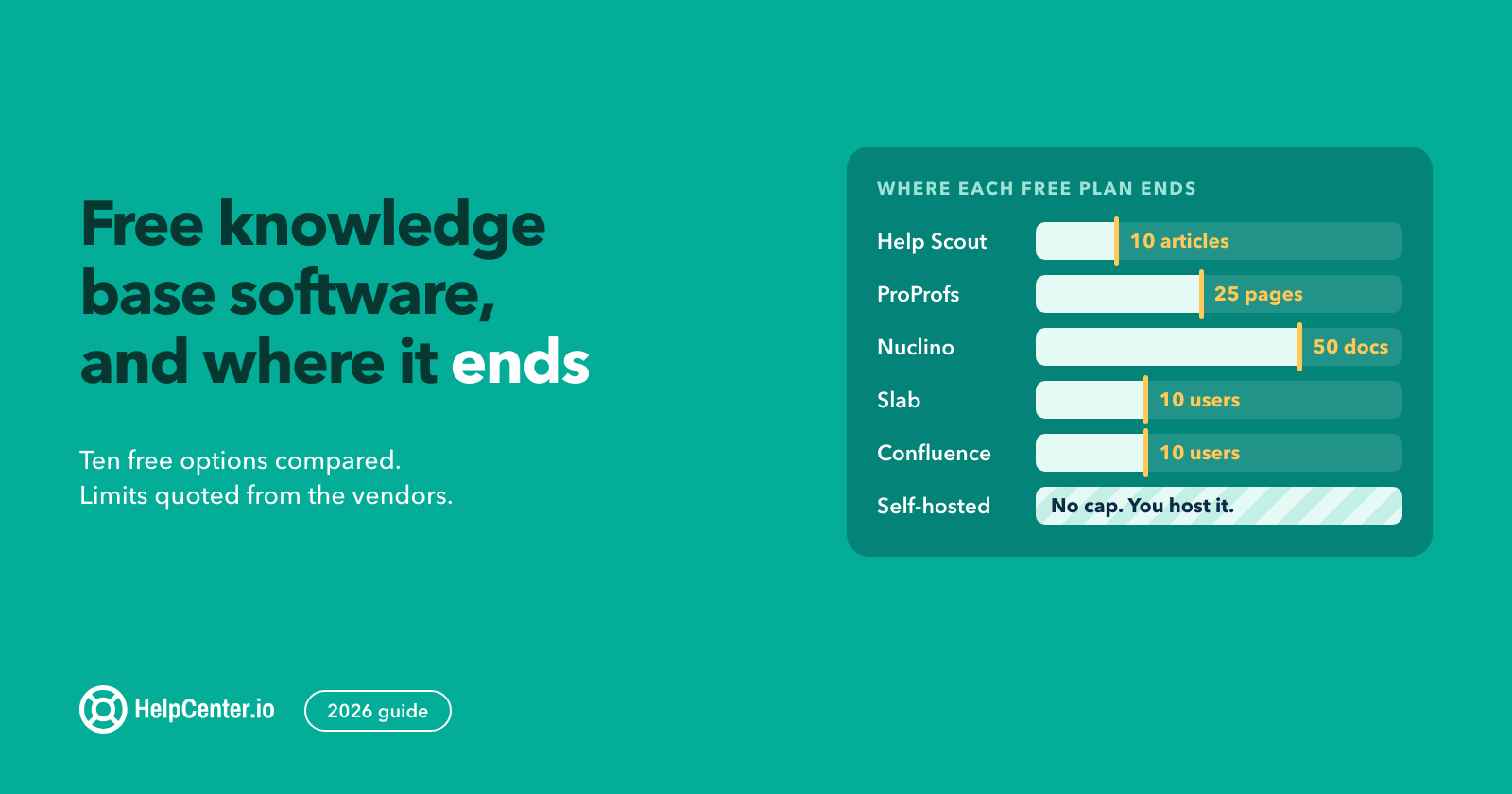
You can launch a knowledge base without a software bill today, and the right pick depends on who reads it. For customers: Help Scout Free, ProProfs (only if you accept a ProProfs address and badge and keep your own copy, because its terms let it delete free-account content without notice) or Compass by knowledgebase.dev (we make it). For your team: Slab or Confluence. To run your own server: BookStack (MIT) or Wiki.js (AGPLv3), open-source licences but not free to host.
We make Compass by knowledgebase.dev and HelpCenter.io. HelpCenter.io is paid, has a 14-day trial with no credit card, and is not one of the ten options below. This compares ten tools in three groups; it is not a ranking, and where a competitor is the better start we say so. We created no accounts in any hosted tool, so where a vendor is silent we write not stated.
Updated 28 October 2026 (Confluence prices, after Atlassian's October 2026 price list). Last checked 12 October 2026, except Slab, Help Scout's pricing and Free-plan pages, the Confluence and Notion pricing pages, the Compass repository, Netlify's billing FAQ and the agent, Astro, Cloudflare, Vercel and Netlify pages in the Compass card, checked 13 October. The Slab, Help Scout, ProProfs, Notion and Confluence pricing pages were re-checked on 28 October. How we checked is at the end.
Where to start.
- Support lead: customer help centers, the launch plan for them, then what paying costs.
- Ops founder: team wikis and their setup steps, what paying costs, then testing a free plan and planning your exit.
- Technical lead: self-hosted options with their upkeep and costs, then the IT and legal notes.
Free knowledge base software at a glance
Tools run in the same order as the sections below. The first wall is the first limit that forces you to pay or change tool.
| Group | Tool | Free limit | First wall |
|---|---|---|---|
| Customers | GitBook Free | 1 user | A second member or first published site starts a 14-day trial |
| Customers | Help Scout Free | 10 articles, 100 contacts a month, 5 users (whether Docs-only editors count: sources conflict) | Article 11, contact 101 or user 6 |
| Customers | ProProfs Knowledge Base | 1 author, 25 pages | Page 26 or author 2: not stated |
| Customers | Compass by knowledgebase.dev (ours) | No cap stated; 20-page starter | Editing: you change JSON and rebuild |
| Team wiki | Confluence Free | 10 users, 2 GB | User 11 starts an automatic 7-day Standard trial |
| Team wiki | Notion Free | Unlimited blocks with one owner, 1,000 with two or more | Owner 2 brings the 1,000-block cap; 3-day grace at the limit |
| Team wiki | Nuclino Free | 50 items (documents), 3 canvases, 2 GB | Item 51: not stated |
| Team wiki | Slab | 10 users | User 11: not stated |
| Self-hosted | BookStack (MIT) | No stated cap | Upkeep: updates, backups, security releases |
| Self-hosted | Wiki.js 2.x (AGPLv3) | No stated cap | Upkeep and the upgrade path |
Two questions to answer first
- Readers and logins. Customers need a help-center tool and staff need a wiki; if both read, usually two tools (knowledge base versus wiki). Count guests and read-only readers: Slab counts guests inside its 10 free users, Nuclino counts them as users once you pay, and a Confluence page shared with an outside email takes one of your 10 free seats once they join.
- Domain, badge and gated pages. The customer table below covers all three, with gaps marked. Gated content is paid or unconfirmed on the hosted customer tools; BookStack and Wiki.js can gate it behind a login at no licence cost, but you run the server.
Two hypothetical examples.
- A 15-person SaaS with three on support and one developer: Help Scout's pricing table and its blog post on the Free plan give Free up to 5 users, so the four fit, but its Free Plan article says the Docs site "can be managed by unlimited users", so check on day 1 whether Docs-only teammates count. Use the free inbox only if you reply to well under 100 people a month; a contact is someone you've helped, which includes email conversations with at least one reply.
- An 8-person remote startup fits Slab Free with two contractors, because guests count inside the 10. Notion Free is a trial here: eight people share one 1,000-block pool, and guests ("external collaborators outside your organization") are added page by page, so your own staff do not fit. A ninth hire is the Slab worked example in the cost section.
What counts as free, and do you already own a knowledge base?
- Free plan. Slab, ProProfs and Confluence call their free plans free forever. For GitBook, Help Scout, Notion and Nuclino we found no end-date statement either way. Atlassian can deactivate inactive Free Confluence sites (its plans page says so), and the Atlassian pages we read give no day count.
- Self-hosted software. The licence costs nothing; the server, backups, updates and your hours are your cost.
- Trial or program. It ends. HelpCenter.io has a 14-day trial with no credit card, and the Freshdesk Free program is 6 months for up to 2 agents.
Read every hosted vendor's terms before you store anything you cannot recreate. Look for clauses on deleting inactive free accounts and on training AI models with your content, and keep your own copy of every article. We read ProProfs's terms for both clauses (quoted in the ProProfs section), GitBook's for inactive accounts (see the GitBook section) and Slab's only for usage above the free limits; we did not read the others for these clauses, so treat their silence as unchecked, not as clean.
Looked at, not listed. Zendesk, Intercom and Helpjuice list 14-day trials, and we saw no free plan. Outline's cloud has a 30-day trial, then becomes read-only until you add a payment method. Zoho Desk's Free edition has three user licenses, but its edition table dashes Public knowledge base until Standard. If your product is developer-facing, Mintlify Starter ($0, 5 editor seats, custom domain) and ReadMe Starter ($0, custom domain) target API documentation (our reading); we did not test them.
Which free tools give customers a help center they can read?
All four publish a public site that customers read without an account. BookStack, Wiki.js and Notion Free can also serve public readers; their sections sit in the other groups.
| Row | GitBook Free | Help Scout Free | ProProfs | Compass by knowledgebase.dev (ours) |
|---|---|---|---|---|
| Own domain on Free | No; gitbook.io address | Help Scout's blog post on the Free plan says yes, but the pricing table's Custom site branding row is a dash on Free and we could not tell whether it covers a domain; test it | One $300/year add-on covers domain and badge; sold at a paid-plan checkout, Free-only purchase not stated | Yes: you host it, so a domain depends on your static host |
| Vendor badge on Free | "Powered by GitBook" stays on every plan | Footer seen on sites of unknown plan; not checked on Free | Same $300/year add-on removes it | Footer credit, which you may remove: delete it from lib/template.mjs and rebuild |
| Gated or private content | Paid: share links from Essential, visitor sign-in from Ultimate | Private collections for staff only (plan not stated); Restricted Docs on Plus or Pro; a private site inside Beacon (Help Scout's embeddable help widget), untested on Free | Private Sites crossed out on Free | None; public files only |
| Failed-search report on Free | No: search analytics is paid | Yes per Help Scout's blog post on the Free plan (its Free Plan article names other reports); open the Docs report to confirm | Yes: the Free tab lists failed searches | No: no analytics included |
GitBook Free: one user, public docs on a gitbook.io address
In our view GitBook suits developer-written product docs more than a support help center. Free is one user, guests are paid members, and a second member or your first published site starts a 14-day trial; GitBook does not say what happens when it ends, so confirm your Free site stays published. Free includes Git Sync (a link between your docs and a GitHub or GitLab repository).
- Pick it if: one developer owns the docs and a gitbook.io address is fine. On day one, connect Git Sync to an empty repository as your Markdown export (some blocks come out as HTML) and check the sync direction first, because the first sync can overwrite content.
- When you hit the limit: you need a second non-developer editor, a custom domain or search analytics, all paid. The trial starts at your first published site or first invite, so note the date.
- Read the terms: GitBook's terms let it delete data from inactive accounts that were never closed (it says it has no obligation to) and rename or remove gitbook.io subdomains of inactive accounts, which matters because a Free site lives on a gitbook.io address. Its privacy statement says it does not automatically delete inactive user accounts. Keep your own copy of every page.
Help Scout Free: 10 articles, 100 contacts a month, and a 5-user limit that may not apply to Docs
Help Scout's pricing table lists 5 users, 1 Inbox, 1 Docs site and 10 articles on Free, and its Free Plan article agrees on the 10 articles but not on users: it says the Docs site "can be managed by unlimited users". Its blog post on the Free plan sides with the table: it defines a user as someone who "can use the system to create knowledge base articles or reply to emails from customers" and says you can add up to five. We have not tested which applies to Docs-only editors, so on day 1 invite a sixth Docs editor in a throwaway Free account. Its general Docs FAQ says there is no article limit; we go with 10 and have not tested which is right. Replies stop at 100 contacts in a monthly cycle while incoming email still arrives.
Custom domain on Free: yes according to Help Scout, unconfirmed by us. Its blog post on the Free plan lists hosting your Docs site on your own custom domain, and its custom-domain article says there is "no additional charge to use a custom domain name with your Docs site" but names no plan. Test the CNAME (a DNS record that points your subdomain at Help Scout) on day 1. The pricing table's Custom site branding row, which Help Scout describes as "Use preset options or control the look and feel of your site with custom CSS", is a dash on Free, and we could not tell whether it covers a domain or what styling Free allows. We did not check the footer credit on Free.
- Pick it if: a support team of up to five wants a public help center, with the free shared inbox only if it replies to well under 100 people a month, and can start with seven or eight answers.
- When you hit the limit: you write article 11, reach 100 contacts in a cycle, or need a sixth user (the open question above). Only the contact cap has stated behaviour, so create an 11th article on day one and see whether drafts count.
- Gated content: Help Scout's Beacon article describes a private Docs site that shows only inside a Beacon (its embeddable help widget) installed behind your own login. It does not say which plans include it and warns of extra monthly charges if you have already used all the Docs sites your plan includes (Free includes one), so check your Docs-site count before you test it on Free.
Plainly, and as our judgement: if you also want a free shared inbox and 10 articles and 100 contacts a month are enough, Help Scout Free is the better start than Compass (ours) or ProProfs.
ProProfs Knowledge Base: 1 author, 25 pages, public sites only
The Free tab reads "Free (1 Author & up to 25 pages)", more room than Help Scout's 10 articles. ProProfs defines an article as one URL (we read that as one of the 25 pages), so an FAQ split into ten URLs spends ten. It says nothing about page 26 beyond the upsell line "Got 25+ Pages ? View Business Plan", and nothing about author 2.
- Read the terms first: ProProfs's terms license free and trial account content to ProProfs perpetually and irrevocably, even after account deletion, including for "Training and improving AI models and machine learning systems", and say free-account content "may be deleted without warning and without notice at Company's discretion". A separate clause lets it, after prolonged inactivity (typically 12+ months), delete the content of a free account or keep it, at its discretion. Keep your own copy of every article.
- Pick it if: you need a public help center with room for more than ten articles, one writer, and you accept a ProProfs address and badge (one $300/year add-on covers a custom domain and badge removal).
- When you hit the limit: you need a second author, page 26, gated content, or your brand team sees the badge.
Compass by knowledgebase.dev (ours): a free template with no seats and no editor
Compass by knowledgebase.dev, which we make, ships 20 HTML pages, 6 Markdown blueprints and a launch checklist. It is a free template for your own domain and design on any static host (a service that serves plain files). The README says it is "not a CMS. You maintain and publish its files." So someone has to edit JSON and HTML and run a build, and that someone can be a technical colleague or an AI agent you supervise. If nobody can, Help Scout Free or ProProfs is the better choice. The footer carries "Made with Compass · by HelpCenter.io". You may remove it: there is no setting for it, so delete that credit from the site footer in lib/template.mjs and run npm run build.
Build it with your AI agent
The template is free; agents may not be. Most Claude Code surfaces need a Claude subscription or Anthropic Console account, Codex is included in ChatGPT plans with usage limits, and Grok Build launched in early beta for SuperGrok and X Premium Plus subscribers. Hosting, the domain and your time cost extra.
- Choose an agent that can edit files and run commands, such as Claude Code (also in the Claude desktop app), Codex (the ChatGPT desktop app can open a folder) or Grok Build. With only a browser chat, use one of these or have a technical colleague run the build. The agent also needs Node.js and Git on your computer (the README says Node.js 20 or newer, but Node 20 reached end of life on 2026-04-30, so use a current LTS such as 24); ask it to check both before it starts. Check your company's AI policy first.
- Prepare the sources. Put your documents in a sources subfolder of your project folder and start the agent there. For video training, give it transcripts (Loom and YouTube provide them; YouTube only where captions exist). Compass has no access control, and its launch checklist says never to put internal or customer-specific information in it, so strip customer names, passwords and tokens.
- Paste a prompt and answer its questions. Example prompt: Read https://knowledgebase.dev, clone https://github.com/helpcenterio/knowledgebase.dev and follow its README and toolkit/ blueprints. Using only ./sources, set brand to [company], supportEmail to [support email] and websiteUrl to [website] in config.json, replace the categories, and write the 10 most important articles, flagging conflicting or outdated sources. Remove the sample labels and dates in lib/template.mjs and template/app.js, update or remove the home-page Popular links, keep at least five articles, copy any images into the build, and fix test/template.test.mjs so npm test passes. Run npm run build, and list what you could not find in a source. The clauses answer template gaps: the build copies only style.css, app.js and favicon.svg; the home page hard-codes two sample Popular links and picks its starter list by position, so it needs five articles; article pages print "Sample article", a fixed September 5, 2026 date and a fictional-product note; the search hint names password and invoice; and the tests count 20 pages.
- Review everything it created. Open dist/index.html and read every article. Have the billing and policy owner check those articles, and scan for staff-only or customer data before publishing.
- Give feedback and iterate. Name what is wrong, ask for changes and rebuild, with a Git checkpoint (a restore point) saved before each round.
- Publish. Work through the launch checklist, name your Cloudflare Pages Direct Upload project first, set siteUrl to its name.pages.dev address or the help. subdomain you will use, rebuild, and drag in the contents of dist/. For a subdomain, add it under Custom domains in the Pages project first, then create the CNAME record Cloudflare shows; a CNAME added on its own fails with a 522 error. Drag and drop allows 1,000 files and 25 MiB per file, enough for 20 pages. Cloudflare's docs now say to start new projects with Workers, and Direct Upload cannot move to Git later.
The README says: "If you distribute a modified version, preserve the license and provide the corresponding source under GPL-3.0." We do not say whether hosting a site counts as distribution; read the license or ask a lawyer (not legal advice).
The Astro route for advanced users
With the same sources and review, ask the agent to repurpose the template for Astro, keeping its styles, search, sitemap and canonical links, and to deploy to Vercel and Netlify. Vercel's Hobby plan is for non-commercial personal use only. Vercel defines commercial usage as any deployment used for the financial gain of anyone involved in producing the project, including a paid employee or consultant writing the code, and requires Pro, from a $20 per month platform fee. A company should read that definition or ask Vercel. Netlify is the second host, and its Free plan pauses all projects when its 300 monthly credits run out. We found no commercial-use clause in Cloudflare's agreement and, for Netlify, only a 2024 blog post that predates its credit plans, so check both.
When Compass fits
- Pick it if: you want public content on your own domain and someone to run the build.
- When you hit the limit: we found no page cap stated, but search needs every typed word to match and the README warns that very large libraries may need a search service. Move when several non-technical writers must publish without an agent, you need analytics, roles or AI, or nobody can review the output (when a template beats a managed tool).
For customer help centers: how many articles should you launch with, and how will you know it works?
This is our method, not a statistic. Start from tickets, not a round number: export 60 to 90 days of tickets, chats and emails, tag each conversation by what the customer was trying to do, and count them (a random sample will do if tagging all takes over a day). Order by what blocks activation, payment or a core task, then by frequency. With no ticket history, seed from beta feedback, the product team's list of likely questions and what sales hears. On day 2, pick up to ten topic labels from that count.
The count depends on the tool. On Help Scout Free (10 articles on its pricing table; we have not confirmed that cap) write seven or eight and hold two or three slots for your first failed searches. On ProProfs write ten and hold the rest. Compass (ours) states no article cap, so write ten and add as searches fail. If you hit a cap with no budget, swap out the least-viewed article or take the price from the cost table below to your manager.
The week:
- Day 1: pick the tool, ask whoever owns DNS for your CNAME, send the vendor questions and run the wall test below.
- Day 2: tag the tickets, choose the ten topic labels and the first articles.
- Days 3 and 4: write them (see our guide to writing help articles and our customer self-service guide) and have someone who does not know the process follow each one.
- Day 5: soft-launch with an in-product link, contact-form suggestions and saved replies. On Help Scout Free this is its one Beacon, which suggests articles by page URL, with wildcards.
- Week 2: review failed searches and run the export drill.
Know whether it is working
Apply the ten topic labels to every new conversation from launch day; if you cannot, tag a random 30 conversations each week (our suggestion) in a 20-minute slot. Tags are not a gate for launch, but they are a gate for any before and after claim.
Not every tool shows failed searches (see the customer table). On Help Scout Docs, for each failed search add the term, with misspellings, to the article's Keywords, re-word a vague title, or write the missing article. Where the tool has no report, read your support inbox for messages saying a customer could not find an answer, or ask five people to find five answers.
Help Scout Free keeps 30 days of reports and has no report export, so copy the weekly numbers into a spreadsheet. Compass (ours) has no built-in numbers, and Cloudflare Web Analytics is free but does not log query strings, and Compass search writes the term into the URL as ?q=, so search terms do not appear.
Report direction, not a deflection percentage (the share of customers who found an answer instead of opening a ticket), and ignore vendor ticket-reduction claims like ProProfs's "up to 80%", for which its page gives no baseline or method. At day 30, hand your manager three lines: weekly counts of the ten topics before and after launch, the failed-search list, and the paid-step price for your real number of writers.
Which free tools work as a wiki for your team?
Our suggestion: keep the Google Docs or Drive you already use while three colleagues can find five current answers in under five minutes (our rule of thumb). Slab's own 2020 blog post concedes that under 10 people, finding documents in Google Docs is not too complicated, though it argues the limits show as the team scales. When a wiki is worth it, read what to put in an internal knowledge base. A seat is one place for one person who logs in; SSO (single sign-on) is one company login for all your tools, and SAML is a common standard for connecting to it.
| Row | Confluence | Notion | Nuclino | Slab |
|---|---|---|---|---|
| Free limit | Up to 10 users, 2 GB | Unlimited blocks with one owner; 1,000 with two or more | 50 items, 3 canvases, 2 GB | Up to 10 users |
| Who counts as a seat | Anyone who can log in | Every member added is an owner | Anyone who joins; guest and read-only roles are paid-only, no Free user cap stated | Guests count; no read-only seat |
| What happens at the limit | User 11 starts an automatic 7-day Standard trial | 3-day grace offered at 1,000 blocks; no new blocks at the limit | Item 51: not stated | User 11: not stated |
| Sign-in | No SSO logins on Free | SAML SSO on Business and Enterprise only | SAML SSO on Business only | Google and Slack sign-in appear open to Free (our reading); SAML on Business and up |
| Export | Space to PDF, CSV, HTML or XML (plan not stated) | HTML, Markdown, CSV, emailed link (plan not stated) | Markdown zip; tables CSV/XLSX | Markdown or Docx; bulk download is admin only |
Confluence Free: up to 10 users, 2 GB, no anonymous readers
Atlassian's sign-up page says the plan is free for up to 10 users with no credit card needed. Free has unlimited spaces and pages, but no anonymous access, public links or customizable permissions, so a customer would take one of your 10 seats, and a custom domain needs Premium.
- Pick it if: up to 10 people who already use Atlassian accounts will edit everything and trust each other with it.
- When you hit the limit: user 11 starts an automatic 7-day Standard trial (Atlassian's billing help gives 14 days for a Standard trial you start by upgrading, so confirm the length), and going back to Free is blocked above 10 users, so decide before inviting person 11 whether you will pay. If you import from Notion, do not enable the importer's Add remaining members to Confluence option, which creates accounts and can add fees.
Notion Free: 1,000 blocks once a second owner joins
Notion's strength here is publishing: Free can publish unlimited Notion Sites on one notion.site domain, but there is no password protection. With 2 or more workspace owners a Free workspace gets 1,000 lifetime blocks; deleted blocks give none back, while a one-owner workspace is unlimited. A page is a block too, and every member added to a Free workspace joins as an owner.
- Pick it if: one person keeps notes, or you publish your own Notion Sites alone. A team shares one 1,000-block pool, so treat Free as a trial.
- When you hit the limit: a second owner joins. Free allows 10 external guests, but they are added page by page, which makes it a poor team wiki and does not fit your own staff. To publish from Notion or Confluence, see our guide to publishing Notion or Confluence docs (it features HelpCenter.io).
Nuclino Free: 50 items, 3 canvases, no publishing
Nuclino's pricing page defines items as documents your team edits in real time, counted across all workspaces, and each Markdown file you import becomes one item. Free also allows 3 canvases (whiteboards and diagrams you add to an item). We do not call 50 a hard cap, because Nuclino does not state what happens at item 51. Its paid prices are in the cost table.
- Pick it if: a small team wants an internal wiki of a few dozen documents and can live without version history. Import a 20-file pilot first.
- When you hit the limit: you reach item 51, or need version history, publishing or read-only roles.
Slab Free: up to 10 users, guests included
Slab's pricing page says "Use Slab free forever. No credit card required.", and Free includes real-time co-editing, templates, post verification and 30 days of usage analytics. Its pricing FAQ reads as if guests come on top of the 10, but its Help Center says guests count toward the limit, so plan for guests included.
- Pick it if: a team of up to 10, contractors included, wants real-time editing and a named verifier with a review date on important posts, at $0.
- When you hit the limit: you reach person 11, or need Private Topics, more than 10MB of attachments (the pricing row does not say per file) or more than 90 days of history. Slab's terms say usage above the free limits "may require purchase of additional resources and the payment of fees" but not what happens at user 11.
Set up the wiki: structure, owners and exit
This is for up to 10 people; at 11 to 15, pay (see the cost table) or self-host (see the formula). Our structure borrows from the starting outline in GitLab's handbook-first guide, which GitLab itself calls an initial guide, and adds three items, marked "added" here.
- Start here (added)
- Company and team
- How we work
- Tools and access
- Processes
- People and policies
- Onboarding and offboarding (added)
- Archive (added)
Give every page an owner, a backup owner and a last-verified date.
Keep credentials and salary data out of a Free wiki: Slab's pricing lists Private Topics as paid only, Confluence Free has no space or page permissions, Nuclino Free has no private workspaces, and Notion Free has no private teamspaces.
If lock-in is your worry, our view, since we did not test export fidelity, is to prefer a tool that exports Markdown: per the vendors' pages, Slab (bulk download is admin only), Nuclino and Notion.
Which free self-hosted options are worth the upkeep?
Self-hosting suits a team where someone has run a PHP or Node app before; if nobody has, use a hosted plan. Before you install, name an installer, a patcher, an on-call person and a successor, test a restore (not only a backup), and get a monthly cost number (formula below). We found no seat, page or site cap stated for BookStack, Wiki.js or Compass (ours) in the pages we read (our reading, not a vendor statement); BookStack says it provides no paid or enterprise edition, so the practical limit is your own server or static host. See also the pros and cons of open source versus SaaS.
Our lean, as a view and not a test result:
- BookStack: pick it if you want roles and SSO and can patch within days.
- Wiki.js 2.x: pick it only if you want Git-synced Markdown. The project calls the 2.x line the maintenance version, and there is no in-place upgrade to 3.x.
- Compass (ours): pick it if you would rather patch a build chain than a server. It has no tagged releases and 23 commits in total, the last on 5 September 2026, so treat it as a lightly maintained template.
OIDC, SAML2 and LDAP are standards for connecting to your company login.
| Row | BookStack | Wiki.js 2.x | Compass by knowledgebase.dev (ours) |
|---|---|---|---|
| Stack and database | PHP 8.2+, Composer 2.2+; MySQL 8.0+ or MariaDB 10.6+ | Node 22 or 24; PostgreSQL recommended | Node, only to rebuild; no database |
| Anonymous readers | Admin setting | Guest group | Always; public files |
| Authentication | Email/password, OIDC, SAML2, LDAP; no paid edition | Modules incl. SAML 2.0, LDAP, OpenID Connect; developers say they cannot help with SAML setup | None |
| Subfolder URL | Works, with web-server changes | Not supported | Yes, relative links |
| Releases in 12 months to 12 October 2026 | 31, none a pre-release | 8 | No tagged releases or GitHub releases |
| Longest gap between releases published in that window | 27 days (v26.05.2 to v26.05.3) | 143 days (v2.5.314, 1 May, to v2.5.315, 21 September 2026) | Not applicable; 23 commits in total, the last on 5 September 2026 |
| Security notices in the same 12 months | 14 of 31 releases carry a Security notice in the update instructions (our count; 3 in the 90 days to 12 October) | 3 GitHub advisories, each needing an authenticated account: 1 Critical (fixed in 2.5.313) and 2 High (fixed in 2.5.315; one allows root-administrator takeover) | No SECURITY.md found in the repository |
| Upgrade path | In place (manual install): git pull origin release, composer install --no-dev, php artisan migrate; supports only its latest version | No in-place upgrade from 2.x to 3.x; 3.0 is a beta | No upgrade path documented; rebuild and publish the contents of dist/ |
Release counts and gaps are our own tallies of GitHub's release lists for 12 October 2025 to 12 October 2026, by calendar date, with gaps measured between releases published inside that window. BookStack's home is now Codeberg and GitHub is a mirror, so we counted the mirror's list; its security releases are the ones with a Security notice in its update instructions, which is our count of that page and not a figure BookStack publishes.
BookStack: MIT licence, PHP and MySQL, no paid edition
In our view BookStack suits non-technical writers best of the three: the default editor is WYSIWYG (you edit the page as it will look) and is used much like Word or Google Docs, there is a Markdown editor with live preview, content is organised as shelves, books, chapters and pages, and built-in roles come with LDAP, OIDC and SAML2 at no licence cost.
- Upkeep: It supports only its latest version, so patch promptly. Its update instructions carry a Security notice on 14 of its 31 releases in the year (3 in the last 90 days; our count): that shows active maintenance, and it is also the patching load you take on.
- Easy to miss: BookStack says its minimum PHP version will rise about once a year (8.1 to 8.2 in v25.02, and still 8.2 now), and v25.12 raised the database floor to MySQL 8.0 or MariaDB 10.6.
- When you hit the limit: there is no stated cap in the pages we read; the wall is upkeep. Move on when nobody owns updates. If the owner leaves, move to a hosted plan after an export test.
Wiki.js 2.x: AGPLv3, Node and PostgreSQL, its own subdomain
Wiki.js suits technical writers: it has a Markdown editor with live preview, a rich-text Visual Editor, Git storage that syncs every 5 minutes by default, and a Guest group you can set to Deny to make the whole wiki private.
- Versions: stable is 2.x (2.5.316, in the requarks/wiki-v2 repository), which the project describes as the maintenance version. The 3.0 beta is not for production and has no in-place upgrade from 2.x. The old requarks/wiki repository now holds the beta, so its latest-release URL and the wiki-js.tar.gz download fetch a beta. Pin the Docker tag ghcr.io/requarks/wiki:2 and give it its own subdomain.
- Pace and security: the release pace of 2.x is slower than BookStack's (8 releases against 31). GitHub lists three 2026 advisories, each needing a signed-in account: one Critical, fixed in 2.5.313, and two High, fixed in 2.5.315, one of which allows root-administrator takeover with a two-factor bypass. One needs write:pages (the permission to edit pages) and two need manage:users (typically delegated to wiki moderators, per the advisory), so limiting who holds those permissions limits exposure. Run 2.5.316, the latest 2.x, or later.
- Git storage: there are instructions for GitHub only (GitLab, Bitbucket and Azure DevOps say "Coming soon!").
- When you hit the limit: there is no stated cap in the pages we read; the risk is the upgrade path. Move on if you need a subfolder URL or nobody watches the advisories, which are filed in requarks/wiki while releases are in requarks/wiki-v2. Run pg_dump before every upgrade, because you cannot downgrade after the schema upgrade.
Compass by knowledgebase.dev (ours), from download to live
- Clone the public repository. The README says Node 20 or newer, but Node 20 reached end of life on 2026-04-30, so build on a current LTS such as 24 (we built on 24.15.0).
- Edit content/articles.json and run npm run build; hand edits to built HTML do not reach the search index and the next build wipes them (our test, 2026-10-12).
- Set siteUrl (a blank one omits canonical links, which tell Google which URL is the main one, plus the sitemap and robots.txt), rebuild and publish only the contents of dist/.
- Pick a static host. GitHub Pages says it is not allowed as a free host to run your online business, e-commerce site or any other site primarily directed at commercial transactions or providing commercial SaaS, so read its terms before a company help center goes there. Cloudflare Pages says all plans come with unlimited sites, seats, requests and bandwidth. Netlify pauses all projects on its credit-based plans when the monthly credit allotment runs out, which would take a help center offline, though Personal and Pro plans can add credits.
- Redirects are yours to set: the README says redirect maps must be implemented on your host. The Compass launch kit post covers the rest.
Self-hosting: day one, choices to make once, and every month
On day one:
- BookStack: change the default admin account (the security checklist names the initial admin@admin.com user).
- Wiki.js: the sample compose file sets the PostgreSQL password to wikijsrocks; change it before you expose the wiki.
- Set up mail and the site URL, and turn on HTTPS with Let's Encrypt, whose default certificates last 90 days, so automate renewal.
Choose once:
- PHP version: use PHP 8.3 or newer for BookStack, because 8.2, its minimum, gets security fixes only until 31 Dec 2026 per php.net.
- Docker and support: BookStack's install docs point to community-maintained Docker setups, so check who maintains yours; its paid Professional Support Plan is £450 a year for installation and updating issues (VAT not included in current pricing).
Every month:
- Back up, then update (BookStack, manual install: git pull origin release, composer install --no-dev, php artisan migrate) and read the release notes first.
- Remember who patches what: Ubuntu applies security updates for its own packages automatically, but unattended-upgrades only considers repositories it is configured for, so do not expect it to update your wiki app.
- Watch for security notices: BookStack offers a security mailing list for being notified of new potential security concerns. We have not tested what it sends, so it may shorten the weekly check of the update notes.
What to back up: for BookStack, take a database dump (the backup guide calls mysqldump the easiest way) plus the environment file (.env), public/uploads, storage/uploads and themes, and keep the old APP_KEY on restore. For Wiki.js, all content is stored in the database, so a pg_dump is a full backup. Copy backups to a different device: Hetzner says "Backups are server-bound and are removed when the server is deleted", and BookStack says its exports are "not intended for backup or restore".
What self-hosting costs: a formula
Monthly cost = server + backups + off-site storage + domain + (hours per month x your own hourly rate). The Compass site says hosting and your time are separate costs, and we found no hours figure on the BookStack, Wiki.js or Compass pages, so you supply it.
Per month in USD, the smallest plans with a public IPv4 address that meet Wiki.js's 1 GB RAM minimum are DigitalOcean at $6.00 and Lightsail at $7. We price a bigger server because the Wiki.js team recommends at least 2 GB of RAM and 2 CPUs: a DigitalOcean server with 2 GB and 2 CPUs is $18, and its 20% weekly-backup add-on makes that $21.60 (our arithmetic). We did not price off-site storage, the domain, mail or monitoring. BookStack's page says it "can easily be ran on a 1GB RAM VM".
What we measured, and what is an estimate. On 12 October 2026 we ran install, update, backup and restore once each for BookStack and Wiki.js on one MacBook with tiny datasets, no web-server tuning, no HTTPS and no mail. Every step took seconds to tens of seconds: BookStack's manual install 29.7 seconds and its restore onto a second clean instance 11.4 seconds, Wiki.js's Docker Compose install 22.0 seconds including the image pull and its restore 8.1 seconds. That says the machine time is small, not what a production server needs. We did not measure the human hours: server provisioning, certificate checks, reading advisories or being ready when something breaks. Those hours are an estimate you supply: time each task once and multiply by how often you do it (we suggest a weekly advisory check, a monthly update with a backup and a quarterly restore drill).
A decision rule, as our view. Under the hosted free caps (10 users on Slab and Confluence), $0 hosted beats a server you maintain, so self-host only if you need roles, SSO, private areas or a feature that the free plans we checked lack (Confluence Free has no SSO logins, and Slab Free has no Private Topics). Above the cap, self-host only while your monthly hours times your rate stay under the break-even below.
A hypothetical break-even. For 15 people on annual billing, Confluence Standard's flat tier price for 11 to 15 users is $1,050 a year, $87.50 a month, and Slab Startup with all 15 as paid seats is 15 x $6.67 = $100.05 (a team with guests pays less, because Startup includes 3 free guests per paid seat). A $18 DigitalOcean server with weekly backups is $21.60, so the monthly difference is about $66 against Confluence and about $78 against Slab. At an assumed $50 an hour, self-hosting stays cheaper only while it takes under about 1.3 hours a month against Confluence and 1.6 against Slab, and fewer once off-site storage, the domain, mail and monitoring are added.
What does it cost when free runs out?
Help Scout, ProProfs, GitBook, Slab and Notion open on annual billing and Confluence on monthly, so the table shows annual first, with monthly in brackets. Per-user rows are n x the unit price; GitBook adds a per-site fee, and Confluence annual is a tier price. We price customer tools for 3 writers (an assumption) and wiki tools for 11 users, the first count past the 10-seat free limits of Slab and Confluence.
| Tool and first paid plan | Unit price, annual (monthly) | A month, annual | The paid step adds |
|---|---|---|---|
| Help Scout Standard | $25 ($30) per user per month | 3 writers: $75 | Unlimited articles and contacts, up to 25 users, custom site branding. User 26 needs Plus. |
| ProProfs Essentials | $49 ($79) per author per month | 3 authors: $147; checkout limits untested | Up to 300 pages. Domain and badge: the $300/year add-on is the documented route, but the Essentials pricing box says "with your domain and custom design", so ask ProProfs whether the add-on is still needed. |
| GitBook Essential | $65 ($79) per site plus $12 ($15) per user | 3 members, one site: $101 | Custom domain, private share links, search analytics |
| Slab Startup | $6.67 ($8) per user per month | 11 users: about $73 (11 x $6.67 = $73.37) | Private Topics, 365 days of history, 25MB attachments, 3 free guests per paid seat. Slab does not say what happens at person 11. |
| Confluence Standard | Annual is a tier price: $1,050 a year for 11 to 15 users. $7.15 per user on monthly billing. | 11 users: $87.50 on annual billing; $78.65 on monthly billing | Advanced permissions and free guest access; a custom domain still needs Premium |
| Notion Plus | $10 ($12) per member per month, USD after the page's currency switch | 11 members: $110 | Unlimited blocks; private teamspaces still need Business. The wall is owner 2: 2 x $10 = $20 a month; the $110 assumes all 11 join. |
| Nuclino Starter | €6 per user per month on yearly billing, as shown to a Bulgarian visitor; Business is €10. The page script's USD fallback is $72 and $120 per user per year. | 11 users on Starter: 11 x €6 = €66 | Starter: publishing as a website, private workspaces, 30 days of version history. Business: custom domain, SAML SSO. Check your own currency on Nuclino's pricing page. |
| Compass by knowledgebase.dev (ours), BookStack, Wiki.js | $0 licence | Server, backups and hours: use the formula above. | No paid edition stated (BookStack says it ships a single free version, with an optional support plan); the paid step is your own hours or a host you choose. |
Slab's page shows a plain $ sign, so we read it as US dollars. At 11 users Confluence's monthly billing ($78.65) is cheaper than annual ($87.50 a month), because annual billing charges the flat price for the 11-to-15-user tier. Nuclino's page rendered euros to a Bulgarian visitor, so its row is in euros.
A Slab worked example. When the startup hires its ninth employee (nine employees plus two contractor guests), Slab Startup is nine paid seats, 9 x $6.67 = $60.03 a month on annual billing, because Startup gives 3 free guests per paid seat; paying for all 11 people would be about $73 a month.
Does any free plan include AI?
Not in a way we could confirm. GitBook's AI assistant is not included on Free, Slab's Free column lists nothing under AI, and Confluence's Rovo (Atlassian's AI search and agents) row is blank for Free. Notion's pricing table shows a limited trial of its AI agent on Free. Nuclino's help article says a limited Sidekick AI is on all plans, but its pricing table marks Sidekick's ask and draft-and-edit features as Business only (our reading of the table's tick and cross icons). Help Scout's Free Plan article offers a 3-month trial of AI Answers, but its AI pricing article gives that trial only to customers new to Help Scout, and its pricing table shows none on Free; paid plans pay $0.75 per resolution. ProProfs's Free tab lists no AI item. Compass ships no AI answer engine, and we checked no AI features for BookStack or Wiki.js. Our AI-ready checklist lists ten help-center content checks.
Where HelpCenter.io fits (we make it, and it is paid)
HelpCenter.io is a help center, not a wiki, and it is not free. Billed annually, Bootstrap is $29 a month, Growth is $119 and Catalyst is $179; billed monthly they are $39, $149 and $199, excluding VAT for EU customers. Every plan has a custom domain with SSL, and the plans cap team members: 1 on Bootstrap, up to 10 on Growth, unlimited on Catalyst; the pricing page lists unlimited viewers on all three. AI answers are included on Catalyst and are a $29/mo add-on on Bootstrap and Growth. Details are on the AI page.
A price comparison with Help Scout is not like for like, because HelpCenter.io has no ticketing or shared inbox. On annual billing for 3 writers Help Scout Standard is $75 a month and HelpCenter.io Growth is $119, so Help Scout costs less and also includes the inbox. HelpCenter.io's flat price starts to win at about 5 people who write or edit (5 x $25 = $125 against Growth's $119 on annual billing); at 10 team members Growth is $119 a month on annual billing, against 10 x $25 = $250 for Help Scout Standard. For an internal wiki, compare 11 editors against Catalyst only, because Growth stops at 10 team members: Slab at 11 users is about $73 a month on annual billing, less than Catalyst at $179, and HelpCenter.io only fits if your readers are customers. We found no seat cap stated for Compass by knowledgebase.dev (ours), so it stays at $0 licence cost, plus any agent plan or API usage you choose, if a technical colleague, or an AI coding agent you supervise, owns the build and hosting is free. See pricing, the Compass template on HelpCenter.io, HelpCenter.io versus Confluence and our comparison of the best knowledge base software in 2026.
How do you test a free plan, and plan your exit, before you commit?
Run this wall test on your two finalists: about one hour of work plus a DNS wait, so ask for the CNAME first. Wiki readers: steps 1, 5 and 7. Steps marked public help centers apply to customer-facing sites only. Use a separate throwaway account with no payment card on file for every step, because several vendors do not document what happens at a limit.
- Import 10 to 20 real articles, or placeholders, within the free limit; the test counts units, not content. Count what the tool counts: Nuclino counts one item per Markdown file, ProProfs one URL as one page, and Notion shows blocks under Settings, Upgrade plan.
- View it as an anonymous visitor in a private window (public help centers).
- Run ten searches copied from real tickets (public help centers). Compass (ours) needs every word to match. Where the customer table shows a failed-search report, open it.
- Attach your domain (public help centers): a CNAME, created by whoever owns DNS. Help Scout's blog post says this works on Free (unconfirmed by us, see the Help Scout section), and it works on your own static host; ProProfs sells it as a paid add-on, and GitBook Free and Notion Free cannot do it. Help Scout needs a subdomain, not the root.
- Add a second editor, but only where it is safe. Test in a throwaway account: Notion's second owner, in a workspace with fewer than 100 blocks (our suggestion), because past 1,000 blocks the workspace needs a paid plan to keep creating content, deleted blocks give none back, and we found no statement that removing the owner restores the unlimited allowance. Help Scout's sixth editor belongs here too, because the outcome is not documented. Read, do not trigger: GitBook starts a 14-day trial at a second member or first published site, Confluence starts a Standard trial at user 11, and Slab does not say what happens at user 11.
- Check whether Google is allowed to index the free address: view-source for a noindex tag (a tag telling Google to skip the page) and open /robots.txt (the file that tells crawlers what to skip) (public help centers). ProProfs needs Turn On SEO (Settings, Configure, SEO; whether Free can is not stated), Notion needs Discoverable on the web, and GitBook Free cannot opt out of indexing. See our knowledge base SEO guide.
- Export drill: export every page you imported (up to 20), open them in another tool, and check hierarchy, images, internal links and comments.
Day 1 questions
Test yourself (in a separate Free account or trial with no payment card on file):
- Help Scout: does Free include a custom domain on the Docs site? Test the CNAME.
- Help Scout: does a sixth Docs editor work, what happens at article 11, do drafts count, and can Free open the Docs report's Failed searches table?
- ProProfs: what happens at page 26 and at author 2? Import 26 placeholder pages and see; its pricing page does not say, including whether anything is billed automatically.
- Nuclino: what happens at item 51? Bulk-import 51 one-line Markdown files and see.
Ask the vendor (in writing, on day 1; save the reply with the date, and if none arrives, plan for the stricter reading):
- Slab: what happens at user 11?
- GitBook: what happens when the 14-day trial ends, and does a Free site stay published?
- Every hosted vendor, for IT and legal: where is the data stored, is a data processing agreement available on your plan, and what is its SOC 2 or ISO 27001 status for that plan?
Plan your exit on day one
Use your own subdomain via CNAME from day one where the plan allows it (help.yourco.com). Keep a redirect map and a Markdown or HTML copy of every article. Help Scout's data-export page names the Docs API for Docs articles, but its Mailbox API article says the Free plan does not include access to the API or integrations (it is about the Inbox API; we found nothing on the Docs API for Free). With 10 articles, copying them out of the editor is your export until you confirm otherwise in the week-two drill. GitBook Free has Git Sync. A Compass by knowledgebase.dev download, which we make, is not directly installable in HelpCenter.io, which we also make.
Move before you must: when your hiring plan crosses the user or author cap, you need SSO or must hide HR pages, the history window is too short (Slab 90 days, Notion 7 days, Nuclino none on Free), or you have used 80 percent of a cap (our rule of thumb, for example 40 of 50 items). When you move a public help center, follow Google's site-move guidance: permanent server-side redirects, one per old URL, kept for generally at least one year.
What do IT and legal need to know about free tiers?
Licence lines, not legal advice: BookStack is MIT, so the only condition is to keep the copyright and permission notice. Wiki.js is AGPLv3, so if you modify it and let people use it over a network, you must offer them the source of your version. Compass (ours) is GPL-3.0; the README condition for distributing a modified version is quoted in its section above.
Ask hosted vendors the three data questions in the Day 1 box above. GitBook lists ISO 27001 and SOC 2 certification on every plan, Free included; we did not check the others.
Free knowledge base software FAQ
Is knowledge base software really free?
Yes, in two forms: free plans and self-hosted software with no licence fee. Free plans come with conditions: Atlassian can deactivate inactive Free Confluence sites, ProProfs's terms let it delete free-account content without notice and, after typically 12+ months of inactivity, delete or keep it, GitBook reserves a right to delete data from inactive accounts, and we did not read the other vendors' terms for these clauses. Self-hosted software costs nothing to license, not to run.
What is the best free knowledge base software?
For customers, Help Scout Free (10 articles on its pricing table) or ProProfs (25 pages, if you accept its address, badge and deletion terms); for a team wiki, Slab or Confluence (10 users each). Compass by knowledgebase.dev, which we make, is a free template that fits if a technical colleague, or an AI coding agent you supervise, will run the build and someone reads every article before it ships. Count your readers, writers and expected articles, then run the wall test on two finalists.
Can I use Notion as a free knowledge base?
For one person, yes: a one-owner Free workspace has unlimited blocks. With two or more owners it is limited to 1,000 blocks, and everyone you add to the workspace joins as an owner. Free can publish public sites on a notion.site address, with no password protection.
Which self-hosted knowledge base suits non-technical writers?
BookStack, if your writers are non-technical: it has a WYSIWYG editor (you edit the page as it will look), built-in roles, an MIT licence, and runs on PHP and MySQL. Wiki.js 2.x suits writers who like Markdown and Git (AGPLv3, Node, PostgreSQL recommended), but 2.x is the maintenance version. Compass by knowledgebase.dev, which we make, is a static customer help center, not an internal wiki. For more tools, our open-source roundup lists them.
Can I use my own domain for free?
Among the hosted free plans, mostly no. Help Scout's blog post on the Free plan says a Docs site on Free can use your own domain, which is worth testing, though the pricing table's Custom site branding row is a dash on Free and we could not tell whether it covers a domain; ProProfs sells it as a $300-a-year add-on at paid-plan checkout, GitBook needs Essential or above, Slab and Nuclino need Business, Confluence needs Premium, and Notion needs a paid plan plus a per-domain add-on. BookStack, Wiki.js and Compass by knowledgebase.dev run on a domain you point at your own server or static host; the software costs nothing to license, but the domain and hosting are yours to pay for.
How we checked, and what we corrected since 9 October
We read each hosted vendor's pricing page and help documentation, and the documentation, release pages and licence files for BookStack, Wiki.js and Compass (ours), plus a local build of the Compass public repository and local installs of BookStack and Wiki.js. The Compass card's agent, Astro, Cloudflare, Vercel and Netlify claims come from the vendor pages it cites; we have not run its example prompt or the Astro route end to end. Not stated means we found no statement on the pages we read. Quotation marks mark a vendor's own words. Prices are USD except Nuclino's, which we give in euros, and BookStack's support plan, which is in pounds; pages fetched from Bulgaria localized Notion and Nuclino to euros, Notion's dollar prices come from its own currency switch, and prices that appear only after a billing toggle (Help Scout, Slab, Notion, and Confluence at 11 users) were read in a browser on 13 October, as was Atlassian's pricing page, which shows prices only in a real browser. We read terms only as described above.
What we corrected since the 9 October version:
- GitBook's first paid plan is Essential, not Premium.
- The 9 October version said Compass by knowledgebase.dev has no badge; the template carries a footer credit, which you may remove.
- Wiki.js 3.0 is a beta, stable is 2.x, and its Git storage has instructions for GitHub only.