SaaS Customer Support: A Practical Model for Small Teams
A support model for each stage of a small SaaS team, the order to open channels in, staffing arithmetic, honest metric targets and a 90-day plan.
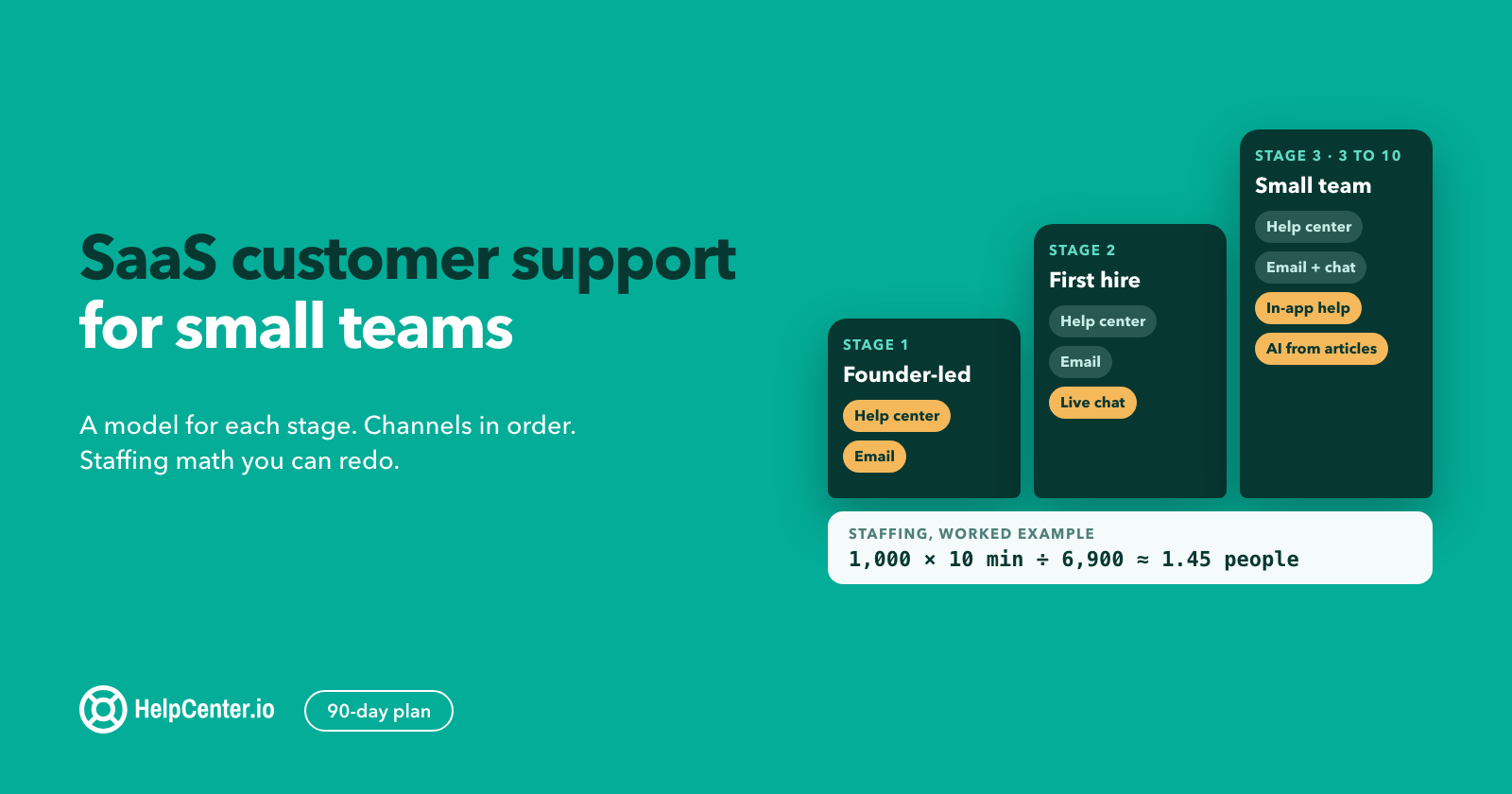
Good SaaS customer support keeps customers through onboarding, renewals and the bad days, and a team of one to ten people can run it well without hiring ahead of revenue. This guide gives you a support model for each stage, the order to open channels in, the arithmetic for how many people you need, the few metrics worth a weekly look, and a 90-day plan.
The short answer: SaaS customer support is the ongoing help a software company gives its subscribers so they get value from the product and renew. For a small team, the order that works is a help center first, then a shared inbox with live chat during set hours, then AI answers drawn from your own articles, with a person always one click away.
Most guides on this topic list best practices and stop there. This one also covers the decisions a founder or first support hire actually has to make: when to stop answering every ticket yourself, which channels to skip for now, how to size the team from your own numbers, and what targets you can promise without breaking them. Where we give numbers of our own, they are our guidance or worked examples, and we say so. One disclosure: we make HelpCenter.io and HelpCenter.chat. They appear in one section near the end, with their prices and limits.
What is SaaS customer support?
SaaS customer support is the help a subscription software company gives its customers before and after they pay: answering questions, fixing problems, guiding setup and handling billing. It is different from support for a one-time purchase because the customer decides again at every renewal whether the product is worth paying for, and support is part of that decision.
Four things make SaaS support its own job:
- Onboarding is support. A customer who cannot finish setup in the first weeks rarely becomes a customer who renews. Many of your early conversations will be "how do I do X" from people still deciding whether to stay.
- The product changes under the customer. Every release can move a button, change a default or break an integration. Your articles and saved replies age with every release, so keeping them current is ongoing work.
- Billing questions are frequent and sensitive. Upgrades, downgrades, failed cards, refunds and invoices land in the support inbox, and a slow answer about money feels worse than a slow answer about a feature.
- Support sees the product's problems first. The support inbox is the earliest, cheapest signal of what confuses people, what breaks and what is missing. Teams that pass that signal to product reduce their own volume over time.
Support and customer success overlap but are not the same. Support reacts to what the customer asks. Customer success reaches out first, usually to larger accounts, to drive adoption and renewals. In a small company the same people often do both; it still helps to know which hat you are wearing, because the metrics differ.
Why it matters, with a caveat on the number. In Zendesk's CX Trends 2025 survey of nearly 5,100 consumers, fielded in June and July 2024, 63% said they would switch to a competitor after just one bad experience. Those are consumers, not SaaS buyers, and Zendesk sells support software, so treat it as a direction rather than a churn rate. The underlying point holds for subscriptions: a customer who leaves over support takes every future renewal with them, not one sale.
Which support model fits your stage?
The right model depends less on revenue than on who answers and how much of their week it takes. Here is the progression we recommend for small SaaS teams. The triggers are our guidance, based on when the current setup starts to cost more than it saves, not industry benchmarks.
| Stage | Who answers | Channels | Tools | Move on when |
|---|---|---|---|---|
| 1. Founder-led | Founders and engineers, in turns | Email, a small help center | Shared inbox, 10 to 20 articles, saved replies | Support takes more than about a day a week of a founder's time, or replies slip past what you promised |
| 2. First support hire | One dedicated person, engineers on call for bugs | Help center, email, live chat during set hours | Shared inbox with chat, tagging, a written escalation path | The backlog grows most weeks, or you need cover for holidays and sick days |
| 3. Small team (3 to 10) | A lead plus generalists, one person owning the help center | Help center, email, chat, in-app help, AI answers from your articles | Routing rules, a weekly metrics review, a knowledge owner | You need a second shift, a separate tier for complex or technical issues, or account managers for large customers |
A few notes on each stage.
Founder-led support is an advantage, not a phase to rush. Founders who answer tickets learn exactly where the product confuses people. Keep doing it longer than feels comfortable, but put the basics in place now: one shared inbox instead of personal email, a saved reply for every question you have answered three times, and an article for every saved reply. Our 60 canned responses give you a starting set.
The first support hire should be a writer and an investigator. They will answer most conversations, but their larger job is turning answers into articles and turning patterns into bug reports. Give them the right to file issues directly and a standing slot with whoever plans the product.
At three or more people, someone must own the knowledge. Without an owner, articles drift out of date one release at a time. That person does not write everything; they make sure every release note has a matching article change and every repeated question has an answer.
Which channels should you offer first?
Open channels in the order that serves the most customers per hour of your team's time, and only open a channel you can staff to the standard you promise. This is the order we recommend, with the reason for each.
- Help center (knowledge base). It answers the same question for every customer at any hour, and it powers everything later on this list: saved replies link to it, chat suggests it, AI answers draw from it. Start with the 10 to 20 questions you get most. Our SaaS knowledge base best practices cover how to write and structure them.
- Email through a shared inbox. Asynchronous, easy to staff and easy to hand over. Use a shared inbox from day one so nothing lives in one person's mailbox.
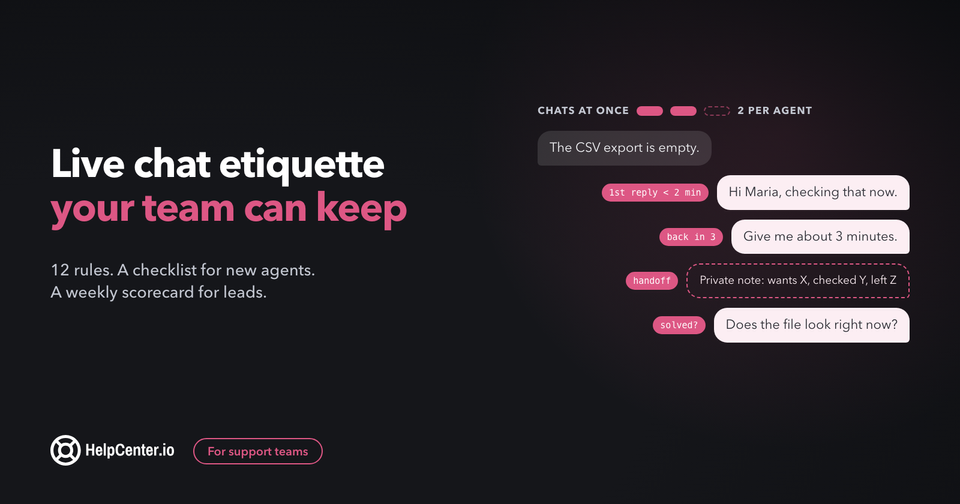
- Live chat during set, published hours. Chat works best for short questions during onboarding and checkout. Open it only for hours you can staff, show those hours in the widget, and collect an email outside them. Our guide to live chat etiquette covers reply times, how many chats one person can hold and handoffs.
- In-app help. Links from tricky screens to the right article, and a help widget inside the product. This catches questions where they happen, which our guide to reducing support tickets covers step by step.
- AI answers from your published articles. Once the help center covers your common questions, an AI assistant can answer from it at any hour. Add it after the articles, not instead of them: it can only be as good as what it reads.
Two channels to hold back:
- Phone. Expensive to staff, hard to search later, and rarely needed for self-serve SaaS. Offer scheduled calls for onboarding or enterprise accounts instead of an open line.
- Community forum. Valuable once you have enough active users to answer each other. Before that, an empty forum with unanswered posts looks worse than no forum.
If you are weighing a bot against people for chat, our comparison of chatbot vs live chat explains why most small teams should start with people and add AI once the articles exist.
How many support people do you need?
You can size a support team from three numbers you already have or can measure in a week: how many conversations you get, how long each takes, and how many hours a person can really spend on them. The method below is our guidance. The numbers in the example are illustrative inputs, not benchmarks; use your own.
Step 1: Conversations per month. Count new conversations across all channels for the last full month. Count each conversation once, not each reply.
Step 2: Average minutes per conversation. Pick 30 closed conversations at random, including the easy ones, and estimate the working time each took: reading, investigating, writing, follow-ups. Average them. Do not use the time between open and close; most of that is waiting.
Step 3: Productive minutes per person. A full-time month is roughly 22 working days of 8 hours, or 10,560 minutes. Nobody spends all of that on conversations: meetings, writing articles, training and breaks take a real share. Our guidance is to plan on about 65%, which is roughly 6,900 minutes per person per month.
Step 4: Divide. Conversations × minutes per conversation ÷ productive minutes per person.
A worked example. Say you get 1,000 conversations a month and each takes 10 minutes of real work on average. That is 10,000 minutes. Divided by 6,900, you need about 1.45 people. In practice that means one full-time person plus regular help from someone else, or two people who also own the help center and other work.
Step 5: Check coverage hours, not only volume. Volume is half the answer. If you promise chat from 9:00 to 18:00 on weekdays, that is 9 hours a day across roughly 22 days, or about 198 hours a month, while one full-time person works about 176. Even with low volume, one person cannot cover those hours alone, and nobody covers their holidays. Two people is the practical minimum for any channel you promise live.
Step 6: Recalculate every quarter. The inputs move. Better articles lower conversations per customer. A complex new feature raises minutes per conversation. Re-run the numbers before you hire, and before you decide you do not need to.
Two levers change the answer more than hiring does. Lowering contact rate (conversations per 100 active customers) shrinks the first number, and saved replies plus good articles shrink the second. Both are cheaper than a new hire.
Which metrics should a SaaS support team track?
Track a handful of numbers every week and read them together, because each one can improve for the wrong reason on its own. These are the ones we would keep on a small team's weekly screen. The targets are our guidance: promise what you can keep, then tighten.
| Metric | What it tells you | An honest starting target |
|---|---|---|
| First response time (median, by channel) | Whether customers feel heard | Whatever you publish, met at least 9 times in 10. For example: chat within 2 minutes while online, email within 4 business hours |
| Time to resolution (median) | Whether problems actually get fixed | Trending down month over month; look at the slowest 10% by hand |
| Contact rate | Whether the product and help center are getting easier to use | Flat or falling while customers grow |
| Customer satisfaction (CSAT) after a conversation | How the conversation felt | Read every low rating; watch the trend, not one week |
| Backlog age | Whether anything is being forgotten | No conversation waits more than 2 business days without a reply |
| Reopen rate | Whether "solved" really meant solved | Low and stable; a jump usually means answers got rushed |
Three traps to avoid:
- Publishing a reply time you cannot keep. A promised 1-hour reply that takes 5 hours feels worse than a promised 4-hour reply that takes 3. Set the promise from your measured median, then improve.
- Celebrating lower volume. Volume falls when customers give up, too. Contact rate, read next to CSAT and reopens, tells you which happened. Our guide to reducing support tickets shows how to measure contact rate and deflection without fooling yourself.
- Chasing an industry CSAT benchmark. Benchmarks mix industries, channels and survey methods. Your own trend and your own low ratings are more useful than anyone else's average.
A 20-minute weekly review is enough for most teams: the six numbers above, the five most common contact reasons, every low rating, and one decision about what to fix next.
What should you automate, and what should stay human?
Automate the work that is the same every time, and keep people on anything involving money, judgment or risk to the relationship. Here is how we would split it for a small SaaS team.
| Automate | Keep human |
|---|---|
| Routing by topic, plan or language | Billing disputes, refunds and cancellations |
| Saved replies for repeated questions, each linking to an article | Bug reports that need investigation and a promise about a fix |
| Suggesting articles while a customer types | Customers who are upset, or who have written in twice about the same thing |
| AI answers drawn only from your published articles | Accounts showing churn risk, and anything about a renewal |
| After-hours replies that set expectations and collect an email | Questions your help center does not cover yet |
| Tagging suggestions and conversation summaries | Security, privacy and data-access requests |
Self-service and AI work best when they are honest about their limits. In a December 2023 Gartner survey of 5,728 customers, 73% used self-service at some point in their service journey, but only 14% of issues were fully resolved there, and the most common reason it failed, in 43% of cases, was that customers could not find content relevant to their issue. The lesson for a small team: self-service is where customers start, so cover your real questions with articles, and make the route to a person obvious when an article does not exist. Our customer self-service guide covers how to build that program.
The same holds for AI. In a separate release citing a Gartner survey of 5,728 customers conducted in December 2023, 64% of customers said they would prefer companies did not use AI in customer service, and the top concern was that it would become harder to reach a person. AI that answers from your articles can still help a lot, especially out of hours. Show a clear "talk to a person" option next to every AI answer, and make sure the person who picks it up can see what the customer already asked.
How do you turn support into product input?
Your support inbox is a weekly report on where the product confuses, breaks or disappoints people. Turning it into product input is the long-term way to lower volume, and it is cheap to start.
- Tag every conversation with one contact reason. Keep the list short, 10 to 15 reasons, and review it monthly. Our ticket reduction guide walks through tagging a week of tickets by reason.
- Send the top five reasons to product every week. One short message: the reason, how many conversations, one real example in the customer's words, and the article or fix you suggest.
- Link bugs to conversations. When a bug is filed from support, attach the conversations it affects. When it is fixed, reply to those customers. Telling someone "the thing you reported is fixed" is one of the cheapest ways to earn loyalty.
- Write the article before the release. Ask for release notes a few days early and update the help center before customers find the change themselves.
- Watch for failed searches. Searches in your help center that return nothing are questions customers asked and you did not answer. They are your article backlog, ranked by demand.
Your first 90 days of SaaS customer support
This plan assumes you are starting from founder-led support or a new first hire. Adjust the pace, keep the order.
Days 1 to 30: get the basics in one place
- Move every support address into one shared inbox. Turn off support from personal email and direct messages.
- Write down your reply-time promise for each channel, based on what you can keep today. Publish it.
- Export the last two months of conversations and tag a sample by contact reason. Find your top 15 questions.
- Write help center articles for those 15 questions, and a saved reply for each that links to its article.
- Agree on an escalation path: who handles bugs, billing, security and angry customers, and how fast.
Days 31 to 60: add chat and measure
- Open live chat for set hours you can staff, starting with onboarding and pricing pages. Collect an email outside those hours.
- Start the weekly 20-minute review: the six metrics, the top five contact reasons, every low rating.
- Add links from your hardest product screens to the matching articles.
- Run the staffing arithmetic with a month of real data. Decide whether you need help now or next quarter.
- Send the first weekly top-five report to product.
Days 61 to 90: automate what is proven
- Review which saved replies get used most and make sure each has a current article.
- Add AI answers from your published articles for after-hours questions, with a visible way to reach a person.
- Check failed help center searches and write the missing articles.
- Compare contact rate, CSAT and reopens with day 30. Keep what worked; drop what did not.
- Write a one-page support handbook: promises, escalation path, tone, what never to ask for. The next hire will thank you.
Where HelpCenter.io and HelpCenter.chat fit
We make HelpCenter.io and HelpCenter.chat, so weigh this section accordingly. They cover the first three channels in this guide: a help center, a shared inbox with live chat, and AI answers that draw only from your published articles.
- HelpCenter.io is the help center. Pricing is a flat price per help center, not per agent: Bootstrap is $39/mo (or $29/mo billed annually) for 1 team member, Growth is $149/mo (or $119/mo billed annually) for 10 team members, and Catalyst is $199/mo (or $179/mo billed annually) for unlimited team members. AI answers are included on Catalyst, or a $29/mo add-on on Bootstrap and Growth. There is a 14-day free trial with no credit card.
- HelpCenter.chat is the live chat and shared inbox. Its free plan has 2 team seats per workspace and 100 new conversations per monthly usage period, with no credit card, and human chat does not expire. You do not need a HelpCenter.io subscription for human chat. Its optional Orelvi AI answers from your published HelpCenter.io articles; AI plans start at $29 per month per workspace.
- Bundles of the two save 20% on both: Start Together is $54.40/mo (Bootstrap plus Orelvi Start) and Grow Together is $182.40/mo (Growth plus Orelvi Grow), with a larger Scale Together option. The full list is on the pricing page.
The limits, said plainly: the free chat plan suits stage 1 and early stage 2 volumes, not a busy team, and Bootstrap has a single team member, so a team of three or more will want Growth. If you use another help desk today, the method in this guide works the same with it.
SaaS customer support: common questions
What is the difference between SaaS customer support and customer success?
Customer support answers what customers ask, when they ask it. Customer success reaches out first, usually to larger accounts, to help them adopt the product and renew. Small SaaS teams often do both with the same people, but they track different numbers: support watches response and resolution, success watches adoption and renewals.
Should a small SaaS company outsource customer support?
Our view: not the first line, and not early. In the first stages, answering customers yourself is how you learn what to fix. Outsourcing can make sense later for after-hours coverage or simple, repeated questions, once your articles and saved replies are good enough to train someone outside the company. Keep billing, bugs and churn risk in house.
Do SaaS companies need 24/7 support?
Most small SaaS teams do not. Publish your support hours, keep the help center available at all hours, add AI answers from your articles for questions outside those hours, and collect an email so a person replies the next working day. Offer round-the-clock coverage only when contracts require it or when you have people in other time zones.
When should a SaaS company add phone support?
When your customers expect it and pay for it, typically larger accounts or regulated industries. Even then, scheduled calls for onboarding and escalations usually serve customers better than an open phone line, and they are much easier for a small team to staff.
What is a good first response time for SaaS support?
The one you can keep at least 9 times in 10. Measure your current median for each channel, publish a promise slightly above it, and tighten it as you improve. As a starting point, our guidance is a chat reply within 2 minutes while online and an email reply within 4 business hours.