Chatbot vs Live Chat: Which One Your Support Team Needs, With 2026 Prices
When to use a chatbot, when to use live chat, and what each costs in 2026, with AI prices from the vendors' own pricing pages and a human-first order that works for small teams.
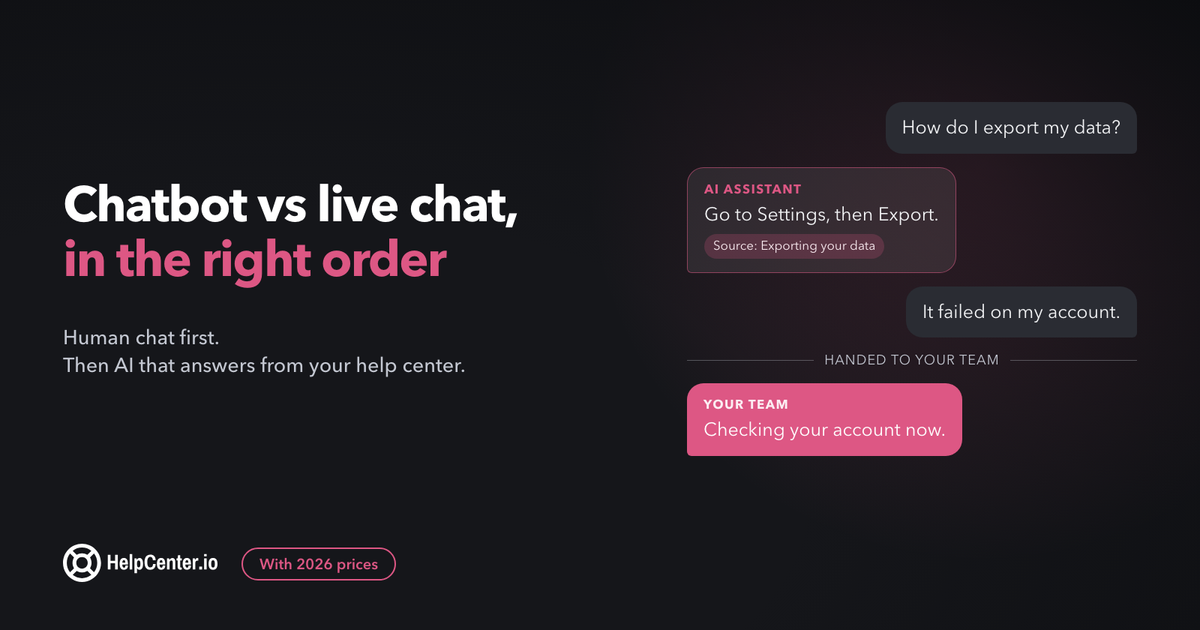
You can give customers an instant answer at 3am and a real person when it matters, and you can know what that costs before the invoice arrives.
The short answer: use live chat when conversations need judgment, account context, or a sales touch. Add a chatbot when the same questions keep arriving and you already have written answers for them. For most small SaaS teams the setup that works is human chat first, then an AI assistant that answers from your help center and hands off to a person.
Below, the two are compared on what they need to work and what they cost, with prices read off each vendor's own pricing page on 25 September 2026. One of the products in this guide is ours: we make HelpCenter.chat, a free live chat with an optional AI assistant. It gets its own section near the end, with its limits.
Chatbot vs live chat: the difference in one table
| AI chatbot | Live chat | |
|---|---|---|
| Who answers | Software, drawing on your written content | A person on your team |
| Reply speed | Seconds | Depends on who is online and how busy they are |
| Hours | Always on | Your staffed hours |
| Conversations at once | Many | A handful per person |
| What it needs to work | Published, current answers it can read | People online and a shared inbox |
| How you usually pay | By use: per resolved outcome, per AI conversation, or per credit | Per seat, plus the hours of the people staffing it |
| Best at | Repeat questions with a documented answer | Judgment, account-specific problems, upset customers, sales |
The row that decides most setups is the fifth one. A modern AI chatbot does not invent your answers; it retrieves them. Live chat needs people, and people have working hours.
What does a chatbot cost in 2026?
Many comparisons say a chatbot costs the same whether it handles 50 chats or 5,000. That is not how the major vendors price AI today. Most charge by how much the AI actually answers, which means your AI bill grows with your volume, just more slowly than headcount does.
Here is what four pricing pages say, as published on 25 September 2026:
| Product | AI pricing as published | What you pay for |
|---|---|---|
| Intercom Fin | $0.99 per Fin outcome, on top of an Intercom plan's seats (pricing) | Each outcome |
| Tidio Lyro | Starts at $32.50/mo billed annually, "From 50 Lyro AI conversations" (pricing) | Buckets of AI conversations |
| Crisp | Mini at $45 per month, per workspace, with "Around 90 automated conversations" (pricing) | A flat workspace fee with an automation allowance |
| HelpCenter.chat (ours) | Orelvi Start at $29/month per workspace with 200 AI credits (pricing) | Credits: one per delivered standard answer |
A worked example. Say your site gets 600 new chats a month and the AI fully answers half of them.
- Per outcome: 300 outcomes at $0.99 is $297 a month for the AI alone, before seats.
- Per credit: on HelpCenter.chat, 300 conversations that each need one AI answer use 300 credits. That is Orelvi Start ($29, 200 credits) plus one $15 top-up of 100 credits, so $44, or Grow at $79 with 600 credits. A conversation that needs several AI answers uses several credits, and handoffs to your team use none.
- Per AI conversation bucket: Tidio's entry Lyro price covers 50 AI conversations, so 300 needs a larger bucket, priced in its calculator.
No vendor is cheapest at every volume. What drives the whole bill is the share of chats you expect the AI to answer, so estimate it from your own questions. Vendors publish their best case: Tidio says its customers "average a 75% resolution rate with Lyro". Your rate depends on how many of your questions already have a written answer.
What does live chat really cost?
The software is the cheap part. tawk.to's pricing page asks "Why is tawk.to free?", and HelpCenter.chat's free plan includes human chat for two seats at $0. Some vendors do meter human chats: Tidio counts a "Billable conversation" as any conversation "that includes a message from a human agent (you)".
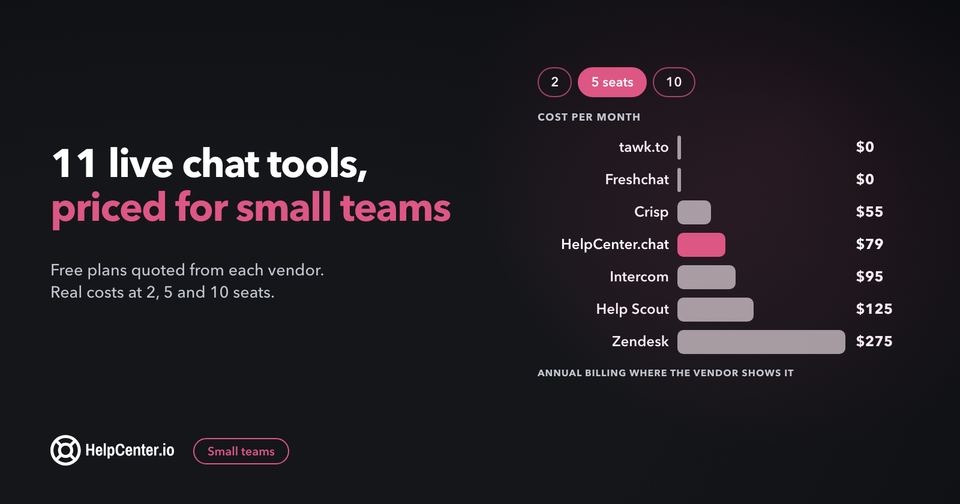
The expensive part is hours. tawk.to works out the math on that same page: paying "say $15/hr for a decent agent" to keep one person available around the clock comes to $131,400 a year. That is why most small teams run live chat during staffed hours with an honest away message, not 24/7. To price the tools themselves at your team size, see our comparison of 11 live chat tools for small business, with costs at 2, 5 and 10 seats.
If tawk.to is on your shortlist, our tawk.to alternative comparison sets its free platform and paid add-ons next to HelpCenter.chat's plans on seats, conversation limits and AI pricing, and says where tawk.to is the better pick.
When a chatbot is the right call
- The same questions arrive every day, and the answers are already written down.
- You get chats outside hours you can staff, for example from customers in other time zones.
- The answers are public facts: pricing, plan limits, setup steps, integrations.
- Volume spikes around launches or renewals and you do not want those days to swamp the team.
When live chat is the right call
- The answer depends on the customer's account, data, or history.
- The chat is a sales conversation, where a person asking one good question wins the deal.
- The customer is upset, or the topic is billing, refunds, or a bug that cost them time.
- Your product changes weekly and the documentation has not caught up.
- You do not have a help center yet, so a bot would have nothing reliable to answer from.
We have written before about what happens when teams skip this and put automation first: the chatbot trap is a bot that becomes a wall between customers and the people who can help.
A chatbot is only as good as the help center behind it
Today's AI assistants answer from content you give them. When the article exists, is current, and answers one clear question, the assistant does well. When the article is missing, out of date, or private, the assistant either says it cannot help or, worse, gets it wrong with confidence.
That makes a help center covering your top questions the real prerequisite for a chatbot, ahead of any bot builder. Before switching AI on, check that:
- each of your 20 most common questions has a published article;
- each article answers one question, in the words customers use;
- prices, limits, and screenshots match the product today;
- anything customers should not see stays private, so the assistant cannot quote it.
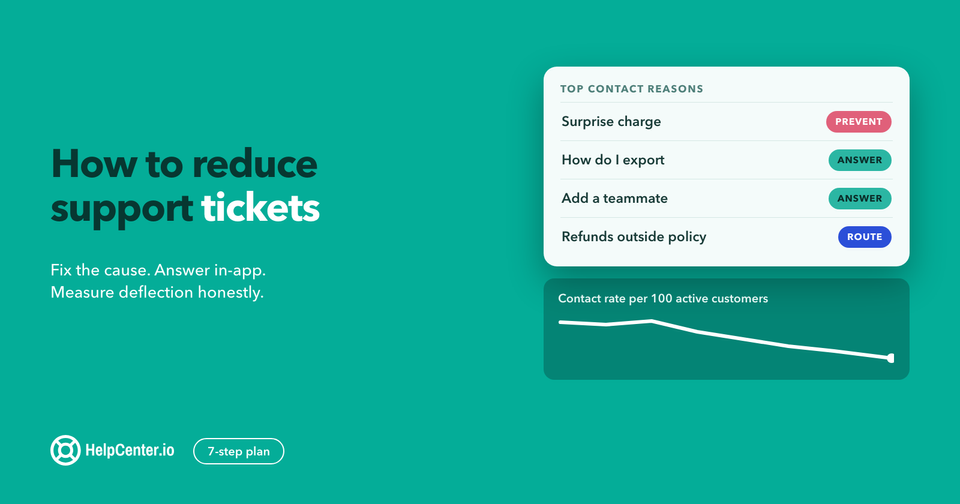
Our practical checklist for AI-ready help center content walks through ten checks. Many questions never need a chat at all: a good help center and a search widget answer them first, which is the argument in sometimes all you need is not a chatbot.
The order that works for small teams: human first, then AI
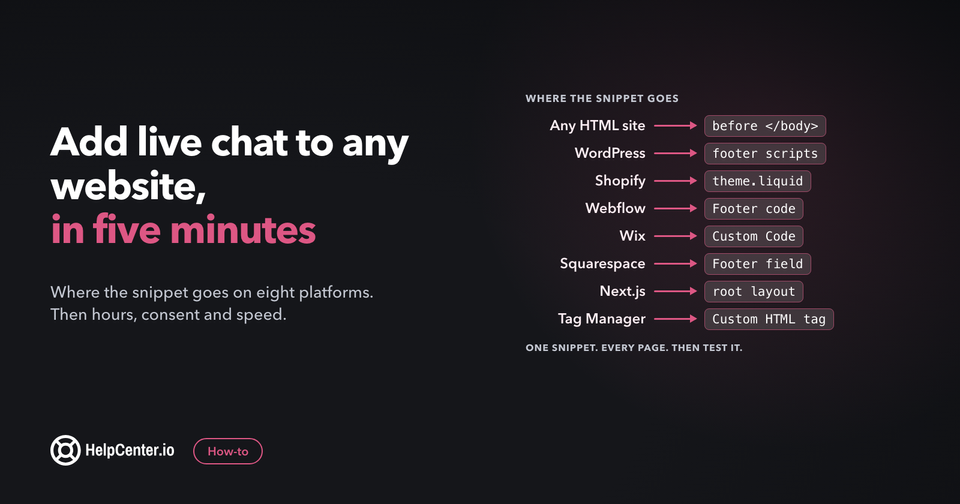
- Start with human live chat during the hours you can staff. Our step-by-step guide shows how to add live chat to your website on WordPress, Shopify, Webflow and five other platforms. You learn what customers actually ask, in their words, and they get a person from day one.
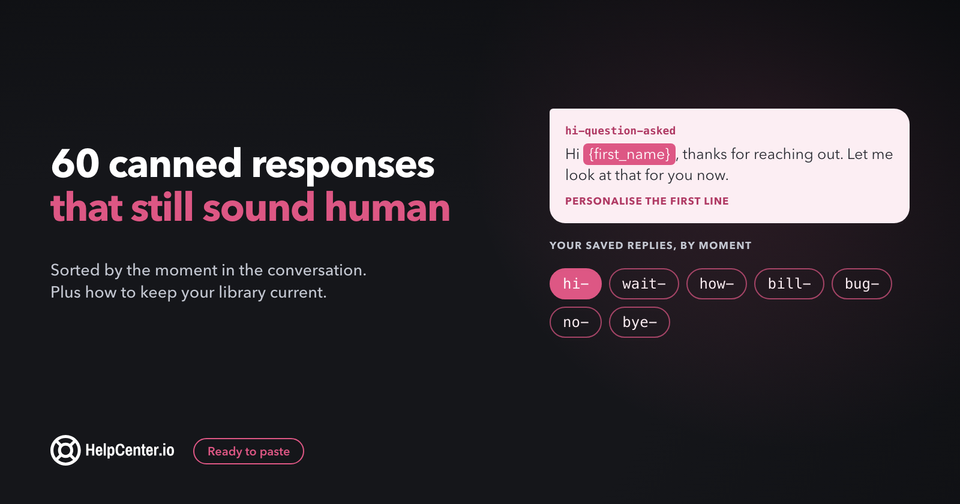
- Note the questions that repeat. After a few weeks, a short list covers most of your chats. Save your best answers to them as saved replies; our 60 canned responses for customer service are a starting point.
- Write or fix the help center article for each one. This is the work that makes AI answers accurate. Our customer self-service guide covers how to prioritize them.
- Turn on AI for those questions, with a visible way to reach a person. Read the conversations it hands off each week; every one points at an article to write or improve.
This order means the assistant starts with answers that exist, and your team has seen every question it will handle. It also keeps costs predictable, because you switch on paid AI once you know what share of chats it can answer.
How a good handoff from chatbot to human feels
- The human option is always visible, in plain words, not hidden behind three failed answers.
- The customer never repeats themselves. The person who picks up sees the whole conversation.
- Outside hours, the chat says when a person will reply and collects an email so the answer can reach them.
- AI answers show their source, so customers can check the article and read further.
Where HelpCenter.chat fits
We make HelpCenter.chat, so weigh this section with that in mind. It is built for the human-first order above.
- Human chat is free: $0 a month for 2 team seats and 100 new conversations per monthly usage period, with a website messenger and shared inbox. No credit card, and human chat does not expire.
- AI is optional: Orelvi, its AI assistant, starts at $29 a month per workspace. It answers from the published, public articles of a connected HelpCenter.io help center, includes references, and hands over to your team when it cannot help. Handoffs and human messages use no credits.
- A bounded trial: up to 14 days and 20 standard credits, which never converts to a paid plan on its own. It needs a connected, current HelpCenter.io knowledge base.
- Together: bundles with HelpCenter.io save 20% on both products.
The limits, said plainly. Orelvi answers from a connected HelpCenter.io help center, so you need one before its AI is useful. On the free plan, new conversations pause once you reach 100 in a period, until it resets, while existing threads stay available. And if your support runs across phone, SMS, and WhatsApp in one place, a suite such as Intercom offers those channels and bills them by usage on top of its seats. For that comparison, see HelpCenter.io vs Intercom. If you want AI answers inside the help center itself rather than in chat, HelpCenter.io's AI answers are included on Catalyst and are a $29/mo add-on on Bootstrap and Growth.
If you want to try the human-first order, a free HelpCenter.chat workspace needs no credit card, and you can connect your HelpCenter.io help center whenever you are ready for AI. Full prices are on the pricing page.
If Tidio is also on your list, our Tidio alternative comparison sets its free plan next to HelpCenter.chat's on seats, conversation limits, AI pricing and channels, and says where Tidio is the better pick.
Frequently asked questions
Is a chatbot cheaper than live chat?
Per conversation, usually yes: at the published prices above, an AI answer costs from about 15 cents to about a dollar, while a person costs an hourly wage. But most AI pricing is usage-based, per outcome, per AI conversation, or per credit, so the bill grows with volume. Estimate how many of your chats the AI can fully answer before comparing.
Can a chatbot replace live chat agents?
Not for the conversations that need judgment, account access, or care, such as billing disputes, bugs, and sales questions. A chatbot works best on repeat questions with a written answer, with a clear handoff to a person for everything else.
Do I need a knowledge base for an AI chatbot?
Yes, in practice. AI chatbots answer from the content you give them. Without current, published articles for your common questions, the bot either cannot answer or answers wrongly. A help center that covers your top 20 questions is the real prerequisite.
Can I start with free live chat and add AI later?
Yes. Several tools offer free human chat. HelpCenter.chat, which we make, is free for 2 seats and 100 new conversations a month, and its optional AI starts at $29 a month once your help center is connected.