Best Live Chat Software for Small Business: 11 Tools Compared (2026)
Free-plan limits quoted from each vendor, prices at 2, 5 and 10 seats, how to choose by team shape, and what to set up in week one.
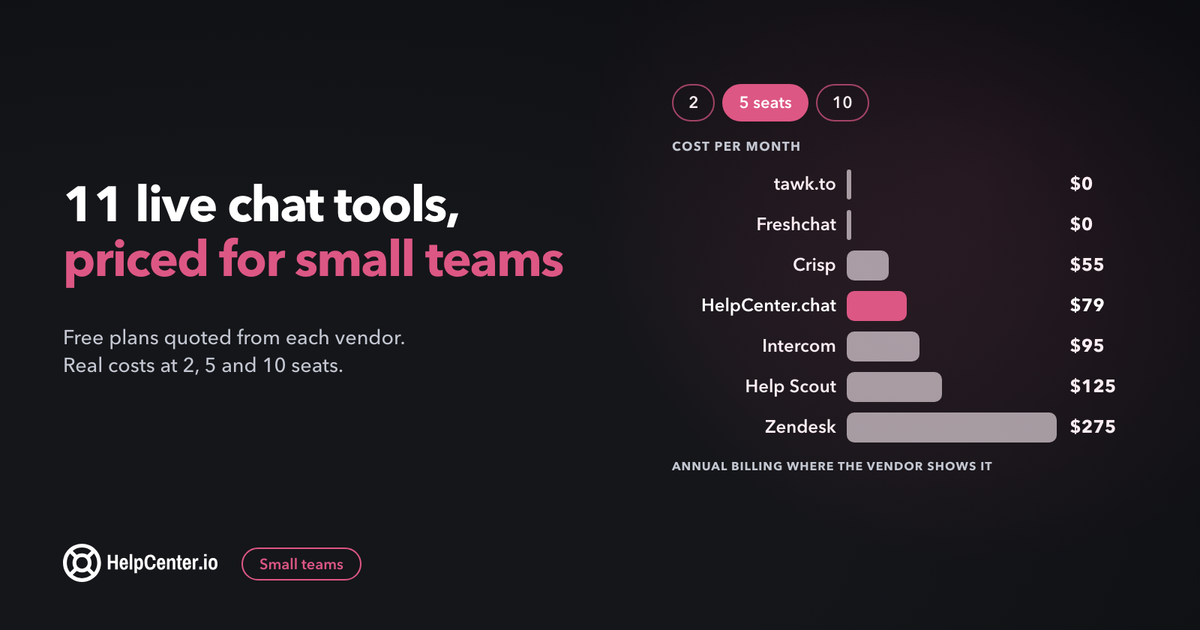
The right live chat tool lets a small team answer visitors in minutes, win sales it would have missed, and pay nothing or close to it until chat really takes off. This guide compares 11 tools on the things that decide that for a team of one to ten: what the free plan really allows, what you pay at 2, 5 and 10 seats, and how to set chat up in your first week.
The short answer: if you want free chat with as many teammates as you like, start with tawk.to or Freshchat's free plan (up to 10 agents). If you also run a help center and want answers and chat in one place, HelpCenter.chat is free for 2 seats. If you need a full help desk with chat, Help Scout, Zendesk and Intercom fit, at a per-seat price. Whatever you pick, price it at the team size you expect in six months, not today's.
One of the tools below is ours: we make HelpCenter.chat. It gets the same treatment as the others, with its limits stated, and we say where other tools are a better fit.
How we compared them
Every price, limit and plan name below was read from each vendor's own pricing page on 27 October 2026. Where a page shows annual billing by default, we say so, because annual billing on these pages is about 17% to 35% cheaper than paying month to month. Where a vendor does not publish something on its pricing page (chat history on free plans is the usual gap), we say "not stated" instead of guessing. Prices are in US dollars before tax. They change often, so check the vendor's page before you buy.
We looked at five things a small team actually runs into:
- The free plan: how many seats, how many chats, and whether the vendor's branding stays on your widget.
- The first paid plan: its price and whether it is charged per seat, per workspace or per conversation.
- AI: whether it is included, and how it is billed (per resolution, per conversation, or credits).
- Teamwork: a shared inbox, assignment and private notes, so two people never answer the same visitor.
- A mobile app, because founders answer most chats from their phone.
Live chat for small business: the comparison table
| Tool | Free plan | First paid plan | Priced by | AI and how it is billed |
|---|---|---|---|---|
| tawk.to | Yes: unlimited team members; "Powered by tawk.to" stays unless you pay $29/mo | No plans, only add-ons (Whitelabel $29/mo) | Per property (website) | AI Assist: free tier for limited volume, paid from $29/mo |
| HelpCenter.chat (ours) | Yes: 2 seats, 100 new conversations a month | Start, $29/mo (2 seats, 1,000 conversations, 200 AI credits) | Per workspace | Orelvi AI included in paid plans as monthly credits |
| Freshchat | Yes: up to 10 agents, shared inbox | Growth, $19 per agent/mo billed annually | Per agent | Freddy AI Agent: $49 per 100 sessions, first 500 sessions included once per account |
| Crisp | Yes: 2 seats, no AI credits, no full conversation history | Mini, $45/mo (4 seats) | Per workspace, extra agents $10/mo | AI credits included per plan ($5 on Mini, "Around 90 automated conversations") |
| Tidio | Yes: 50 billable conversations a month, Tidio branding stays | Starter, $24.17/mo billed annually (100 conversations) | Per conversation volume, up to 10 agents | Lyro: 50 free conversations (lifetime), then from $32.50/mo (annual) |
| Zoho SalesIQ | Yes: 3 operators, 100 operator chat sessions a month | Basic, $7 per operator/mo billed yearly ($10 monthly) | Per operator | Zia Agents listed; price not on the pricing page |
| Chatwoot | Yes (Hacker): up to 2 agents, 500 conversations a month, 30-day retention | Startups, $19 per agent/mo | Per agent | Captain AI: 300 credits a month on Startups, extra $20 per 1,000 |
| LiveChat (now sold as Text) | No, 14-day trial | Essential, $19 per user/mo billed annually ($25 monthly) | Per user | 10 AI resolutions a month included; 50 more for $49.50 |
| Help Scout | Yes, but live chat is not on Free (5 users, 1 inbox) | Standard, $25 per user/mo billed annually | Per user | AI resolutions: $0.75 per resolution, 3-month free trial |
| Intercom | No, 14-day trial | Essential, $19 per seat/mo as shown (annual, "New customers save 35%"; $29 struck through) | Per seat | Fin: $0.99 per outcome, charged once per conversation |
| Zendesk | No, 14-day trial | Suite Team, $55 per agent/mo yearly ($69 monthly), the cheapest plan with live chat | Per agent | 5 automated resolutions per agent/mo included; extra $1.50 committed or $2.00 pay-as-you-go |
Two patterns stand out. Free plans split into "many seats, limited extras" (tawk.to, Freshchat, Zoho SalesIQ) and "few free seats, more of the product" (HelpCenter.chat, Crisp, Chatwoot). And per-seat tools that look cheap for one person get expensive fast: at 10 seats, Zendesk's chat plan costs $550 a month on annual billing.
The 11 best live chat tools for small businesses
1. tawk.to: free chat for any team size
Best for: a team that wants every person on chat for $0 and can live with a small "Powered by tawk.to" badge.
tawk.to has no paid plans at all. The core product is free, with "Unlimited team members", and the company sells add-ons instead. Its own page puts the deal plainly: "If you would like to remove the tiny "Powered by tawk.to" branding from our products, we charge $29/month." That fee is "Per property, not per seat", so one website costs the same whether you have two agents or twenty. It also lists "Native iOS, Android, macOS, and Windows apps" and "one shared Inbox your whole team works from". The AI add-on, AI Assist, has a "Forever-free tier for limited volume" and paid plans "from $29 / mo".
Where it beats us: unlimited free seats and native desktop and mobile apps. If your team is larger than two and you want chat only, tawk.to is the cheaper start.
Watch out for: the pricing page does not say how long free chat history is kept or how AI Assist usage is counted, so ask before you rely on either. We compare the two products in detail in our tawk.to alternative page.
2. HelpCenter.chat (ours): free human chat, with your help center behind it
Best for: a team of one or two that wants a real shared inbox for free, and a team that already runs (or wants) a help center and wants chat answers to point to it.
We make this one, so read this entry with that in mind. The free plan is "2 team seats per workspace" and "100 new conversations per monthly usage period", with the website messenger, shared inbox, "Replies, file attachments, private notes, and assignments" and "Contacts, saved replies, automations, and reports". There is no card and no expiry: "Human chat does not expire." When you reach the allowance, "new conversations pause until it resets. Existing threads remain available."
Paid plans are priced per workspace, not per seat, and each includes AI from Orelvi, our assistant that answers from your published HelpCenter.io knowledge base: Start is $29/month (2 chat seats, 1,000 new conversations, 200 AI credits), Grow is $79 (5 seats, 3,000 conversations, 600 credits), Scale is $199 (10 seats, 10,000 conversations, 1,500 credits). "Extra chat seats cost $9 per month." There are "No automatic top-ups, overage bills, or annual commitment." If you also use HelpCenter.io, "Bundles save 20% on both recurring product lines."
Where others beat us: tawk.to and Freshchat give more free seats, and our pricing page does not list a native mobile app, while tawk.to, Crisp, Tidio and others do. If you need five people on chat for free, we are not the right pick today.
Watch out for: 100 new conversations a month suits a small business getting a few chats a day. Busier sites will hit it and need a paid plan. Details are on the HelpCenter.chat pricing page.
3. Freshchat: ten free agents and a shared inbox
Best for: a team of three to ten that wants a shared inbox for free today and a clear upgrade path to a full help desk later.
Freshchat's Free plan is "For up to 10 agents" and includes a "Chat widget on web & mobile apps", "Shared inbox", "Connect email" and "Roles & permissions". Growth costs "$19 /agent/month, billed annually" and adds AI: Freddy AI Agent is billed per 100 sessions ($49), and "We offer 500 free sessions on the Growth, Pro, and Enterprise plans to try out Freddy AI Agent. This is limited to once per account."
Where it beats us: ten free agents against our two.
Watch out for: the pricing page shows annual prices by default and does not show the monthly price as text, and it does not say how long free-plan chat history is kept. The jump from free to paid is per agent, so ten agents on Growth is $190 a month on annual billing.
4. Crisp: flat workspace pricing with unlimited conversations
Best for: a team of two to ten that wants to stop counting conversations and pay one flat price.
Crisp charges "a flat rate per workspace" and says you can "Handle as many customer conversations as you need, with no limits." Free includes 2 seats and "No AI credits included". Mini is $45 "Per month, per workspace" with 4 agents included, Essentials is $95 with 10, and "Additional agents (per month)" cost $10. AI comes as credits: Mini includes "$ 5 included AI credits", which Crisp puts at "Around 90 automated conversations". All plans have "Mobile applications".
Where it beats us: unlimited conversations on every plan, including Free, and mobile apps.
Watch out for: the comparison table marks "Full conversations' history" as not included on Free, and removing the "We run on Crisp" watermark is a Plus feature ($295). The page also does not say how long Free keeps history.
5. Tidio: priced by conversations, strong on automation
Best for: an online shop that wants chat plus automated flows, and expects modest chat volume.
Tidio prices by "Billable conversations" rather than seats, and "You can add up to 10 agents on self-serve plans". Free is "For solo entrepreneurs" with 50 billable conversations a month, and the first 50 Lyro AI conversations are free for life. Starter shows $24.17/mo with the annual toggle on ("2 months free") for "100 Billable conversations". Lyro AI is sold separately, from $32.50/mo on the same annual display. A conversation becomes billable only once your team replies or starts it, and replies from Flows and Lyro do not count as agent replies.
Where it beats us: built-in automation (Flows) for sales and support, and mobile apps.
Watch out for: "Automatic chat assignment" and "User permissions" start on Growth (from $49.17/mo, annual), so a 2 to 5 person team sharing one inbox will likely need Growth, not Starter. "No Tidio branding" is an add-on on Growth. We go deeper in our Tidio alternative page.
6. Zoho SalesIQ: cheap per-operator pricing, built for sales
Best for: a team that wants chat mainly to catch leads and already uses Zoho CRM.
The Free plan gives "3 operator licenses" and "Have up to 100 operator chat sessions each month", plus "Visitor insights (10K visitors/month)". Paid plans "are priced per operator": Basic is $7 per operator a month on yearly billing and $10 monthly, with "1000 operator chat sessions". It has "Android and iOS apps".
Where it beats us: three free operators and visitor tracking for sales teams.
Watch out for: the prices are loaded into the page by script, and the page lists AI agents (Zia Agents) without a price. A "chat session" runs until the visitor closes the browser, logs out or goes idle, and a resumed chat starts a new one, so a conversation the visitor comes back to can count as more than one session.
7. Chatwoot: open source, with a free cloud plan
Best for: a technical team that wants open source and the option to self-host later.
Chatwoot's free cloud plan, Hacker, covers "Up to 2 agents" and "500/month" conversations on live chat, with "30 days" of data retention and no AI. Startups is "$19" "/agent/month" with unlimited conversations under fair use, 300 Captain AI credits a month and "1 year" retention; "additional credits are billed at $20 per 1,000." Self-hosted plans are listed separately, and "we offer the Startups plan free of charge for open source projects."
Where it beats us: open source and self-hosting, and five times our free conversation allowance.
Watch out for: 30-day retention on Hacker means old conversations disappear, and the page does not say whether the $19 is billed monthly or annually.
8. LiveChat (Text): sales-first, paid from day one
Best for: a small sales or e-commerce team that is sure chat earns money and wants a mature product.
LiveChat's pricing now says "LiveChat pricing for new trials now lives here, as Text plans." Essential is "For small teams earning their first revenue from chat" at $19 "per user / month" billed annually, or $25 billed monthly, with 10 AI resolutions a month and "Conversation and file history: 60 days." Growth is $79 per user (annual) with unlimited history. Extra AI resolutions come in packs of 50 for $49.50. The trial "runs for 14 days on Essential and Growth and does not ask for a credit card."
Where it beats us: a product built around sales chat, with AI resolutions included from the first plan.
Watch out for: there is no free plan, and 60 days of history on Essential is short if you want to look back at a customer's past chats.
9. Help Scout: an email-first help desk, with chat on paid plans
Best for: a team that mainly answers email and wants chat, a help center and a shared inbox in one tool.
Help Scout's Free plan "includes 5 users, 1 Inbox, and 1 Docs site", but live chat is not part of it: "Live chat and SMS" is listed on Standard, which is $25 per user a month with annual billing selected by default. AI resolutions are "$0.75 per resolution" with a "3-month free trial", and "You'll only be charged for one resolution per conversation". It has a mobile app.
Where it beats us: email, chat and a knowledge base (Docs) in one product, and five free users for email.
Watch out for: you pay per user from the first chat, and the monthly price only appears when you switch the toggle on the page. Our HelpCenter.io vs Help Scout comparison covers the help center side.
10. Intercom: powerful, with AI billed per outcome
Best for: a SaaS team that wants a help desk and an AI agent in one platform and has the budget for per-seat pricing.
Intercom's Essential plan is "Customer support for individuals, startups, and small businesses." The page shows $19 "per seat/mo" next to a struck-through $29, with "New customers save 35%" and annual billing selected. Fin, its AI agent, costs "$0.99 per outcome", and "You’re only charged once per conversation, even if multiple questions are answered." There is a "1 Full seat minimum" and a "14-day free trial" with "No credit card required".
Where it beats us: a mature help desk ("Shared inbox and ticketing system" on every plan) and an AI agent you pay for only per outcome.
Watch out for: the $19 is a discounted annual price for new customers, and Intercom tests different versions of its pricing page, so the price you see may differ. AI per outcome is hard to budget in a busy month. More in our HelpCenter.io vs Intercom comparison.
11. Zendesk: the full suite, priced per agent
Best for: a team that expects to grow into a large support operation and wants chat, email and ticketing from one vendor.
The cheapest Zendesk plan, Support Team ($19 per agent a month yearly), does not include live chat. "Messaging and live chat" starts on Suite Team, at $55 per agent a month yearly or $69 monthly. Each plan includes "5 ARs per agent/month" (automated resolutions); beyond that, committed resolutions are $1.50 and pay-as-you-go $2.00. Startups can apply for "up to 2 years of Zendesk free for qualified startups", and there is a 14-day trial.
Where it beats us: room to grow. Higher plans add advanced automation and AI-driven insights for larger teams.
Watch out for: per-agent pricing adds up quickly for a small team (five agents on Suite Team is $275 a month on yearly billing), and the pricing page does not say which plan removes the Zendesk branding from the widget. See HelpCenter.io vs Zendesk if the help center is your main need.
What live chat costs at 2, 5 and 10 seats
Here is each tool priced at three team sizes, using the cheapest plan that includes live chat and fits that many people. Figures are per month in US dollars, from the vendor's pricing page on 27 October 2026. "Annual" means the price shown with annual billing; you pay for the year up front.
| Tool | 2 seats | 5 seats | 10 seats | What changes the price |
|---|---|---|---|---|
| tawk.to | $0 | $0 | $0 | $29/mo per website to remove branding; AI Assist from $29/mo |
| Freshchat | $0 | $0 | $0 | Free up to 10 agents; Growth is $19 per agent (annual) |
| Tidio | $0 | $0 | $0 | Free covers 50 conversations a month; past that, Starter $24.17 (annual, 100 conversations); assignment and permissions start on Growth |
| HelpCenter.chat (ours) | $0 | $79 (Grow, 5 seats included) | $199 (Scale, 10 seats included) | Free covers 100 conversations a month; paid plans include AI credits; extra chat seats cost $9 a month each, which can make a smaller plan plus seats cheaper |
| Zoho SalesIQ | $0 | $35 annual, $50 monthly | $70 annual, $100 monthly | Free covers 3 operators and 100 chat sessions a month |
| Crisp | $0 | $55 (Mini + 1 agent) | $95 (Essentials) | Flat per workspace; unlimited conversations |
| Chatwoot | $0 | $95 | $190 | Free covers 2 agents and 500 conversations a month |
| LiveChat (Text) | $38 annual, $50 monthly | $95 annual, $125 monthly | $190 annual, $250 monthly | Extra AI resolutions $49.50 per 50 |
| Intercom | $38 annual | $95 annual | $190 annual | $19 is the discounted annual price for new customers; Fin AI $0.99 per outcome |
| Help Scout | $50 annual | $125 annual | $250 annual | Free plan has no live chat; AI $0.75 per resolution |
| Zendesk | $110 annual, $138 monthly | $275 annual, $345 monthly | $550 annual, $690 monthly | Suite Team is the cheapest plan with chat; extra AI resolutions $1.50 to $2.00 |
Seat price is only half the bill. A free plan that caps conversations (Tidio at 50, HelpCenter.chat at 100, Zoho SalesIQ at 100 sessions) costs nothing until you get busy, then pushes you to a paid plan whatever your headcount. And any AI billed per resolution adds a variable line on top. Before you choose, count last month's chats or contact-form messages and price the tool at double that.
How to choose by the shape of your team
Feature lists look the same from a distance. What separates these tools for a small business is how they behave at your headcount and your hours. Find the line below that sounds like you.
You are the founder, and you answer every chat yourself
You need three things: a widget that installs in minutes, a mobile app so you can reply from your phone, and an away message that sets honest expectations when you are asleep. You do not need routing, skills-based assignment or a reporting suite. Start on a free plan, and judge it on how fast you can reply from your phone, because that is where most of your replies will happen. Move to paid only when a real limit bites, not when a trial banner tells you to.
Two to five people share one inbox
This is where tools start to differ. You now need assignment (so two people never answer the same visitor), private notes (so a teammate can ask a question without the customer seeing it), saved replies everyone shares, and a way to see who is handling what. Per-seat pricing starts to matter too: a plan that looks cheap for one agent can cost several times as much once everyone has a login. Price your shortlist at five seats before you commit, using the table above.
Your customers are in other time zones, or you cannot cover evenings
Decide what a visitor sees when nobody is online before you go live. The simplest honest setup is an offline form that turns a chat into an email, plus an away message that says when you will reply ("We answer within a few hours, Monday to Friday, 9:00 to 18:00 CET"). The next step up is linking your help center articles inside the widget, so visitors can solve common questions on their own at 2 a.m. AI answers come after that, and only once those articles are good enough to answer from.
You mostly want chat for sales, not support
If chat is there to catch buying questions on your pricing page, look for proactive messages (a greeting triggered by page or time on page), visitor details such as the current page, and a quick way to book a call or hand the lead to your CRM. Sales-led tools such as LiveChat and Zoho SalesIQ lean this way. If chat is mainly for helping existing customers, prioritise the shared inbox, the help center link and saved replies instead.
Do you need AI on day one?
Usually not. A real person who answers within a few minutes is a better first experience than an AI agent answering from thin documentation, and it teaches you which questions are worth automating later. AI starts to pay off when the same questions arrive every day and your help center already answers them well, because a good AI agent answers from your articles and hands off to a person when it is not sure.
Watch how each vendor bills for it. Some charge per AI resolution or per AI conversation, which is cheap in a quiet month and hard to predict in a busy one. Others sell a fixed monthly package of credits. For the full cost model and the case for starting human-first, see our guide to chatbot vs live chat.
Your first week with live chat: what to set up
The tool matters less than the first week of setup. These five steps take an afternoon each and turn a chat bubble into a channel your customers can rely on.
- Set your hours and your away message on day one. State your real reply window in the away message and in the widget greeting. A visitor who knows you reply in two hours will wait; one who expects an instant answer and gets silence will leave.
- Decide who answers what. With two or more people, agree on a simple rule: one owner per shift, or sales questions to one person and product questions to another. Then use assignment in the tool so nobody answers on top of a colleague.
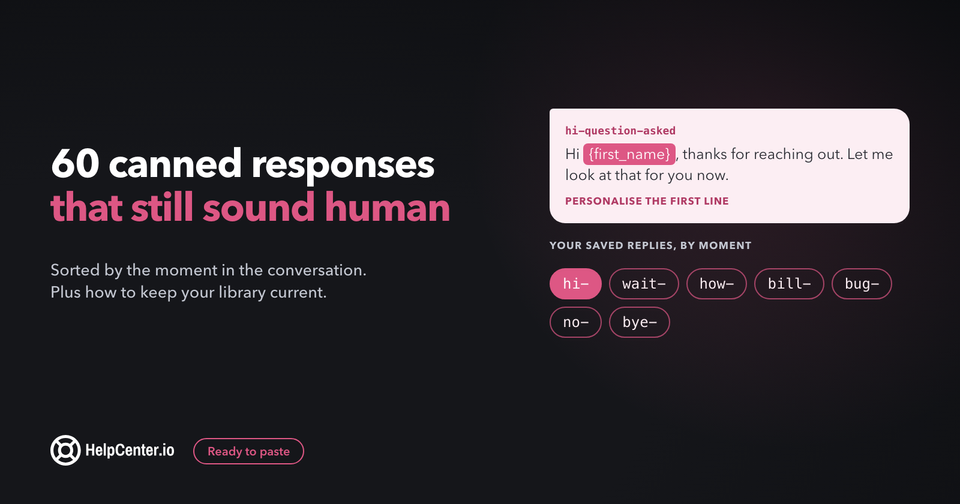
- Write ten saved replies before you go live. Pull your ten most common questions from your inbox and write a short, friendly answer for each, with a link to the matching article. Our canned responses guide has 60 examples you can adapt and a naming scheme that keeps them easy to find.
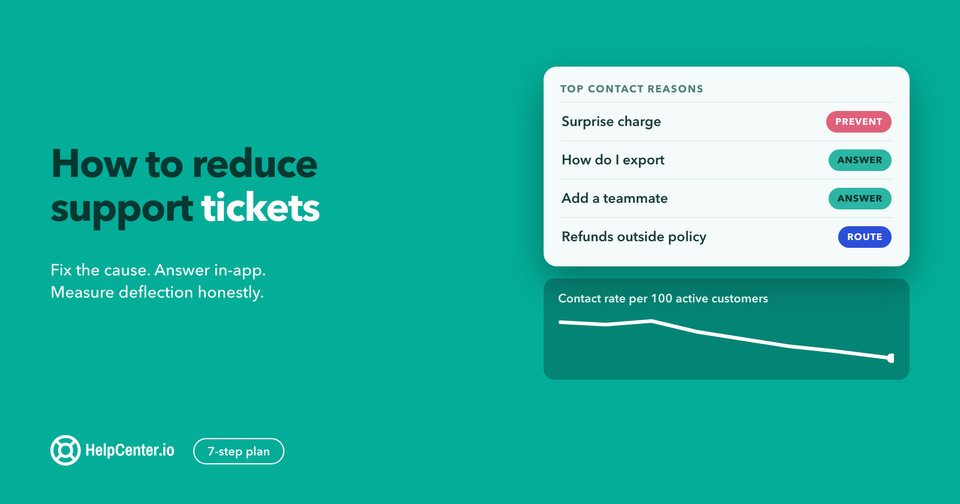
- Link answers to your help center. Every time you answer a how-to question in chat, link the article. If there is no article, write one that week. Over a few months this is what keeps chat volume manageable as you grow; our guide on how to reduce support tickets walks through the process.
- Measure two numbers. Track your first response time and how many conversations you get per day. The first tells you whether visitors are being served; the second tells you when you will outgrow a free plan's limits, which is the moment to revisit the cost table above.
Live chat for small business: common questions
What is the best free live chat software for a small business?
It depends on team size. For many people on chat at no cost, tawk.to (unlimited team members) and Freshchat (up to 10 agents) are the most generous. For one or two people who want a real shared inbox with saved replies and reports, HelpCenter.chat, Crisp and Chatwoot have free plans with 2 seats.
How much does live chat cost for a small business?
Often nothing at first: several tools are free for small teams. Entry paid plans run from $7 to $25 per agent a month on annual billing, flat workspace plans such as HelpCenter.chat Start ($29) and Crisp Mini ($45) cover a small team for one price, and Zendesk's cheapest chat plan is $55 to $69 per agent. AI is usually billed on top, per resolution or as credits.
Should a small business use live chat or a chatbot?
Start with live chat answered by a person, and add a chatbot or AI agent once the same questions arrive every day and your help center answers them well. An AI agent that answers from good articles and hands off to a person works better than one answering from thin content.
Do I need a separate help desk if I have live chat?
Not at first. Many of the tools in this list include a shared inbox, assignment and private notes, which is enough for a small team. A full help desk becomes worth it when email and chat volume both grow and you need ticket queues, SLAs or many inboxes.
Where HelpCenter.chat fits
We built HelpCenter.chat for small teams who want to talk to their customers without paying per seat to start. Human chat is free for 2 seats and 100 new conversations a month, with the shared inbox, saved replies, automations and reports included, no card and no expiry. When you want AI, Orelvi answers from your published HelpCenter.io help center and hands off to a person, on a monthly package starting at $29 per workspace.
It is a good fit if you are one or two people today, if you already have a help center (or plan to write one), or if you want chat and help center articles to work together, and it saves 20% when you bundle it with HelpCenter.io. It is not the right pick if you need more than two free seats or a native mobile app today; tawk.to or Freshchat will serve you better there.
If that sounds like your team, start with free live chat for your website, or see how chat and your help center work together.