FAQ Page Examples: 14 Real FAQs and What Each Gets Right
14 real FAQ pages, measured on 30 September 2026: how many questions they ask, what they ask first, who ships FAQ schema, and the one move to borrow from each.
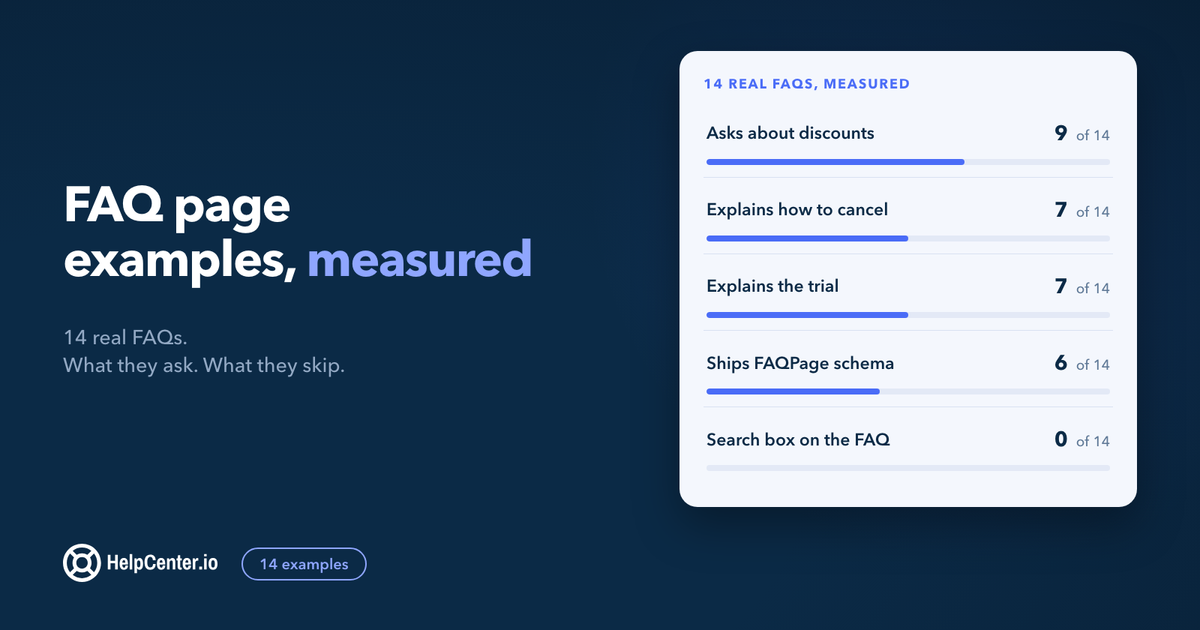
A good FAQ page answers the objection at the moment it forms, and the 14 real FAQs below (13 SaaS pricing pages and one bank) show you exactly how the best teams do it, question by question.
The short answer: the best FAQ pages are short (most of the 14 examples below have between 5 and 17 questions), open with the question that blocks the sale (what a seat, credit, or trial actually is), answer discounts and cancellation plainly, and end with one clear way to reach a person. Only 6 of the 14 mark their questions up with FAQPage structured data.
We opened each page in a browser on 30 September 2026, counted the questions in its FAQ, checked for FAQPage JSON-LD, and noted where the FAQ sends you when it runs out of answers. Every question quoted here is copied from the live page, and every screenshot is dated. We make FAQs.me, a free FAQ section builder, and HelpCenter.io, a help center; both come up once, near the end.
What do the best FAQ pages have in common?
Here is the measured table. "Exit" is what the FAQ offers when your question is not on the list.
| Page | Questions | First question | FAQPage JSON-LD | Exit at the end |
|---|---|---|---|---|
| Figma pricing | 11 | What is a seat? | Yes | "See more FAQs" link to a full pricing FAQ page |
| Stripe pricing | 5 | How are payment fees calculated? | Yes | "Contact sales" in the next section |
| Basecamp pricing | 8 | Can we upgrade, downgrade, switch packages, or cancel whenever we want? | No | None |
| Zapier pricing | 31, in 7 groups | Do I need to know how to code? | No | A "Sales and support" group |
| Buffer pricing | 13 | Does Buffer work for agencies or businesses managing multiple brands? | Yes | None |
| Notion pricing | 17 | How does Notion AI use my data? | No | "Still have more questions? Learn more in our help center." |
| Webflow pricing | 16, in 2 groups | What's the difference between a Workspace and a Site plan? | No | "Need help?" box linking the support portal |
| Fathom pricing | 9 | How does the 7-day trial work? | Yes | "Have another question?" as the last item |
| Raycast pricing | 10 | Why is Raycast free for personal use? | No | A form linked inside an answer |
| Framer pricing | 11 | What are credits? | No | "Please contact us" inside the answers |
| Loom pricing | 10 | Can I start a free trial of paid plans? | No | "Contact Sales" below the FAQ |
| Calendly pricing | 7 | What happens at the end of my trial? | Yes | None |
| 1Password pricing | 5 | Can I buy Unified Access as a platform or purchase individual products separately? | Yes | "Contact our sales team" inside the answers |
| Monzo FAQ page | 12 (one is a statement) | Is Monzo a bank? | No | "How do I complain?" as an item |
Read across the rows and four patterns stand out:
- They stay short. 13 of the 14 have 17 questions or fewer. Of the three longest lists, Zapier (31) and Webflow (16) split their questions into named groups, and Notion (17) points you to its help center.
- The first question defines the unit you pay for or the way you try it. Figma starts with the seat, Framer with credits, Webflow with Workspace versus Site plans. Fathom, Loom, and Calendly start with the trial.
- They answer the awkward money questions. 9 of the 14 have a question about discounts (students, schools, non-profits, education), 7 explain how to cancel or downgrade, and 7 explain how the trial works.
- Nobody puts a search box on the FAQ itself. None of the 14 has search inside the FAQ section. When the list gets long, they group it or send you to a help center instead.
Pricing page FAQ examples
Most SaaS FAQs live at the bottom of the pricing page, because that is where the last objections form. These are the ones worth borrowing from.
Figma: define the unit before anything else
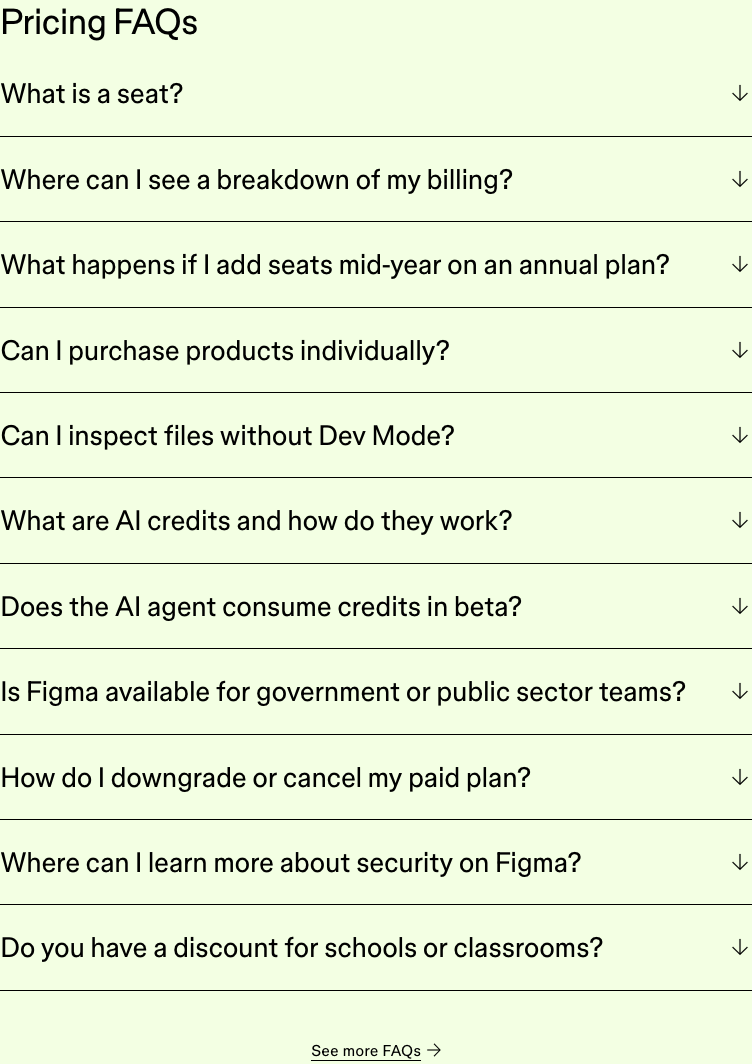
Figma's first question is "What is a seat?", and the next two follow the bill: "Where can I see a breakdown of my billing?" and "What happens if I add seats mid-year on an annual plan?". The FAQ answers the unit, then the invoice, then the surprise. It also ships all 11 questions as FAQPage JSON-LD and links "See more FAQs" to a separate pricing FAQ page for the long tail.
Borrow this: if your price has a unit (seat, credit, channel, workspace), your first question defines it.
Stripe: five questions, all about fees
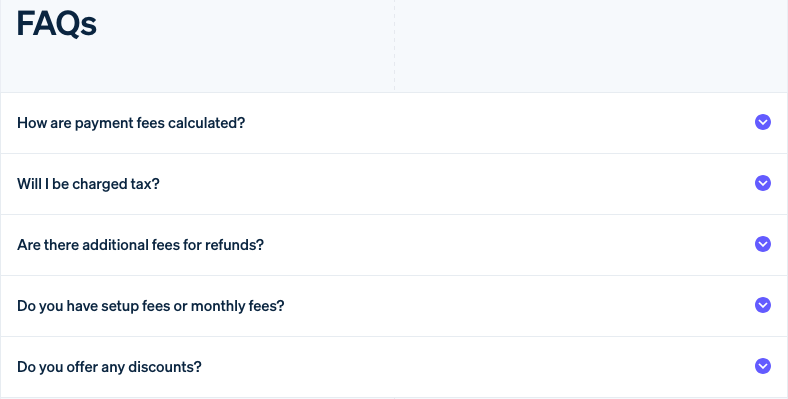
Stripe asks only five questions, and each is one a finance person would ask: "How are payment fees calculated?", "Will I be charged tax?", "Are there additional fees for refunds?", "Do you have setup fees or monthly fees?", and "Do you offer any discounts?". It is the shortest FAQ here and one of the most useful, because it covers the hidden costs and nothing else.
Borrow this: write for the person who signs off on the bill, not only the person who uses the product.
Basecamp: questions written the way customers say them
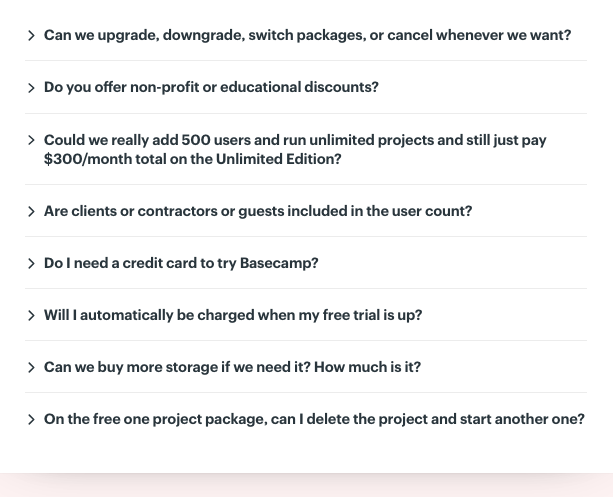
Basecamp's questions sound like a skeptical buyer on a call: "Could we really add 500 users and run unlimited projects and still just pay $300/month total on the Unlimited Edition?" That question does sales work. It restates the offer in the customer's disbelieving voice and then answers it. The same list covers "Do I need a credit card to try Basecamp?" and "Will I automatically be charged when my free trial is up?".
Where it is weaker: the FAQ ends with no way to ask anything else, and there is no FAQPage markup.
Borrow this: phrase the question the way a doubtful customer would, including the doubt.
Buffer: say what counts
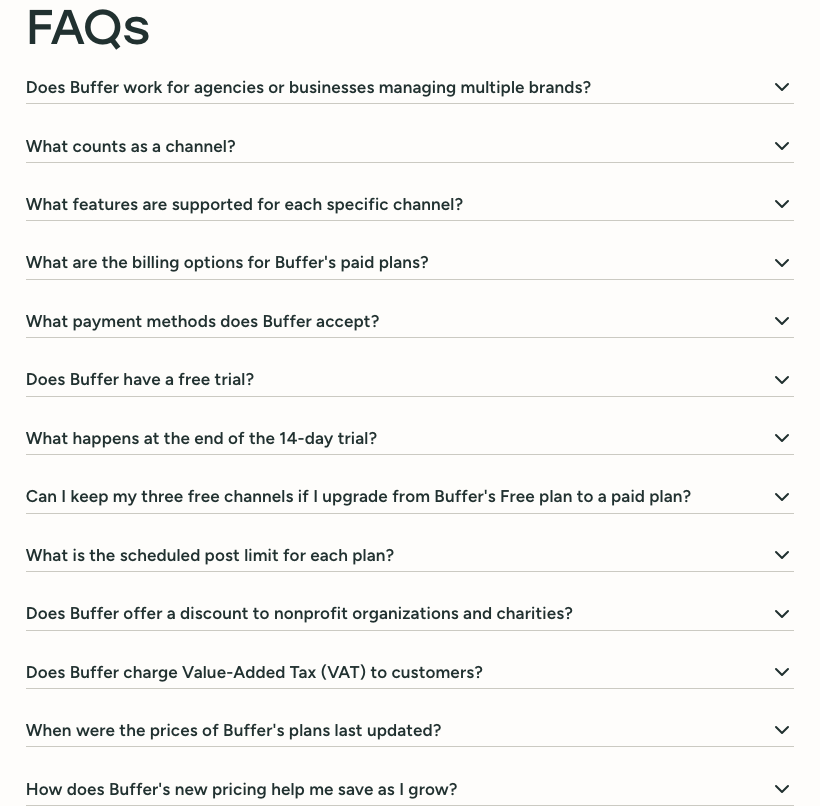
Buffer charges per channel, so its second question is "What counts as a channel?". It also asks a question almost nobody else does: "When were the prices of Buffer's plans last updated?". For a returning visitor who remembers an old price, that one question prevents a support ticket.
Borrow this: if you have changed prices, say when. It is cheaper than explaining it one email at a time.
Fathom: the trial first, the exit last
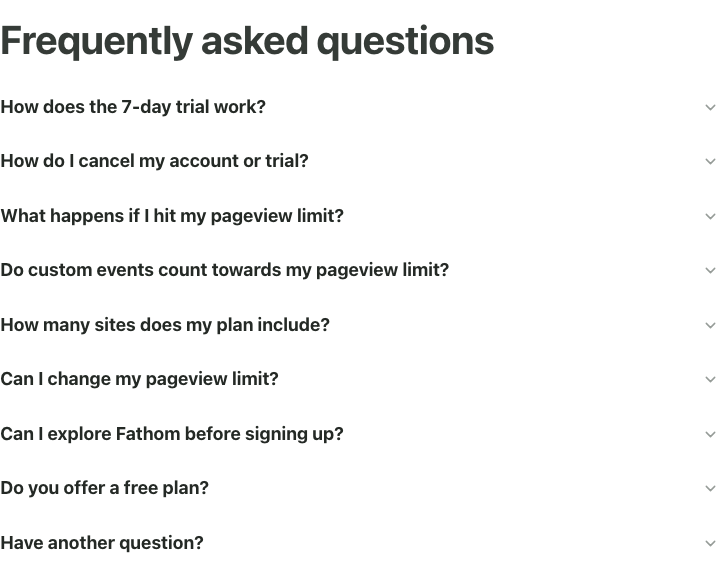
Fathom opens with "How does the 7-day trial work?" and follows with "How do I cancel my account or trial?". Those are the two questions standing between a visitor and a signup, answered before anything about features. The last item is "Have another question?", so the way out is part of the list itself, where a reader who got to the end is already looking.
Borrow this: make the last item of your FAQ the way to ask a person.
Calendly: seven questions, all about the decision
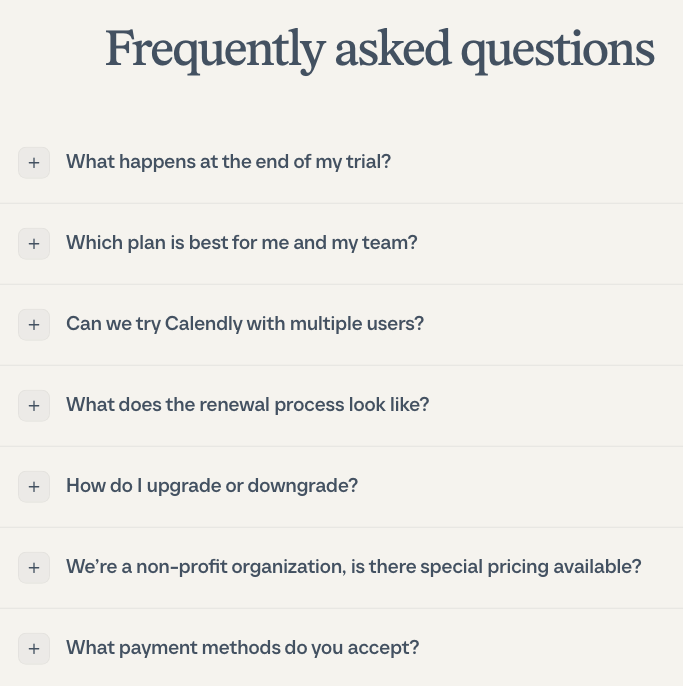
Calendly's seven questions follow the buyer's path in order: the trial ("What happens at the end of my trial?"), the plan ("Which plan is best for me and my team?"), the team test ("Can we try Calendly with multiple users?"), then renewal, upgrades, non-profit pricing, and payment. All seven are in FAQPage JSON-LD.
Borrow this: order your questions the way a buyer makes the decision.
Framer: an open list instead of an accordion
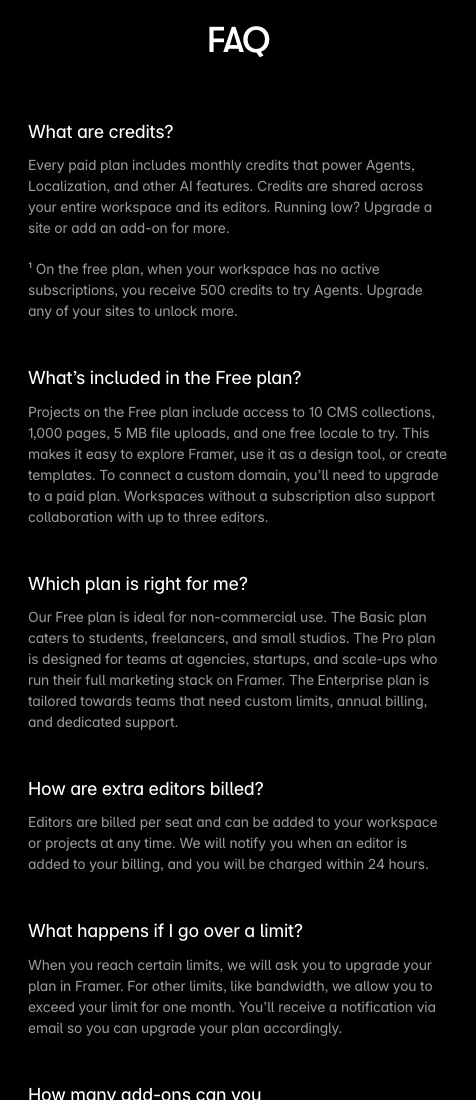
Framer shows every answer at once, no clicking. "What are credits?" comes first, then "What's included in the Free plan?" and "Which plan is right for me?". Open lists are easier to skim and to search with the browser's find, at the cost of a long page. Framer's answers are short enough to carry it, and they link "Please contact us" where a question needs a person.
Borrow this: if your answers are two or three sentences, consider skipping the accordion.
Loom: answer the question your packaging creates
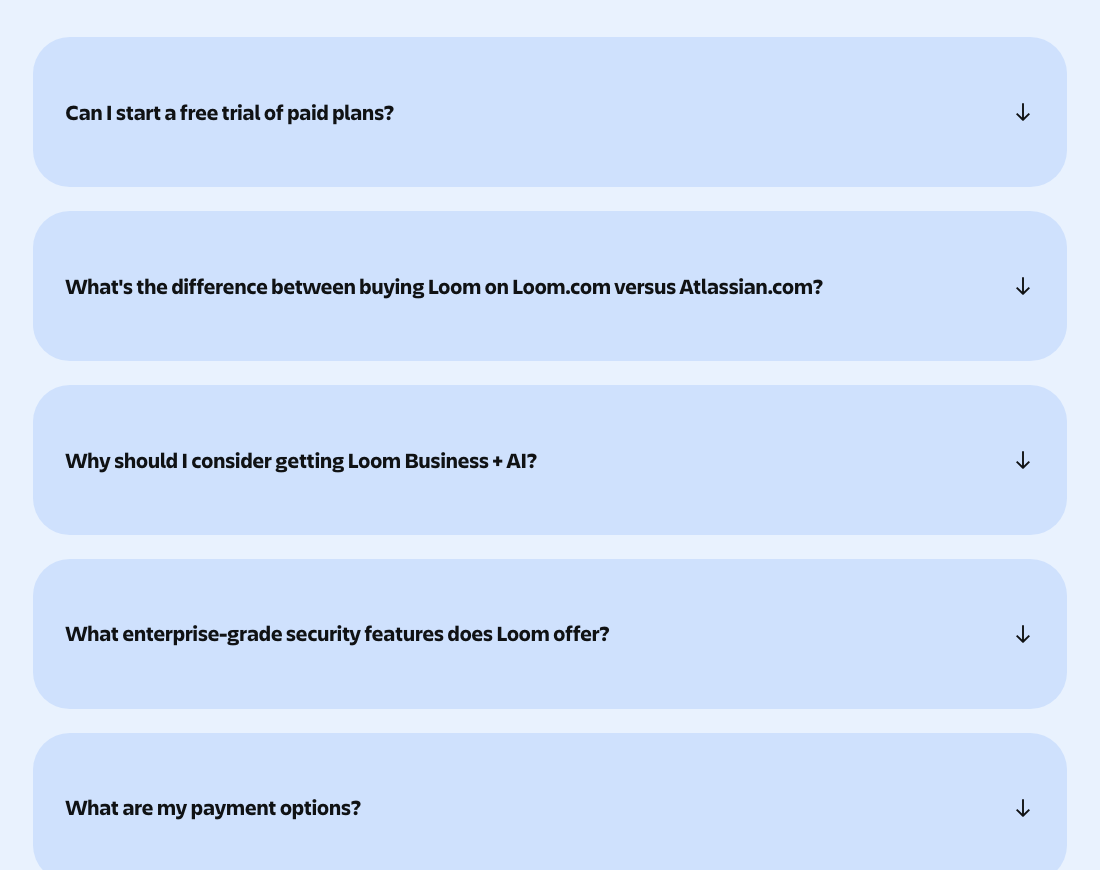
Loom's second question is "What's the difference between buying Loom on Loom.com versus Atlassian.com?". It exists because Loom can be bought in two places, and a buyer who notices will stop and wonder. Answering it on the pricing page keeps that buyer moving.
Borrow this: any time your packaging is unusual (two stores, two plan types, a bundle), put the explanation in the FAQ.
Raycast and 1Password: the questions a company buyer asks
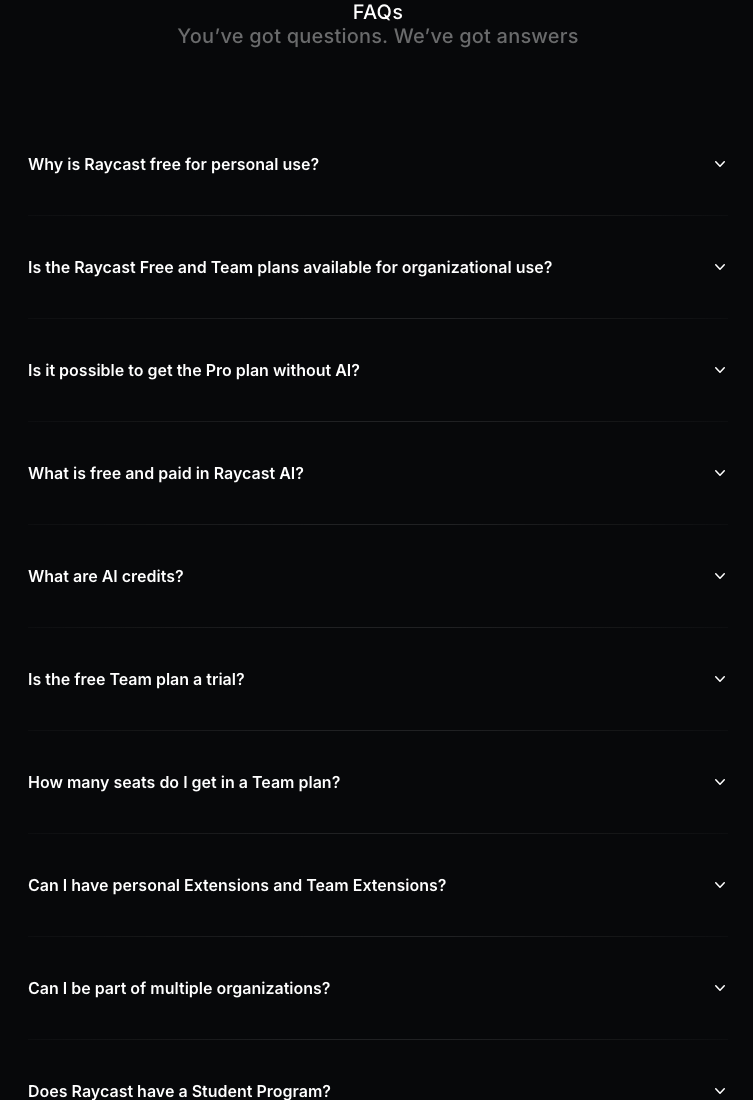
Raycast is free for individuals, so its FAQ deals with the doubt that creates: "Why is Raycast free for personal use?" and "Is the Raycast Free and Team plans available for organizational use?". It also answers "Is it possible to get the Pro plan without AI?", a question more pricing pages with AI add-ons should ask themselves.
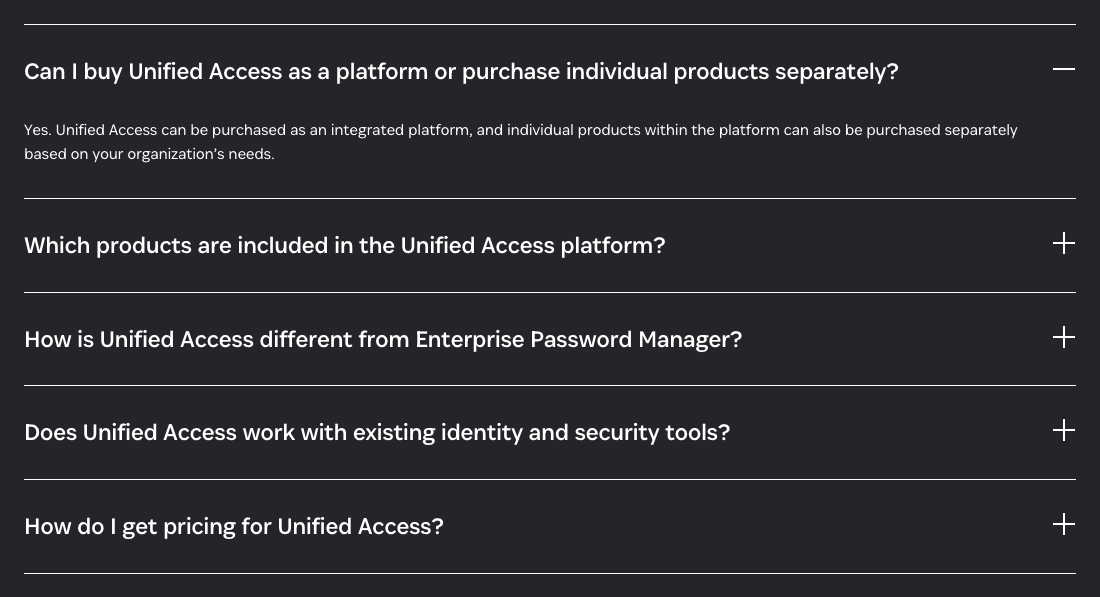
1Password's five questions are all for a security team evaluating a platform, ending with "How do I get pricing for Unified Access?". When the answer is to talk to sales, 1Password says so in the FAQ and links "Contact our sales team" right there.
Borrow this: if a plan has no public price, say so in the FAQ and put the contact link inside the answer.
Large FAQ examples: when you have more than 15 questions
Zapier: group by topic
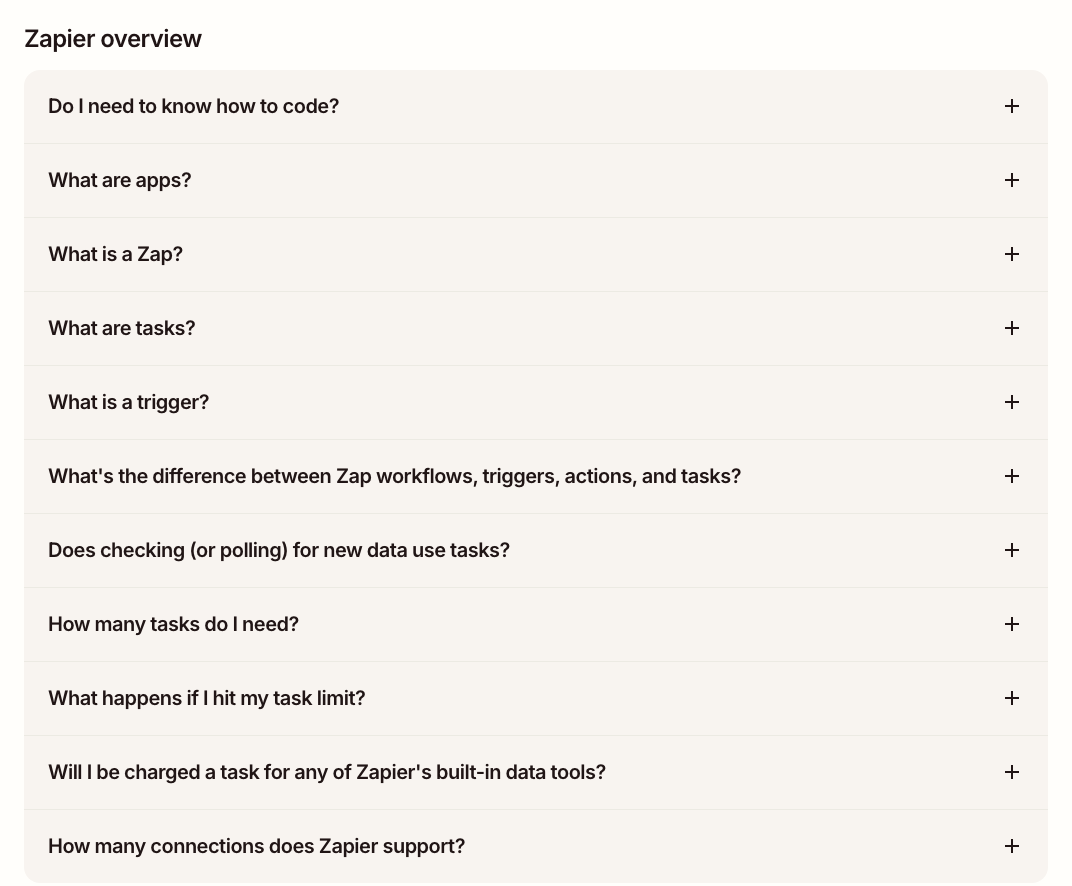
Zapier has 31 questions in seven groups: Zapier overview, Tables, Forms, MCP, SDK, Plans and payment, and Sales and support. The first group teaches the vocabulary a new user needs to read a pricing table at all ("What is a Zap?", "What are tasks?", "What is a trigger?"), before any money question appears.
Borrow this: when a list passes 15 questions, split it by topic and teach the vocabulary first.
Webflow: two groups and a help box
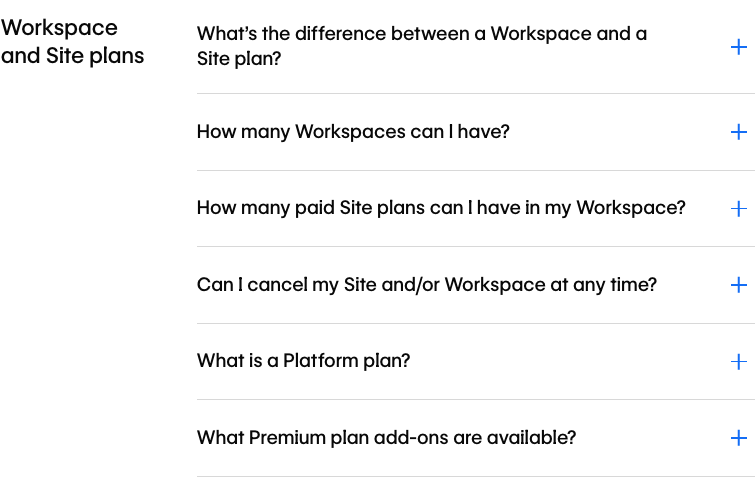
Webflow sells two kinds of plan, so the first group is "Workspace and Site plans" and its first question is "What's the difference between a Workspace and a Site plan?". A second group covers capabilities and support. The FAQ closes with a "Need help?" box that links an explainer article and the support portal.
Notion: a long list with a way out
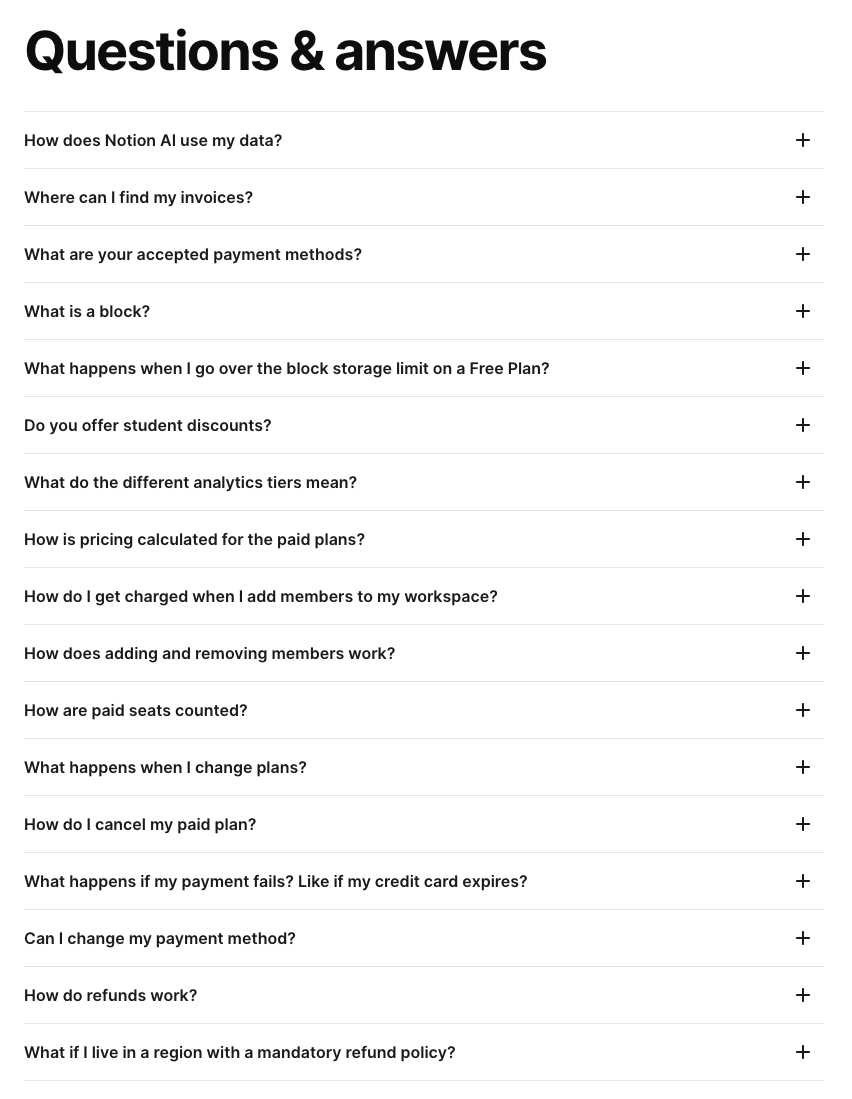
Notion's 17 questions start with "How does Notion AI use my data?", a sign of what its buyers worry about first. The list ends with "Still have more questions? Learn more in our help center.", which is the right exit for a product with a big help center behind it.
A standalone FAQ page example: Monzo
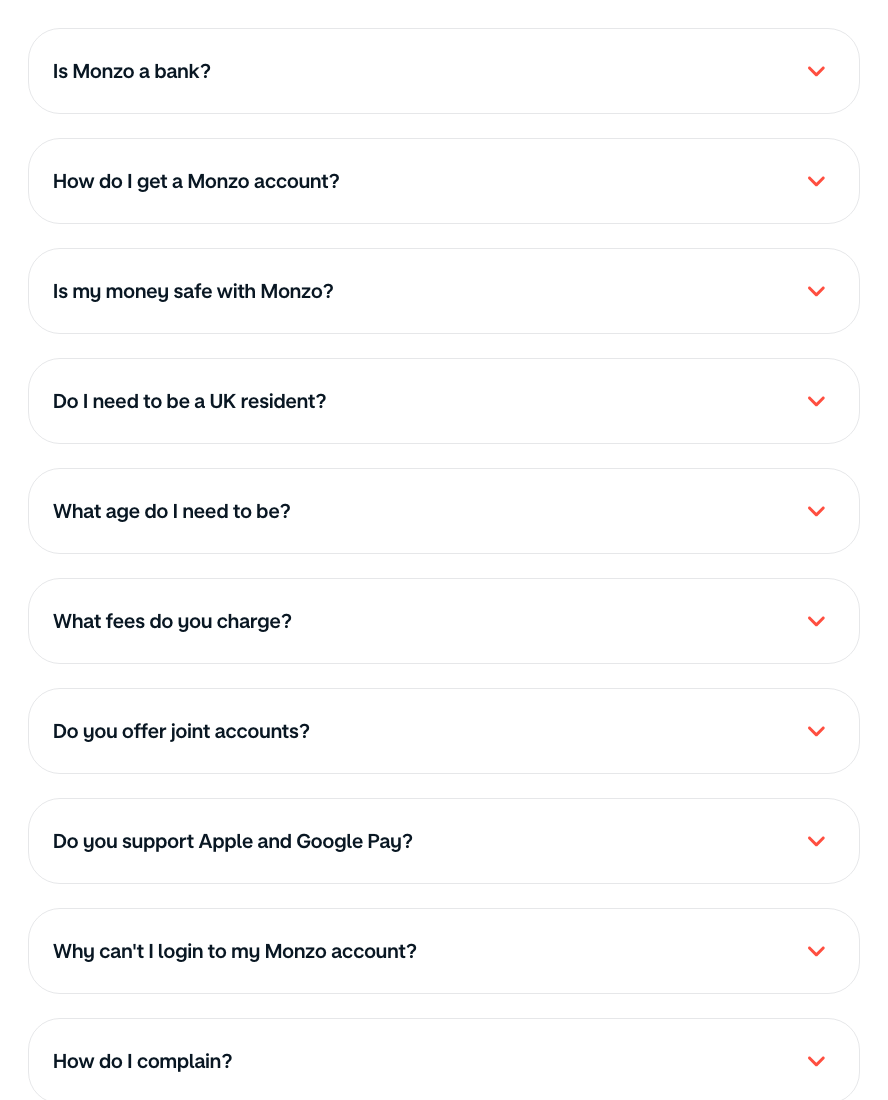
Monzo is a bank, not a SaaS company, but its /faq page is a clean example of a standalone FAQ. It opens with the trust question, "Is Monzo a bank?", then "Is my money safe with Monzo?", and it does not hide the hard ones: "How do I complain?" and "What do I do if someone's died?" are on the same list.
A standalone page like this works while the list stays around a dozen questions. Once customers need step-by-step answers, screenshots, or answers per feature, an FAQ page turns into a help center. That is the point to move the answers into a searchable knowledge base, which is what HelpCenter.io, which we make, is for.
FAQ page design: what the layouts share
- Accordion by default. 13 of the 14 collapse their answers. Framer is the exception, and its open list works because every answer is short.
- Questions in the customer's words. "Could we really add 500 users…" (Basecamp) and "What happens if I go over a limit?" (Framer) read like a support inbox, not a brochure.
- One column of questions, generous spacing. Monzo and Loom use large tappable cards; Stripe and Buffer use thin rows. Both work because nothing else competes for attention in the section.
- Groups, not search. For long lists the examples group questions by topic. Search belongs in a help center, where there are enough answers to search.
- One exit. The strongest FAQs end with a single next step: a help center (Notion), a support portal (Webflow), or the last item of the list (Fathom).
Does FAQ schema still matter?
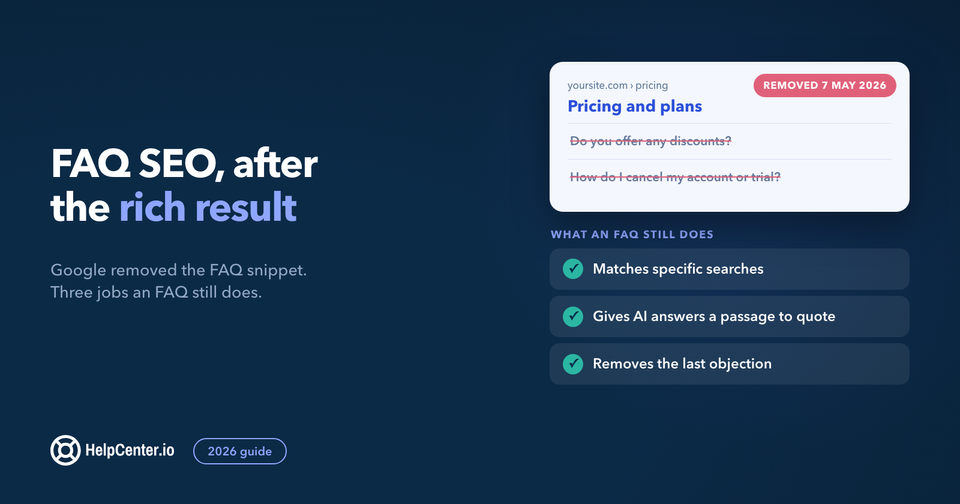
For Google rich results, no. In August 2023 Google announced that "FAQ (from FAQPage structured data) rich results will only be shown for well-known, authoritative government and health websites" (Google Search Central), and in May 2026 it went further: the FAQ rich result "will no longer appear in Google Search starting May 7, 2026" (Google Search changelog). No site gets the expandable FAQ snippet any more.
What an FAQ still does for search now, and where to put one, is the subject of our FAQ SEO guide: the removal timeline in Google's own words, how to write answers that get quoted, and whether to keep the markup.
It is optional now, and cheap to keep. The markup states plainly which text is a question and which is its answer for any parser that reads it, though Google says structured data "isn't required for generative AI search". If your FAQ tool generates it with the section, it costs nothing and there is no need to strip it out. Six of the 14 examples ship it: Figma, Stripe, Buffer, Fathom, Calendly, and 1Password.
Build your own FAQ section
You can have an FAQ section like these on your site in about two minutes. FAQs.me, which we make, is free: pick one of its 27 templates (accordions, cards, a searchable list, category tabs), type your questions or let it draft them from your site, and copy one self-contained snippet with FAQPage JSON-LD built in. No account and no watermark. The AI drafting is free while FAQs.me is in beta.
If you would rather start from raw HTML, our five FAQ section templates are free to copy. If your FAQ answers already live in a help center, HelpCenter.io's Dynamic FAQ sections embed them on your pricing page and keep them in sync with your help center, so an answer you fix once is fixed everywhere. For picking a tool, see our roundup of FAQ software.
FAQ
What does a good FAQ page look like?
A good FAQ page has a short list of questions written in the customer's words, answers of two or three sentences, the most important objection first, and one clear way to reach a person at the end. The 14 examples above have between 5 and 31 questions each.
How many questions should an FAQ page have?
Most of the examples here have between 5 and 17 questions. Past about 15, the better examples split questions into named groups, as Zapier and Webflow do, or link to a help center for the rest.
Should an FAQ page have a search bar?
Usually not. None of the 14 examples puts a search box on the FAQ itself. A short list is faster to scan than to search; once you need search, you need a help center.
Do FAQ pages help SEO?
They help when they answer questions people actually search for, in plain text on the page. Google stopped showing FAQ rich results for every site on 7 May 2026, so FAQPage markup no longer wins a rich snippet anywhere. It still labels your questions and answers clearly for any parser that reads it, and it does no harm.