The Best FAQ Software in 2026: 10 Tools Compared
Ten FAQ tools, grouped by the three different jobs teams call FAQ software, with entry prices read off each vendor's own pricing page and the AI billing comparison nobody publishes.
"FAQ software" is three different products wearing one label, and picking the wrong one is how teams end up paying per support agent for a page that answers eight questions.
Some tools give you a self-contained FAQ block you paste into a marketing page. Some give you a full branded help center where the FAQ is one view of a larger article library. Some are support desks where the FAQ exists mainly to feed a chatbot. All three show up on the same search results page, and their prices differ by a factor of fifty.
Below are ten tools, grouped by which of those three jobs they actually do, with prices read off each vendor's own pricing page on 19 August 2026. Two of them are ours: HelpCenter.io, and the free FAQ builder FAQs.me. They are on the list because they fit the categories, and the entries say where they stop as well as what they do.
Three jobs people call "FAQ software"
Job one: a FAQ section on a page you already have. You have a pricing page, a checkout, a landing page. Customers hesitate at a known set of questions and you want the answers there, collapsible, on brand, without a support platform behind them. This needs a builder, not a platform.
Job two: a customer-facing help center where the FAQ is the front door. You have more than a handful of answers, more than one person writing them, and you want them searchable, on your own domain, indexable by Google. The FAQ is a view into a library that keeps growing.
Job three: an FAQ inside a support desk. You already run ticketing, and you want deflection: articles the widget and the AI agent can quote before a ticket is opened. Here the FAQ is a feature of a bigger invoice, and the question is what the rest of that invoice costs.
Work out which job you are hiring for before you compare prices, because job one has genuinely free answers and job three starts at roughly $50 per agent per month.
The ten tools at a glance
| Tool | Job it fits | Starting price | Pricing model | Free option |
|---|---|---|---|---|
| FAQs.me | 1 (FAQ block) | Free | No account, no tiers | Yes, in full |
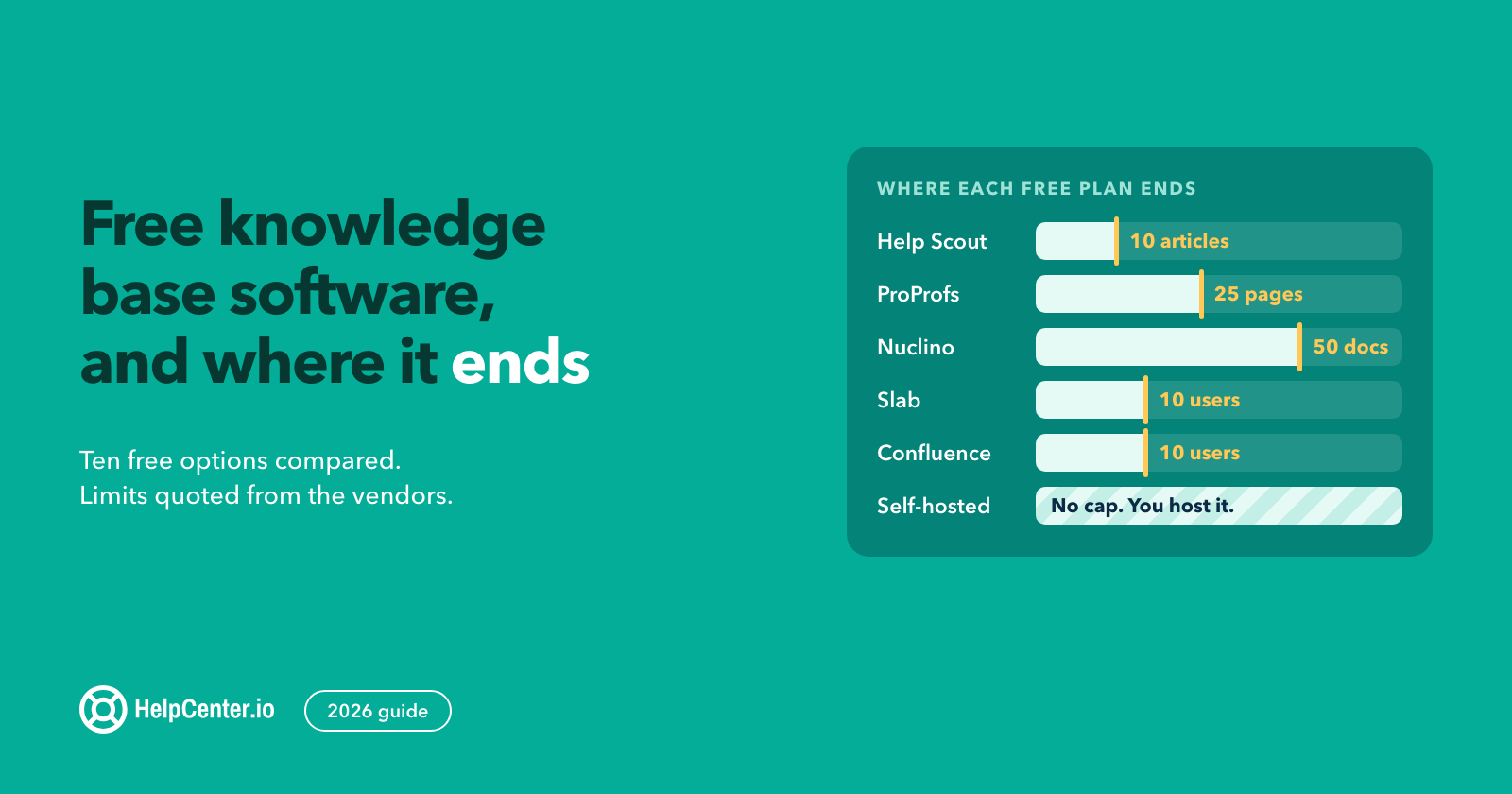
| ProProfs Knowledge Base | 1 and 2 | $49 per author/mo | Per author | Yes, 1 author and 25 pages |
| Help Scout | 2 and 3 | $25 per user/mo | Per user | Yes, 5 users and 1 Docs site |
| HelpCenter.io | 2 | $19/mo (Basic, billed annually) | Flat, per help center | 14-day trial, no free tier |
| HelpDocs | 2 | $99/mo billed annually ($129 monthly) | Flat, 5 editors included | Trial only |
| Document360 | 2 | Quote only | Not published | Trial only |
| Zendesk | 3 | $55 per agent/mo (Suite Team, yearly) | Per agent | Trial only |
| Freshdesk | 3 | $19 per agent/mo (Growth, annual) | Per agent | Trial only |
| Intercom | 3 | $29 per seat/mo plus AI usage | Per seat plus per outcome | Trial only |
| Crisp | 3 | $45/mo (Mini), knowledge base on Essentials at $95/mo | Flat, per workspace | Yes, 2 seats |
Entry prices read from each vendor's public pricing page on 19 August 2026. Annual and monthly rates differ on most of them; the billing term is named in each row.
Job one: you need a FAQ section, not a platform
FAQs.me
A free FAQ builder that outputs one self-contained HTML snippet. You pick a template, edit the questions in the browser, copy the code, paste it into your page. No account, no script loading from someone else's server, no watermark. It will also draft a first pass of your FAQs from your site's URL, which is free while it is in beta.
The tradeoff is exactly what you would expect from a snippet: the answers live in your page's markup, so updating them means editing the page, and there is no search, no analytics, and no shared library. For a pricing page with a dozen questions that change twice a year, that is the right amount of machinery. For sixty answers used in four places, it is not. This is our tool, and we wrote about why we built it rather than making it a paid tier.
ProProfs Knowledge Base
ProProfs sits between the two jobs. Its free plan gives one author and up to 25 pages, which is a genuine free tier rather than a trial, and it is the only tool here besides ours that lets you publish a customer-facing FAQ without paying. Paid plans start at $49 per author per month on the Essentials tier, rising to $69 and $79 per author for teams that need workflows or an AI chatbot. A custom domain and white labelling are a separate $300 per year.
Per-author pricing is the thing to watch. Two writers on Essentials is $98 a month, which is more than most flat-priced help centers cost for unlimited editors.
Job two: a help center where the FAQ is one view
HelpCenter.io
Our own product, so read this with that in mind. HelpCenter.io is a hosted help center: articles, categories, search, your domain, plus dynamic FAQ sections that pull answers from the same library and embed them anywhere on your site. The point of that last part is reuse. You write the refund policy once, and the pricing page, the checkout, and the help center all show the same answer, so it cannot go stale in one place and not the others. That is the dynamic FAQ part of the product.
Pricing is flat per help center rather than per agent or per author. The public pricing table starts at Bootstrap, $29 a month billed annually ($39 monthly) with a custom domain; Growth is $119 for up to ten team members and multiple languages; Catalyst is $179 for unlimited team members. Below those sits Basic at $19 billed annually, which the table does not list: a helpcenter.io subdomain, one team member, up to 100 articles. There is a 14-day trial and no free tier, which is the honest gap against ProProfs and Help Scout. Full details are on our pricing page.
Where it stops: it is not a ticketing system. There is no queue, no routing, no SLAs. Teams that need those run HelpCenter.io as the self-service layer in front of a desk they keep, which is the same position we take on our Zendesk alternative page.
HelpDocs
A polished, developer-friendly knowledge base with strong theming and templating. Sprout is $99 a month billed annually ($129 monthly) and includes five editors and 1,000 AI credits; Bloom is $239 annually with fifteen editors; Harvest is $399 with twenty-five. Extra editors on Harvest are $25 each per month, and viewers are unlimited and free on every plan.
The AI credit model is the thing to model before you commit. Credits are consumed by AI features rather than bought as a flat add-on, so a busy help center's AI bill scales with use. We go through the differences in more detail on our HelpDocs comparison.
Document360
The most documentation-oriented tool on this list: workflows, versioning, reviewer roles, API docs, PDF export. If you are staffing a technical writing function, it is built for you.
Its pricing page publishes no numbers at all. The page is titled "Get a custom plan tailored to your needs" and every plan routes to a quote, and the free tier it used to offer is gone. For a small team trying to compare five tools in an afternoon, an unpriced product is effectively an unanswered question, which is the case we make on our Document360 comparison.
Job three: an FAQ inside a support desk
Zendesk
The default enterprise answer, and a genuinely capable one. The detail that catches people out is where the customer-facing help center sits: it ships with the Suite plans, which start at $55 per agent per month billed yearly, not with the cheaper Support plans that start at $19 per agent and are ticketing. Suite Professional is $115 per agent, and the Copilot AI assistant is a further $50 per agent per month.
So a five-person team that mainly wants a published FAQ is looking at $275 a month before AI. That is not Zendesk being overpriced; it is a suite doing suite things. It is worth knowing before you shortlist it. If you are weighing the swap, we cover it at length on our Zendesk alternatives page, and separately on how to move a help center off Zendesk without losing your rankings.
Freshdesk
The closest like-for-like to Zendesk at a lower entry price. Growth is $19 per agent per month billed annually and includes the customer portal and knowledge base, which is the cheapest route to a desk-plus-FAQ combination here. Pro is $55 and Enterprise is $89. Freddy AI Copilot is $29 per agent per month, and extra AI agent sessions are $49 per 100 after the first 500.
One correction worth making: Freshworks' public pricing page no longer lists the free plan Freshdesk used to be known for. Today it shows three paid tiers and a 14-day trial. If a comparison article tells you Freshdesk is free for two agents, check the date on it.
Intercom
Messaging-led support with the Fin AI agent answering from your help center content. Essential is $29 per seat per month, Advanced is $85, Expert is $132, and Fin is billed at $0.99 per outcome on top of seats. The multilingual help center is an Advanced feature.
The per-outcome model is the part to model honestly. A thousand resolved questions a month is $990 in Fin charges regardless of how many seats you have, which can be excellent value against hiring, or a surprise, depending on your volume. Our Intercom comparison goes through what that means for a content-first team.
Crisp
A chat-led SMB suite with the one pricing model on this list that is neither per agent nor per author: a flat price per workspace. Free covers two seats, Mini is $45 a month for four, Essentials is $95 for ten, and Plus is $295. The knowledge base arrives with Essentials rather than Mini, so the flat price that makes Crisp attractive is $95 rather than $45 once a help center is part of what you need.
Help Scout
Worth naming here even though it straddles jobs two and three. Standard is $25 per user per month, Plus is $45, Pro is $75, and the free plan is real: five users, one inbox, one Docs site. Docs is the knowledge base, and additional Docs sites are $20 a month each.
Its AI answers are billed at $0.75 per resolution on every tier, which is the clearest AI pricing on this list. See our Help Scout comparison for where the Docs side stops.
The comparison nobody publishes: how the AI is billed
Every tool here now answers questions with AI. The interesting difference is not quality, which changes monthly, but the shape of the bill, because that is what determines whether success is affordable. The other difference worth checking is what each tool is allowed to answer from, which we compared across nine platforms from their own documentation.
| Tool | How AI answering is charged |
|---|---|
| Intercom | $0.99 per Fin outcome, on top of seats |
| Help Scout | $0.75 per AI resolution, on every plan |
| Freshdesk | 500 sessions included, then $49 per 100 sessions |
| Zendesk | Copilot at $50 per agent/mo, AI agents billed per automated resolution |
| HelpDocs | AI credits bundled per plan (1,000 to 10,000 per month) |
| ProProfs | AI chatbot on the top tier, $79 per author/mo |
| HelpCenter.io | $29/mo add-on, or included on Catalyst; no per-answer fee |
Read as two families: usage-based, where every answered question has a unit cost, and included, where it does not.
Usage pricing is fair, and for a team replacing headcount it can be obviously worth it. It also means the better your FAQ gets, the more you pay, which is an odd incentive to sign up for if deflection is the entire point. Model your real volume against both shapes before you decide which you prefer.
What to check before you buy
Where the answers live. If answers live inside a page's markup, updating them is a code change. If they live in a library that pages pull from, one edit updates every surface. This is the single biggest practical difference between a builder and a platform, and it is invisible in a feature list.
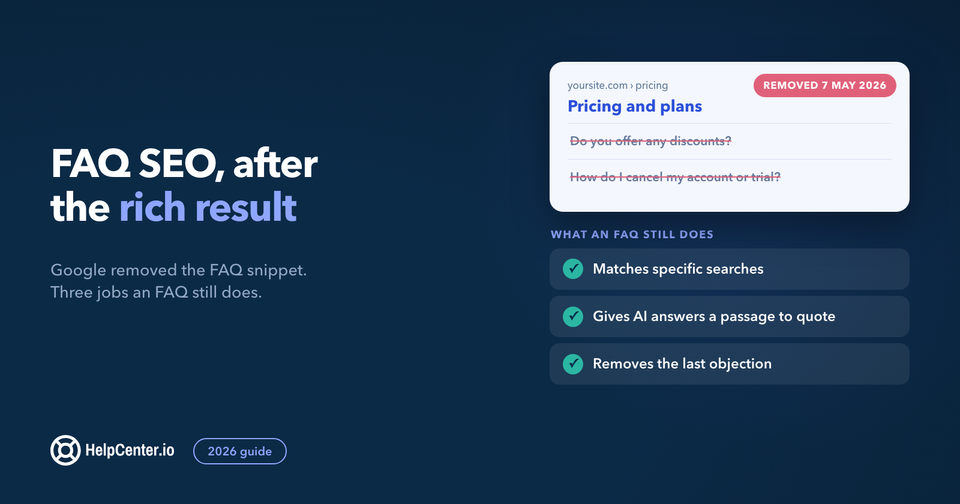
Whether it emits FAQPage markup. Google stopped showing FAQ rich results on 7 May 2026, so this is now a nice-to-have: the markup labels each question and answer for any parser that reads it, and it does no harm. If you want it, ask specifically; "SEO friendly" in a feature grid does not mean schema is emitted.
Search, at your real size. Every tool demos well with twelve articles. Ask what search does at three hundred, whether it handles synonyms, and whether you can see what people searched for and found nothing.
Who is allowed to edit. Per-author and per-agent pricing quietly decides who can fix a typo. If your support lead has to ask an admin to publish, answers go stale. Flat pricing with unlimited editors removes that friction; per-seat pricing prices it.
What happens to the content if you leave. Export format, URL structure, and whether redirects are possible. Answer this on day one, not the day you migrate.
Picking one
If you need a FAQ block on a marketing page and nothing more, use a free builder and spend the time on the answers instead. If you need a searchable, branded help center that several people maintain, buy a flat-priced platform and check whether it reuses answers across your site. If you already run a support desk and want deflection, the FAQ is bundled with the desk you are already paying for, and your real decision is which AI billing model you want to live with.
The tool matters less than the writing. A tidy FAQ built from real ticket volume beats a beautiful help center full of invented questions, every time. If you are still assembling the answers themselves, our free FAQ templates are a faster starting point, and the wider knowledge base software comparison covers the platforms in this list against tools built for documentation rather than FAQs.
To see how real teams write theirs, we measured 14 FAQ page examples from Figma, Stripe, Basecamp, Zapier and others: how many questions each asks, which question comes first, and which ones ship FAQPage markup.
Frequently asked questions
What is FAQ software?
FAQ software is any tool that publishes and maintains a set of questions and answers for customers. In practice the label covers three product types: standalone builders that output an embeddable FAQ section, help center platforms where the FAQ is one view of an article library, and support desks that include a knowledge base for ticket deflection.
Is there genuinely free FAQ software?
Yes. FAQs.me is free with no account and no watermark, ProProfs offers a free plan for one author and up to 25 pages, Help Scout's free plan includes one Docs site for five users, and Crisp's free tier covers two seats. Most other vendors on this list offer a trial rather than a free plan.
Do I need FAQ software or a knowledge base?
Count your answers and count your editors. Under roughly twenty answers maintained by one person, a FAQ builder is enough and faster. Above that, or with several editors, or when the same answer appears in more than one place, a knowledge base that reuses answers saves more time than it costs.
Does FAQ software help with SEO and AI search?
It can, if it gives each answer a crawlable URL in plain text and lets you publish on your own domain. Answers buried in JavaScript widgets on a third-party subdomain earn far less. FAQPage structured data is optional now, since Google stopped showing FAQ rich results on 7 May 2026. Ask about custom domains and crawlable answers specifically before you buy.
How much should FAQ software cost?
For a FAQ section on a page, nothing. For a maintained help center, expect $19 to $99 a month flat, or $25 to $50 per editor per month on per-seat pricing. Desk-bundled knowledge bases start around $19 to $55 per agent per month, which is the most expensive route if the FAQ is all you actually wanted.