Here's how to vibe-code your own help center with Claude
Turn a Notion export, PDFs, slides and video transcripts into a branded, searchable help center with Claude and the free Compass template, then publish it on your own domain. Ten steps with the prompts to paste, what to check, what it costs to start and what our test got wrong.
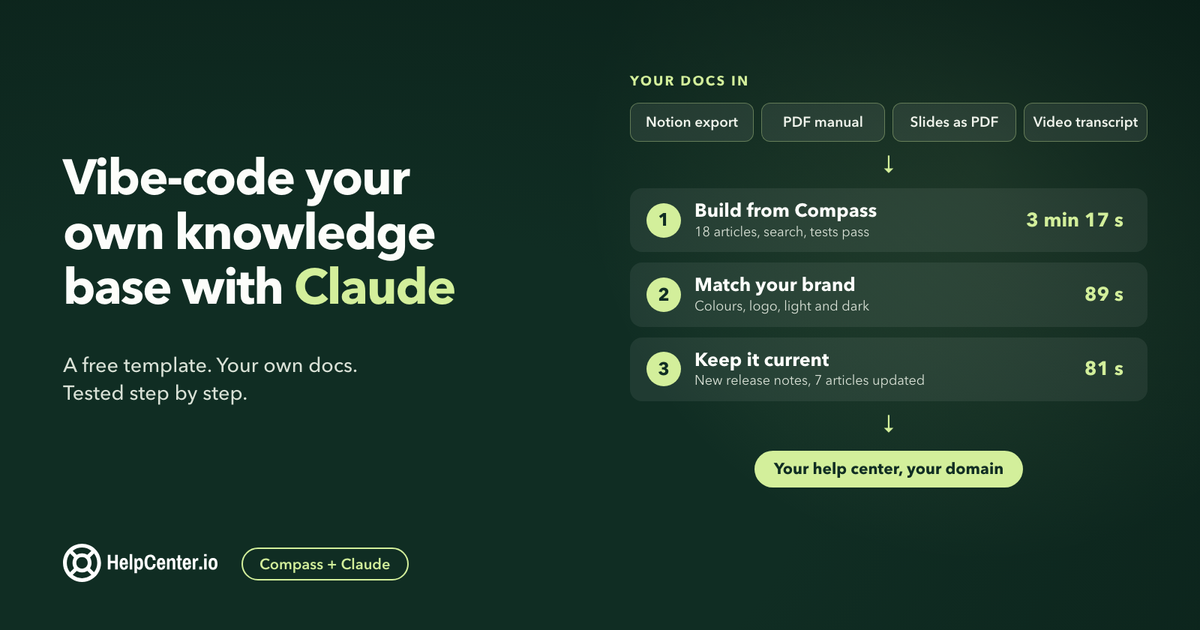
This guide shows you how to turn a Notion export, PDFs, slides and video transcripts into a branded, searchable help center with Claude, without writing code, and how to put it on your own domain.
Cambridge Dictionary defines vibe coding as computer coding done with the help of artificial intelligence, using natural language to give instructions. Ours is narrower: you give Claude the free template Compass by knowledgebase.dev and your documents, describe what you want in plain words, and check what it builds.
In our test of a fictional company, one pasted prompt built a 26-page site, before any branding, in 3 minutes 17 seconds. A second prompt applied the brand in under 90 seconds.
We make Compass and HelpCenter.io, so we ran this on our own template and tell you where it falls short. We ran the build, brand, checklist and update prompts with Claude Code on invented documents for a fictional company, Lumaroo, and did not put the site online. How we tested this lists exactly what we ran and what we did not.
The template is free, but Claude Code (the part of the Claude app that edits files on your computer) needs a paid Claude plan: Pro is $17 a month billed annually, or $20 billed monthly. Waiting for Claude takes minutes. Your time goes on gathering documents, deciding which of two conflicting numbers is right, and checking the result.
Before you start: what you need and what it costs
- A computer. The Claude desktop app comes as a universal build for macOS, an installer for Windows and a Linux beta.
- A paid Claude plan. Claude Code requires a Pro, Max, Team or Enterprise subscription, and the plan comparison shows Claude Code as "No" on Free.
- Your documents.
- Node.js, the program that runs the template's build (the step that turns your articles into web pages). Claude checks for it in Step 2.
- A domain you control, and someone who can edit its DNS settings (DNS is the address book that points your domain at a host). You need them once, in Step 8.
| Item | What it costs |
|---|---|
| Claude Pro, for the build | $20 billed monthly, or $17 a month billed annually ($200 up front) |
| Compass, the template | $0 |
| Hosting | $0 only if the host's terms allow a company site. Paid plans cost more |
| Your domain | Cost depends on your registrar |
Company use
Pro and Max are consumer plans. Anthropic's Consumer Terms (effective October 8, 2025) contain a sentence under the heading "Non-commercial use only" saying you agree not to use the Services for any commercial or business purposes. The version we read is the one for consumers resident in the European Economic Area or Switzerland, so check the terms shown to you.
Anthropic's pricing page lists a Team plan for teams of 2 to 150, with a Standard seat at $20 per seat per month billed annually, or $25 billed monthly. Ask Anthropic, or whoever approves software at your company, which plan covers business use.
Who this route suits
This route fits when the site is public and in English, and when you or one or two people can maintain it. Compass is a static site (a folder of finished web pages), not a CMS (a content management system with a login and an editor screen).
A managed tool fits better when several people edit with their own permissions, you need more than one language, analytics or AI answers, some content must be private or behind a login, or you would rather not own hosting, domain, updates and review. To compare tools, see our guide to free knowledge base software.
Why start from a template instead of a blank prompt
We did not run a blank-page build, so this is not a measured comparison. Astro's own guide to building with AI says to start from an existing template rather than from scratch, and warns that AI makes mistakes.
| What you would otherwise have to ask for | What Compass already ships |
|---|---|
| A page structure | 20 pages: a home page, a search page, 6 topic pages and 12 example articles |
| Article formats | Six blueprints: how-tos, troubleshooting, FAQs, billing, integrations and product changes |
| Search | Search that runs in the browser |
| A look | Three palettes (pine, ocean, violet), light and dark modes, responsive layouts and print styles |
| Accessibility | A 3 px keyboard focus outline and a reduced-motion rule |
| A launch process | A launch checklist, an agency handoff document and CSVs for audits, redirects and translations |
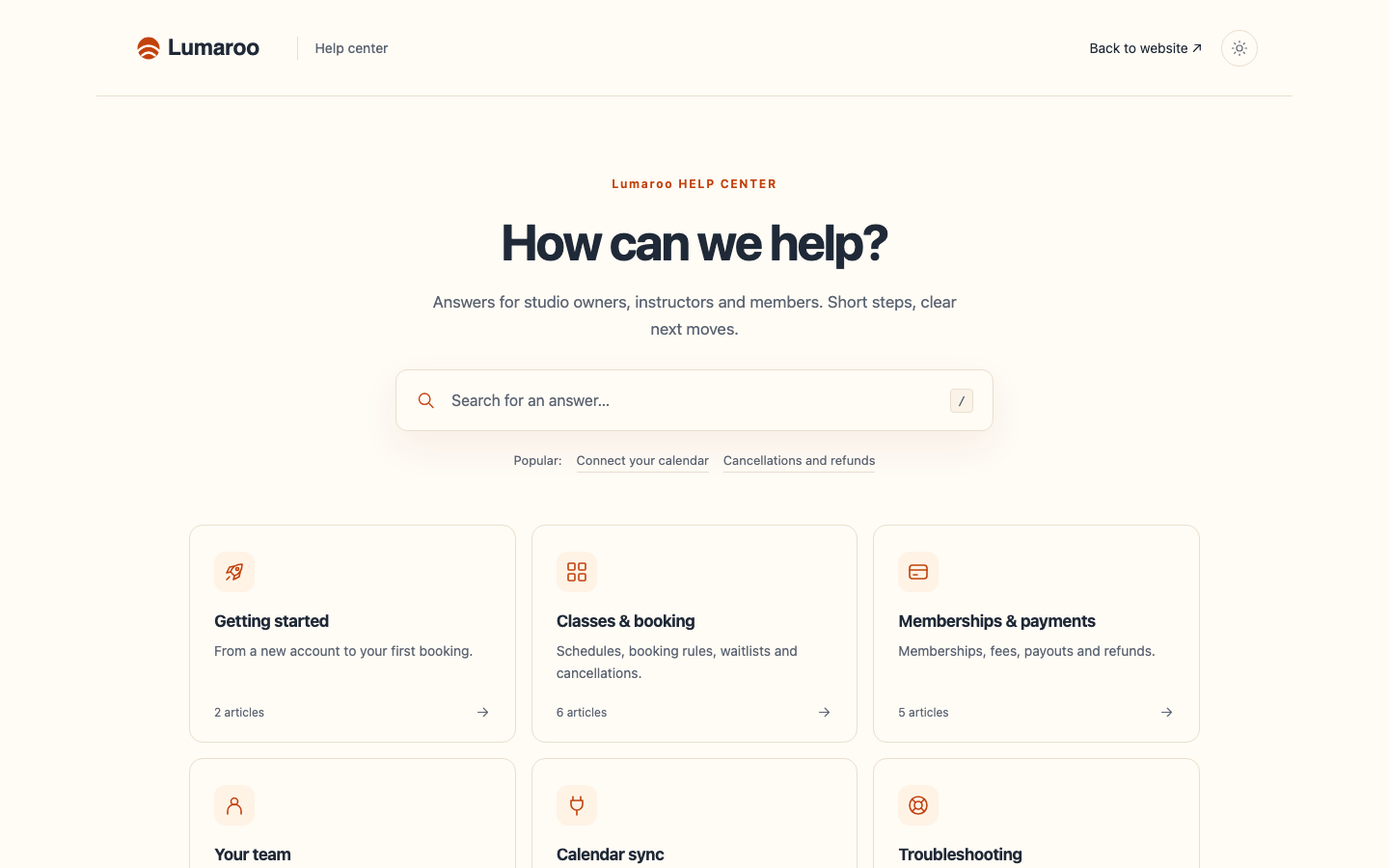
In our test the agent built the same structure (1 home page, 1 search page, 6 category pages) with 18 articles, read all six blueprints, flagged the refund conflict instead of inventing a number, and ended with 4 of 4 tests passed.
Compass's sample articles tell you to replace the steps with your product's verified instructions before publishing, and its billing blueprint tells the author not to invent refund windows. Its launch checklist asks you to check billing and policy statements with their owner.
Compass is GPL-3.0-only, and the README says you may use and modify it for commercial projects under the included licence. It also says that if you distribute a modified version, you must preserve the licence and provide the corresponding source under GPL-3.0. We have not researched whether putting a modified site online counts as distributing it, and this is not legal advice.
The footer credit "Made with Compass · by HelpCenter.io" lives in lib/template.mjs. We are fine with you removing it, and Step 6 has the line.
Where Compass is thin:
- It is public and English-only, with no CMS, AI service, analytics, authentication or automatic translations.
- There are three palettes and no logo setting: any other accent silently becomes pine.
- One piece of sample text is still hard-coded: when a search finds nothing, the hint says to try "password" or "invoice". Step 7 replaces it.
- The home page follows your articles: add "popular": true to the ones you want linked under the search box (with none marked, the first two are used), and leave out "sample": true, which adds a Sample article label.
Step 1: Start with knowledgebase.dev
Pick a name and a look on knowledgebase.dev.
Open knowledgebase.dev/template. The page shows a live preview of the real template. The customizer has exactly three controls: a brand name (cut to 40 characters), a palette (Pine, Ocean or Violet) and Light or Dark.
Everything else is edited in the template's files, which is why Steps 4 to 6 exist. Write down your palette and mode for the Step 4 prompt; your brand name goes in brand.md (Step 3).
The easiest way to get the template files is to let Claude copy them from GitHub in Step 2. That is the route we tested, and it needs no form, but it needs Git (explained in Step 2); without Git use the Download ZIP route below. There are two alternatives:
- The knowledgebase.dev download page asks for a work email and a use-case answer. It promises no account, no credit card and an instant download.
- On the GitHub repository page, GitHub Docs say to click Code, then Download ZIP.
What happened in our test: our agent cloned (copied) the repository, the project's folder on GitHub. Reading the stock code showed the limits above before we wrote a prompt.
Step 2: Install Claude and open your project folder
Make a folder called my-help-center somewhere you can find it. Put two empty folders in it: sources for your documents, which is never published, and help-center for the template, where the agent works. If you downloaded a ZIP, unzip it into help-center and let the set-up prompt below check the layout.
- Download the Claude desktop app from claude.com/download.
- Launch Claude, sign in and click the Code tab. The app includes Claude Code, so you do not need to install the command-line tool. If the tab asks you to upgrade, you are probably on the Free plan.
- Pick Local (files on your own computer), click Select folder and choose my-help-center.
Choose how much Claude may do without asking
A permission mode sets which actions Claude can take without asking first. Switch it with the mode selector next to the send button.
| Mode | What Claude does | Use it for |
|---|---|---|
| Manual | Asks before editing files or running commands | This step and Step 3 |
| Accept edits | Auto-accepts file edits and common filesystem commands but still asks before other commands | The build, brand and update prompts (Steps 4 to 9) |
| Bypass permissions | Runs without prompts. The docs say to use it only in sandboxed containers or VMs | Never |
Claude's product page announces that Claude Code now runs in auto mode by default on Pro, Max and Team plans, so check which mode your session shows. If it says Auto, switch it to Manual for Steps 2 and 3.
Expect to approve commands from your first prompt. Read the sentence Claude writes above each one, and ask it to explain anything unclear. The first three rows are commands our test agent ran or tried; the last row is what to refuse.
| What you may see | What it means | Answer |
|---|---|---|
| curl -sL https://knowledgebase.dev/llms.txt | head -200, or git clone https://github.com/helpcenterio/knowledgebase.dev help-center | Reads the template's public instructions, or copies the template into help-center | Approve |
| node --version, npm test, npm run build | Checks Node.js, then runs the tests and builds the site with npm, the tool that comes with Node.js | Approve |
| python3 -c "..." or node followed by a file name | Runs a small script the agent wrote | Approve only if it reads or edits files inside my-help-center |
| sudo, rm -rf, brew install, or anything ending in | sh or | bash | Administrator rights, deleting folders, installing a program, or running a download | Say no |
If something fails, copy the red text and paste it to Claude with this message:
This happened when you ran the test. Explain it in plain words, fix it, run it again and show me the output.Check your computer, then put the template in place
Paste this first. It changes nothing.
Check my computer and tell me in plain words: is Node.js installed, and is it a current LTS version? If not, tell me how to install it from the official download page and wait for me to confirm. Also tell me whether Git is installed; if it is not, tell me to use the GitHub Download ZIP route instead, and wait. Do not install anything, and do not create or change any files.If Claude says Node.js is missing or old, install the version nodejs.org marks LTS (long-term support). On nodejs.org/en/download, scroll to the line that starts Or get a prebuilt Node.js and click macOS Installer (.pkg). On Windows the same line offers Windows Installer (.msi). Ignore the box of commands above it.
After installing, quit the Claude app completely (Cmd+Q, not just the red window button) and open it again, because Anthropic's troubleshooting says to restart the desktop app when Claude cannot find tools like npm or node. If Claude suggests brew (a Mac install tool) or a script instead, say no. Then paste this to put the template in help-center:
Make sure the folders ./sources and ./help-center exist. If ./help-center is empty, read https://knowledgebase.dev/llms.txt, then clone https://github.com/helpcenterio/knowledgebase.dev into it. If cloning fails because Git is missing, do not install anything: tell me, and I will download the ZIP from GitHub instead. If it already holds the unzipped template, do not clone. Make sure config.json sits directly inside ./help-center; if the template is one folder deeper, tell me and ask whether to move it up one level. Do not build or edit the site yet.Give the project an undo button
The simplest habit needs nothing installed: copy the whole my-help-center folder before each prompt. Git, which keeps a record of every version of your files, is the better undo, and it is optional. GitHub Desktop lets you save versions by clicking, without the command line. If you install it, never click its Publish repository button (it puts a project on GitHub), and paste this:
Inside ./help-center only, set up Git and make a first commit with the message Stock Compass template. Do not push anything anywhere, keep ./sources out of the repository, and never change my global Git settings. If Git needs a name and email, ask me for them.Using another agent
We tested Claude Code and nothing else. OpenAI's pricing page says Codex is included in ChatGPT Free ($0), Go ($8 a month) and Plus ($20 a month), and in Pro, Business, Edu and Enterprise, but the Codex README recommends Plus, Pro, Business, Edu or Enterprise. In the ChatGPT desktop app, choose Codex, open my-help-center, and choose Ask for approval, which OpenAI recommends for most work. Avoid Full access.
Wherever a prompt says CLAUDE.md, write AGENTS.md, which Codex, Cursor, Grok Build and Antigravity CLI all read. The Gemini CLI website shows a banner saying its unpaid tier was replaced by Antigravity CLI on June 18, 2026, so we do not list Gemini CLI as a free option.
What happened in our test
In our test the agent was refused a command 16 times across the four runs; none stopped a run, because it switched to its own tools.
Step 3: Put your sources in one folder
Gather copies of your documents into the sources folder from Step 2, and keep your originals safe.
| Your file | Save it as |
|---|---|
| Google Docs | Markdown (.md, plain text with simple marks for headings and lists), from File, Download |
| PowerPoint, Keynote, Google Slides, Word | |
| Zoom, Loom or YouTube video | The transcript as SRT or VTT (plain-text caption files that keep a time next to every line) |
| Notion | A Markdown and CSV (a spreadsheet saved as plain text) export |
| Brand colours and logo | A short brand.md file plus the logo file |
Two cautions. For Anthropic's consumer plans (Free, Pro, Max, and Claude Code used from them), the privacy article says your chats and coding sessions can be used to improve its models if you choose to allow it (and in other cases it lists), so check that setting before you add company documents. Also be extra wary of the so called prompt injection attach. As Anthropic warns, a bad actor can add instructions inconspicuously in external files to trick Claude into doing things you wouldn't expect it doing like leaking secrets, so use only documents you trust.
Notion
- Open the page's Export dialog and choose "Markdown & CSV" as the format (Notion's export guide).
- Switch on Include subpages.
- Unzip the download into sources/notion-export.
Export the customer-facing pages one at a time, because every page you export is a page the agent can publish. If you export a whole workspace instead, Notion emails a link that expires after 7 days.
PDFs and slides
In a Claude chat, PDFs of 100 pages or fewer are read as text plus visual elements such as images and charts, and PDFs of 101 to 1000 pages as text only. In Claude Code, PDFs longer than 10 pages are read in page ranges of up to 20 pages at a time, which needs a toolkit called poppler. Our whole-file reads worked on PDFs of 4 and 8 pages.
Anthropic's chat upload list names PDF, DOCX, CSV, TXT, HTML, ODT, RTF, EPUB, JSON and XLSX, and PowerPoint (PPTX) is not on it, so save a PDF copy of each deck. In PowerPoint on Windows choose File, Export, Create PDF/XPS Document.
For a longer PDF, try these in order (none needs an install):
- A slide deck: in PowerPoint's export, select Options and enter a slide range in the From and To boxes, 10 slides at a time.
- Any other PDF of 2 MB or smaller: upload it to Google Drive, right-click it, choose Open with, then Google Docs, then File, Download, Markdown (.md). Check every number by eye, because tables and lists are not likely to be detected.
- Anything else: leave it out of the first release and add it later with the update loop in Step 9.
Video: give Claude the transcript
The upload list names no video or audio, so give the agent the transcript of each video. Read each transcript once and fix names, numbers and private details, because automatic captions can mishear.
| Where the video lives | Where the transcript is | The catch |
|---|---|---|
| YouTube | Click "Show transcript" in the description, or download a caption file in YouTube Studio for your own video | Automatic captions vary in quality |
| Loom | Click the copy button above the transcript, or choose Download captions from the ... menu above the video | Caption download depends on plan and role |
| Zoom | Web portal, Recordings & Transcripts, Cloud recordings tab, then click the meeting name | Needs a Pro, Business, Education or Enterprise account, with cloud recording and audio transcription turned on |
If you copied the text instead of downloading a file, use the paste-to-save prompt two sections below, with a file name like ./sources/video-transcripts/setting-up-calendar.txt.
Keep private things out
The safest move is to delete private lines from your working copies before the agent sees them, and to put only the customer-facing chapters of a staff manual in sources. Marking one line is not always enough: in our test the build agent published a staff-only front-desk workflow, "Add anyway", because its Notion section was tagged Public and only the code line was marked internal.
Add your brand notes
Put your colours, tone and logo in a short file called brand.md. A hex colour is a six-character code, such as #C2410C, that names an exact colour. This starter file is adapted from our brand notes. We tested only an SVG logo (a vector image file).
Company: Lumaroo. Site: lumaroo.example. Support email: support@lumaroo.example
Logo: ./sources/logo.svg (or logo.png)
Primary colour #C2410C. Text colour #1F2937. Background #FFFBF5. No dark colours given.
Tone: friendly, short sentences, no jargon.
You do not need a text editor. Paste your text into Claude after this message:
Save this exactly as ./sources/brand.md, with no changes:

[paste your text here]
Ask Claude for an inventory before it builds
This prompt lists every file, facts that differ between files, and any private lines. We built it from what our test missed.
Look in ./sources. List every file with its type, its length and whether you could read all of it (open every PDF in full, do not just search it); name any pages you could not read. Then list: (1) every fact (a number, price, time limit, step or name) that differs between files, with both quotes and file names; do not choose between them; (2) every line that starts with "Internal:" and anything else that looks private or staff-only (staff codes, customers' names, phone numbers, emails), with file and line; (3) every image the pages refer to, and whether the image file exists; (4) for a Notion export, a table of every page title and its top-level section, so I can delete the staff-only pages from the folder before the build. Do not create or change anything.What happened in our test
The build agent read all our sources, including both PDFs and the SRT. We checked four timestamp ranges it cited against the cue times, and all four were correct. It kept the planted private data out and flagged the 12-hour versus 24-hour refund conflict.
Step 4: Paste the build prompt
One prompt turns your sources and the template into a tested site. Switch the mode to Accept edits before you paste, and stay in one chat for Steps 4 to 7 if you can, because a new chat starts with no memory of what you decided.
This is an improved version of the prompt we ran, with slots for your palette, mode and the customer-facing chapters of your manual. The exact wording we ran is under How we tested this. Replace every [bracket] first, and delete the two sentences about the PDF manual if you have none.
The template is already in ./help-center. Follow its README. Build our help center from the files in ./sources only. Set brand, supportEmail and websiteUrl in config.json from ./sources/brand.md; if it gives no value, ask me, and never invent one. Set the accent to [pine, ocean or violet] and the default mode to [light or dark]. Replace the sample categories and every sample article with articles written from our sources, following the blueprints in toolkit/article-blueprints. Use only these parts of the PDF manual: [chapter titles or page numbers]. Ignore the rest of that manual. Open every PDF in full, and name any pages you could not read. Add "popular": true to the two or three articles customers need most, leave "sample" out of every article, and replace the search hint in template/app.js that says to try "password" or "invoice". Put any images the articles use in content/images. Do not use today's date as an article's updated date: use the date in the source, or the file's last-modified date, and tell me which. Leave out anything marked internal and any customer's personal details. If two sources disagree, publish no number or claim for that point, and put the conflict first in your answer, naming both files. Run npm test and npm run build. Finish with a table listing each article, the source file it came from (with timestamps for videos), and anything you could not find or that our sources contradict. Tell me the full folder path of dist.The build puts your finished website in a folder called dist inside help-center. To look at it, open my-help-center, then help-center, then dist, and double-click index.html. Only dist is ever published, never your sources or the template files; Step 8 shows how.
Review the result in three passes
- The agent's own table. Open the source for two or three articles, money and policy first, and compare a number.
- An audit. Paste the prompt below. We ran the private-term check ourselves with a script after the build and update runs.
- Your own hands. Click the home page and three articles, search for a word you know exists, and follow one how-to the way a customer would.
Change nothing. 1) List every number on the built site (hours, days, prices, percentages, limits, dates) in a table: the article, the sentence, the source file and line, and whether any other file in ./sources gives a different number. Open every PDF; do not rely on text search alone. 2) Search every file in dist/, including the search index, for: PRIVATE WORD 1, PRIVATE WORD 2, Internal, Do not publish. Show me the command you ran and every file where a word appears.Replace PRIVATE WORD 1 and 2 with your own staff codes, customer names or phone numbers, because the agent searches for them literally. Expect a generic green look for now, because branding is Step 6.
What happened in our test
These numbers come from the prompt we ran, which also read llms.txt and cloned the template during the timed run. The cost is the figure Claude Code printed for the run. On a Claude plan, every session draws on the plan's usage limits, which reset on a rolling five-hour window, with weekly limits on top.
| What we measured | Result |
|---|---|
| Time and cost | 3 min 17 s, 77 turns and about $1.31, all as reported by Claude Code |
| Output | 18 articles in 6 categories, 26 pages |
| Tests and build | 4 of 4 tests passed, and the build ran |
| Links and search | 469 links, 0 dead, and 18 search entries for 18 articles |
| Private data | 0 of the 3 planted items found in the built site |
| Conflict | 12 hours versus 24 hours flagged, and no number published |
| Branding | Not applied, and the agent said so |
Several leftovers survived, which Step 7's table collects. Two items need a person, not a prompt: the refund wording (Step 5) and the staff-only "Add anyway" workflow (see Keep private things out in Step 3).
Step 5: Settle the conflicts and write the house rules down
The agent can flag a conflict, but only a person can decide it. Take the conflicts list from Step 4 to whoever owns each rule, such as refund windows, prices and limits.
The knowledgebase.dev guide to AI-ready content says to resolve the rule with its owner and update the canonical article first. Never ask the agent to pick between two numbers.
Our refund article said the window was being confirmed, and it stays that way until you give the number:
The cancellation window is [24 hours], decided by [owner name] on [date]. Update every article that mentions it, remove any "being confirmed" wording, rebuild, run the tests, and list what you changed. Do not change any other number.Each Claude Code session begins with a fresh context window (the agent's memory of the current chat), and CLAUDE.md files are instructions you write to give Claude persistent context across sessions. Paste this prompt with your own decisions in the brackets, and your real private terms in place of PRIVATE WORD 1 and 2:
Create a file called [CLAUDE.md, or AGENTS.md if you use Codex] in this project folder (the folder I opened, my-help-center) with a section called House rules containing these lines, with my details filled in:
- The [cancellation window] is [24 hours], decided by [owner name] on [date]. Where a source says something different, that source is out of date.
- Never publish a line that starts with "Internal:", or a customer's name, phone number or email.
- Set an article's updated date only to a date in the source or one a person confirmed, never today's date.
- If two sources disagree, publish nothing on that point and list the conflict first, naming both files. Always open PDFs in full.
- When a change widens what an article covers, update its title and short answer.
- After every change: run npm test and npm run build, then search the built site for PRIVATE WORD 1 and PRIVATE WORD 2 and report the result.
Do not put passwords, tokens or keys in the file. It sits outside the help-center folder that Git tracks, so copy it somewhere safe after each change.
What happened in our test
In the build run the agent saw both numbers, 12 hours in Notion and 24 hours in the PDF manual, and published neither. Then the update run (Step 9) lost track of the conflict.
It found "12 hours" with a text search (grep) in the Notion Markdown and could not find "24 hours", because that sits inside a compressed PDF that a text search does not see, and it never opened the manual. It published a public Before and After table whose Before entry read "Full refund if a member cancelled at least 12 hours before class". Which number is right is the owner's call. The miss is that nobody was told the sources disagreed.
Step 6: Make it look like your brand
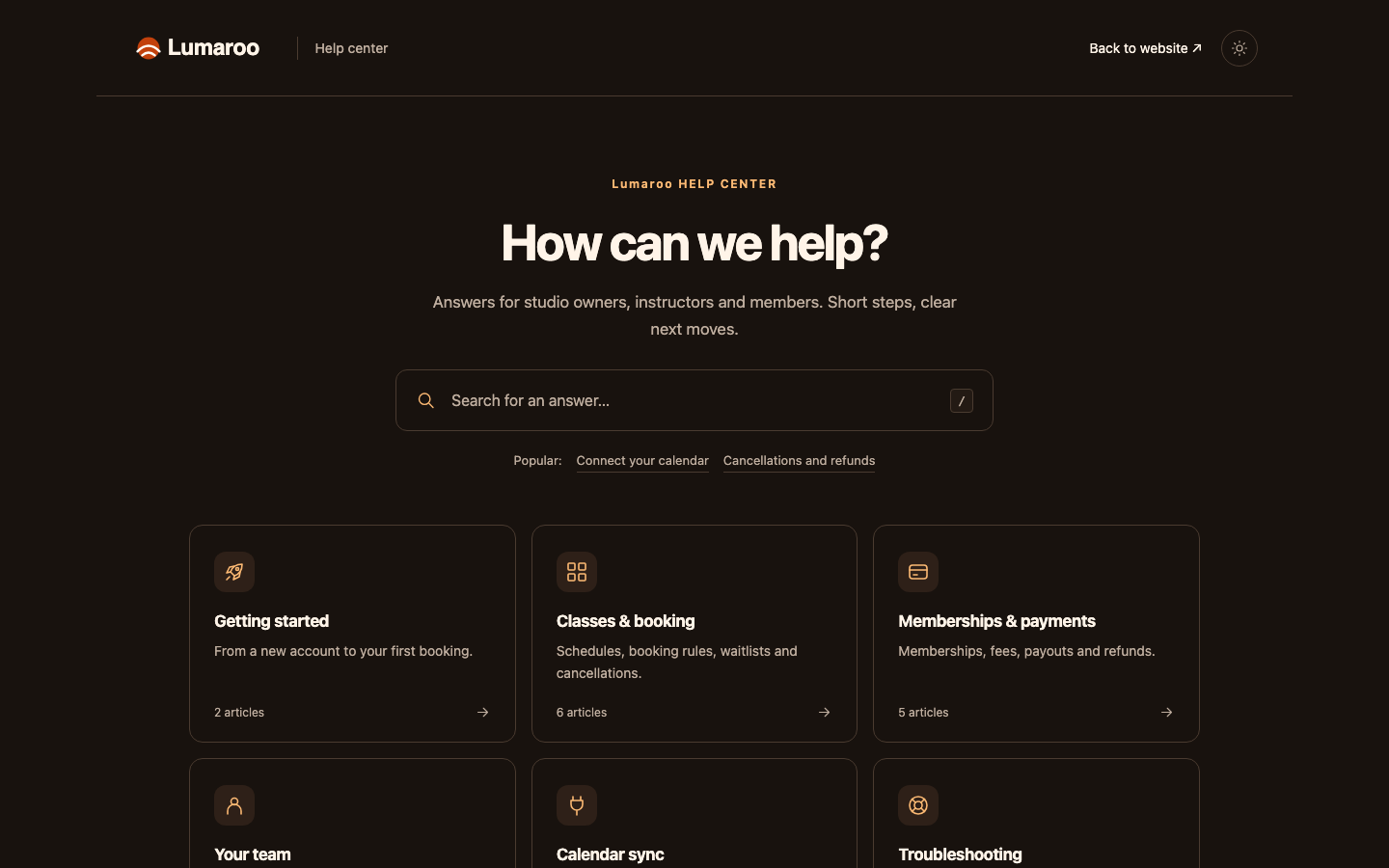
Looking good takes a second prompt. The build prompt alone left the template's default look in our test, because the template has three accents and no logo setting.
If you have no logo and pine, ocean or violet is close enough, skip this prompt: Step 4 already set them. For your own colours and logo, paste this improved version of the prompt we ran. WCAG AA is a standard level of readable contrast.
Make the help center match our brand in ./sources/brand.md: use our colours in light and dark mode, keep body text and links at WCAG AA contrast (4.5:1), put our logo in the header and use it (or its mark) as the browser-tab favicon too, and keep search and every page working. If brand.md gives no dark colours, choose a dark palette that keeps our accent recognisable. If you cannot use the logo file in the header, tell me why instead of skipping it. Show me the contrast numbers you measured for body text, muted text and links, in light and dark. Add or update a test for the new palette and logo. Rebuild, run the tests, and list the files you changed.To remove the "Made with Compass · by HelpCenter.io" footer credit, add this line, and keep the licence file:
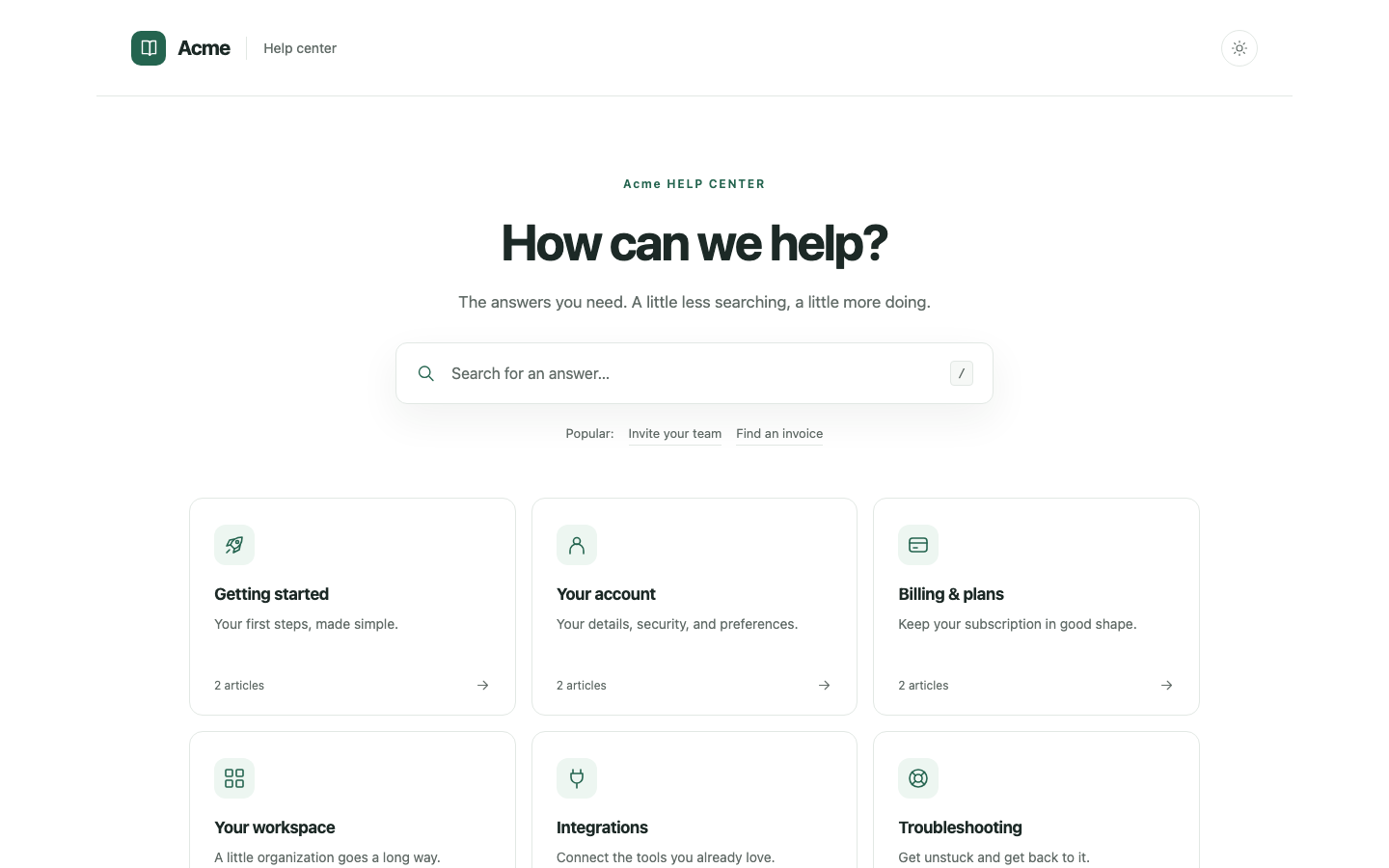
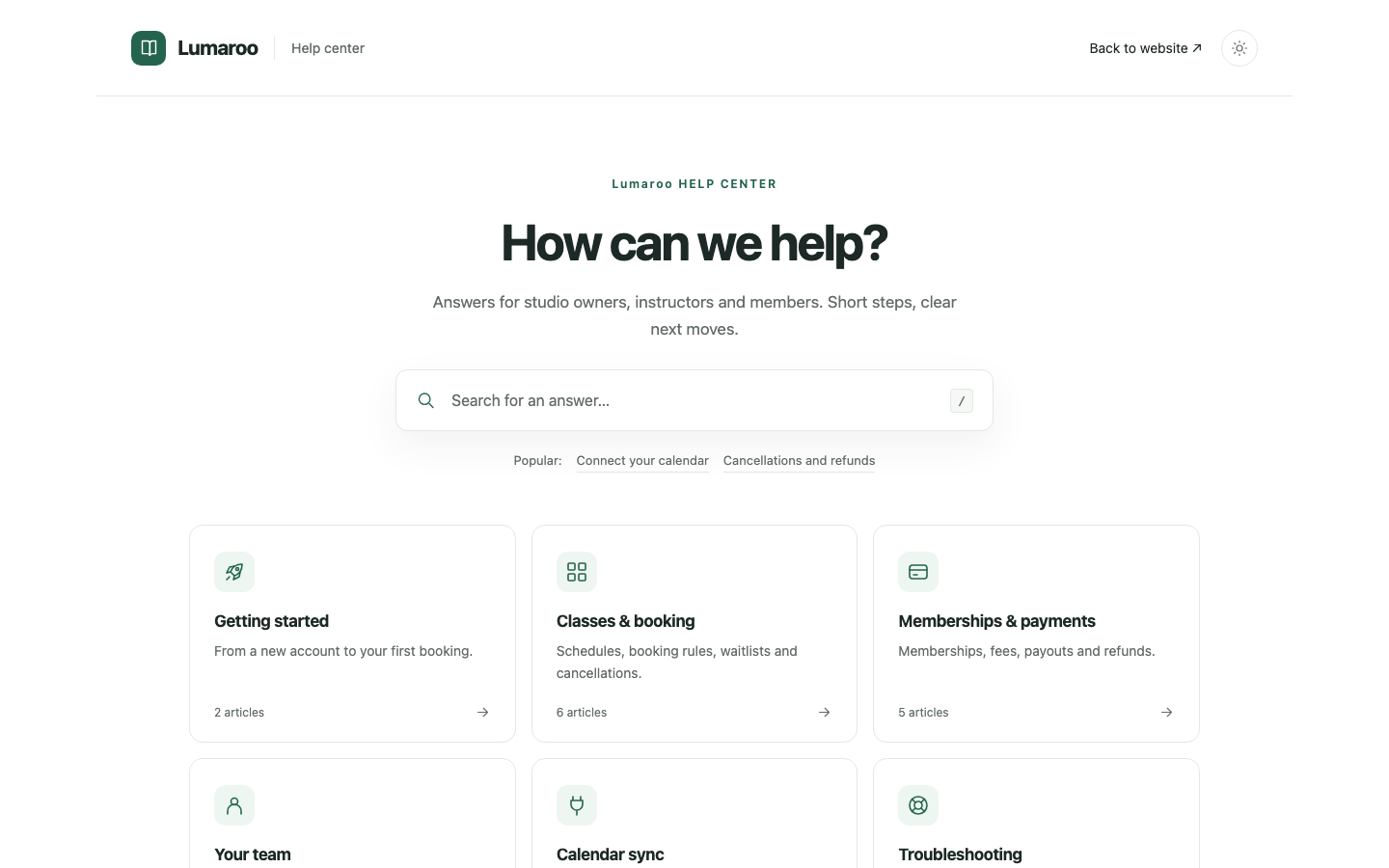
Also remove the footer credit "Made with Compass · by HelpCenter.io" (it is in lib/template.mjs), but keep the LICENSE file.Dark mode needs its own palette. The contrast targets are 4.5:1 for normal text and 3:1 for large text and icons. A brand colour that works on a light background can fail on a dark one: Lumaroo's #C2410C passes as a link colour on the cream background at 5.02:1, but on the dark background it measures 3.58:1, so the agent used a lighter tint, #fdba74.
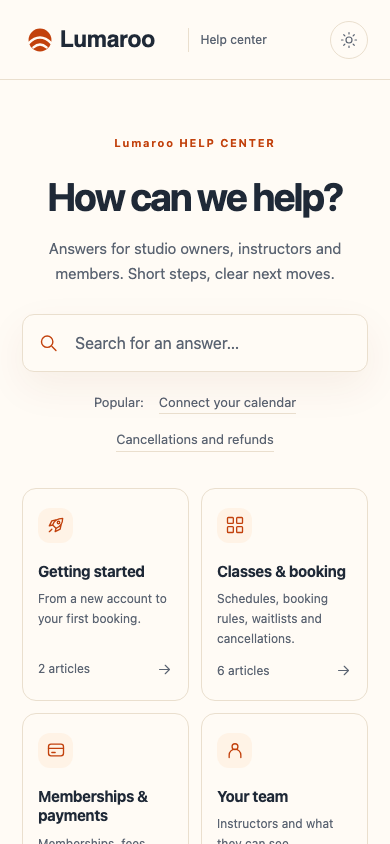
Before you accept it, check your logo in the header on the home page and on one article (in our run it appeared on 26 of 26 pages), your accent on links, the light and dark toggle, and the browser-tab icon (favicon). Drag the edge of your browser window to make it narrow and check that nothing runs off it, and check on a real phone after Step 8.
What happened in our test
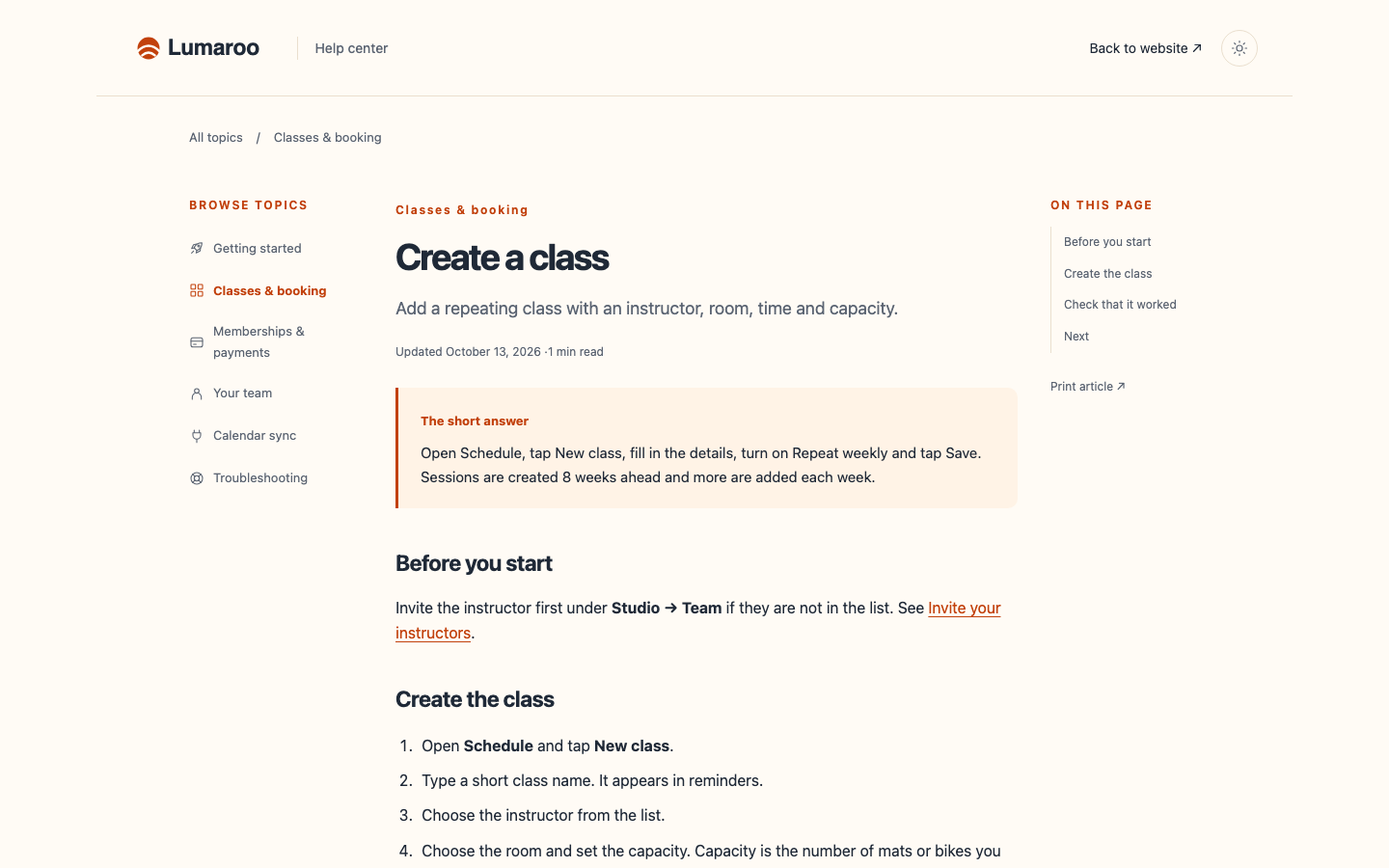
These results come from the shorter prompt we ran (see How we tested this). The brand run took 89 seconds on our clock, 34 turns and about $0.66 as reported, and 5 of 5 tests passed. We measured 50 text-and-background pairs on the home page, two articles and the search page, in both themes, and every pair met the requirement. Body text measured 14.24:1 in light and 17.10:1 in dark.
The agent added a "lumaroo" accent to the accent list in the template code, because otherwise the build would silently reset it to pine, and inlined the logo SVG in the header. The favicon stayed the template's green book, byte for byte, because our prompt said header logo and not tab icon. The missing space in ·1 min read survived too (Step 7).
Step 7: Run the launch checklist and do the human pass
Claude can walk a checklist item by item, but only a person catches what it did not know to look for. Do both before you publish.
The Compass launch checklist is meant to be used as a release checklist, with one person per section, recording evidence rather than just a checkmark. See also our checklist for AI-ready help center content. Paste this improved version of the prompt we ran, which also asks for evidence and a count:
Go through toolkit/launch-checklist.md for this help center and tell me, item by item, what is done and what a person still has to check. For every item you mark done, show the command you ran, or the file and line. Count the unchecked boxes with a command.Treat the answer as a to-do list, not a verdict. Two settings change what is published. A blank supportEmail shows a working link to the troubleshooting topic, and a real address enables "Contact support". A blank siteUrl, the help center's own address (not websiteUrl, which is a separate setting), leaves out the sitemap (a list of your pages for search engines) and canonical links (which tell them the official address of each page). Step 8 sets it.
The human pass: what Claude missed in our test
Every item here survived at least one of our runs.
| Leftover | Where you see it | How to fix it |
|---|---|---|
| The search hint still says Try password or invoice | Search for a nonsense word | Ask for two real queries from your own site |
| A missing space in ·1 min read | Under every article title | Ask the agent to fix it, then look |
| The browser-tab icon is still the stock green book | The browser tab | Ask for your logo as the favicon |
| Updated dates that show the build day | Every article. Ours said October 13, 2026 | Use a date a person confirmed |
| An article title that no longer matches the page | Title, breadcrumb, search | Update titles when the scope changes |
| A staff-only workflow on a public page | A public article | Remove it |
This sweep prompt is built from that list:
Search the template code (lib/, template/, config.json, test/, toolkit/ and README.md) and the built site for leftover sample text from the Acme example: the search hint in template/app.js, any article still marked "sample": true, any fixed date, example email addresses, and sample rows in the toolkit CSVs. Check that the Popular links and the "A good place to start" list point to our own articles. Replace each one using our own content, or tell me what you need from me. Fix spacing mistakes in the line under each article title, and list every article whose title no longer matches what it says.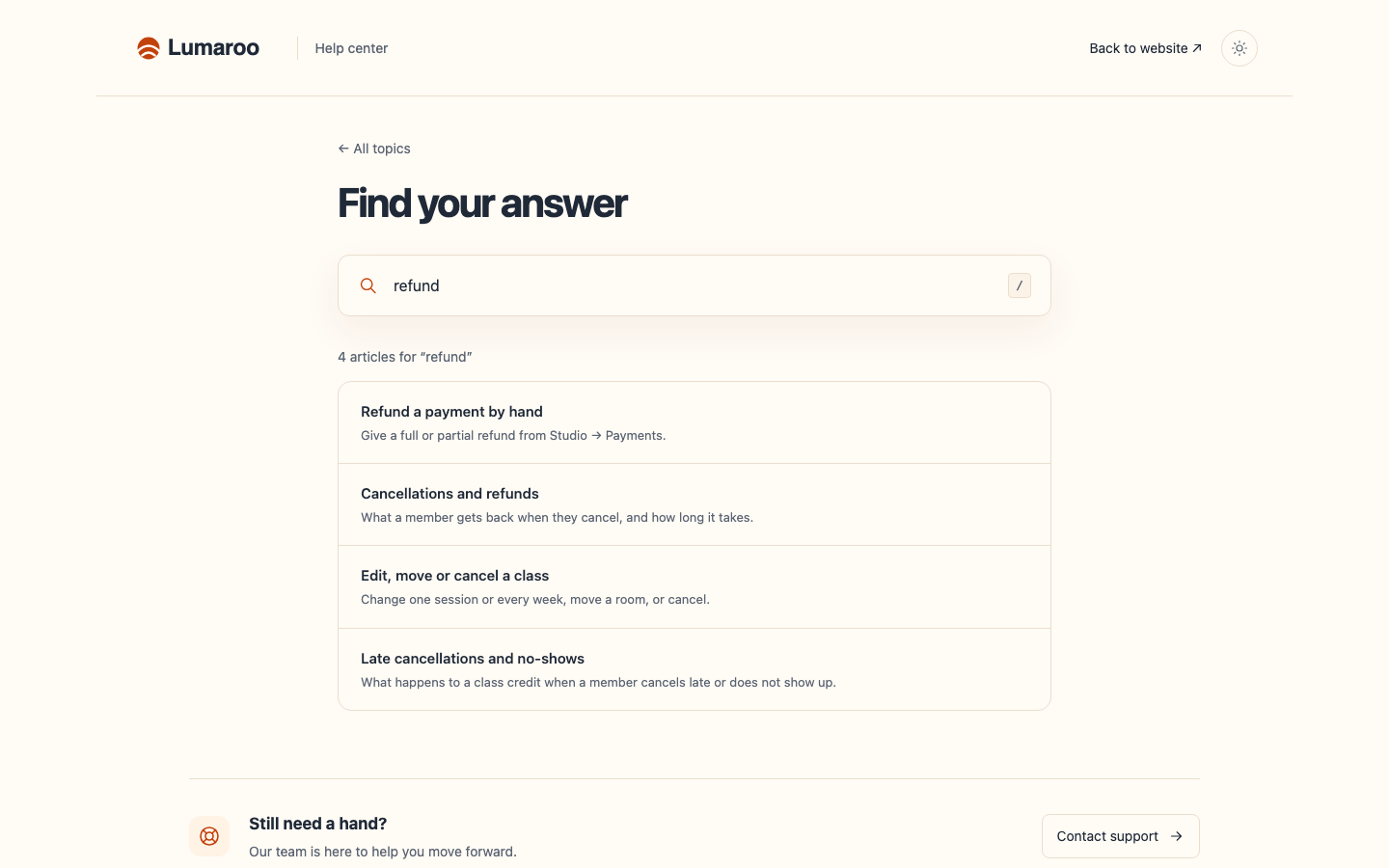
What happened in our test
The checklist run took 33 seconds on our clock, 10 turns and about $0.29 as reported, and changed no files. Its useful findings: the three CSVs under toolkit still held example rows, there was no sitemap or canonical link because siteUrl was empty, redirects must be implemented on the host, and the contact email was a .example address.
It also made errors we could check. It said the checklist had 38 boxes, and the file has 39, and it offered to fill in the content audit from 12 articles, but the site had 19 (18 plus the release-notes article the update run added). It did not mention the stale search hint, the stock favicon or the spacing typo. That is why you count yourself.
Step 8: Publish on your own domain with HTTPS
This step puts your site on its own address, such as help.yourcompany.com (a subdomain). We did not deploy the Lumaroo site, so everything here comes from each host's own documentation, which we read on 13 October 2026. Hosts change plans and terms, so check the live page on the day.
A static host stores a folder of finished pages and serves them to visitors, and to deploy is to upload that folder and make it live. HTTPS means the connection is encrypted and the address starts with https://. A CNAME record is a DNS entry that points one name at another.
| Host | Free plan for a company site? | How you upload | One catch |
|---|---|---|---|
| Cloudflare Pages | We found no sentence that permits or bans business use on Pages | Drag and drop a zip file or a single folder | We could not confirm the certificate for a subdomain whose DNS lives elsewhere |
| Netlify Drop | Netlify's November 2024 blog post says Free can deploy commercial projects, but it predates the move to credit-based plans | Drag a folder (the Drop page) | 300 free credits a month, and when they run out all projects pause |
| Vercel | No. Its terms say you may only use the Hobby plan for your personal or non-commercial use | Vercel Drop, with a Vercel account | Pro has a $20 a month platform fee |
| GitHub Pages | Its limits page says Pages is not allowed as a free host to run your online business, e-commerce site, or any other website primarily directed at facilitating commercial transactions or providing commercial software as a service | We wrote no steps | For a company that sells software we would not risk it |
Our default is Netlify, because its docs describe a CNAME for a subdomain on external DNS and an automatic certificate, and its Free plan lists custom domains with SSL. Use Cloudflare Pages instead if your domain's DNS is already at Cloudflare.
For a company, have whoever signs contracts read the host's terms first.
Prepare the final build
Without a top-level 404.html, Cloudflare Pages serves your home page for any unknown address, so ask for a not-found page. Replace help.yourcompany.com with your real address before you paste:
We will host this at https://help.yourcompany.com. Set siteUrl in config.json to that address, add a 404.html page in our style that links to the home page and to search, rebuild, run the tests (update the page count), and then tell me: the exact folder I should upload, how many files it holds, and the size of the biggest file. Do not upload anything.Publish only your built site, never your sources folder. Drag the folder named dist itself onto the upload area (not help-center, and not the files inside it). Cloudflare's drag and drop allows 1,000 files and 25 MiB per file, which is why the prompt asks for the count.
Netlify: drop the folder
- Create a free account and log in to the team where you want the project, as Netlify's docs say.
- Drop the dist folder (or a zip of it) on the Netlify Drop page to get a custom link. Open it in a private browser window: if you are asked to sign in, open the project in Netlify and choose Make public.
- In your Netlify site, open Domain management and add help.yourcompany.com first. If Netlify offers to take over your DNS, decline (see the nameserver warning below). Netlify's external DNS page says you must add the domain to your site before you create the CNAME record, which Netlify then provides.
- Netlify provisions a Let's Encrypt certificate automatically, which enables HTTPS.
Cloudflare Pages: drag and drop
- Create a free Cloudflare account with your company email.
- Choose Create application, then Get started, then Drag and drop your files, and enter a project name. If you see only Workers and no drag and drop option, stop and use Netlify instead: Cloudflare's own overview tells readers to start new projects with Workers.
- Drag the dist folder itself onto the upload area and select Deploy site. The site is then served from your project name followed by .pages.dev.
- Open your Pages project, then Custom domains, select Set up a domain, type help.yourcompany.com and select Continue. Do this before anyone touches DNS, because a CNAME added by hand before the host knows the domain fails to resolve and shows a 522 error. The target address to copy is your project's pages.dev address without https://.
Point help.yourcompany.com at your host
You add one CNAME record at the company that manages your DNS, usually the one where you bought the domain. Leave every existing record alone.
Do not change the domain's nameservers, because they decide where all of your domain's DNS records are looked up, including your website and email. If someone else does this for you, or to copy the three fields yourself, use this:
Please add one DNS record.
Type: CNAME
Name: help
Target: [paste the address your host shows, for example my-help.pages.dev, without https://]
Do not change our nameservers.
If a record named help already exists, tell me what it points to before you change it, so we can put it back.
Never paste hosting or registrar passwords, API keys or tokens into the agent chat.
What to check
- The address starts with https:// and the browser shows no certificate warning page. If you see one, wait and reload: Netlify's docs say DNS settings can take a full day to propagate. If it is still there after a day, check that you added the domain in your host's dashboard before the CNAME, or ask whoever manages your DNS.
- The styling loaded, search finds a word you know exists, and a made-up address such as /nothing-here shows your 404 page, not your home page.
- Compass builds /sitemap.xml once siteUrl is set, so if it shows a 404 page, siteUrl was blank when you built.
- If this address already served a help center, old article links break when DNS switches, and the redirect CSV only plans redirects.
Step 9: Keep it up to date with the agent
Each change goes through the same loop:
- Put the new material in sources/updates/.
- Save a version, or copy the folder, so you can undo.
- Paste the update prompt below.
- Read the change list, open the changed articles, and run the private-term search from Step 4.
- Save again, then publish.
The /rewind command in Claude Code does not track files changed by shell commands such as rm, mv or cp, and it deletes a session's file snapshots by default about 30 days after the session last saved one, so Anthropic says permanent history belongs in version control such as Git.
This is an improved version of the prompt we ran. It works for release notes, a price list or a changed policy.
We added ./sources/updates/[file name]. First read the House rules in [CLAUDE.md or AGENTS.md], and re-read all our sources, including every PDF in full. Update every article the new file affects, and any title, summary or category description that no longer matches. If the file announces a change, add an article for it using the release-change blueprint. If it contradicts another source, or an old value is not stated, say so at the top of your answer and do not guess. Leave out anything marked Internal. Never use today's date as an updated date. Rebuild, run the tests, and list each change with the source line it came from.Two everyday edits:
In the article [title], change [old wording] to [new wording]. Change nothing else, rebuild, run the tests and show me the line you changed.Check every article that mentions [the cancellation window] against [source file], and open every PDF in full. Change nothing. List each article, the sentence, and whether it matches.To publish the change, upload the new dist folder again: on Cloudflare Pages, select Create a new deployment, and on Netlify, drag the folder to the Deploys dropzone. Each Netlify production deploy costs 15 credits, so batch your changes.
A local scheduled task in the Claude desktop app only fires while the app is open and your computer is awake. Never let a scheduled task publish unreviewed text. The safe job is a read-only report:
Read toolkit/content-audit.csv and list every article whose next_review date is today or earlier, with its owner and the source it was written from. If a column is empty, say so. Do not edit anything.Compass's agency handoff file has fields for the accountable content owner and backup, the hosting and domain account owner, and the publishing approver, so fill them in even if all three are you.
What happened in our test
We added a 30-line release-notes file: the refund window became 6 hours for bookings made on or after Oct 12 (the old value was not stated, only "longer"), class packs of 5, 10 or 20 classes expire after 90 days, and Outlook calendar sync was added. We also added an "Internal: refunds over $200 need manager approval" line marked "Do not publish this" to see whether it stays out.
The update run took 81 seconds on our clock and about $0.55 as reported. It edited 7 articles, added a release-notes article, and ended with 5 of 5 tests passing and 27 pages, and our link checker found 505 links and 0 dead. The internal note was not published, and the agent reported it as deliberately left out.
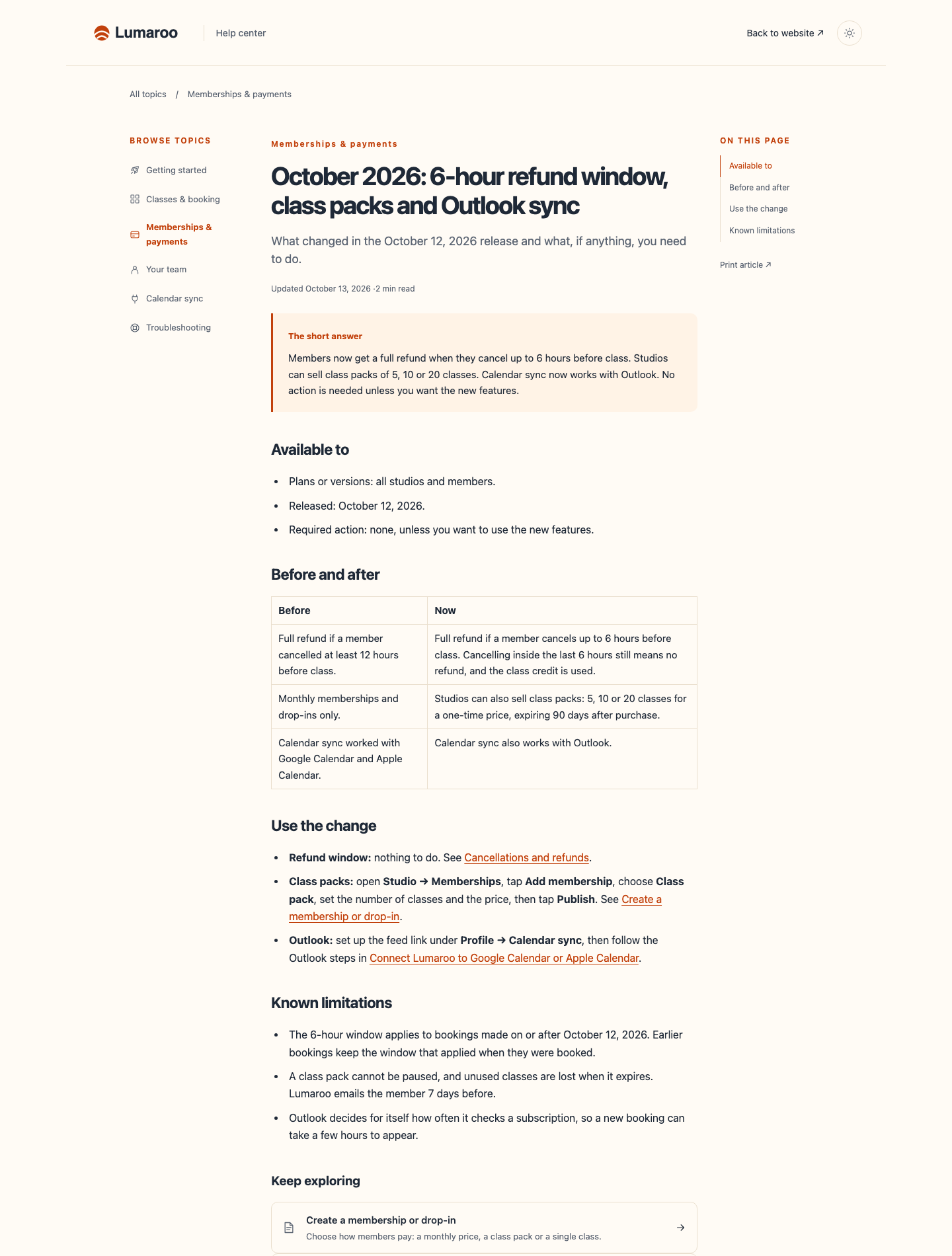
What the update run got wrong:
- The 12-hour refund number from Step 5 reached a public Before and After table.
- The article title still read "Connect Lumaroo to Google Calendar or Apple Calendar" after Outlook was added.
- Every article it touched got the updated date 2026-10-13, while the release itself was dated October 12.
The improved prompt targets these misses, and the house rules from Step 5 should carry the 24-hour decision into a new session.
Step 10 (optional): Astro, Starlight and other frameworks
You can skip this step. For a non-technical solo owner, our default is to stay on Compass until a specific limit forces a move.
We built on none of the tools here: everything comes from each project's own documentation, which we read on 13 October 2026. A framework, here, is a site generator: it turns your content files plus a theme into finished pages, much as Compass's own build does.
Reasons to move are a ready-made documentation theme, built-in search at larger sizes and several languages. Reasons to stay: Compass has no runtime dependencies, external fonts, trackers, account or backend.
Astro describes itself as a JavaScript web framework optimized for building fast, content-driven websites, and its pages are pre-rendered at build time as static pages by default. Starlight is a full-featured documentation theme built on Astro, with a sidebar generated from your folders, full-text search powered by Pagefind by default, and multilingual sites.
| Framework | Best for (our view) | Needs | Search, and one catch |
|---|---|---|---|
| Astro | A content site you shape yourself | Node.js v22.12.0 or higher, and the command line | AI tools may use outdated patterns |
| Starlight | Documentation with a sidebar | As Astro | Pagefind search built in. Labelled beta software |
| Eleventy (Build Awesome) | A simple generator | Node.js 18 or higher | Renamed Build Awesome in March 2026. The main branch is an alpha |
| Hugo | The command line | Git and the command line | External search options, such as Pagefind or Algolia DocSearch |
| Docusaurus | Teams that use React | Node.js 20 or above | Algolia DocSearch or a local search plugin |
| VitePress | Documentation with built-in local search | Node.js version 22 or higher | Built-in local search. The main branch is a 2.0 alpha |
The current LTS on nodejs.org's download page when we looked, v24.21.0, is above every minimum in that column. Each framework builds to a plain folder, so you host it with Step 8.
Compass keeps its articles in one file, content/articles.json, so an agent should be able to write a conversion script. Paste this prompt:
Create a new Astro project with the Starlight docs theme in ./help-center-starlight, using: npm create astro@latest -- --template starlight. Check the current Astro and Starlight documentation first, because your knowledge of them may be out of date. Convert every article in ./help-center/content/articles.json into a Markdown file under src/content/docs/, one folder per category, keeping titles, short answers and images. Apply our colours from ./sources/brand.md. Build the site, then tell me how many pages it produced, whether search works, and what you could not carry over.Our guess: the article text, titles and images carry over as Markdown files, and the Step 6 theme and your logo do not, so re-apply your colours. Our advice: check every article against its source again, because a conversion is a new build, and if you reuse Compass code or styles in the new site, re-read the licence terms above first.
How we tested this
We invented a company called Lumaroo, a booking app for small fitness and yoga studios, and wrote every source file ourselves. We ran it on 13 October 2026 with Claude Code 2.1.289, the Sonnet 5.5 model (the build run also made a small Claude Haiku 4.5 call), Node.js v24.15.0 and the Compass template at commit 492bfe6. The template has changed since: from 14 October 2026 its home page links, images and tests follow your own content. On 22 November 2026 we re-ran its tests on the current version (8 of 8 passed) and updated Steps 4 and 7 to match; we did not repeat the full Claude build.
The sources were a Notion-style export, a 4-page PDF manual, an 8-slide deck saved as a PDF, a transcript of about three minutes of video in the SRT format, and brand notes with three hex colours plus a logo in SVG.
We planted traps. The Notion page says a full refund applies if a member cancels at least 12 hours before class, and the PDF manual says refunds are allowed up to 24 hours before class. A line marked "Internal:" held a staff override code, and a customer's name and phone number sat in the video transcript.
We ran four fresh sessions of Claude Code from the command line without a chat window (the claude -p form), in accept-edits mode with a short list of allowed commands. Each prompt ran once, so this is a story, not a benchmark. The four runs took 6 minutes 43 seconds of wall-clock time and $2.81 of reported cost, and none failed. We edited none of the agent's output.
| Step | Tested by us | Not tested |
|---|---|---|
| 1 | Our agent cloned the repository | The download form, the ZIP routes, the customizer |
| 2 | Claude Code from the command line, on a Mac | The desktop app, Windows, Codex, GitHub Desktop |
| 3 | Our invented export, PDFs, deck, transcript and brand notes | A real Notion export, longer PDFs, Word and PowerPoint files |
| 4 to 7, 9 | The build, brand, checklist and update prompts as we ran them | The improved versions of those prompts, and every other prompt in this guide |
| 8 and 10 | Nothing | Every host, DNS and HTTPS instruction, and every framework |
The four prompts exactly as we ran them
These four prompts are word for word what our test agent received, and every number in the What happened in our test sections comes from them.
Step 4, the build prompt. The timed run (3 minutes 17 seconds, 77 turns) used this wording, which also read llms.txt and cloned the template during the run.
Read https://knowledgebase.dev/llms.txt, then clone https://github.com/helpcenterio/knowledgebase.dev into ./help-center and follow its README. Build our help center from the files in ./sources only: set brand, supportEmail and websiteUrl in config.json; replace the sample categories and every sample article with articles written from our sources, following the blueprints in toolkit/article-blueprints; update or remove the home-page Popular links; copy any images the articles use into the build; update test/template.test.mjs to the new page count. Leave out anything marked internal and any customer's personal details. Run npm test and npm run build. Finish with a table listing each article, the source file it came from (with timestamps for videos), and anything you could not find or that our sources contradict.Step 6, the brand prompt.
Make the help center match our brand in ./sources/brand.md: use our colours in light and dark mode, keep body text and links at WCAG AA contrast (4.5:1), put our logo in the header, and keep search and every page working. Rebuild, run the tests, and list the files you changed.Step 7, the launch checklist prompt.
Go through toolkit/launch-checklist.md for this help center and tell me, item by item, what is done and what a person still has to check.Step 9, the update prompt.
We added ./sources/updates/2026-10-release-notes.md. Update every article it affects, add a release-notes article using the release-change blueprint, rebuild, run the tests, and list each change with the source line it came from.Questions readers ask
Is Claude free for vibe coding?
Not for Claude Code. The app is free to download, but the Code tab needs Pro ($17 a month billed annually, or $20 billed monthly), Max, Team or Enterprise. Other agents have limited free tiers: Codex is included in ChatGPT plans, but its README recommends Plus, Pro, Business, Edu or Enterprise, and Cursor has a Free plan with limited agent requests.
Can I vibe code a website with no coding experience?
Probably, for a static help center like this: you describe, the agent writes the files, and you check. In our test one pasted prompt built an 18-article, 26-page site in 3 minutes 17 seconds, but a later run published a number our sources disagree on, so you are the reviewer. We did not test a non-technical operator.
How long does it take, and what does it cost?
Claude's working time for the first build was 3 minutes 17 seconds in our test, but gathering documents, deciding conflicts and checking are yours, and a DNS change can take up to a day. Pro costs $17 a month billed annually or $20 billed monthly, the template is $0, and hosting is $0 only if the host's terms allow a company site.
Can Claude read my PDFs, slides and videos?
PDFs yes, though Anthropic's docs say a PDF over 10 pages is read in page ranges that need a tool called poppler. We tested only 4- and 8-page PDFs, and Step 3 lists ways to handle a longer one. PowerPoint is not on Anthropic's list of files Claude can work with, so export slides to PDF, and give videos as transcripts in SRT or VTT.
Is it safe to give an AI agent my company documents?
Ask legal and IT which AI tool your company approves, check your plan's data setting, and remove private material from your working copies. Approve file edits and the test and build commands, and deny anything that deletes files or reaches outside the project folder. The three planted private items stayed out of the built site, but a staff-only workflow we had not planted was published, so read every article before launch.
Can I use ChatGPT, Gemini or another agent instead of Claude?
In principle yes, because Codex, Cursor, Grok Build and Antigravity CLI read AGENTS.md instructions, but we tested only Claude Code. Step 2 shows what changes with Codex. The Gemini CLI website shows a banner saying its unpaid tier was replaced by Antigravity CLI on June 18, 2026.
How do I make a vibe-coded website look good?
Start from a designed template, give the agent a brand file with hex colours, tone and logo, ask for a dark palette and contrast numbers, and look at it on a phone. Our brand run measured 50 colour pairs with none below the requirement.
What we left out on purpose: a maintenance dashboard and analytics
Here is the improvement we did not build. A freshness board could read the review dates in the content-audit CSV and show which articles are overdue, and a list of searches that found nothing would tell you what to write next.
Every one of those features is a service you would then have to run. Something has to store the searches, which means a backend or an analytics script, and something has to log an editor in. Compass's README also says section HTML is trusted author content, so untrusted submissions must not be loaded into it.
Extra features complicate the setup and every later maintenance task, so we left them out. They would also break Compass's best property for a solo owner: no runtime dependencies, external fonts, trackers, account or backend. The cheap substitute is a monthly read of your support inbox for repeated questions.
If you would rather not run it: HelpCenter.io
We make Compass and HelpCenter.io; HelpCenter.io is the paid one. It has a 14-day free trial, no credit card required. With HelpCenter.io we run the hosting, with SSL (the encryption behind https) included on every plan. What a managed product takes off your list:
- A custom domain on every plan.
- Free migration from Notion and other tools on every paid plan.
- Analytics that show what people search for.
- An AI theming agent that reads your website's colours, fonts and logo and proposes a matching light and dark theme. The from-a-website mode is on every plan, including the trial.
- Publishing in more languages with the More languages add-on, or in any of 43 languages on the classic Growth and Catalyst plans.
You build your plan: a help center is $31 a month billed yearly or $39 billed monthly, and add-ons such as AI answers are priced per help center. Prefer ready-made plans? The classic plans are priced flat per help center, not per support seat: Bootstrap is $39 billed monthly or $29 a month billed annually, Growth is $149 billed monthly or $119 a month billed annually, and Catalyst is $199 billed monthly or $179 a month billed annually.
HelpCenter.io also offers AI answers for your readers, which Compass does not. In a plan you build, AI answers are a $29/mo add-on ($23 billed yearly) with 500 AI answers a month. On the classic plans they are included on Catalyst and are a $29/mo add-on on Bootstrap and Growth.
The Claude workflow continues too. HelpCenter.io has an MCP server that lets Claude, ChatGPT or an agent you build search and read articles and write and publish them. It is included in the classic Growth and Catalyst plans. Compass is also the template new help centers start on at HelpCenter.io's Compass page.
If the self-managed route suits you, stay on it. If you want someone else to run it, the 14-day free trial on the pricing page is the way to find out.