Growth
$119 /mo, billed annually
or $149 month to month
- Move in, design, write, translate and find the gaps with Claude, ChatGPT or your own agent
- Up to 10 teammates
- Not included: Staged changes, version history and change sets, which need Catalyst
Connect Claude, ChatGPT or your own agent. It moves your articles in, designs the help center around your brand, keeps every answer current and puts it inside your product. Your customers get the same right answer wherever they ask.
The MCP server is included in Growth and Catalyst, and in their 14-day trials. No credit card needed.
The HelpCenter.io plugin in Claude's directory, with six skills for your help center. On the web, in Claude Desktop and in Claude Code.
Add the pluginThe HelpCenter.io plugin in ChatGPT's Plugin Directory, with five skills for your help center.
Add the pluginAny MCP client that signs in with OAuth, or an API key from your help center's Settings.
See the setupEvery public help center answers AI assistants at its own /mcp address, read-only, on every plan.
How it worksPoint your agent at the help center you have now, an export, or the docs in your repository. It writes them into HelpCenter.io 50 at a time, in the categories you already use, and copies their images across so nothing still loads from your old vendor.
Each article keeps its old address as a stable ID, so a run that stops halfway is simply sent again: what exists is updated, what is missing is created, nothing is duplicated.
Rather have people do it? Our team moves you over for free: free migration.
You: Move our old help center at help.northwind.example over. Keep everything unpublished until I have looked.
Tool call:
helpcenter_create_category
×6, the categories it found
Tool call:
helpcenter_bulk_create_articles
×3, 124 articles, saved as drafts
Assistant: 124 articles are in, as drafts, in the six categories you had, and their 312 images now load from your help center. Two of them link to pages that no longer exist:
Describe your product and the feel you want. Your agent picks a starting theme, sets the colours for light and dark mode, the type and the layout of every page, checks the contrast, and leaves it all in the Template Editor's draft for you to preview. Visitors see nothing until it is published.
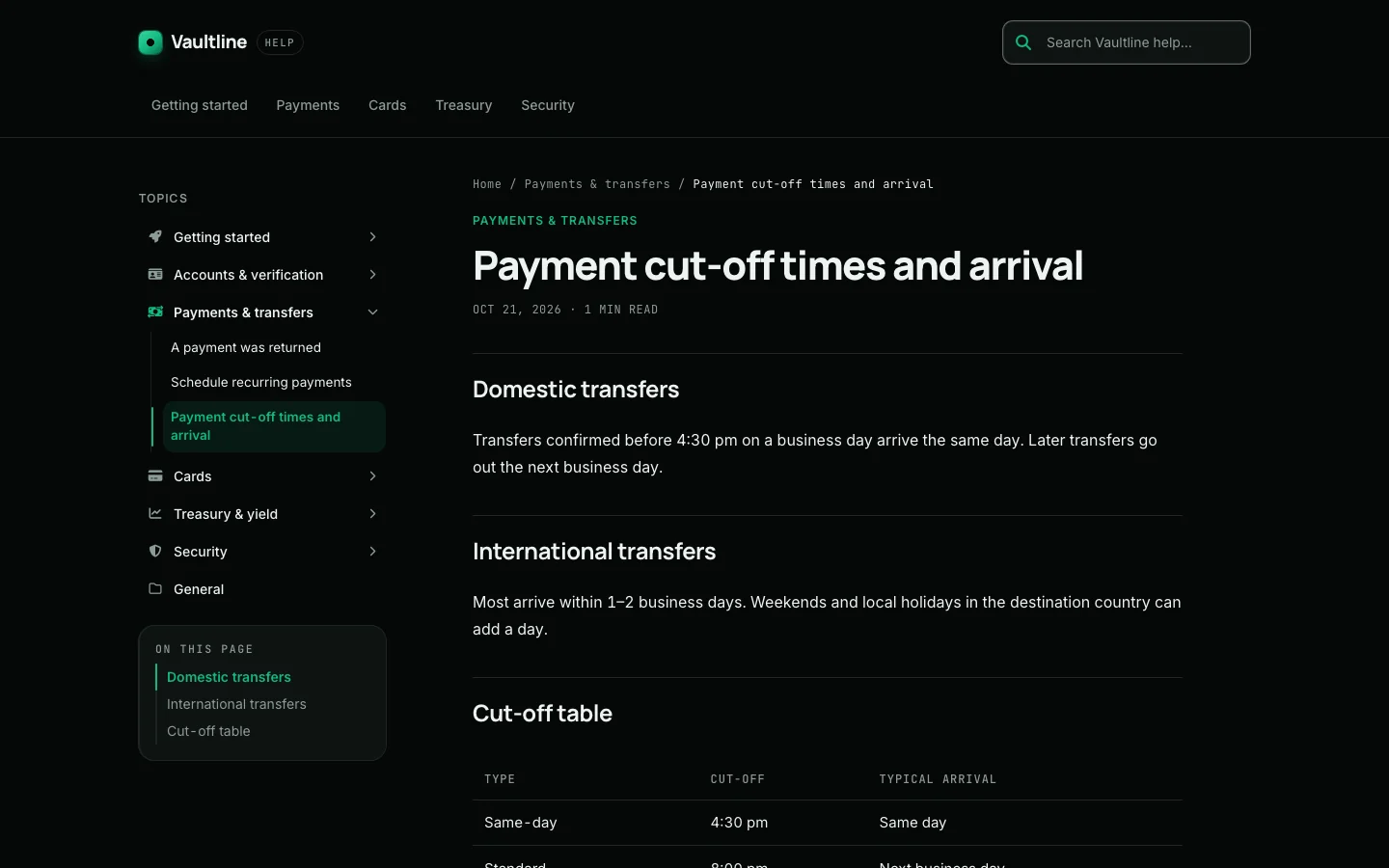
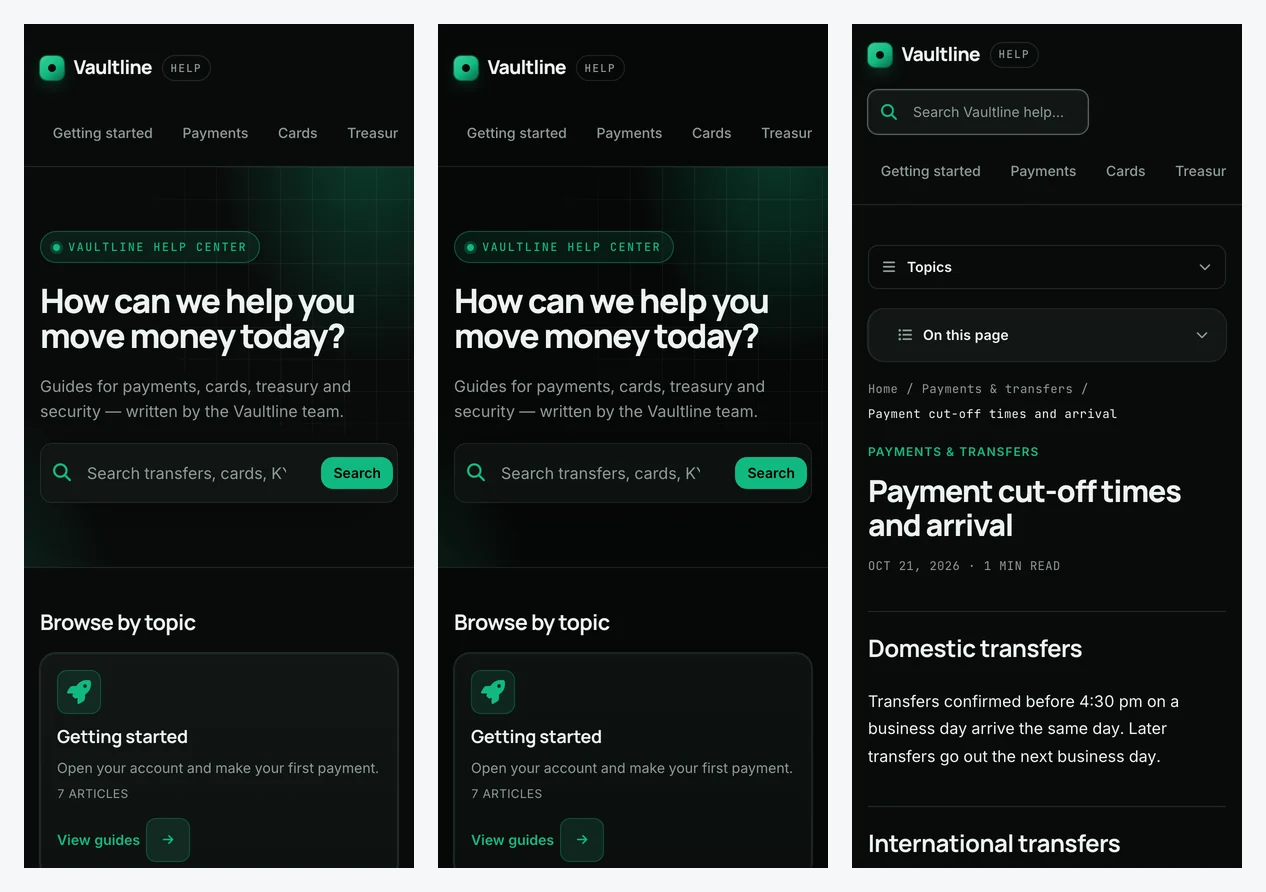
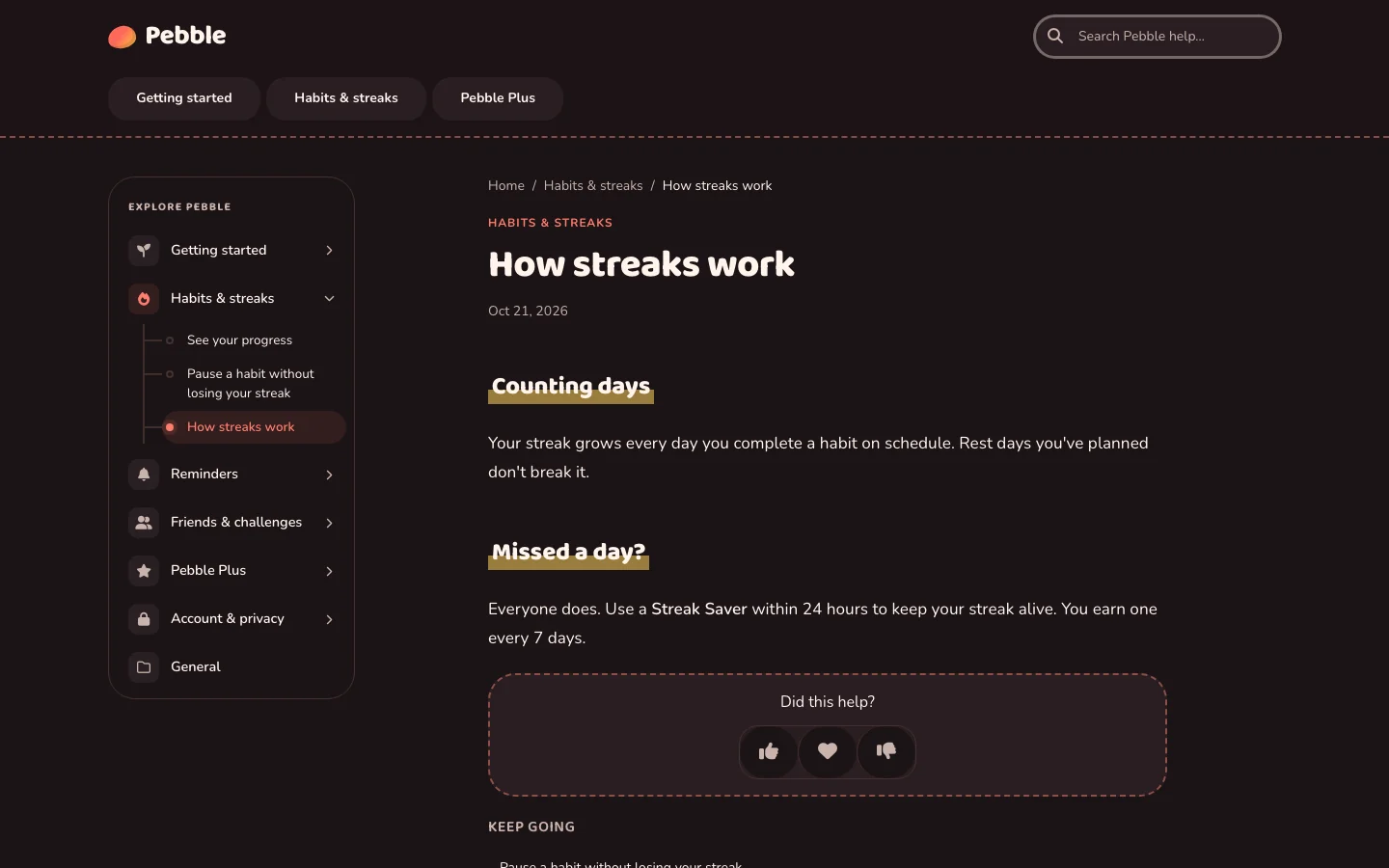
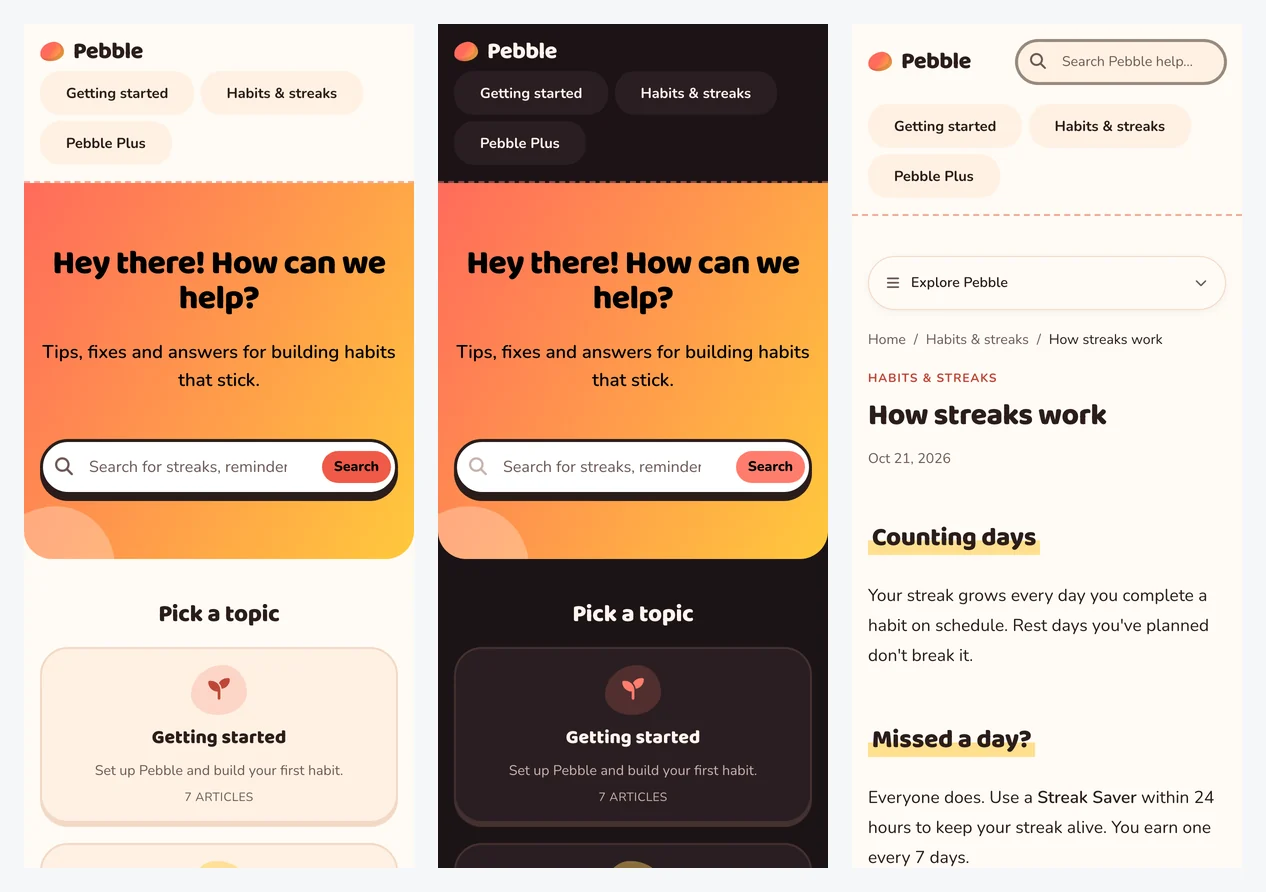
Each of these three started as the same stock help center and the brief beside it. A fresh Claude session with the HelpCenter.io plugin built and published each one in about four minutes. No one touched the design by hand.
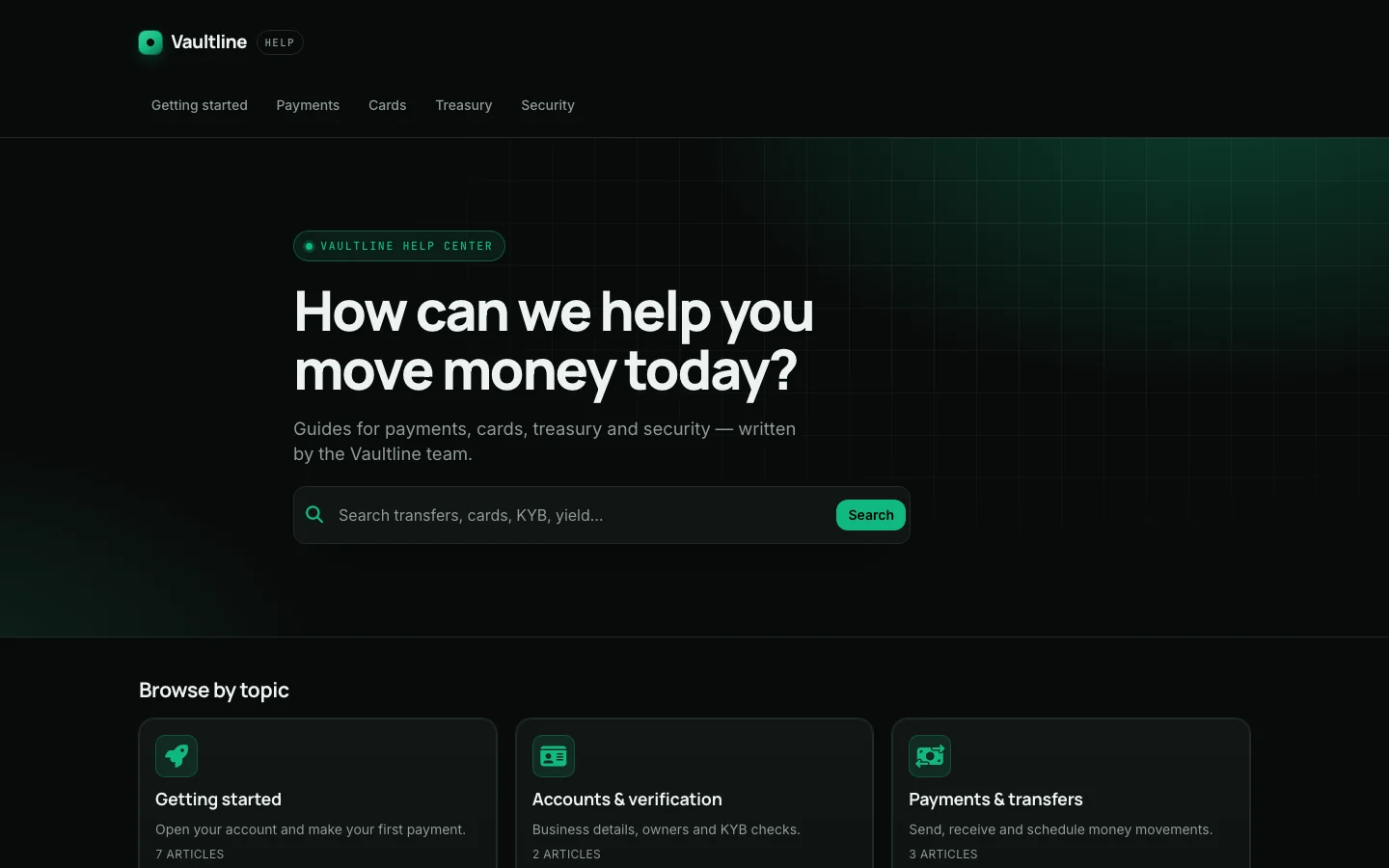
The brief · Payments for startups
“Dark, premium and precise, like part of a modern banking app. Emerald #10B981.”
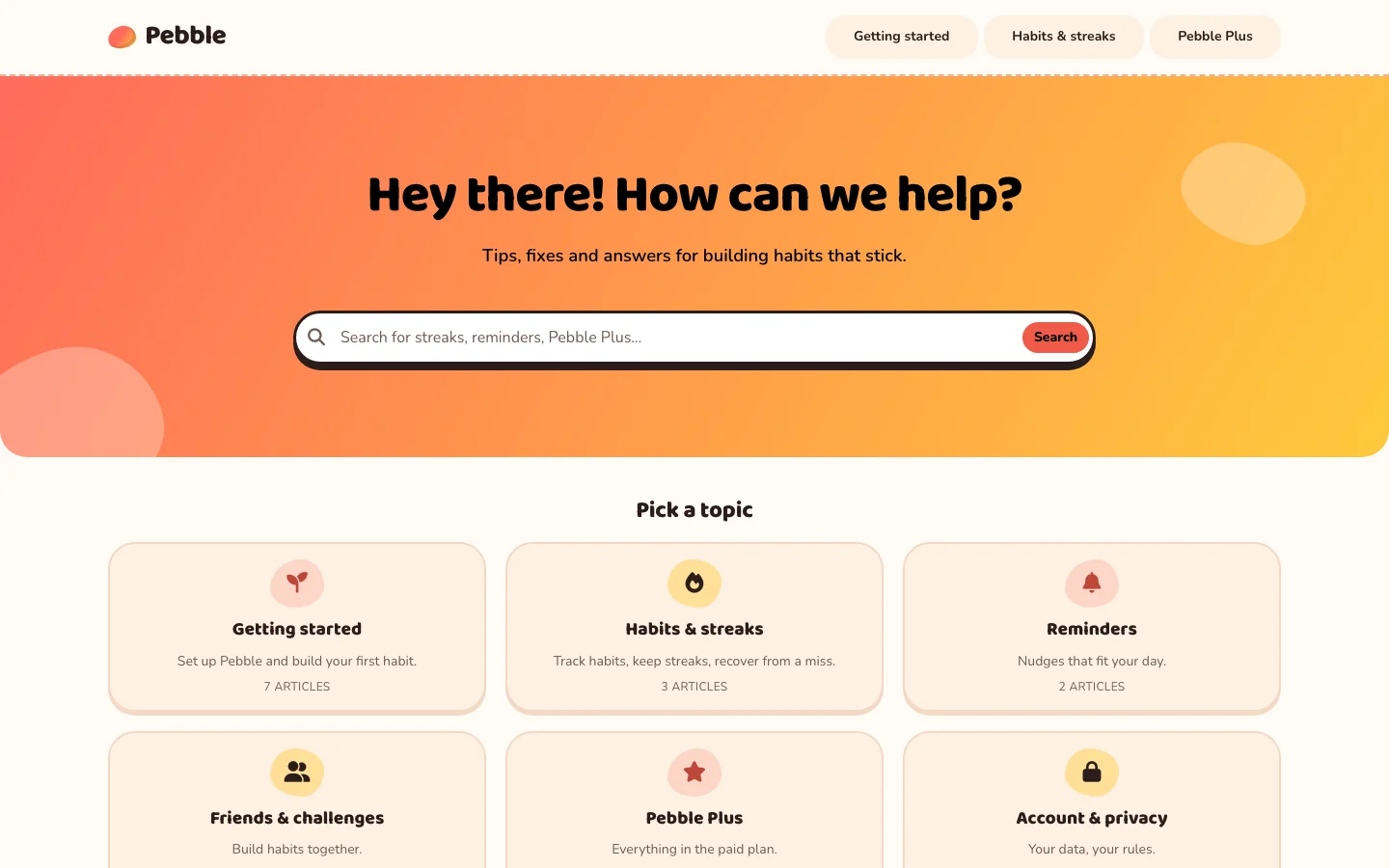
The brief · A habit app for teens
“Playful, friendly and bright, rounded, a bit of fun. Coral and sunny yellow.”
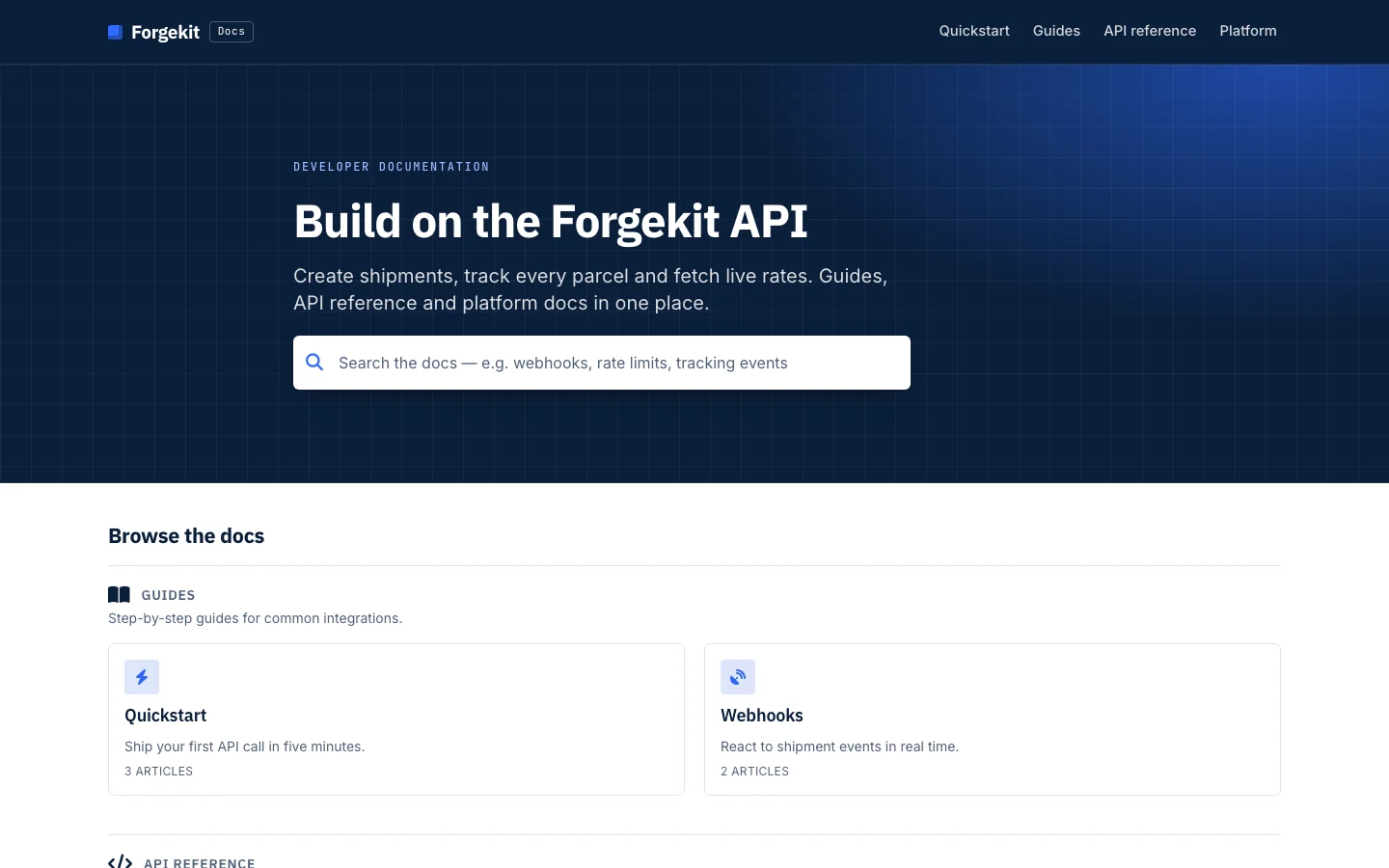
The brief · A logistics API
“Clean, enterprise, docs-first: a category tree, an outline beside each article, code-friendly type. Navy and electric blue.”
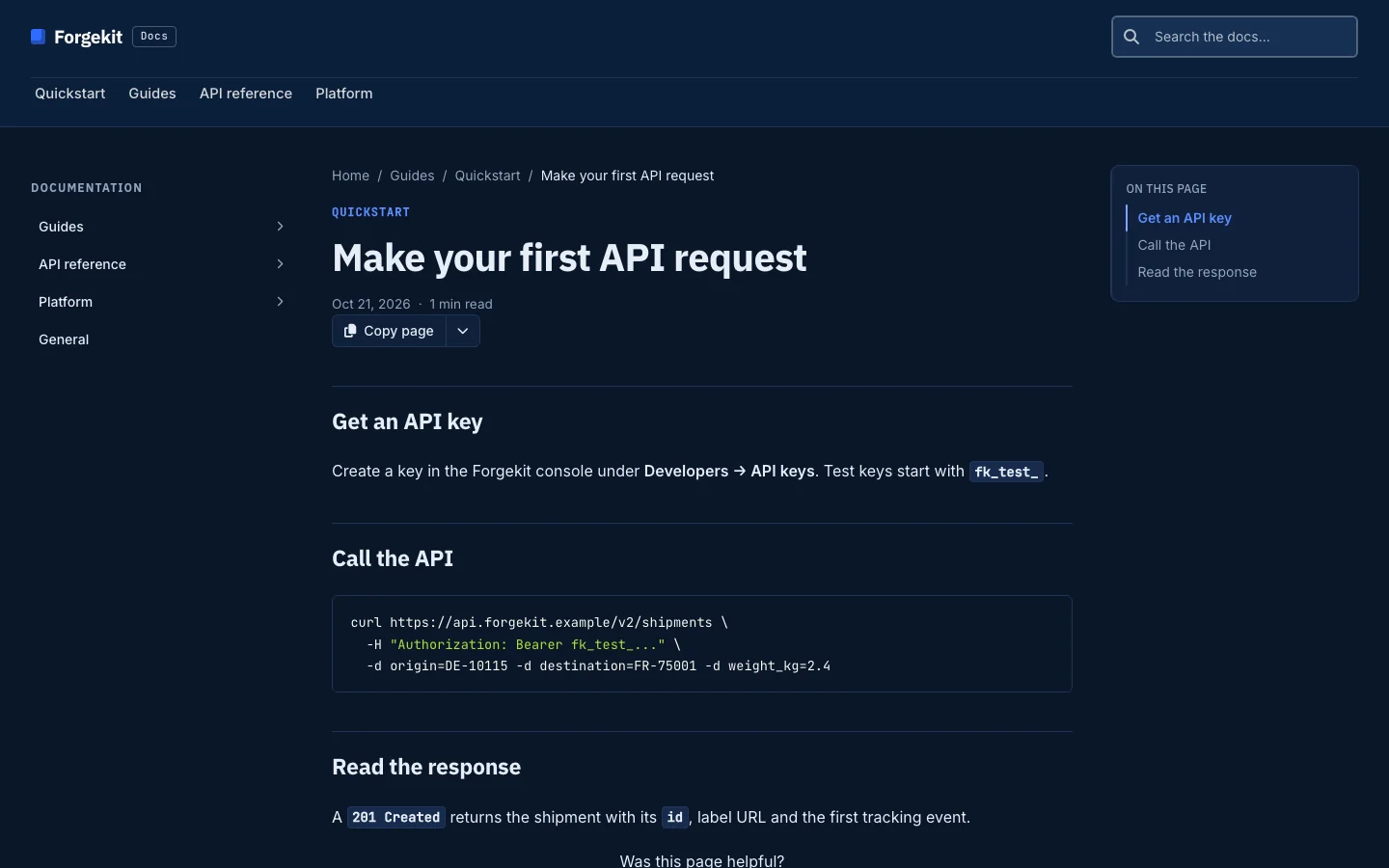
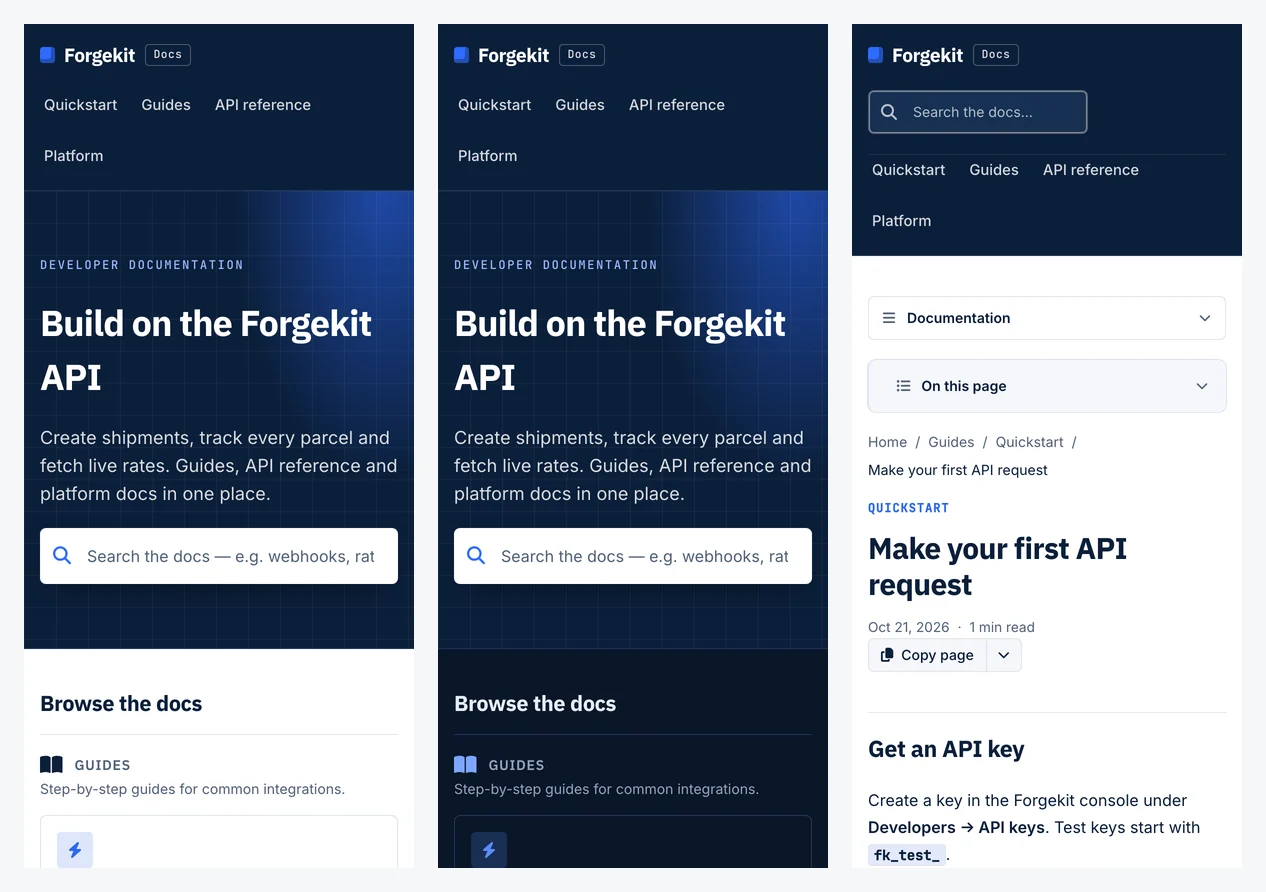
Every kind of design edit is a tool of its own, from colours and fonts to layouts, components and custom CSS, so the assistant asks before the exact change it is about to make. Every published design can be restored.
Rather not write a brief? Paste your website's address into the AI theming agent and get a help center that already looks like you.Tell your agent what changed and it finds every article that mentions it. On Catalyst, it stages the edits to live articles privately, gathers them into one release with any new drafts, and schedules it for launch day. Readers see the old answers until then, and the new ones the minute it ships.
You: Our Starter plan becomes Basic on 1 November. Update everything, but nothing should change before then.
Tool call:
helpcenter_search_articles
9 articles mention Starter
Tool call:
helpcenter_stage_article_changes
×9, readers see nothing yet
Tool call:
helpcenter_create_change_set
“Plan rename”
Tool call:
helpcenter_add_change_set_items
9 staged edits
Tool call:
helpcenter_publish_change_set
scheduled for 1 November, 09:00
Assistant: All nine edits are staged in the change set Plan rename, scheduled for 1 November at 09:00. You can read each one in the dashboard before then, or cancel the schedule.
Every search that comes back empty is a customer telling you what to write next, and every article with views and poor ratings is one telling you what to fix. Your agent reads both, ranked by demand, checks what you already have so a near miss gets improved instead of duplicated, and drafts the rest for your review.
Search data is aggregated daily: your agent sees questions and demand, never a trail of individual visitors.
You: Which articles should we fix first, and what is missing?
Tool call:
helpcenter_get_content_performance
views and ratings, last 30 days
Tool call:
helpcenter_get_search_queries
searches that found nothing
Assistant: “Connect your bank” has 2,140 views and only 38% found it helpful: the screenshots show the old settings page. And 41 people searched for “pause instead of cancel” and found nothing. I can fix the first and draft the second.
You: Do both.
Tool call:
helpcenter_update_article
new steps and screenshots
Tool call:
helpcenter_create_article
saved as a draft
Assistant: Done. The bank article is updated, and the new one is waiting for your review:
Open Claude Code in your app's repository and ask for help where your customers need it. It adds the HelpCenter.io widget the way your framework expects, follows your routes in a single-page app, opens the right article from your own buttons, and drops FAQ sections onto the pages that need them.
It sets up the HelpCenter.io side as well, through the connector: it reads your install code, creates the FAQ sections, and adds your site to the websites the widget may run on once you say yes.
For signed-in users it writes the endpoint that signs them in with single sign-on, and keeps the shared secret in your server's environment, where no agent ever reads it.
The widget is on every plan; AI answers inside it need Catalyst or the AI add-on, and single sign-on needs Catalyst. More about the widget.
You: Add the HelpCenter.io widget to our app, open Getting started from the Help menu, and sign our users in to it.
// app/layout.tsx
<Script id="helpcenter-widget" strategy="afterInteractive">
  {`window.hcOptions = { app_id: "YOUR_APP_ID" };`}
</Script>
<Script src="https://helpcenter.io/js/init.js" strategy="afterInteractive" />
Assistant: The widget loads on every page and follows route changes. Signed-in users get a short-lived token signed on your server from HELPCENTER_SSO_SECRET, which stays in your environment.
Everything your agents write lands in one place, and everything that answers your customers reads from it. Fix an answer once and every one of these shows the new one.
The articles your team and your agents write, in every language you offer.
Search and every article, on your own domain or under a folder of your website.
Answers on the very page the question comes from.
Live answers on pricing, checkout and landing pages.
Claude or ChatGPT answers your team from your articles, with links.
Read-only MCP at your help center's own /mcp, on every plan.
Clean Markdown on every page, with llms.txt and ai.txt.
Access is granted help center by help center, on our own consent screen, so your password never reaches the assistant. You can take it back whenever you like.
Agents sign in through HelpCenter.io over OAuth 2.1. You pick which help centers a connection reaches and see every permission it asks for before you allow it.
Every tool that edits, publishes, discards, restores or deletes is labelled destructive, so clients like Claude ask you before they run it.
New articles can be saved as drafts, design changes stay in the Template Editor's draft, and on Catalyst edits to live articles can be staged.
Change what a connection reaches, or disconnect it, in Account → Connected Apps. Delete an API key and it stops working.
Reader email addresses are withheld unless a connection with write access asks for them, IP addresses are never exposed, and search data is aggregated daily.
Your customers' assistants only ever see what any visitor could read: published, public articles. Private categories and internal notes never reach them.
Copy one into Claude or ChatGPT once your help center is connected, and change the details to yours.
“Move every article from our current help center at help.example.com into HelpCenter.io as drafts, in the same categories.”
“Redesign our help center to match our brand: we are a payments app for startups, and it should feel dark, premium and precise. Leave it as a draft for me to review.”
“Our Starter plan is now called Basic. Find every article that mentions Starter and stage the updates for my review.”
“What did customers search for last month and not find? Draft articles for the top three.”
“Add the HelpCenter.io widget to this app, and open the Getting started article from our Help menu.”
“Translate our five most viewed articles into German and Spanish.”
One connection can reach every help center you give it. Your agent names the help center on each call instead of guessing, so you can turn a new client's brief into a branded help center, then check last month's gaps across all of them.
No add-on and no charge per tool call. The MCP server comes with the plan, and your 14-day trial includes it. Your customers' assistants can read your public help center on every plan.
$119 /mo, billed annually
or $149 month to month
$179 /mo, billed annually
or $199 month to month
Bootstrap and older plans priced below Growth do not include the MCP server. Compare every plan.
Setting one up? Connect Claude or your own agent, or add the ChatGPT plugin.
Through the HelpCenter.io MCP server, an agent can do most of the day-to-day work on a help center: search and read articles, write, translate and import them, organize categories, upload images, restyle the help center in the Template Editor's draft, read search and content analytics, and answer reader comments and editorial notes. That is 77 tools, listed on the MCP server page, each inside the permissions you approve.
Claude on the web, Claude Desktop and Claude Code, ChatGPT through the HelpCenter.io plugin (see the ChatGPT plugin), and any MCP client that supports remote servers with OAuth sign-in. An agent you build yourself can use an API key from Settings → API Keys instead.
No. Moving in, designing, writing and finding gaps all happen in a conversation with Claude or ChatGPT. Code only comes into it when you put the help center inside your own product, and that is the part Claude Code does in your repository for you.
Only if you give it write access and ask it to. Ask for drafts and publishing stays your call. Design changes stay in the Template Editor's draft until the design is published, and on Catalyst edits to live articles can be staged for your team. Every tool that edits, publishes, discards, restores or deletes is labelled destructive, so clients like Claude ask you before running it.
The MCP server is included in Growth and Catalyst, and in the 14-day trials of both, with no add-on and no charge per tool call. Staged changes and version history need Catalyst. The read-only /mcp address your customers' assistants use is on every plan.
Every public help center answers MCP at its own address, for example help.example.com/mcp, so an assistant your customer uses can search your articles and quote them. It is read-only and anonymous, and it only ever sees what any visitor could read: published, public articles. You can switch it off in your help center's Settings.
Start a 14-day trial, connect Claude or ChatGPT, and give it the first job. No credit card needed.
Help could not load. Open our help center.