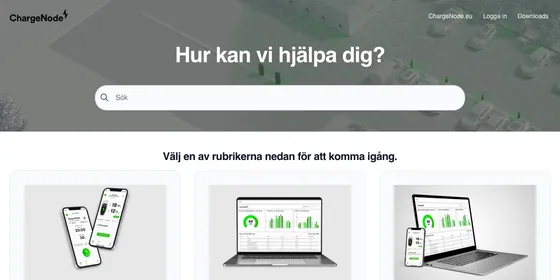
Documentation software

Product documentation and user manuals, published in minutes

HelpCenter.io is documentation software for product teams. Write product docs and user manuals in an editor built for code and API reference, keep a version history, and publish to your own domain without waiting on a developer.

14-day free trial · No credit card required

The problem

Why product documentation falls behind the product

Product docs rarely fail on launch day. They fail a few releases later. Features ship every sprint, but the user manual lives in a PDF, in a wiki only staff can open, or on a docs site that needs a developer to publish. Every fix waits in a queue, screenshots drift away from the real interface, and customers stop trusting what they read.

Publishing is the other half of the problem. Docs for a feature that has not launched have nowhere safe to wait, so they get written late. Fixing a live article means editing the page readers are on. And each new language multiplies the work.

Good product documentation software removes those blockers: writers publish without a deploy, unreleased docs stay hidden until launch, and a version history shows what changed.

Features

Everything a product manual needs

Rich editor

A rich editor built for technical docs

Write how-to guides, reference pages and release notes in one editor, with no markup to learn. Type a slash and pick the block you need.

  • Code blocks with syntax highlighting for dozens of languages
  • An API endpoint block for the method, path, parameters, body and responses, with cURL, JavaScript, Python and PHP samples generated for readers
  • YouTube, Vimeo and Loom videos, and sandboxed HTML embeds
  • FAQ sections inside an article, for the questions a how-to raises
  • Callouts, tables, images and file attachments for everything else
  • Rich editor · Available on every plan
Explore the help center product
Structure

A structure that mirrors your product

Organize a manual the way readers think about your product. Categories hold subcategories nested as deep as you need, so navigation reads like a table of contents. When the product changes, drag categories and articles into their new order.

Article templates keep every page consistent, so writers start from a skeleton instead of a blank page. Use a built-in template for a how-to guide, a troubleshooting flow, release notes or an API reference section, or save any article as a template of your own for the next writer.

  • Categories and templates · Available on every plan
How article templates work
Version history

Version history, and staged changes for live docs

See what changed, who changed it and when, and restore an earlier version from the history panel when an edit goes wrong. Version history is on every plan; how far back it goes depends on your plan.

On Catalyst, staged changes let you rework a published article while readers keep seeing the live version. Compare your staged copy with what is live, then publish it when the release ships, or discard it. A launch-day rewrite never goes out half done.

  • Version history · Available on every plan
  • Staged changes · Available on Catalyst
How staged changes work
Unreleased features

Docs for features that have not launched yet

Write the documentation while the feature is still being built, so it is ready on launch day. Set a category to Team members only, so readers never see it, or make one article Private, so only you and the teammates you pick can open it.

For beta testers, choose Anyone with the link: the article stays hidden from browsing and search, but the link opens it. When the feature ships, switch it to Public and it appears in navigation and search. There is no separate staging site to keep in sync.

  • Private and link-only content · Available on Growth and Catalyst
Languages

User manuals in more than one language

Bootstrap publishes in one language. Growth and Catalyst publish in several: each article keeps its translations together in the same editor, and category names and descriptions translate alongside it, so readers can browse the manual in their language.

Invite translators with the built-in Translator role, which can translate articles but cannot create or edit the originals.

On Catalyst, Auto-translate drafts a translation of an article for you to check, so a new language starts from a complete draft instead of an empty page.

  • Multiple languages · Available on Growth and Catalyst
  • AI translations · Available on Catalyst
How to translate an article
Hosting

Hosted on your domain, or at /docs

Publish the manual on your own domain, like docs.yourproduct.com, with SSL and a global CDN on every plan. On Growth and Catalyst, subfolder hosting serves it from a path of your website instead, like yoursite.com/docs, with one proxy rule on your web server or CDN.

Readers can take a page with them. Themes with the article export menu, the default theme among them, offer Copy page, which copies the article as Markdown for an AI assistant, and Print article.

  • Custom domain, SSL and CDN · Available on every plan
  • Subfolder hosting · Available on Growth and Catalyst
How subfolder hosting works
Quick start

Publish your first manual in four steps

  1. Start a free trial

    Create your help center. The 14-day trial needs no credit card.

  2. Bring your docs over

    Use a self-service importer, or let our team migrate your docs for free, on every plan.

  3. Shape and brand it

    Set up your categories, pick a template and match your colors and fonts.

  4. Publish on your domain

    Connect your own domain and publish your first articles.

Example

One way to structure a user manual

An illustration for a fictional smart charger, not a real customer's help center. Getting started comes first, reference comes last, and docs for the next release wait behind access settings until launch.

Example structure: Northwind Home Charger manual Example
  • Getting started
    • What is in the box
    • InstallationSubcategory
      • Mount the charger
      • Wiring requirements
    • Connect to Wi-Fi
  • Using the app
    • Start and stop charging
    • Schedule off-peak charging
  • Troubleshooting
    • What the status light means
    • Error codes
  • Developer API
    • Authentication
    • Start a charging session
  • Firmware 3.0Team members only
    • Smart load balancingAnyone with the link
Plans

Which plan fits your documentation

Bootstrap

$29/mo billed annually, or $39 monthly

For one writer publishing one manual in one language.

Rich editor, templates, version history and your own domain, for one team member.

Growth

$119/mo billed annually, or $149 monthly

For teams documenting features before they launch.

Adds private and link-only content, multiple languages and subfolder hosting, for up to 10 team members.

Catalyst

$179/mo billed annually, or $199 monthly

For docs that change while customers are reading them.

Adds staged changes, automatic AI translations and SSO for readers, for unlimited team members.

FAQ

Product documentation questions, answered

Can I publish a user manual online?

Yes. HelpCenter.io works as user manual software: each manual is a help center of categories and articles that readers browse and search, on our address or your own domain, with SSL and a global CDN on every plan.

Can I keep docs for unreleased features hidden?

Yes, on Growth and Catalyst. Set a category to Team members only, make an article Private for you and the teammates you pick, or choose Anyone with the link to share it with beta testers. Switch it to Public at launch.

Can I offer docs in several languages?

Yes, on Growth and Catalyst; Bootstrap publishes in one language. On Catalyst, Auto-translate drafts each translation for you to check.

Can I host them at /docs?

Yes, on Growth and Catalyst. Subfolder hosting serves your help center from a path of your own website, like yoursite.com/docs, through one proxy rule. Every plan can use a custom domain such as docs.yoursite.com instead.

Can I document an API next to the user manual?

Yes. Code blocks and the API endpoint block are in the editor on every plan, so your API reference and your how-to guides live in one help center, with one search.

Can I move my existing docs to HelpCenter.io?

Yes. On every plan, our team migrates your existing knowledge base for free. You can also use a self-service importer from your dashboard if your docs live on a platform it supports.

Publish docs your customers can trust

Start with one manual today, and grow it with every release.

No credit card required · Free migration on every plan

Is HelpCenter.io right for your documentation?