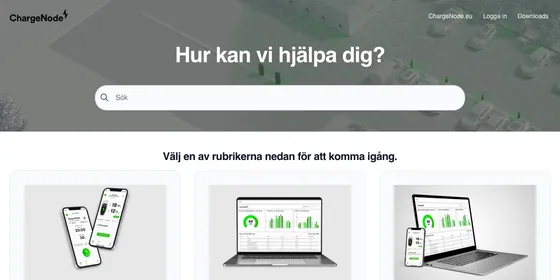
One help center, many kinds of documentation
Customers, employees, developers and the AI assistants they use all need answers they can trust. We give each of them a help center that fits: articles in categories, search that forgives typos, and your domain and your brand. AI assistants read it too, through the read-only MCP server at your help center's /mcp address.
Every plan includes unlimited articles and viewers, a custom domain with SSL, a global CDN, the AI Widget, FAQ sections, self-service importers and free migration. Some features depend on your plan, and each card below says which.
Choose your use case
Each page shows how the help center works for that job, which features matter and which plan includes them.
-
Customer help center
Answer customer questions before they turn into tickets, on your own domain and brand.
- AI Widget
- Article ratings and feedback
- Smart 404s Available on Growth and Catalyst
-
Internal knowledge base
Give your team one searchable home for how things work, closed to the public.
- Private or password-protected Available on Growth and Catalyst
- Typo-tolerant search
- JWT single sign-on Available on Catalyst
-
API docs
Publish API references and developer guides with endpoint blocks and highlighted code.
- API endpoint block
- Code blocks
- Custom CSS and JS
-
AI-ready docs
Write once for readers and for the AI assistants that answer from your docs.
- Read-only MCP at /mcp
- AI Widget
- Authenticated MCP server Available on Growth and Catalyst
-
Employee handbook
Turn your handbook and HR policies into a help center employees can search.
- Review reminders
- Version history
- JWT single sign-on Available on Catalyst
Public, private or in between
Every use case comes down to who may read what. Set it per article, per category or for the whole help center.
Articles and categories
-
Public
Listed in your help center and found in search.
Every plan -
Anyone with the link
Hidden from browsing and search. The link opens it.
Available on Growth and Catalyst -
Private
Only the author and the teammates they pick can open it.
Available on Growth and Catalyst -
Team members only
For categories: only your team can open the category and its articles.
Available on Growth and Catalyst
The whole help center
-
Private or password-protected
Open only to your team, or to anyone who has the password.
Available on Growth and Catalyst -
Single sign-on
Readers sign in with your own login, through JWT, before they read.
Available on Catalyst -
IP allowlist
Only visitors from the IP addresses you list can open it.
Available on Growth and Catalyst
The levels combine. Inside a private or password-protected help center, a Private article still opens only for its author and the teammates they pick.
Or start from your industry
The industry pages show the same help center set up for software teams, online stores, fintech, schools, agencies and mobile apps.
Start with the documentation you need most
Start your free trial14-day free trial, no credit card required.