Customer service knowledge base

A customer service knowledge base that answers questions before they become tickets

Publish answers customers can search, on your own domain. Bring them into your product, and see which articles still leave people stuck.

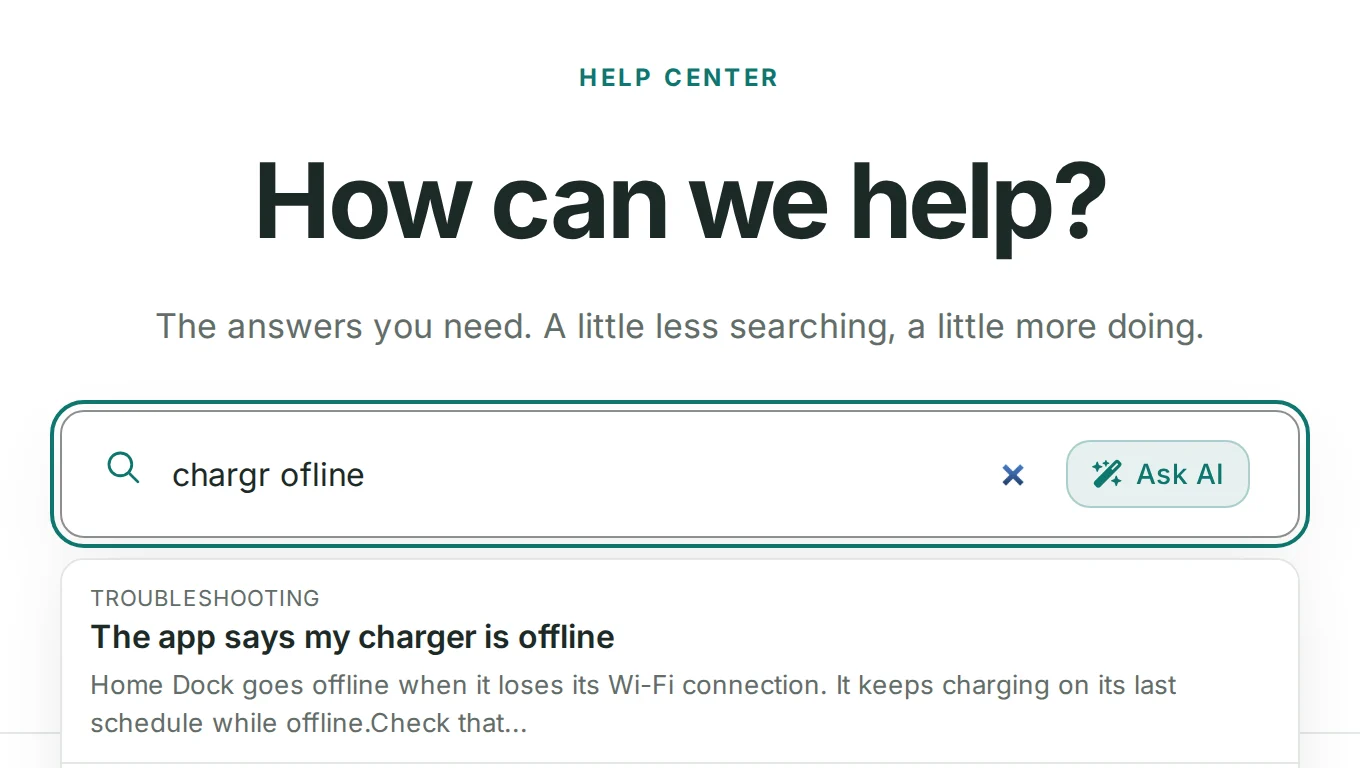
Search that finds answers, typos and all
Help inside your product
Ratings that show what to fix

14-day free trial · No credit card required

A demo help center's search box with the misspelled query chargr ofline, finding the article The app says my charger is offline, beside the Ask AI button
A demo help center: two typos, and search still finds the answer.
The problem

The same questions, every day

Much of a support queue is questions your team has answered before: how to reset a password, where to find an invoice, why the app says it is offline. Each one takes an agent a few minutes, and together they push the hard conversations to the back of the line.

Plenty of customers would rather fix it themselves than wait for a reply, if the answer is easy to find. When it sits in an old email, a PDF or a page search engines never see, they give up and write in.

A customer service knowledge base fixes this at the source: write each answer once, put it where customers look, and keep your team for the questions only people can answer.

How it works

Customer self service software that keeps tickets down

Your brand, on your domain

Make the help center look like your product. Start from a theme in the Template Customizer, then change colors, fonts, layouts and components in the template editor, previewing each change on desktop, tablet and mobile. Add your own CSS and JavaScript when you need more.

Serve it on your own domain with SSL, over a global CDN on every plan, so pages load fast wherever customers are. On Growth and Catalyst, you can also host it in a subfolder of your site, at yoursite.com/docs.

  • Template Customizer, template editor, custom CSS and JS, custom domain with SSL, global CDN: available on every plan
  • Subfolder hosting: available on Growth and Catalyst
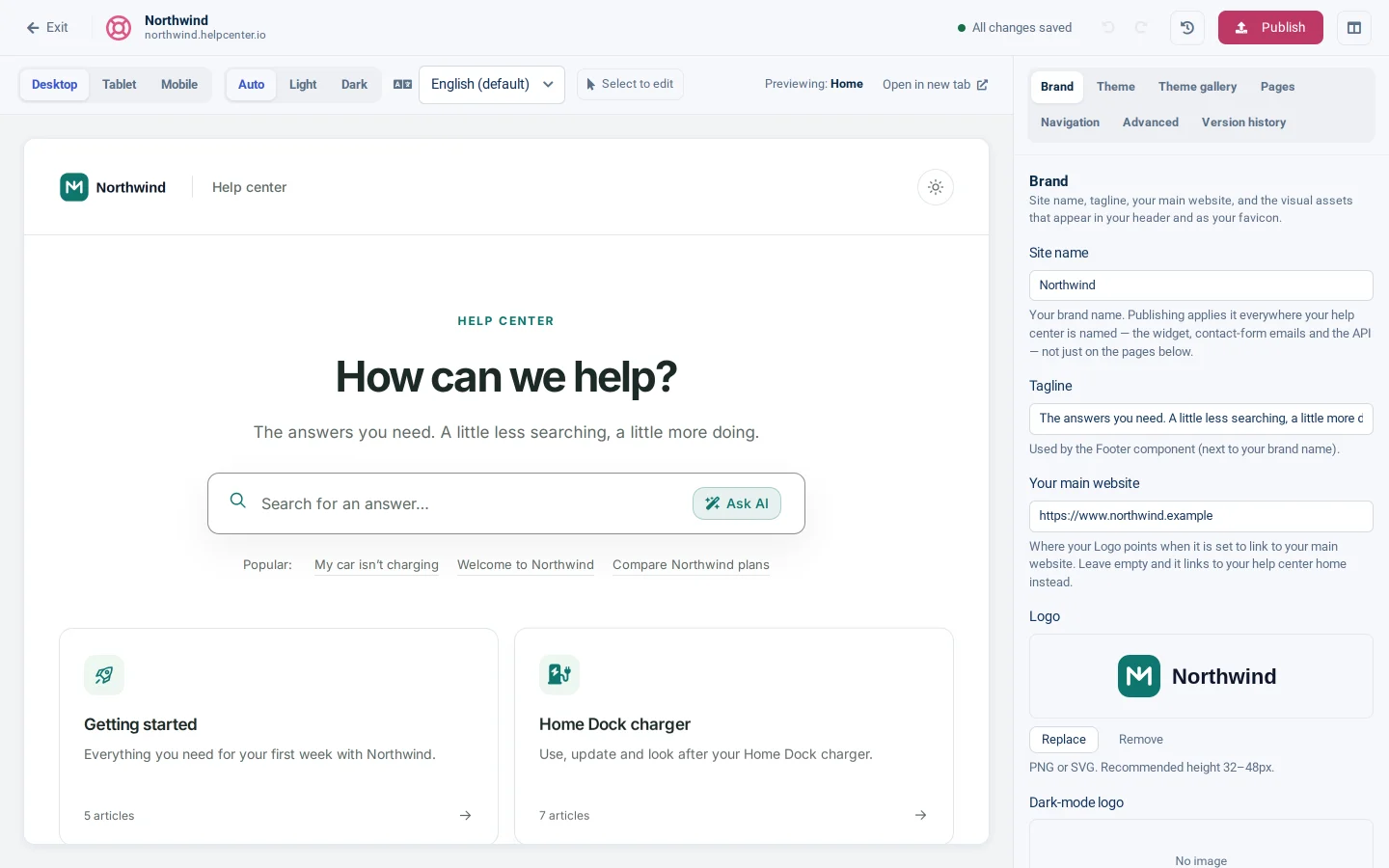
The template editor on a demo help center: a live preview of its home page with a search box and topic cards, beside the Brand settings for its name, tagline, website and logo

Being found

Many customers start at a search engine, so give every article its own SEO title, description and URL, and add redirects so old links keep working. Typo-tolerant search finds the right article even when a word is misspelled.

Once published, your help center serves AI assistants too: llms.txt, one setting for what search engines and AI crawlers may do, and a public, read-only MCP server at https://<your help center>/mcp. On Growth and Catalyst, smart 404s suggest articles for a broken link.

  • SEO title, description and URL, redirects, typo-tolerant search, llms.txt, AI crawler controls, public MCP server: available on every plan
  • Smart 404s: available on Growth and Catalyst
  • Semantic (AI) search: included on Catalyst, an add-on on Bootstrap and Growth
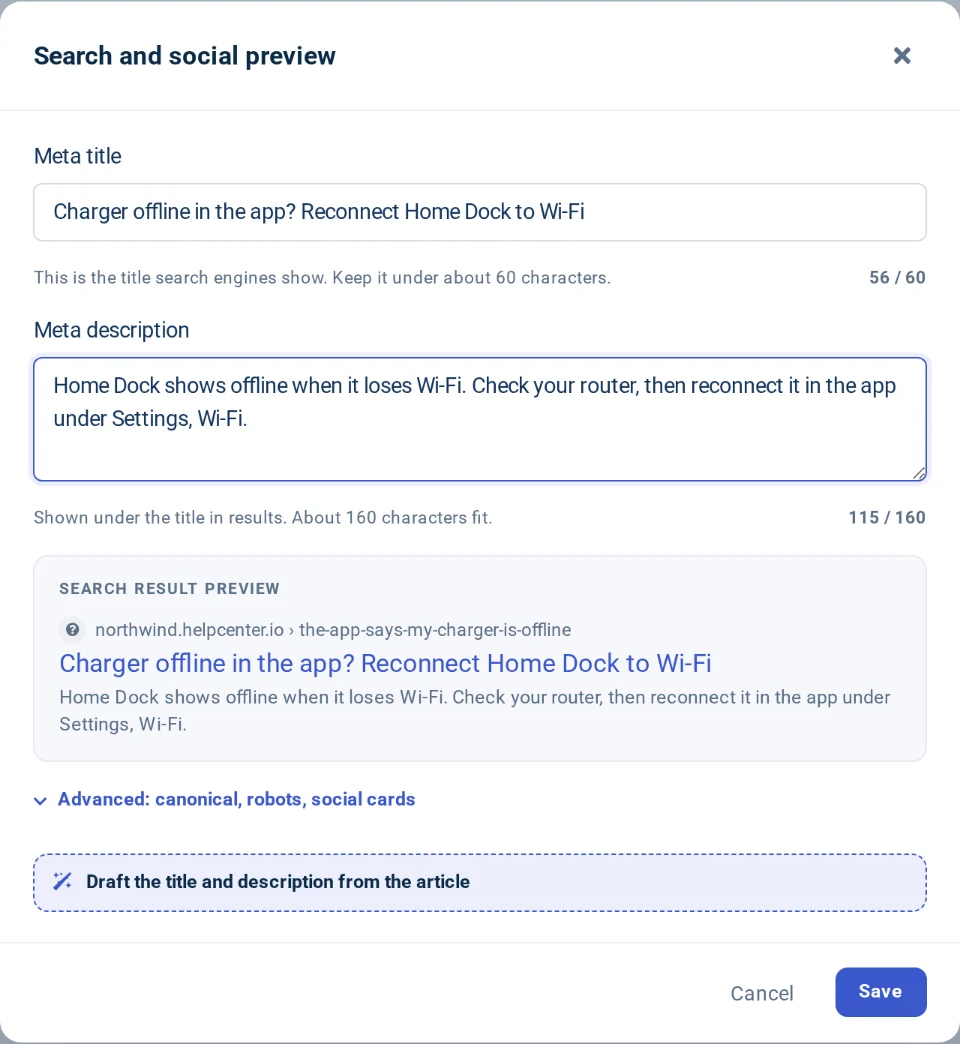
The Search and social preview window for a demo article: its meta title and meta description with character counts, above a preview of the search result

Help where customers are

Customers get stuck inside your product, not on your help center's home page. The AI Widget brings search and your articles to any page of your website or app. When an article does not settle it, customers message your team from the widget's contact form.

FAQ sections put short questions and answers on the pages that raise them, such as pricing or checkout. On Growth and Catalyst, you can embed the whole help center in your product with JavaScript.

  • AI Widget with a contact form, FAQ sections: available on every plan
  • JS embedding: available on Growth and Catalyst
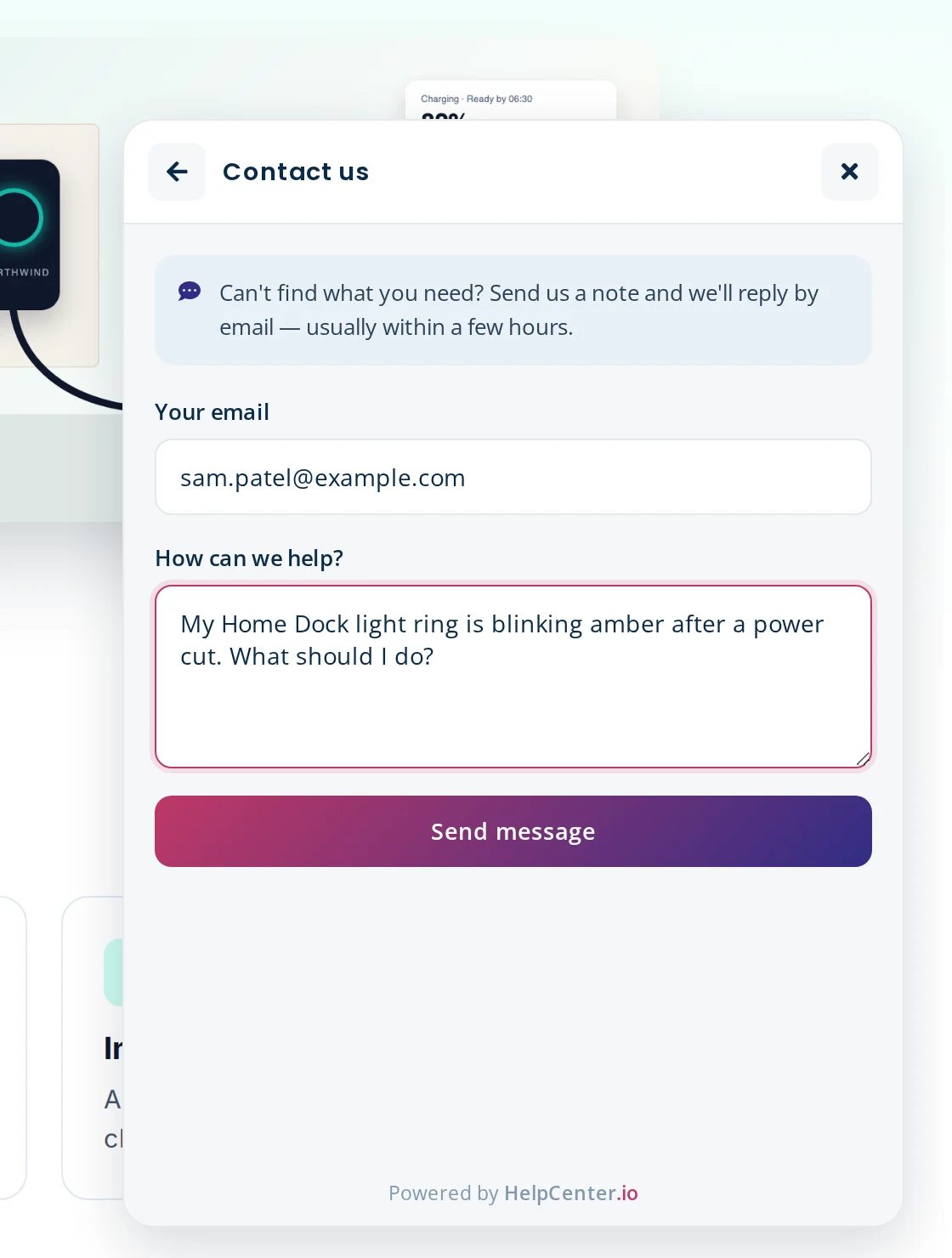
The AI Widget open on a demo company's website, showing its Contact us form with a customer's email and question filled in and a Send message button

Learning what's missing

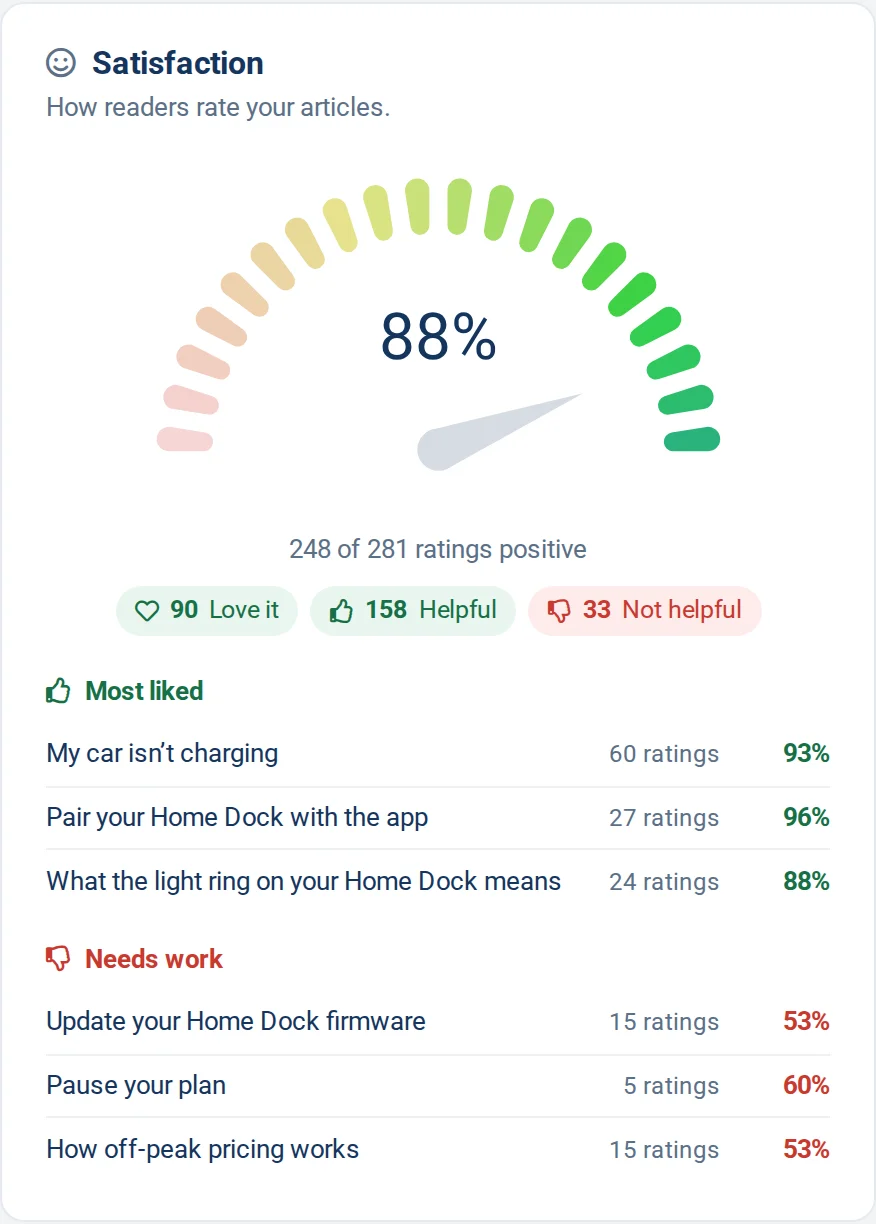
Readers rate each article and can tell you what was missing, and each article's Feedback tab keeps every rating and comment. The Satisfaction score shows the share of positive ratings, with the articles readers like most and those that need work.

Analytics show what customers read and search for, including searches that found nothing: the articles to write next. Analytics are kept for 14 days on Bootstrap, 60 days on Growth and 365 days on Catalyst, and Catalyst includes advanced analytics.

  • Article ratings and feedback, Satisfaction score, analytics: available on every plan
  • Analytics retention: 14 days on Bootstrap, 60 days on Growth and 365 days on Catalyst
  • Advanced analytics: available on Catalyst
The Satisfaction card in a demo help center's statistics: 88% of ratings positive, split into Love it, Helpful and Not helpful, with the most liked articles and the ones that need work

Ticket deflection, at the moment customers ask

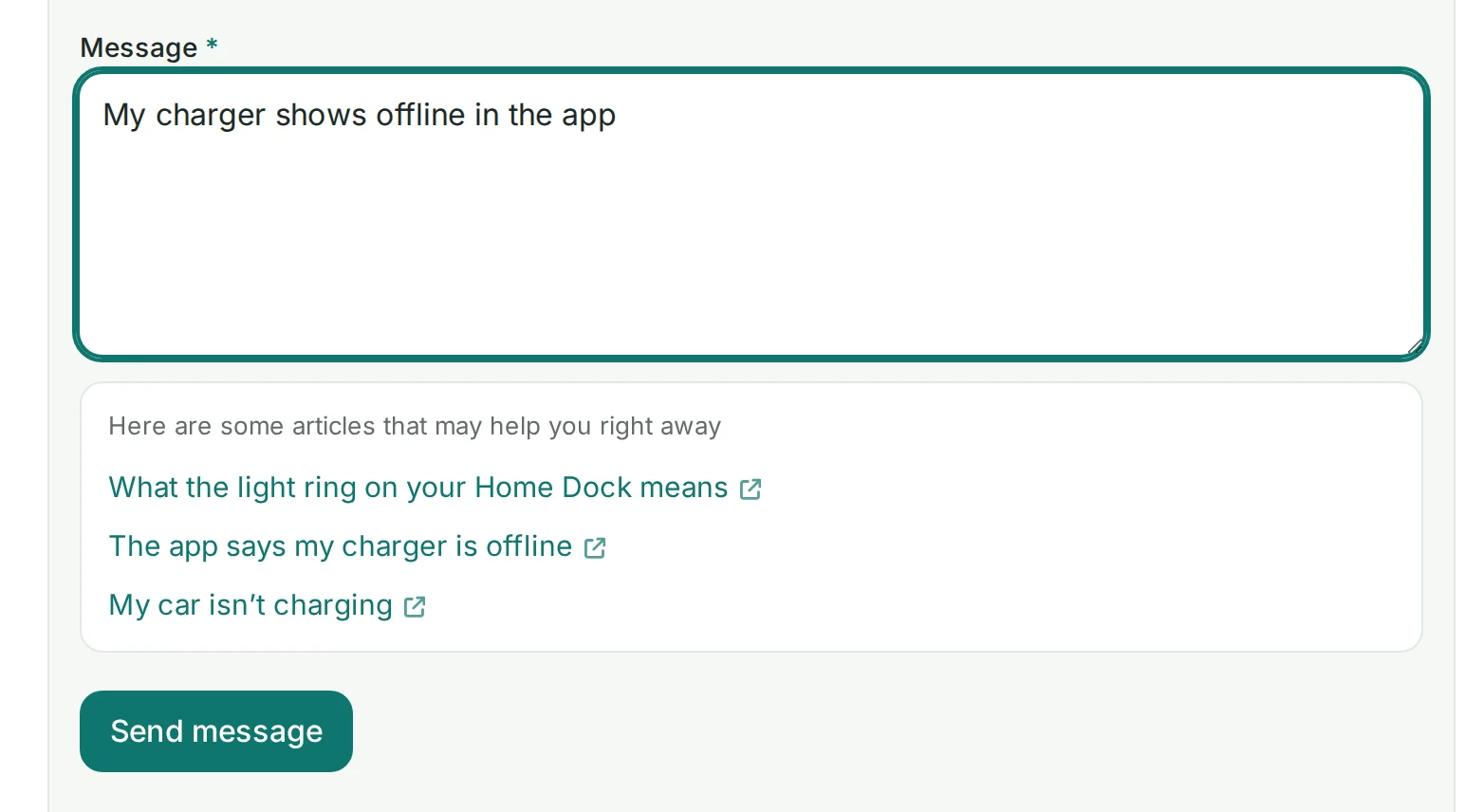
Ticket deflection works best just before a customer writes in. As someone types into your help center's contact form, it searches your articles and lists the closest matches under the message box, so the answer can arrive before they press Send.

The AI Widget puts search first too, with its contact form one step away. With AI Answers, customers ask in their own words and get a reply written only from your articles, with links to the ones it used.

  • Article suggestions on the contact form: available on every plan
  • AI Answers: included on Catalyst, an add-on on Bootstrap and Growth
A demo help center's contact form: as a customer types My charger shows offline in the app, three matching articles appear under the message box
Quick start

Set up your customer support knowledge base

From scattered answers to a help center customers can search.

  1. Moving in

    We move your articles, categories and images for you, free, on every plan. Or import them yourself from Zendesk Guide, Intercom, Document360, Help Scout Docs, Front Knowledge Base or HelpDocs.

    How free migration works
  2. Make it yours

    Pick a theme, add your logo and colors, and connect your own domain with SSL.

    Connect your own domain
  3. Put help where customers ask

    Add the AI Widget to your site or app with one snippet, and FAQ sections where questions come up.

    Install the widget
Example

An example customer service knowledge base

One way to organize it, for a made-up software company.

Example: categories and articles
  • Getting started

    • Create your account
    • Invite your team
  • Account and login

    • Reset your password
    • Turn on two-step verification
  • Billing and plans

    • Download an invoice
    • Change your plan
  • Troubleshooting

    • The app will not load
    • Fix sync errors
  • Integrations

    • Connect your calendar
    • Use the API
  • Policies

    • Refund policy
    • Privacy and your data
Plan fit

Which plan your support team needs

Bootstrap

$29/mo
billed yearly, or $39 monthly

For one person's first help center.

  • Unlimited articles and viewers
  • Typo-tolerant search, AI Widget, FAQ sections
  • 1 team member, one language

Growth

$119/mo
billed yearly, or $149 monthly

For a team helping customers in more places.

  • Everything in Bootstrap, plus subfolder hosting
  • JS embedding and smart 404s
  • White-glove support
  • Up to 10 team members, multiple languages

Catalyst

$179/mo
billed yearly, or $199 monthly

For a team that wants AI to answer first.

  • Everything in Growth, plus AI Answers and semantic (AI) search
  • Advanced analytics
  • 3 hours of manual customization
  • White-glove, hands-on support
  • Unlimited team members

AI Answers, question answering written only from your articles, is included on Catalyst and an add-on on Bootstrap and Growth. Compare every plan

FAQ

Questions support teams ask

How long does setup take?
You can start the day you sign up: pick a theme, write or import articles and preview them, then publish once your plan is activated. If we migrate your content, most help centers are live in under 7 days.
Can I use my own domain?
Yes, on every plan, with SSL. On Growth and Catalyst, you can also serve it from a subfolder, at yoursite.com/docs.
Can customers search with typos?
Yes. Search tolerates typos on every plan, so "pasword reset" still finds the right article. Semantic (AI) search, which matches by meaning, is included on Catalyst and an add-on on Bootstrap and Growth.
Can I put help inside my product?
Yes. The AI Widget adds search, articles and a contact form to any page of your site or app, and FAQ sections add questions and answers, both on every plan. On Growth and Catalyst, you can embed the whole help center with JavaScript.
Can you migrate us?
Yes, free on every plan, monthly or annual: we move your articles, categories and images. You can also import them yourself.
Which plan do I need?
Bootstrap suits one person writing in one language. Growth adds up to 10 team members, more languages, subfolder hosting and JS embedding. Catalyst includes AI Answers, semantic search, advanced analytics and unlimited team members.

See help centers built with HelpCenter.io, or everything the help center does.

Answer each question once

A customer service knowledge base customers can search and your team can keep current.

No credit card required · Free migration on every plan

Is HelpCenter.io right for your support team?