HelpCenter.io Logo
AI New
Product
Help Center Your customer-facing knowledge base AI Widget Your help center inside your app AI AgentsNew Claude and ChatGPT run your help center AI Theming AgentNew On brand from your website Dynamic FAQ Write once, show on every site
Resources
Learning HubYou're here Video guides, filmed in the product Hall of Fame Real customer help centers Templates Launch faster, stay on brand
Start your free trial
By industry
SaaS For software teams E-commerce For online stores Finance For fintech companies Education For schools & universities Agencies For client work Mobile Apps For iOS & Android
Use cases
Customer help center SOPs Internal knowledge base API docs IT docs AI-ready docs All use cases
Case studies
More customer help centers
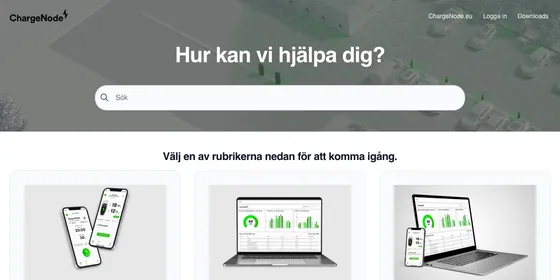
ChargeNode How the Nordic EV charging operator reached a 73% self-service resolution rate Read the case study
Pricing Blog Support
Sign in Try for Free
AI New Answers, writing help, translations
Product
Help Center Your customer-facing knowledge base AI Widget Your help center inside your app AI AgentsNew Claude and ChatGPT run your help center AI Theming AgentNew On brand from your website Dynamic FAQ Write once, show on every site
Resources
Learning HubYou're here Video guides, filmed in the product Hall of Fame Real customer help centers Templates Launch faster, stay on brand
By industry
SaaS For software teams E-commerce For online stores Finance For fintech companies Education For schools & universities Agencies For client work Mobile Apps For iOS & Android
Use cases
Customer help center SOPs Internal knowledge base API docs IT docs AI-ready docs
All use cases
Case studies
ChargeNode How the Nordic EV charging operator reached a 73% self-service resolution rate Read the case study More customer help centers
Pricing Blog Support
Sign in Try for Free
Learning Hub
Home Paths My learning
/

Search the Learning Hub

Find the exact moment, not just the video

We search every word said in every lesson, plus the titles of the help articles that go with them.

People search for
  • dark mode
  • custom domain
  • publish
  • JWT
  • FAQ section
  • custom CSS

30 moments in 17 lessons say “publish”
All courses 30 The Template Editor 7 FAQs and FAQ sections 7 Move to the new Template Editor 16
Play from 5:52 Best match

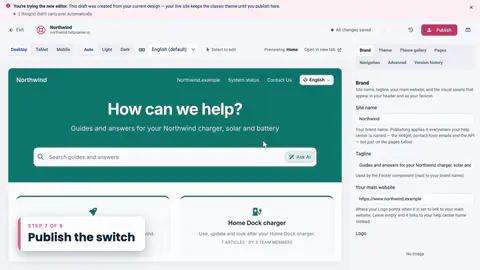
Publish the switch, play from 5:52

Move to the new Template Editor · Lesson 8 · 0:36 “When you're happy with it, click Publish.”
The Template Editor

7 moments
Length 1:02

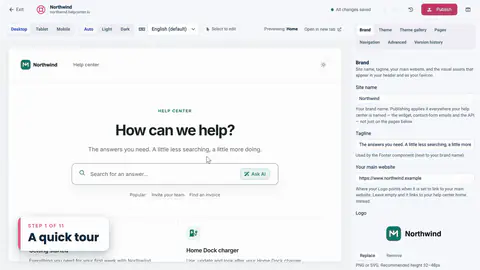
2. A quick tour

  • At 1:32Your visitors won't see any of it... until you click Publish.
Length 1:07

3. Start from a theme

  • At 2:39but nothing here is published yet, so I'll click Reset draft.
  • At 2:43It throws away every unpublished change... and we're right back with Compass.
Length 0:24

11. Check every screen

  • At 9:08Before publishing, let's check how everything looks on a phone.
Length 0:33

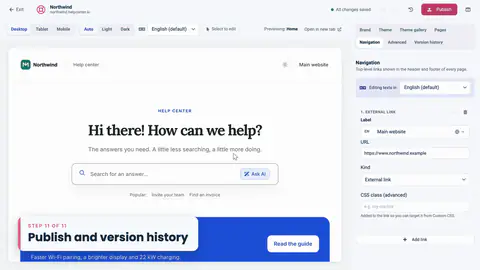
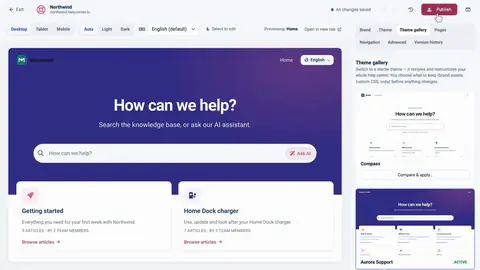
12. Publish and version history

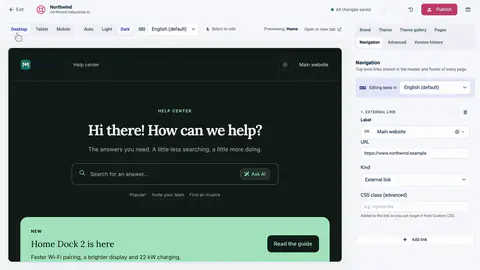
  • At 9:32I'm happy with all of this, so I'll click Publish.
  • At 9:41I'll click Publish... and my live help center is updated.
  • At 9:45Every publish saves a restore point in Version history.

FAQs and FAQ sections

7 moments
Length 0:44

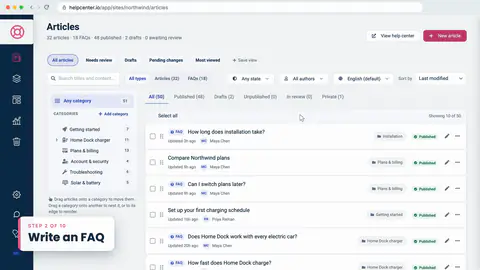
3. Write an FAQ

  • At 1:53Like any article, an FAQ has a category, so I'll put this one in Home Dock charger... and Publish.
Length 0:53

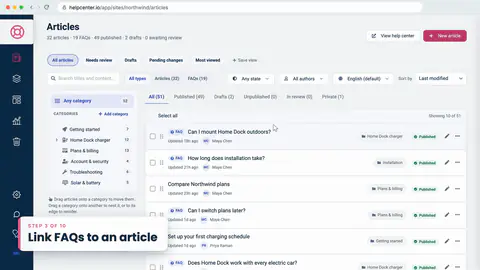
4. Link FAQs to an article

  • At 2:43An FAQ written here is published straight away, in the article's category, so it's live as soon as you create it.
Length 0:45

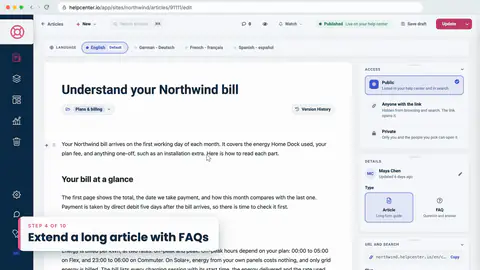
5. Extend a long article with FAQs

  • At 3:26Once they read right, one click on Publish drafts puts them live.
Length 0:45

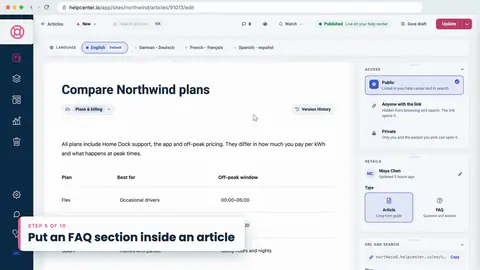
6. Put an FAQ section inside an article

  • At 4:22For now, I'll click Publish changes to put the article live.
Length 1:04

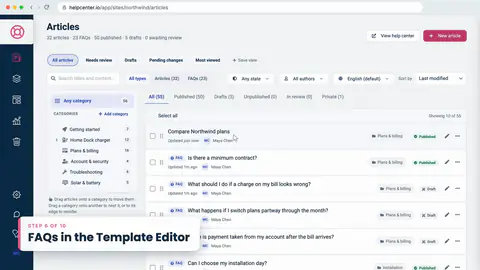
7. FAQs in the Template Editor

  • At 5:18Then Publish... and our home page answers the most common questions, under its categories and articles.
  • At 5:24…theme, and when a section's questions change, the page follows, without another Publish.
Length 0:39

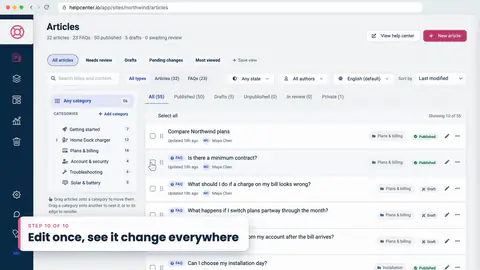
11. Edit once, see it change everywhere

  • At 9:12Sections load fresh with every page, so there's nothing to re-publish, and no snippet to touch.

Move to the new Template Editor

16 moments
Length 0:48

1. Introduction

  • At 0:23Finally, we'll preview every page, publish...
Length 0:46

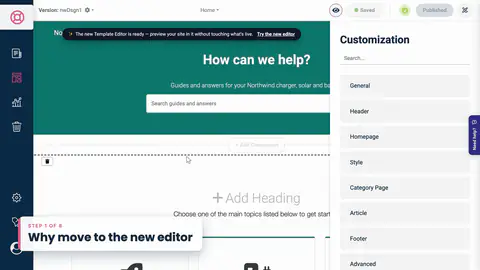
2. Why move to the new editor

  • At 1:04dark mode built in... and a restore point every time you publish.
  • At 1:29and nothing changes for your visitors until you publish.
Length 0:54

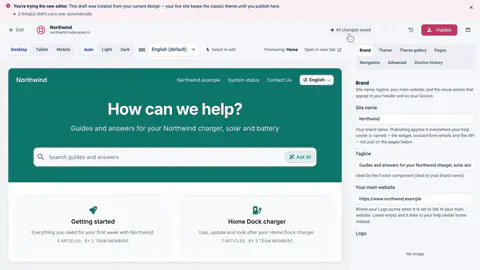
3. Start the move

  • At 1:51and that my live site keeps the classic theme until I publish here.
  • At 1:55…from Northwind's latest classic design, including any changes saved there but never published.
Length 0:26

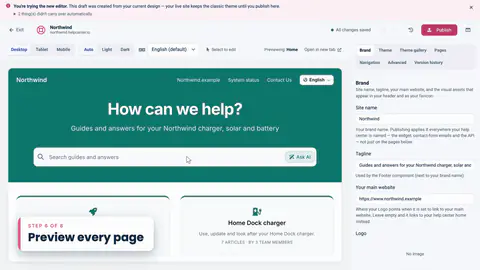
7. Preview every page

  • At 5:26Before you publish, check every kind of page.
  • At 5:47Everything looks right... so it's time to publish.
Length 0:36

8. Publish the switch

  • At 5:52When you're happy with it, click Publish.
  • At 5:58This publish switches your live site to the new template engine...
  • At 6:05I'll add a version note, so it's easy to find later... and click Publish.
  • +1 more in this lesson
Length 0:47

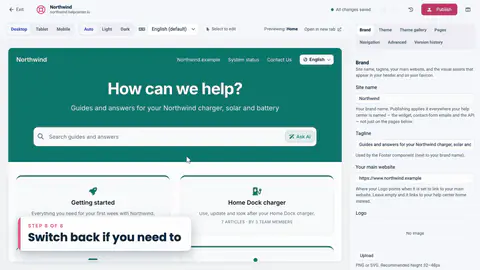
9. Switch back if you need to

  • At 6:29If something isn't right after you publish, there are two ways back.
  • At 6:35Every publish is a restore point here... and Restore puts an earlier one live again.
  • At 6:47If you've only just published, reload the page first.
  • +1 more in this lesson
Length 0:42

10. Wrap-up

  • At 7:22We brought the custom CSS up to date, previewed every page, published... and saw how to switch back.

Rather read it?

  • Publish your design Title matches
  • Get started with the template editor Goes with lesson 2 of The Template Editor
  • Choose a theme Goes with lesson 3 of The Template Editor
  • Which theme is right for you? Goes with lesson 3 of The Template Editor
  • Preview on phones, tablets and in dark mode Goes with lesson 11 of The Template Editor
  • Light and dark mode Goes with lesson 11 of The Template Editor
Ask AI

Have a question the videos don’t answer?

Ask it in our help center, in your own words, and get an answer from our articles.

Search the help center for “publish”
HelpCenter.io

Help customers find accurate answers instantly, from a branded knowledge base and an AI Widget that recommends articles in context.

Product

  • Help Center
  • Subfolder Hosting
  • AI Widget
  • AI Theming Agent
  • Dynamic FAQ
  • Free Migration
  • For AI Agents
  • Showcase
  • AI Agents
  • MCP Server
  • ChatGPT
  • Zapier
  • WordPress
  • Claude Plugin
  • HelpCenter.chat Live Chat

Solutions

  • SaaS
  • E-commerce
  • Finance
  • Education
  • Agencies
  • Mobile Apps

Use cases

  • Customer help center
  • SOPs
  • Internal knowledge base
  • API docs
  • IT docs
  • AI-ready docs
  • Product docs
  • Employee handbook
  • Multilingual help center
  • All use cases

Resources

  • Learning Hub
  • Knowledge Base Templates
  • Help Center
  • Developers
  • Is it right for you?
  • Blog
  • Free KB
  • Free FAQ Templates

Compare

  • vs Zendesk
  • vs Notion
  • vs Confluence
  • vs Help Scout
  • vs Intercom
  • vs Front
  • vs Document360
  • vs Mintlify
  • vs Helpjuice
  • vs HelpDocs
  • vs Slite

Company

  • Why HelpCenter.io
  • Pricing
  • EU Hosting & Data Protection
  • Privacy Policy
  • Terms of Service
  • Cookie Policy

Featured on

Featured on Twelve Tools Featured on Fazier Verified on DANG!

© 2018 - 2026 HelpCenter Solutions Ltd. All rights reserved.

Help could not load. Open our help center.

Your privacy, your choice

Essential cookies keep HelpCenter.io working. Functional enables our internal widget analytics. Proactive help is always available. You can also choose website analytics and campaign attribution. Optional tracking stays off until you choose.

Cookie PolicyPrivacy Policy

Choose settings

Cookie settings

Choose what you’re comfortable sharing. You can use HelpCenter.io with optional tracking off.

Essential cookiesAlways on

Keep sign-in secure, protect the site, and remember your privacy choices.

Allow our internal analytics to measure searches, article use and widget interactions so we can improve the platform, our content and the help experience. HelpCenter Solutions Ltd. processes this data on its EU infrastructure, using browser session and journey markers and prompt history. Proactive help and contextual article suggestions work regardless of this choice.

HelpCenter Solutions Ltd. uses its own measurement and Google Analytics to understand visits and interactions on the website and blog using cookies. Google receives browser and device information and may process it outside the EU. This choice does not authorize linking activity to your HelpCenter.io account or subscription.

HelpCenter Solutions Ltd. measures campaign visits and interactions and, when you sign up or sign in, links them to your account, plan and revenue. This is independent of website analytics.

Choices last 180 days. Optional cookie identifiers expire no later than your choice; our visit cookies expire after 30 minutes of inactivity. Our cookie-based website measurement retention policy is at most 13 months. Google Analytics loads only for Website analytics. Advertising personalization and Google signals are off. Google Tag Manager containers, Hotjar, Pingdom and Capterra tracking remain disabled.

Functional controls our internal widget usage analytics. Proactive help and contextual article suggestions remain available with optional tracking off. Website analytics controls Google Analytics and our cookie-based website measurement; Campaign and account attribution controls campaign-to-account links. Accept all includes all three choices. You can withdraw any choice at any time.

Cookie inventoryPrivacy Policy