Up next
The video did not load.
Lesson 5 of 11 · 1:02
FAQ sections on your pages
From Your help center, inside your product · Verified against the live product on Oct 20, 2026
This lesson
Create a Custom FAQ section, choose where it shows, pick one of 27 designs, and paste one line on your page.
Prefer to read? Follow it step by step
Moments in this lesson
 Length 1:02
Up next · 1:02
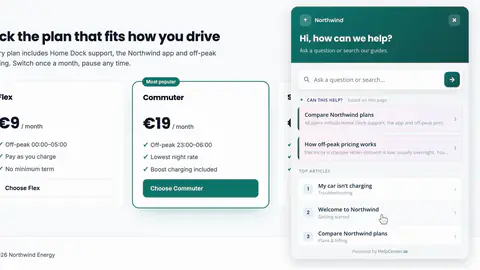
6. Invite visitors at the right moment
A proactive message that appears on your plans page after ten seconds, and the rules for when it shows.
Transcript
- 2:57Next, let's put a few FAQs right on our home page.
- 3:01In Embeddables, I'll open FAQ sections... and click New section.
- 3:06A Full section shows all of your FAQs, by category.
- 3:10I'll choose Custom, to pick just the questions I need.
- 3:14I'll call it Before you order.
- 3:16And under Display on URLs, I'll add our website:
- 3:19a section only shows on the sites you list here.
- 3:23Then, Create and design.
- 3:25There are twenty-seven designs to choose from.
- 3:27I'll pick Canopy... and save the design.
- 3:31Now I'll choose the questions, with Manage FAQs.
- 3:34I'll add the ones people ask before they order.
- 3:39And Install gives me one line of code to paste where the section should go.
- 3:43In our home page, I'll paste it into the FAQ area... save... and reload.
- 3:50There it is, in our own page.
- 3:52And when you edit one of these answers in your help center, it changes here too.
Captions and this transcript come from the narration, word for word. Click any line to play from there.
About the course
Every way to add HelpCenter.io to your website or web app: the widget, FAQ sections, proactive messages, JWT sign-in and more.
What you'll learn
- Where the installation snippet is, and why the widget needs your domain in Embedding origins
- What visitors can do in the widget: suggestions for the page they're on, search, Ask AI, contact
- Opening an article in the widget from your own links
- FAQ sections: Custom or Full, a design, the questions, and the one line to paste
- Proactive messages: page and time rules, and custom events from your own code
- JWT single sign-on for a private help center
- Single-page apps, a custom domain, and subfolder hosting
- Who it's for
- Developers and product teams putting help inside a website or a signed-in web app.
- Format
- 11 lessons, 9:31 in all. English captions and a full transcript.
- Last verified
- Oct 20, 2026, on the live product with the Northwind demo help center
- Plans
-
Works on every plan. These lessons cover features on higher plans, and say so:
- Lesson 3 · What your visitors get AI answers: Catalyst or AI add-on
- Lesson 7 · Sign people in with JWT JWT sign-in: Catalyst
- Lesson 9 · React to what happens in your app Custom event triggers: Growth and Catalyst
- Lesson 10 · Your help center on your own address Subfolder hosting: Growth and Catalyst
Articles
Every lesson pairs with a help article, so you can read the steps at your own pace.
-
Add the widget to your website self.helpcenter.io/content/install-the-widgetGoes with these lessons
-
Choose which websites can show the widget self.helpcenter.io/content/embedding-originsGoes with
-
What visitors see in the widget self.helpcenter.io/content/widget-for-visitorsGoes with
-
Turn on AI Answers self.helpcenter.io/content/ai-answersGoes with
-
Open the widget from your own UI developers.helpcenter.io/content/open-the-widget-from-your-uiGoes with
-
Embed FAQ sections on your website self.helpcenter.io/content/faq-sectionsGoes with
-
Invite visitors with proactive messages self.helpcenter.io/content/proactive-messagesGoes with these lessons
-
Sign readers in with your own login (JWT SSO) self.helpcenter.io/content/jwt-ssoGoes with
-
Sign readers into the widget with a JWT developers.helpcenter.io/content/widget-jwtGoes with
-
Widget JavaScript API developers.helpcenter.io/content/widget-javascript-apiGoes with these lessons
-
Show your help center only inside your app self.helpcenter.io/content/js-only-accessGoes with
-
Use your own domain self.helpcenter.io/content/custom-domainGoes with
-
Host your help center in a subfolder of your website self.helpcenter.io/content/host-your-help-center-in-a-subfolderGoes with
-
Widget installation and options developers.helpcenter.io/content/widget-optionsGoes with