Up next
The video did not load.
Lesson 1 of 6 · 0:34
Introduction
From Your help center in more than one language · Verified against the live product on Nov 12, 2026
This lesson
From one language to two: add a language, translate by hand and with AI, release, and see what readers see, on Northwind, a demo help center.
Prefer to read? Follow it step by step
Moments in this lesson
 Length 1:14
Up next · 1:14
2. Add a language
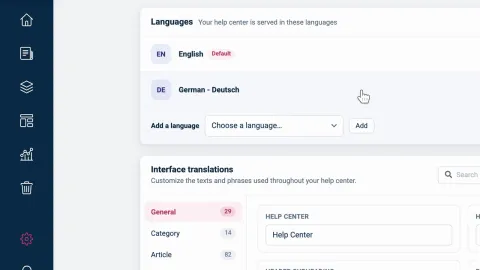
Add German under Localization and see it join the list at 0% of articles. Then add the Language switcher to your design, so readers can change language once a translation is released. On Bootstrap, which includes one language, the menu is grayed out.
Transcript
- 0:05Hi!
- 0:06In this video, I'll show you how to offer your help center in more than one language... so your readers find answers in the language they speak.
- 0:14First, we'll add a language... Then we'll translate an article by hand... and another one with AI... And finally, we'll release the translations, and see what your readers see.
- 0:25We'll use Northwind, a demo help center on the Catalyst plan.
- 0:29It's in English today... and by the end, it will be in German too.
Captions and this transcript come from the narration, word for word. Click any line to play from there.
About the course
Add a language, translate articles by hand or with AI, release them when they are ready, and see what readers see.
What you'll learn
- Adding a language under Localization, and what Bootstrap shows instead
- Adding the Language switcher to your design, so readers can change language
- Translating an article's title and text in the editor's Language bar, and releasing it
- Having AI draft a translation, reviewing it before anything is applied, and polishing it
- Releasing every waiting translation of a language at once
- What readers get: addresses with a language code, search in their language, and the widget in the language you set
- Who it's for
- Teams whose customers read in more than one language, on the Growth or Catalyst plan. Translating with AI needs Catalyst.
- Format
- 6 lessons, 5:34 in all. English captions and a full transcript.
- Last verified
- Nov 12, 2026, on the live product with the Northwind demo help center
- Plans
-
Works on every plan. These lessons cover features on higher plans, and say so:
- Lesson 2 · Add a language Multiple languages: Growth and Catalyst
- Lesson 3 · Translate an article by hand Multiple languages: Growth and Catalyst
- Lesson 4 · Translate with AI Automatic AI translations: Catalyst
- Lesson 5 · Release translations and see what readers see Multiple languages: Growth and Catalyst
Articles
Every lesson pairs with a help article, so you can read the steps at your own pace.
-
Add a language to your help center self.helpcenter.io/content/add-a-languageGoes with these lessons
-
Translate an article self.helpcenter.io/content/translate-an-articleGoes with
-
Translate articles with AI self.helpcenter.io/content/ai-translationGoes with
-
Release translations and change your default language self.helpcenter.io/content/manage-languages
-
How readers see other languages self.helpcenter.io/content/languages-for-readers
-
Translate buttons and labels self.helpcenter.io/content/interface-translationsGoes with
-
Translate texts in your design self.helpcenter.io/content/translate-design-textsGoes with